Edit Word Document with OffiX
ダウンロード: App Store

このページはアプリまたはその開発者の公式ページではなく、情報提供および論評を目的として作成された独立した編集出版物です。明示的に別段の記載がない限り、アプリおよびその開発者は、MWM、Apple、Google Play、アプリのパブリッシャー、またはアプリの開発者と提携、承認、後援、認可、またはその他の公式的な関係はなく、このページのいかなる内容も、アプリがMWMのサービスを使用して開発されたことを意味するものではありません。すべての商標、ロゴ、スクリーンショット、その他のコンテンツはそれぞれの所有者の財産です。

ロゴ: Edit Word Document with OffiX
ダウンロード: App Store

Edit Word Document with OffiX

強力なモバイルワークステーションでワークフローをマスターしましょう。Word文書の作成、複雑な数式、契約書のスキャン、PDFへのシームレスな署名がiPhoneまたはiPadから可能になります。

主要数値

ダウンロード

1K+

ユーザー評価

4.4/5

評価数

0

開発元

Serhii Borychev

カテゴリ

Business

対応言語

3

最新バージョン

1.5.3

サイズ

51.7 MB

リリース日

2025年3月16日
機能

あなたの完全なモバイルワークスペース

アプリの切り替えはやめましょう。OffiXは、プロフェッショナルな編集、PDF管理、スマートスキャンを、現代のプロフェッショナルや学生向けに設計された1つの強力なモバイルファーストソリューションに統合します。

プロフェッショナル文書&数式編集

レポートの作成、リッチテキストのフォーマット、複雑な数式の簡単な挿入。iPadまたはiPhoneでデスクトップパワーを必要とするSTEM学生やプロフェッショナルに最適です。

スキャン、署名、変換

すぐにペーパーレス化。OCRを使用して画像からテキストを抽出し、契約書に安全なデジタル署名を追加し、あらゆるファイルを数秒で高品質PDFに変換します。

以下のスクリーンショットと説明は、アプリの公式ストアリスティングから直接取得されたものであり、アプリ開発者の所有物です。

アプリストア

スクリーンショット
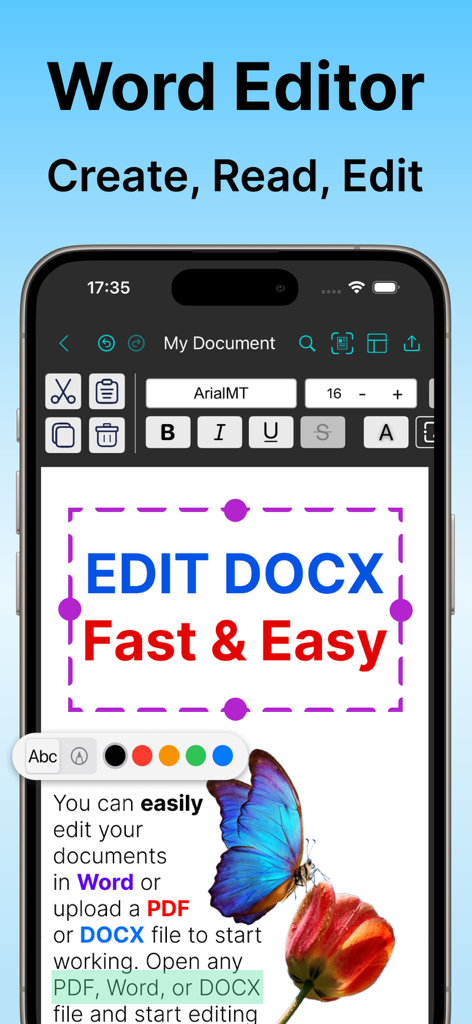
Edit Word Document with OffiX - OffiXモバイルアプリのインターフェース。iPhone画面に、テキストフォーマットツールを備えたWord文書エディターが表示されています。
OffiXモバイルアプリのインターフェース。iPhone画面に、テキストフォーマットツールを備えたWord文書エディターが表示されています。

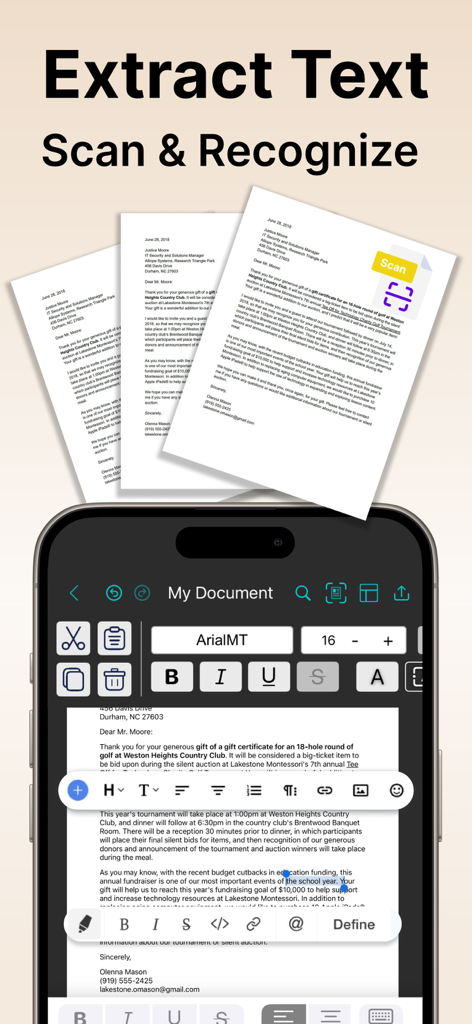
Edit Word Document with OffiX - OffiXアプリのモバイルインターフェース。文書スキャンとOCRテキスト抽出機能が表示されています。
OffiXアプリのモバイルインターフェース。文書スキャンとOCRテキスト抽出機能が表示されています。

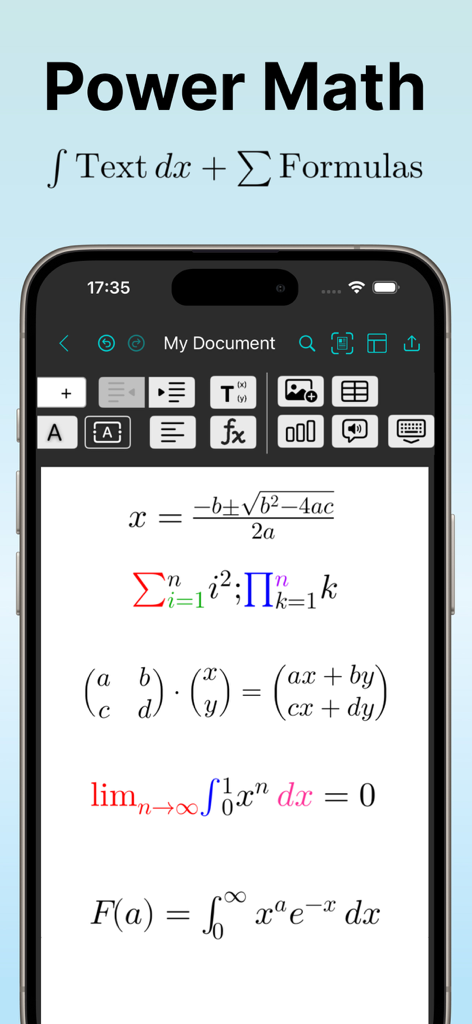
Edit Word Document with OffiX - OffiXアプリのモバイルインターフェース。Word文書エディターに、積分や行列のような複雑な数式が表示されています。
OffiXアプリのモバイルインターフェース。Word文書エディターに、積分や行列のような複雑な数式が表示されています。

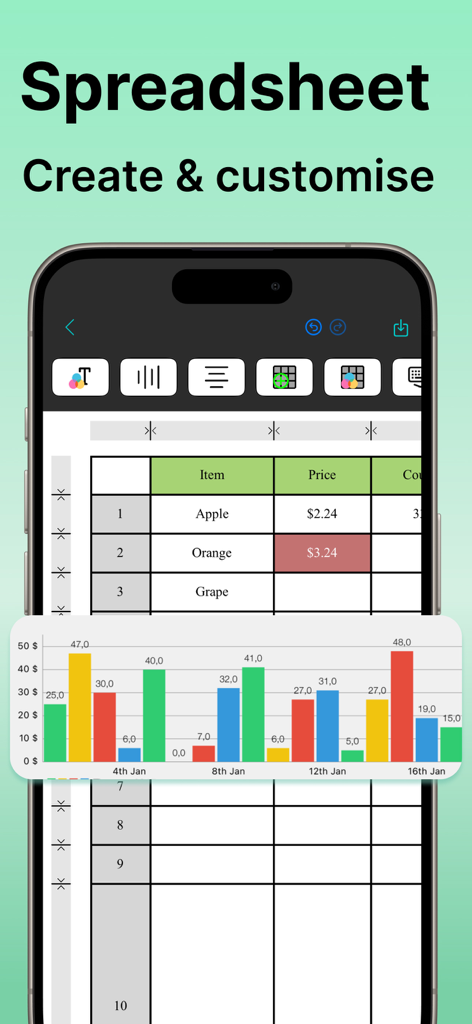
Edit Word Document with OffiX - OffiXスプレッドシートエディターのモバイルビュー。iPhone上にデータテーブルとカラフルな棒グラフが表示されています。
OffiXスプレッドシートエディターのモバイルビュー。iPhone上にデータテーブルとカラフルな棒グラフが表示されています。

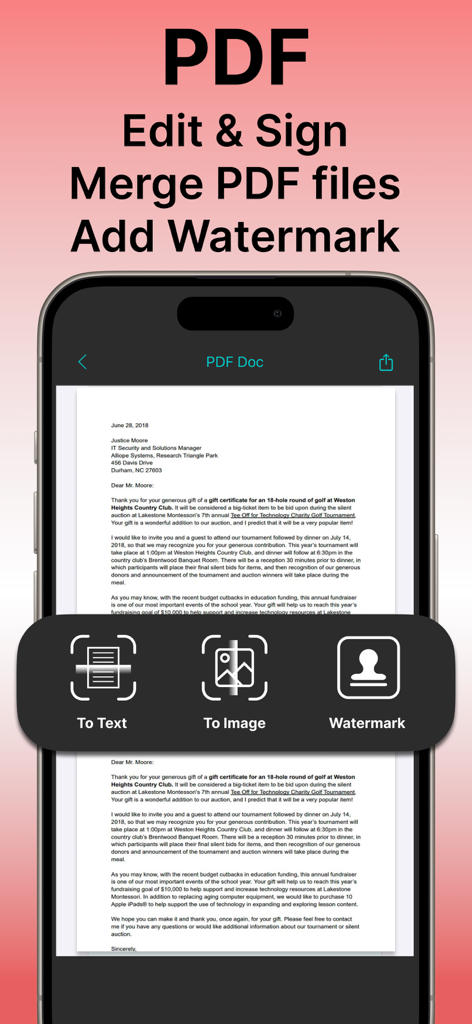
Edit Word Document with OffiX - OffiXモバイルアプリのインターフェース。PDF文書の編集、署名、透かし機能が表示されています。
OffiXモバイルアプリのインターフェース。PDF文書の編集、署名、透かし機能が表示されています。

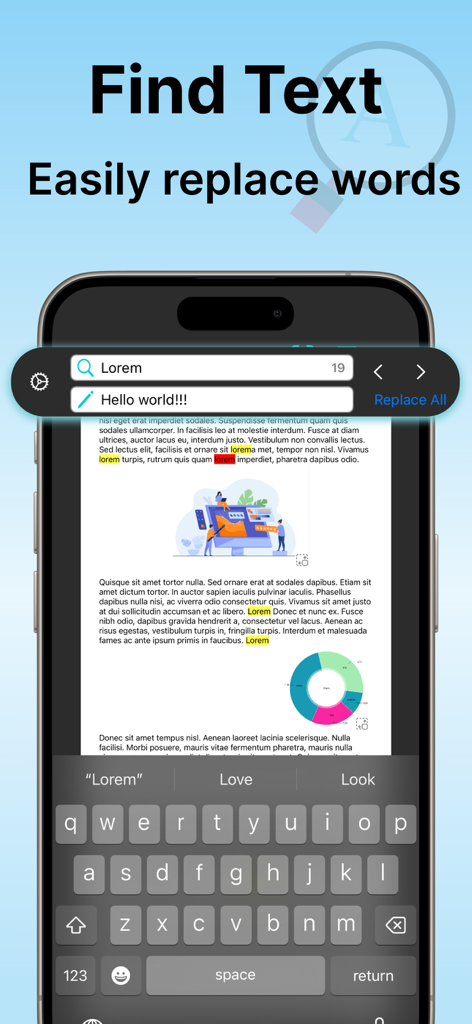
Edit Word Document with OffiX - OffiXアプリのモバイルインターフェース。文書内のテキスト検索および置換機能が表示されています。
OffiXアプリのモバイルインターフェース。文書内のテキスト検索および置換機能が表示されています。

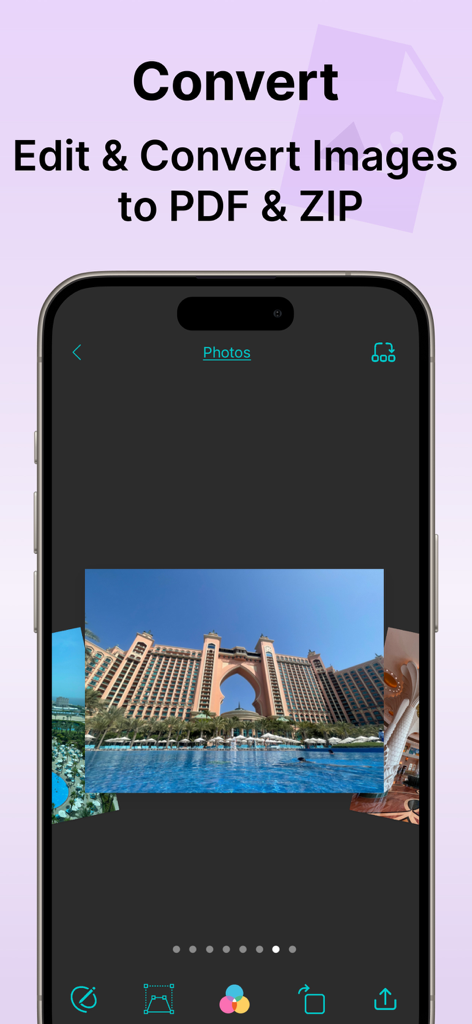
Edit Word Document with OffiX - OffiXアプリのインターフェース。画像編集ツールと、写真のPDFおよびZIP形式への変換オプションが表示されています。

OffiXアプリのインターフェース。画像編集ツールと、写真のPDFおよびZIP形式への変換オプションが表示されています。

説明

Take your productivity to the next level with OffiX — the ultimate all-in-one tool for document editing and management. Whether you need to create a new document, edit existing files, or convert documents into various formats, OffiX has got you covered! Key Features (Available with Subscription): WORD DOCUMENT EDITOR Create, edit, and format Word documents with rich text customization. MATH FORMULAS Easily create complex mathematical expressions in Word documents. SPREADSHEET & CHARTS Build, edit, and visualize data with integrated spreadsheets and dynamic charts. PDF TOOLS Convert Word documents to PDF, merge multiple PDFs, add watermarks, and even convert PDFs to text or images. OCR (Optical Character Recognition) Extract and edit text from scanned documents and images. IMAGE EDITING Apply filters, transform images, and enhance visuals directly within the app. SCANNING & SIGNATURES Scan physical documents, add digital signatures, and save them as PDFs. FILE COMPRESSION & ARCHIVING Organize your files by compressing them into ZIP archives. CLOUD INTEGRATION Seamlessly share and save your documents with Google Drive. Why Choose OffiX? With an intuitive interface and powerful features, Office X is designed to simplify your workflow and supercharge your productivity. Whether you’re a student, a professional, or anyone in between, this app makes handling documents a breeze. Download OffiX today and transform the way you work with documents! Start your free trial and experience the benefits of editing documents, anytime, anywhere. Subscription options: $6.99/week, $29.99/year. These prices are for US. Pricing in other countries may vary and actual charges may be converted to your local currency depending on the country of residence. The subscription will automatically renew unless turned off in your iTunes Account Settings at least 24 hours before the current period ends. You can go to your iTunes Account settings to manage your subscription and turn off auto-renew. Your iTunes Account will be charged when the purchase is confirmed. If you subscribe before your free trial ends, the rest of your free trial period will be forfeited as soon as your purchase is confirmed. OffiX is an independent application and is not affiliated with, endorsed by, or in any way officially connected to Microsoft Corporation. Microsoft Word, Excel, and other Microsoft products are trademarks or registered trademarks of Microsoft Corporation. OffiX simply provides tools to view, edit, and manage documents compatible with DOCX and other common formats. Terms: https://sites.google.com/view/paperwork-terms-and-conditions/ Privacy: https://sites.google.com/view/paperwork-privacy-policy/

Download

ダウンロード: App Store

このページはアプリまたはその開発者の公式ページではなく、情報提供および論評を目的として作成された独立した編集出版物です。明示的に別段の記載がない限り、アプリおよびその開発者は、MWM、Apple、Google Play、アプリのパブリッシャー、またはアプリの開発者と提携、承認、後援、認可、またはその他の公式的な関係はなく、このページのいかなる内容も、アプリがMWMのサービスを使用して開発されたことを意味するものではありません。すべての商標、ロゴ、スクリーンショット、その他のコンテンツはそれぞれの所有者の財産です。








