eDrawings

eDrawings

ダウンロード: App Store
ロゴ: eDrawings

eDrawings:究極のモバイルCADビューア&ARコラボレーションツール

SolidWorksおよび3Dデザインをどこでも生き生きとさせましょう。拡張現実で複雑なモデルを実物大で可視化し、チームのフィードバックを合理化し、デザインと製造の間のギャップを正確に埋めます。

ダウンロード: App Store

開発元

Dassault Systemes SolidWorks Corporation

カテゴリ

Productivity

ダウンロード

441K+

ユーザー評価

2.8/5

評価数

700

対応言語

1

あらゆる次元のデザイン

このインターフェースを利用する 441K+ 人のユーザー.

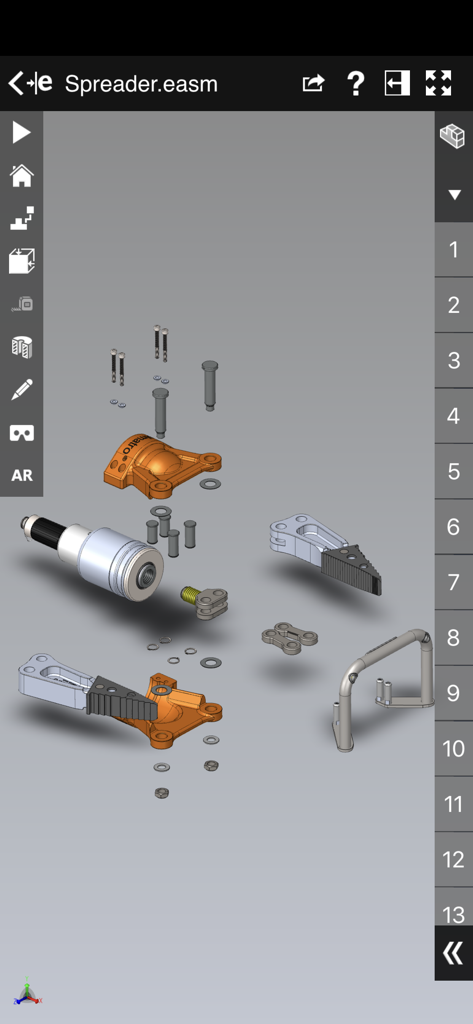
eDrawings CADビューアアプリで3D機械アセンブリの分解図を表示。
eDrawings CADビューアアプリで3D機械アセンブリの分解図を表示。

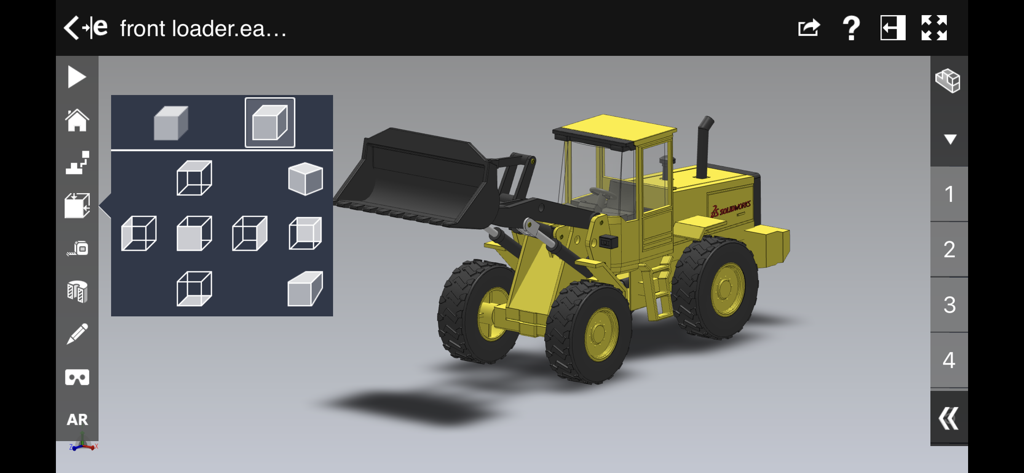
eDrawingsアプリのインターフェースに、ビュー選択メニューが表示された黄色の産業用フロントローダーの3D CADモデルが表示されています。
eDrawingsアプリのインターフェースに、ビュー選択メニューが表示された黄色の産業用フロントローダーの3D CADモデルが表示されています。

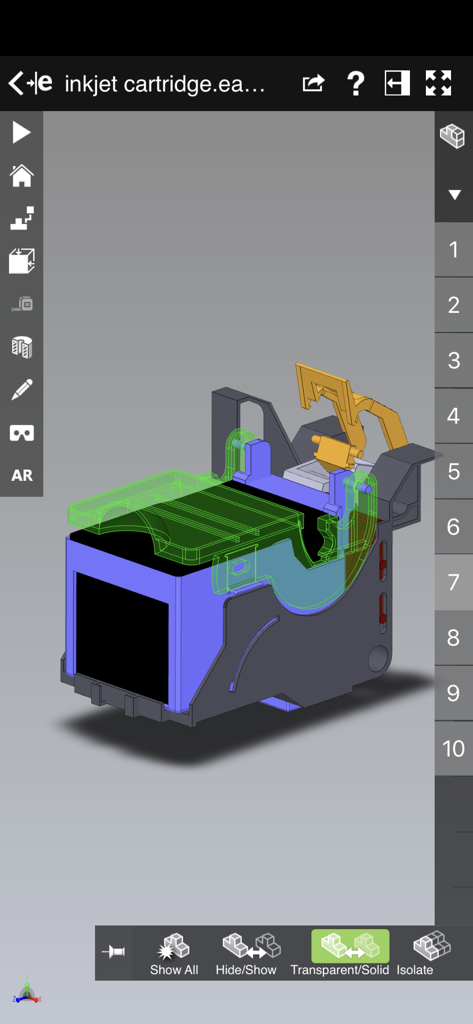
eDrawingsモバイルアプリに、インクジェットカートリッジの詳細な3D CADモデルが表示されています。

eDrawingsモバイルアプリに、インクジェットカートリッジの詳細な3D CADモデルが表示されています。

デザインレビューを洗練する

このアプリを際立たせるツール、 441K+ 人のユーザーが選択.

📱

実物大のビジュアライゼーション

拡張現実を使用して、環境に1:1スケールのモデルを配置し、即時の空間検証とインパクトのあるクライアントウォークスルーを可能にします。

📂

ユニバーサルファイルサポート

メールやクラウドストレージから直接、ネイティブのSolidWorks®、DXF、STEPファイルを開いて表示し、どこでもプロジェクトを進行させます。

🔍

ダイナミックアセンブリインサイト

直感的な分解図、コンポーネントツリー、アニメーションで細部まで探索し、複雑なデータを誰にでも理解できるようにします。

レビュー分析

ユーザーレビューの分析.

感情スコア

17%
ネガティブ

概要

This mobile app receives predominantly negative feedback from users. While its basic viewing functionality for certain CAD files and the AR live preview are occasionally praised, a significant number report critical issues, including the inability to open various file formats and frequent crashes or endless rendering, especially with larger models. Many users express frustration over the absence of essential features like measurement and dimensioning tools. Additionally, an issue specific to iPhone 14 Pro devices causes users to become locked in the target view, further contributing to overall dissatisfaction and questions about the app's value for money.

主なテーマ

File Viewing & Compatibility(6)
Performance & Stability(6)
Measurement Tools(1)
Augmented Reality (AR) Features(1)
Value for Money(1)
User Interface & Navigation(1)

アプリについて

について知っておくべきこと eDrawings.

説明

eDrawings® is the only CAD viewer on iPad, iPad mini, iPhone and iPod Touch that allows you to view native eDrawings files as well as native SolidWorks® parts, assemblies and drawings files. In addition, eDrawings allows convenient viewing of DWG and DXF files. eDrawings includes Augmented Reality (AR). This allows you to view your 3D models in 1:1 scale into the real world. By simply activating the device’s camera, you can bring your virtual 3D designs in a real context and see them in situ, sitting on your desk or on your conference room table or even in the palm of your hand, through your iPad, Pad mini, iPhone or iPod Touch’s screen. Move around the room and see your design from any perspective. eDrawings is the email-enabled communication tool that dramatically eases sharing of product design information. You can load and send files via email to collaborate more effectively with everyone involved in product development, including people who are not regular CAD software users to interpret and understand 2D and 3D designs. Multi-touch gestures let you pan, zoom, and rotate models easily. eDrawings also supports configurations, drawing sheets, and exploded views for eDrawings files published from SolidWorks® and all other supported CAD software. Features: * Intuitive and easy-to-use user interface * Visualize your 3D models in real context with Augmented Reality (AR) * Open 3D (EASM, EPRT, SLDASM, SLDPRT, IGES, IGS, JT, STEP, STP, IFC), 2D (EDRW, SLDDRW, DWG, DXF) and associated files from any source: email attachments, cloud storage services (Dropbox™, SkyDrive®, Google Drive, YouSendIt®, and others), web and FTP sites, networks, and iTunes® File Sharing. * Zoom, pan and rotate your 2D or 3D CAD data using multi-touch * Animate 3D standard views as well as 2D drawing views. * Browse your assembly components tree, configurations and drawing sheets * View your designs in full screen and double tap to fit it on screen * Adapt the scale of your 3D model in AR mode * Freeze the background in AR mode with viewpoint lock to prolong AR experience without holding up your device. * Sample files included For more information, visit: http://www.edrawingsviewer.com

最新バージョン

33.4.0038

サイズ

185.2 MB

リリース日

2012年5月1日

デスクトップから現実へのデザインを

iPadとiPhoneでコラボレーション、ARでの視覚化、生産の合理化にeDrawingsを使用する何千人ものエンジニアやデザイナーの仲間入りをしましょう。

ダウンロード: App Store

App information, icons, screenshots, and descriptions displayed on this page are sourced from the Apple App Store and are the property of their respective developers. Download estimates and rankings are based on MWM's proprietary models and may not reflect actual figures. This page is provided for informational and analytical purposes only.

Believe this page infringes your intellectual property? File a dispute