EdrawMind: AI Mind Map, Notes
ダウンロード: App Store

このページはアプリまたはその開発者の公式ページではなく、情報提供および論評を目的として作成された独立した編集出版物です。明示的に別段の記載がない限り、アプリおよびその開発者は、MWM、Apple、Google Play、アプリのパブリッシャー、またはアプリの開発者と提携、承認、後援、認可、またはその他の公式的な関係はなく、このページのいかなる内容も、アプリがMWMのサービスを使用して開発されたことを意味するものではありません。すべての商標、ロゴ、スクリーンショット、その他のコンテンツはそれぞれの所有者の財産です。


ロゴ: EdrawMind: AI Mind Map, Notes
ダウンロード: App Store

EdrawMind: AI Mind Map, Notes

思考をマッピングする、よりスマートな方法。ドキュメントを視覚的な要約に瞬時に変換し、複雑なプロジェクトを整理し、AI駆動のマインドマッピングで生産性を向上させます。

主要数値

ダウンロード

324K+

ユーザー評価

4.4/5

評価数

1K+

開発元

Edraw Software Co., Ltd

カテゴリ

Productivity

対応言語

19

最新バージョン

7.10.12

サイズ

200.7 MB

リリース日

2019年12月3日
機能

AI駆動のビジュアルでワークフローをマスター

散らかったアイデアから、数秒でプロフェッショナルなマインドマップへ。EdrawMindは高度なAIを使用して、思考を整理し、ドキュメントを要約し、創造的な出力を向上させます。

ワンクリックAIマインドマッピング

単一のプロンプトまたは複雑なドキュメントを、構造化されたビジュアルマップに瞬時に変換。ライターズブロックを打破し、手動でのレイアウト作業なしに全体像を把握します。

プロフェッショナルなプロジェクトレイアウト

ガントチャート、フィッシュボーン図、タイムラインなど、22の専門構造を切り替えます。重要なプロジェクトの調整や学術研究に最適です。

以下のスクリーンショットと説明は、アプリの公式ストアリスティングから直接取得されたものであり、アプリ開発者の所有物です。

アプリストア

スクリーンショット
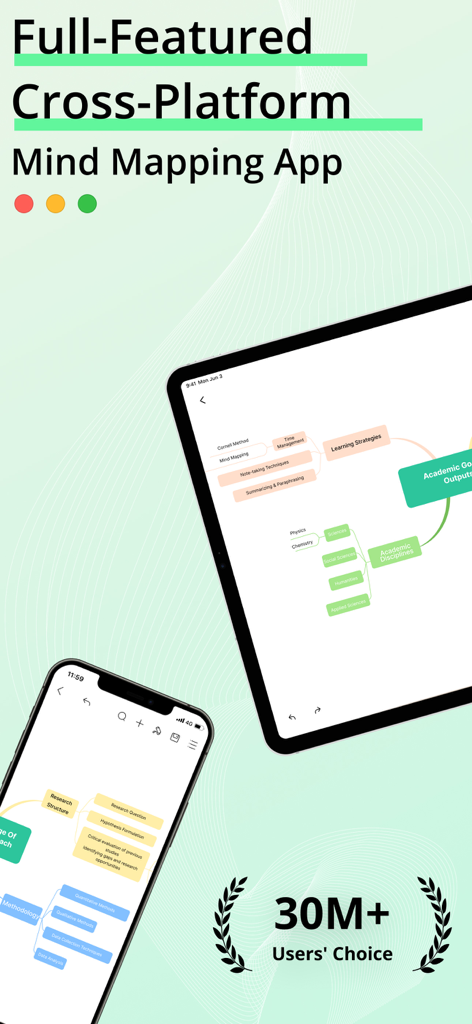
EdrawMind: AI Mind Map, Notes - EdrawMindクロスプラットフォームマインドマップアプリがiPhoneとiPadに表示されています

EdrawMindクロスプラットフォームマインドマップアプリがiPhoneとiPadに表示されています

EdrawMind: AI Mind Map, Notes - DeepSeek統合を備えたEdrawMind AIマインドマップ(Apple Pencil搭載iPad)
DeepSeek統合を備えたEdrawMind AIマインドマップ(Apple Pencil搭載iPad)

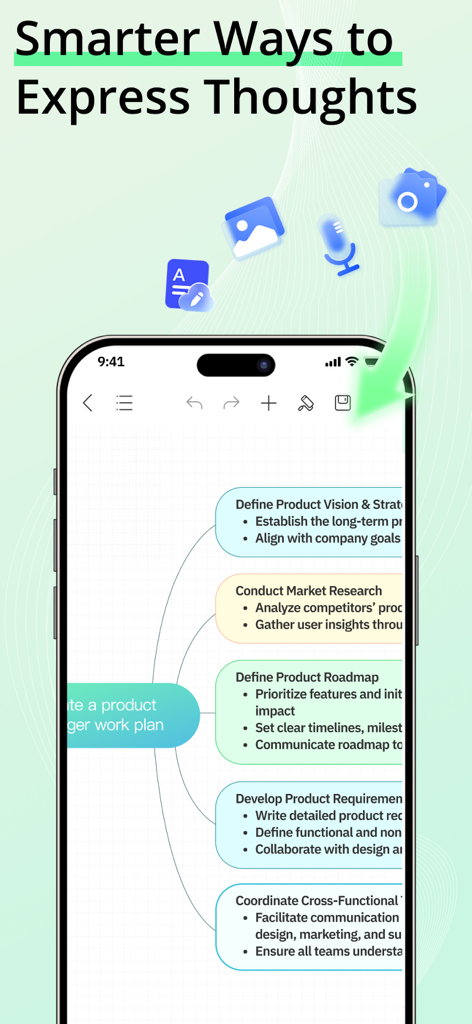
EdrawMind: AI Mind Map, Notes - 詳細なプロジェクト管理マインドマップが表示されたEdrawMindアプリを示すスマートフォンの画面
詳細なプロジェクト管理マインドマップが表示されたEdrawMindアプリを示すスマートフォンの画面

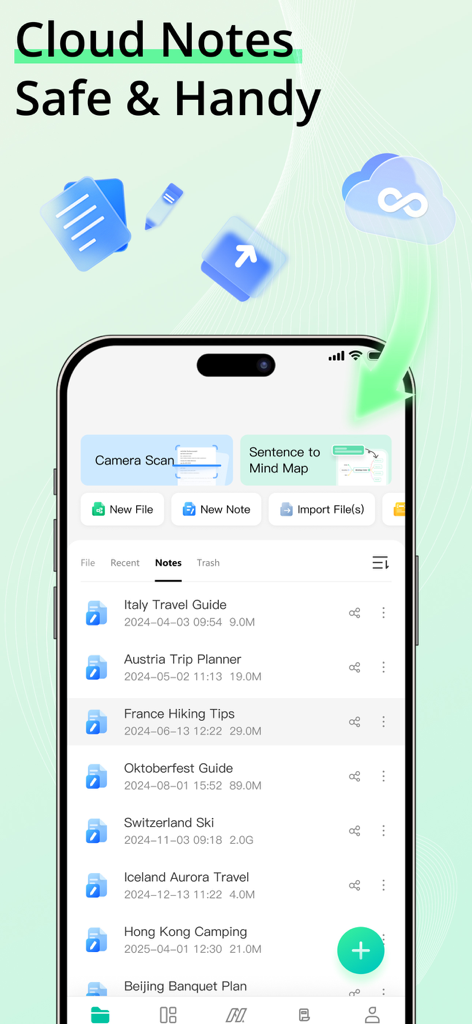
EdrawMind: AI Mind Map, Notes - EdrawMindモバイルアプリのインターフェイスに、整理されたクラウドノートとiPhoneのファイル管理機能のリストが表示されています。
EdrawMindモバイルアプリのインターフェイスに、整理されたクラウドノートとiPhoneのファイル管理機能のリストが表示されています。

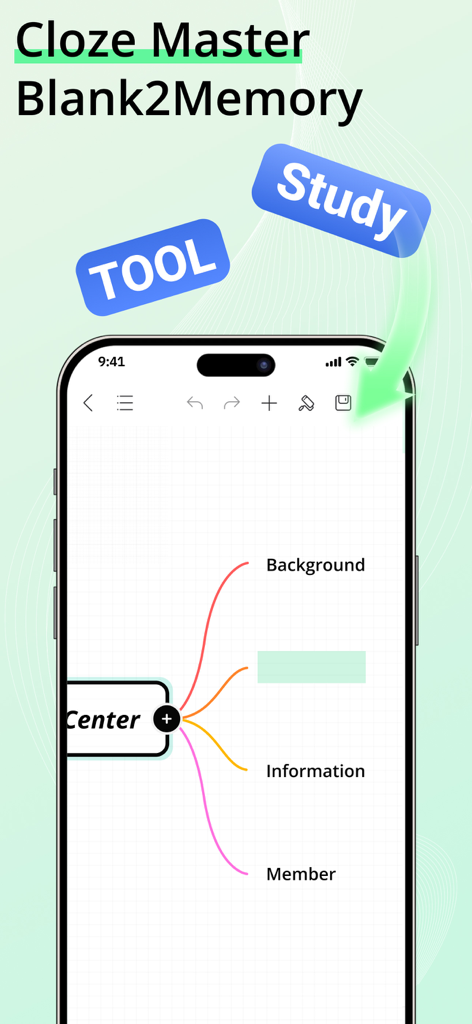
EdrawMind: AI Mind Map, Notes - 記憶学習機能を持つマインドマップを示すEdrawMindアプリの画面

記憶学習機能を持つマインドマップを示すEdrawMindアプリの画面

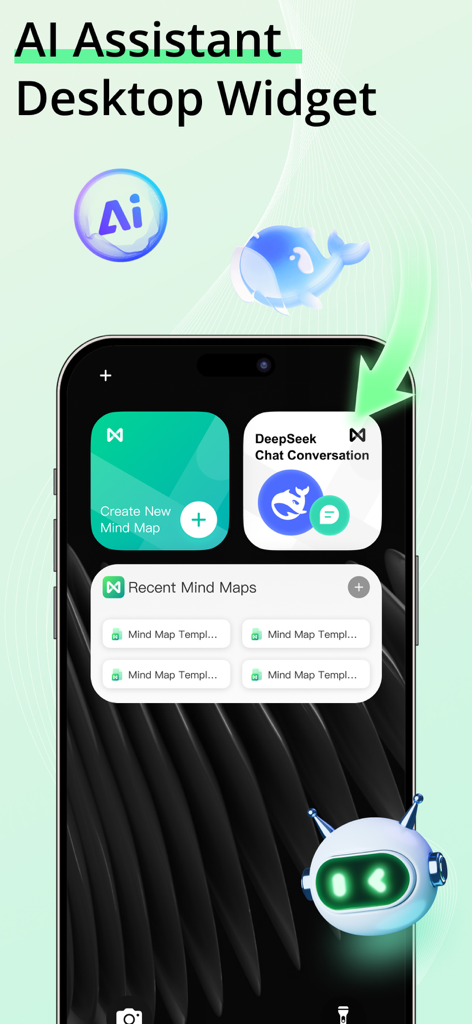
EdrawMind: AI Mind Map, Notes - iPhoneホーム画面上のEdrawMind AIアシスタントとマインドマップウィジェット
iPhoneホーム画面上のEdrawMind AIアシスタントとマインドマップウィジェット

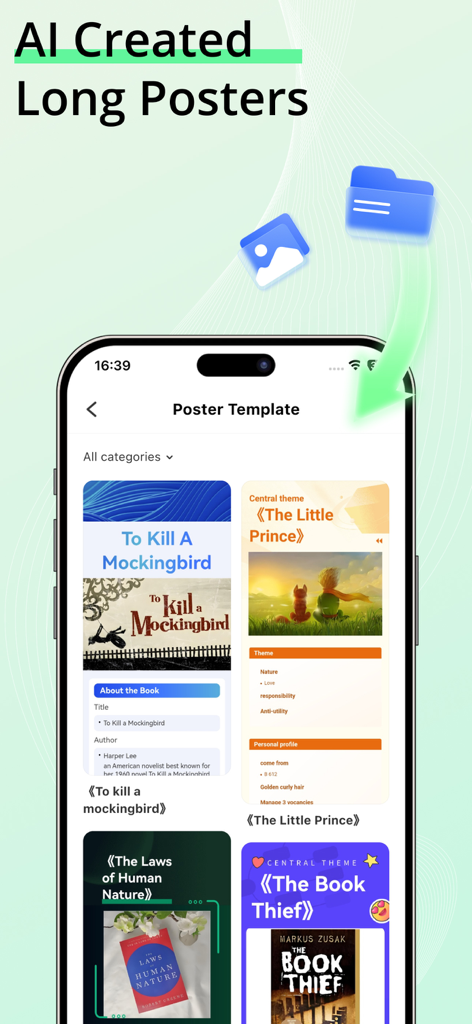
EdrawMind: AI Mind Map, Notes - スマートフォン上の書籍の様々なAI生成ロングポスターテンプレートを示すEdrawMindアプリの画面。
スマートフォン上の書籍の様々なAI生成ロングポスターテンプレートを示すEdrawMindアプリの画面。

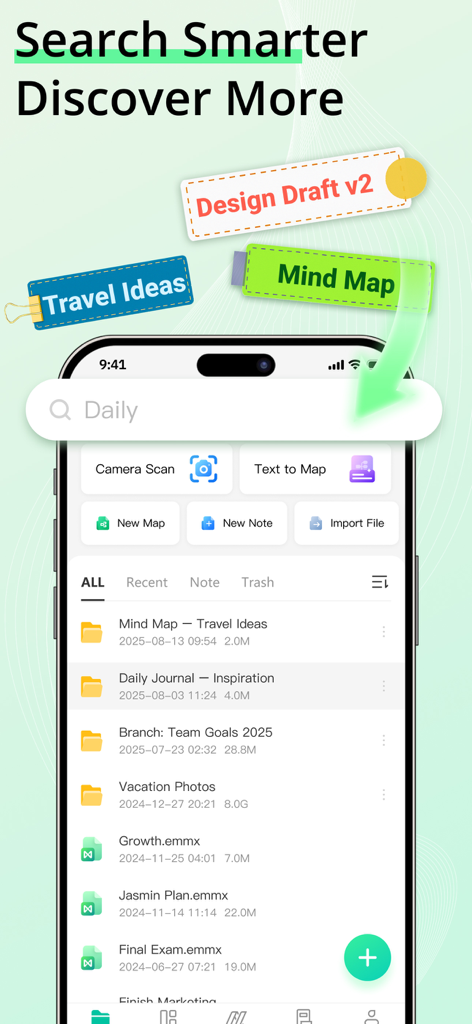
EdrawMind: AI Mind Map, Notes - ファイル検索と整理機能を示すEdrawMindモバイルインターフェイス

ファイル検索と整理機能を示すEdrawMindモバイルインターフェイス

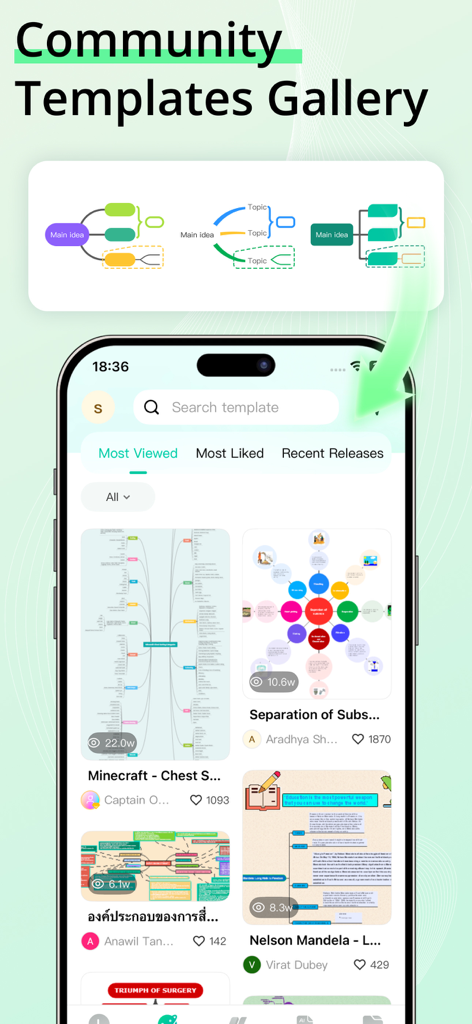
EdrawMind: AI Mind Map, Notes - 様々なマインドマップの例が表示されたEdrawMindコミュニティテンプレートギャラリーを表示する携帯電話の画面。
様々なマインドマップの例が表示されたEdrawMindコミュニティテンプレートギャラリーを表示する携帯電話の画面。

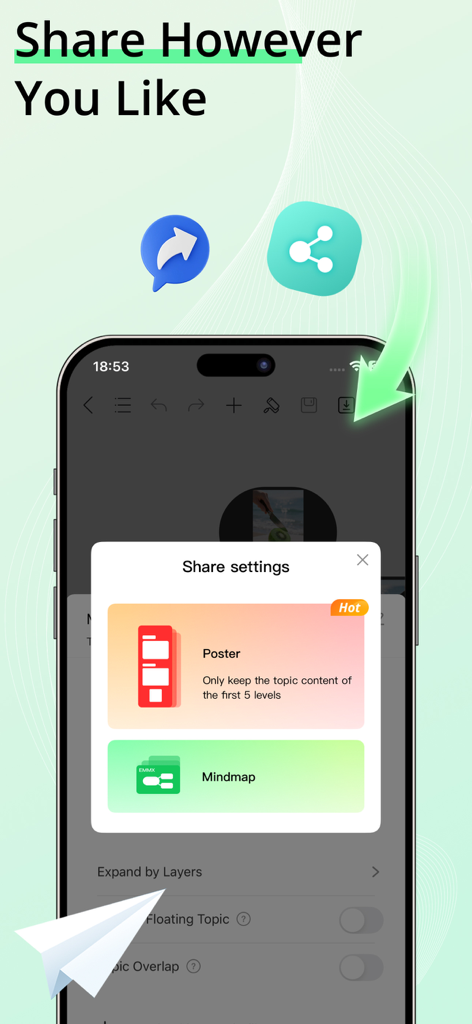
EdrawMind: AI Mind Map, Notes - ポスターまたはマインドマップとして共有するオプションを表示するEdrawMindモバイルアプリの画面

ポスターまたはマインドマップとして共有するオプションを表示するEdrawMindモバイルアプリの画面

説明

EdrawMind is an AI Mind Map tool that helps you generate mind maps and drawings from text, slides, or documents, and convert them into slides, audio, or video. Quickly create professional-looking mind maps with built-in templates, and share them as images or PDFs. NEW: Cloud Notes & Smart Memory ● Cloud Notes: Securely save all your AI Mind Maps, drawings, and ideas in the cloud and access them anytime, anywhere. ● Smart Memory: Automatically track and recall key information from your AI Mind Maps to boost productivity and creative flow. BOOST YOUR PRODUCTIVITY WITH EDRAWMIND AI One-Click AI Mind Map ● Visualize ideas and relationships easily with AI-powered mind mapping. ● Intelligent assistant auto-organizes your AI Mind Map with one tap. AI Summary ● Analyze, organize, and summarize content automatically, generating AI Mind Maps instantly. ● Supported file formats: PPT, WORD, PDF, HTML, TXT, Markdown. AI Mind Map to Poster ● Transform your AI Mind Map outlines into stunning posters instantly. ● Customize poster themes effortlessly, from business to fashion, fresh to minimalistic. AI Drawing ● Create stunning graphics with AI Drawing in seconds. ● Convert text to images or turn images into artwork using AI Drawing tools. ▶ VISUALIZE IDEAS WITH AI MIND MAPS Templates ● Explore built-in templates and 15,000+ free user-shared templates for inspiration. Rich Layouts & Themes ● Customize your AI Mind Map with 22 layouts, 47 themes, 750+ cliparts, and hand-drawn effects. Structure ● 22 structures for AI Mind Maps, including mind map, concept map, bubble map, brace map, sunburst chart, timeline, tree chart, fishbone diagram, org chart, Gantt chart, spider diagram, and family tree. Insert ● Enrich topics with images, audio notes, equations, labels, hyperlinks, topic links, drawings, etc. Smart Formatting ● Add, delete, or move nodes, and your AI Mind Map automatically adjusts. Outline Mode ● Edit your AI Mind Map in structured text for faster navigation. Equation / LaTeX ● Insert mathematics and chemical equations. Audio Note ● Record ideas instantly with Cloud Notes and never miss important thoughts. ▶ CREATE STUNNING AI MIND MAPS & AI DRAWINGS WITHOUT LIMITS Custom Themes ● Fully customize your AI Mind Map and AI Drawing outputs. Diversified Layouts ● Professional layouts to structure ideas and simplify complex issues. Hand-Drawn Style ● Switch your AI Mind Map to a hand-drawn look with one click. Colored Branches ● Stimulate creativity with rainbow-colored branches. Stickers & Cliparts ● Over 700 cliparts, emojis, and symbols to enhance your AI Mind Map or AI Drawing. ▶ SAVE, SHARE, AND PROTECT Import ● MindManager, FreeMind, Lighten, MindNode, Markdown, OPML, TextBundle, Word(DOCX). Export ● PDF, PNG, Markdown, Word, Excel, PowerPoint, OPML, TextBundle. File Sync ● Automatically sync all AI Mind Maps and Cloud Notes to iCloud. Share ● Share your AI Mind Map or AI Drawing on social media, or download as images. Password Protection ● Secure your AI Mind Maps, AI Drawings, and Cloud Notes with a password. Subscription Information Payment will be charged to your iTunes account upon confirmation of purchase. Subscriptions automatically renew unless auto-renew is turned off at least 24 hours before the end of the current period. Manage subscriptions for a seamless experience. Privacy Policy https://www.edrawsoft.com/mindmaster/privacy-policy.php Terms of Service https://www.edrawsoft.com/mindmaster/terms-of-service.php Support: Email: support@edrawsoft.com X: Edraw@edrawsoft Facebook: EdrawSoftware

Download

ダウンロード: App Store

このページはアプリまたはその開発者の公式ページではなく、情報提供および論評を目的として作成された独立した編集出版物です。明示的に別段の記載がない限り、アプリおよびその開発者は、MWM、Apple、Google Play、アプリのパブリッシャー、またはアプリの開発者と提携、承認、後援、認可、またはその他の公式的な関係はなく、このページのいかなる内容も、アプリがMWMのサービスを使用して開発されたことを意味するものではありません。すべての商標、ロゴ、スクリーンショット、その他のコンテンツはそれぞれの所有者の財産です。