Flowdia Diagrams
Flowdia Diagrams
ダウンロード: App Store

このページはアプリまたはその開発者の公式ページではなく、情報提供および論評を目的として作成された独立した編集出版物です。明示的に別段の記載がない限り、アプリおよびその開発者は、MWM、Apple、Google Play、アプリのパブリッシャー、またはアプリの開発者と提携、承認、後援、認可、またはその他の公式的な関係はなく、このページのいかなる内容も、アプリがMWMのサービスを使用して開発されたことを意味するものではありません。すべての商標、ロゴ、スクリーンショット、その他のコンテンツはそれぞれの所有者の財産です。


ロゴ: Flowdia Diagrams
ダウンロード: App Store

Flowdia Diagrams

複雑なシステムを明確でプロフェッショナルなビジュアルに変換。ITアーキテクトやビジネスアナリストが数秒でVisio互換の図を作成、接続、エクスポートできる究極のモバイルユーティリティ。

主要数値

ダウンロード

437K+

ユーザー評価

3.5/5

評価数

400

開発元

Behzad Gorimar

カテゴリ

Productivity

対応言語

9

最新バージョン

1.15.6

サイズ

13.8 MB

リリース日

2017年1月27日
機能

どこでも複雑なワークフローをマスター

技術者や学生が、数分で実用レベルの図、フローチャート、システムアーキテクチャを作成するための究極のモバイルユーティリティ。

専門的なテクニカルライブラリ

基本的な図形を超え、AWS、Cisco、BPMN、UML専用のセットを提供。現場でのネットワークレイアウト、サーバーラック、ソフトウェアアーキテクチャの文書化に最適です。

モバイルスピードを追求した設計

ワンタップで形状を接続し、インテリジェントな自動配置を使用。会議中に複雑なアイデアをプロフェッショナルなビジュアルに変える必要があるiPadパワーユーザー向けに設計されています。

以下のスクリーンショットと説明は、アプリの公式ストアリスティングから直接取得されたものであり、アプリ開発者の所有物です。

アプリストア

スクリーンショット
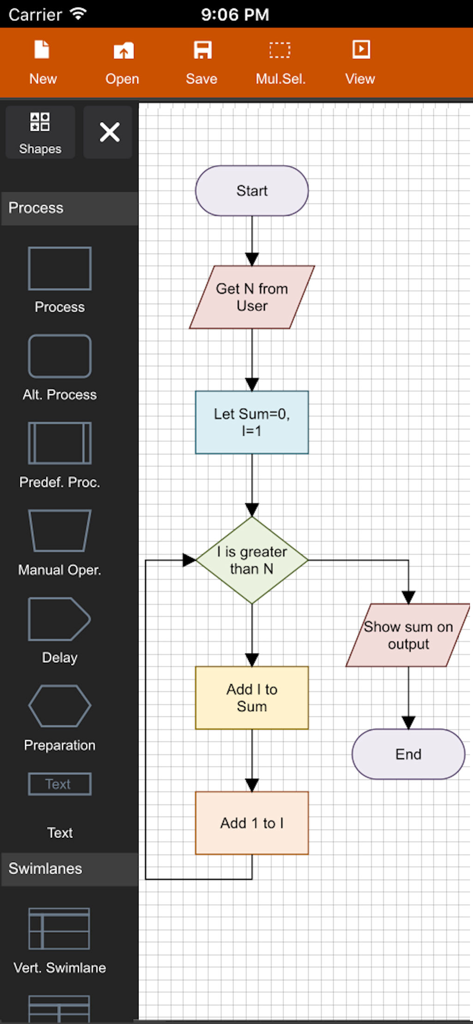
Flowdia Diagrams - 様々なカラフルな図形を使用して論理フローチャートが作成されている、Flowdia Diagramsアプリのモバイルインターフェース
様々なカラフルな図形を使用して論理フローチャートが作成されている、Flowdia Diagramsアプリのモバイルインターフェース

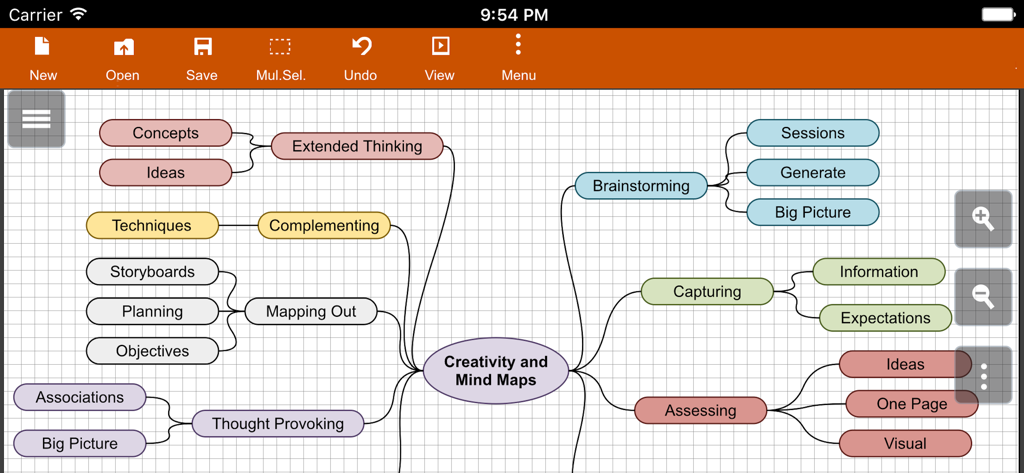
Flowdia Diagrams - Flowdiaアプリで作成された、創造性とブレインストーミングに関する詳細なマインドマップ図
Flowdiaアプリで作成された、創造性とブレインストーミングに関する詳細なマインドマップ図

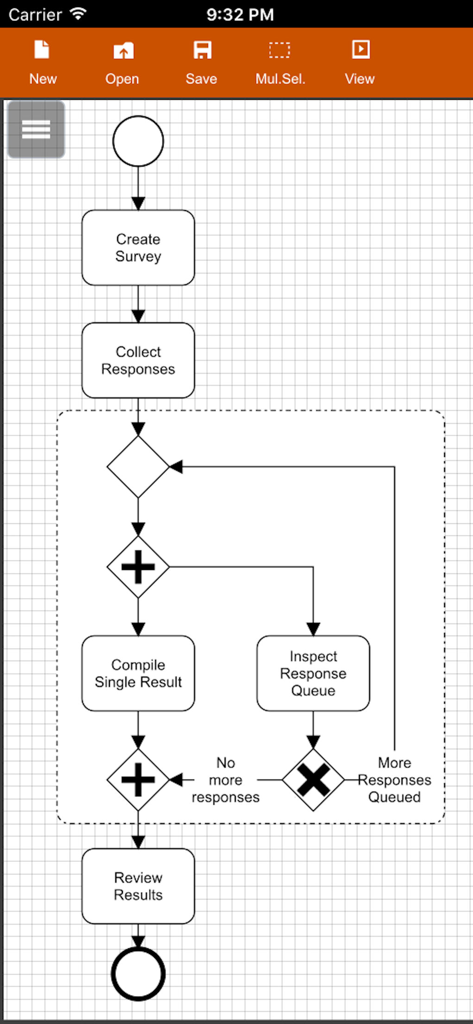
Flowdia Diagrams - Flowdiaモバイルアプリのインターフェース内で作成された、アンケート収集のためのBPMNビジネスプロセス図
Flowdiaモバイルアプリのインターフェース内で作成された、アンケート収集のためのBPMNビジネスプロセス図

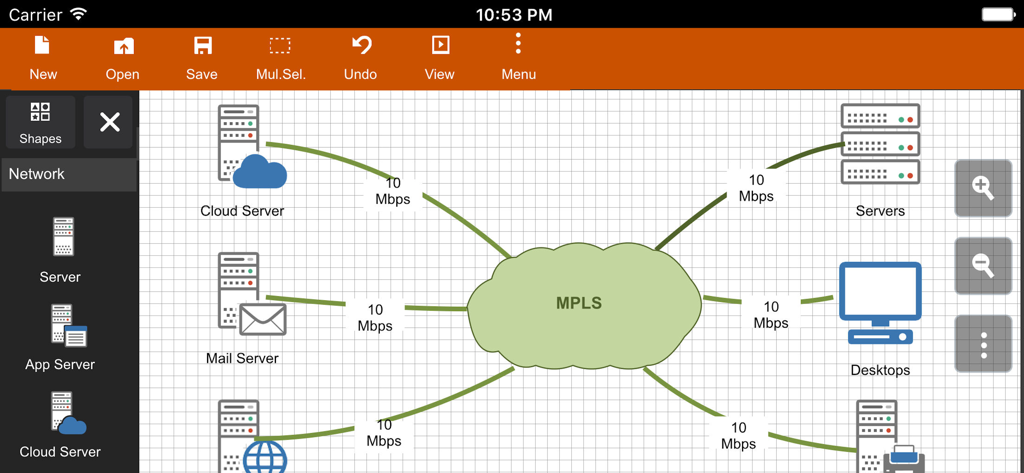
Flowdia Diagrams - 相互接続されたサーバーとMPLSクラウドを表示しているFlowdiaアプリのネットワーク図インターフェース

相互接続されたサーバーとMPLSクラウドを表示しているFlowdiaアプリのネットワーク図インターフェース

説明

Flowdia is an easy to use flow diagram tool that can be used to quickly create professional quality flowcharts, mind maps, BPMN, network and server layouts, Cisco network, Rack diagram, UML activity, business process and process flow diagrams. The app is designed with ease of use in mind. You can quickly connect flowchart shapes by simply selecting the start and end connection points and quickly add new lanes to a swimlane diagram or new sub-topics to a mind map diagram by using "+" button from the selected swimlane or mind map shape menu. The mind map sub-topics are automatically positioned on the page but can be easily moved as required. Flowdia supports export of the diagram / flowchart to PNG, JPG, PDF and SVG formats.You can view exported SVG files in Microsoft Visio. You can import custom PNG and JPG images. The following diagrams can be created using Flowdia: - Flowchart - Swimlanes - Mind Maps - BPMN - Network Diagram - AWS Architecture Diagram - Cisco Network Diagram - Server Layout Diagram - Rack Diagram - UML Class Diagram - UML Activity Diagram - UML Use Case Diagram - UML Sequence Diagram - Business Process Diagram - Process Flow - Chevron Diagram You can quickly select and change BPMN activity, event and gateway types by using the special shape selector available to all BPMN shapes. The flowchart shapes in this tool are not images can be re-sized without loosing quality. You can customize the look of the shapes by applying background color and also change the font color and size of the text. **NOTE: Free version of Flowdia is restricted to: - 4 files. - 1 page per diagram. - Cannot remove or duplicate pages. - Image and PDF exports with watermark

Download

ダウンロード: App Store

このページはアプリまたはその開発者の公式ページではなく、情報提供および論評を目的として作成された独立した編集出版物です。明示的に別段の記載がない限り、アプリおよびその開発者は、MWM、Apple、Google Play、アプリのパブリッシャー、またはアプリの開発者と提携、承認、後援、認可、またはその他の公式的な関係はなく、このページのいかなる内容も、アプリがMWMのサービスを使用して開発されたことを意味するものではありません。すべての商標、ロゴ、スクリーンショット、その他のコンテンツはそれぞれの所有者の財産です。