Electronic Device Detector
ダウンロード: App Store

このページはアプリまたはその開発者の公式ページではなく、情報提供および論評を目的として作成された独立した編集出版物です。明示的に別段の記載がない限り、アプリおよびその開発者は、MWM、Apple、Google Play、アプリのパブリッシャー、またはアプリの開発者と提携、承認、後援、認可、またはその他の公式的な関係はなく、このページのいかなる内容も、アプリがMWMのサービスを使用して開発されたことを意味するものではありません。すべての商標、ロゴ、スクリーンショット、その他のコンテンツはそれぞれの所有者の財産です。
ロゴ: Electronic Device Detector
ダウンロード: App Store

Electronic Device Detector

IRカメラ検出で賃貸物件やホテルでの安全を確保したり、高度な磁気センサーを使用してサイレントモードの紛失デバイスを見つけたりして、完全な安心を得ましょう。

主要数値

ダウンロード

19K+

ユーザー評価

1.6/5

評価数

0

開発元

Muhammad Aqib

カテゴリ

Utilities

対応言語

1

最新バージョン

2.1

サイズ

11.4 MB

リリース日

2018年8月14日
機能

あなたのパーソナルプライバシー&セキュリティツールキット

iPhoneの高度な内部センサーを使用して、数秒で環境を保護し、隠された電子機器を見つけましょう。

赤外線カメラ検出

肉眼では完全に不可視な暗い部屋の隠しカメラやIRエミッターを明らかにします。

磁気デバイススキャナー

サイレントモードの電話や隠された盗聴器を、強い磁場変動をスキャンして見つけます。

以下のスクリーンショットと説明は、アプリの公式ストアリスティングから直接取得されたものであり、アプリ開発者の所有物です。

アプリストア

スクリーンショット
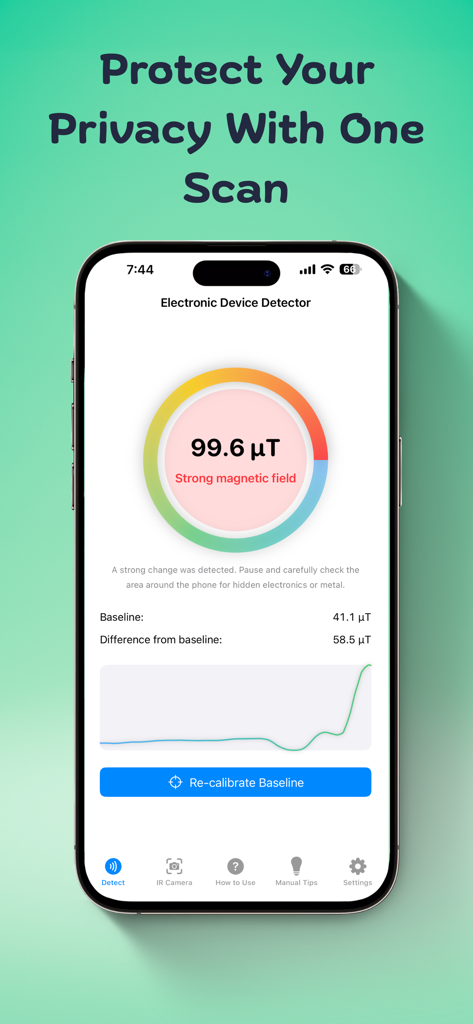
Electronic Device Detector - プライバシー保護のために強い磁場警告が表示された磁場検出器アプリを示すスマートフォンのインターフェース。
プライバシー保護のために強い磁場警告が表示された磁場検出器アプリを示すスマートフォンのインターフェース。

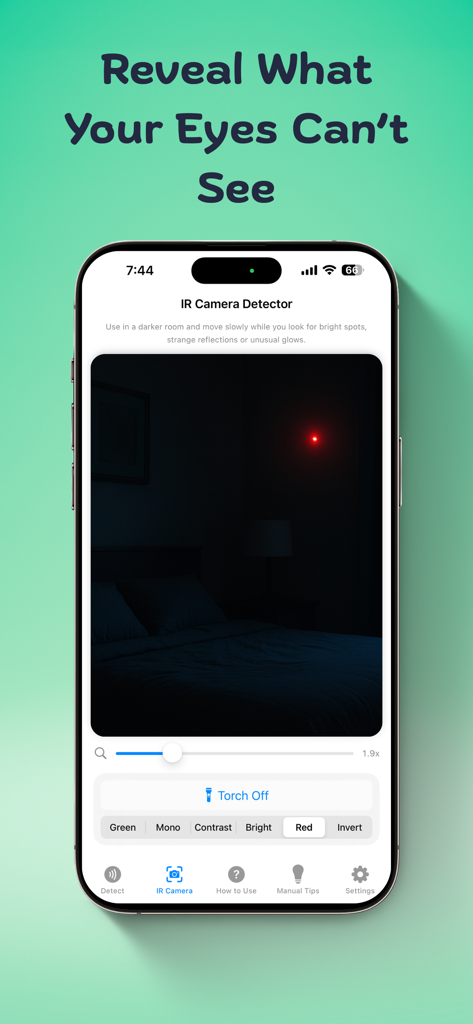
Electronic Device Detector - 暗い部屋の隠しデバイスを識別する赤外線カメラ検出器アプリを表示するスマートフォンの画面
暗い部屋の隠しデバイスを識別する赤外線カメラ検出器アプリを表示するスマートフォンの画面

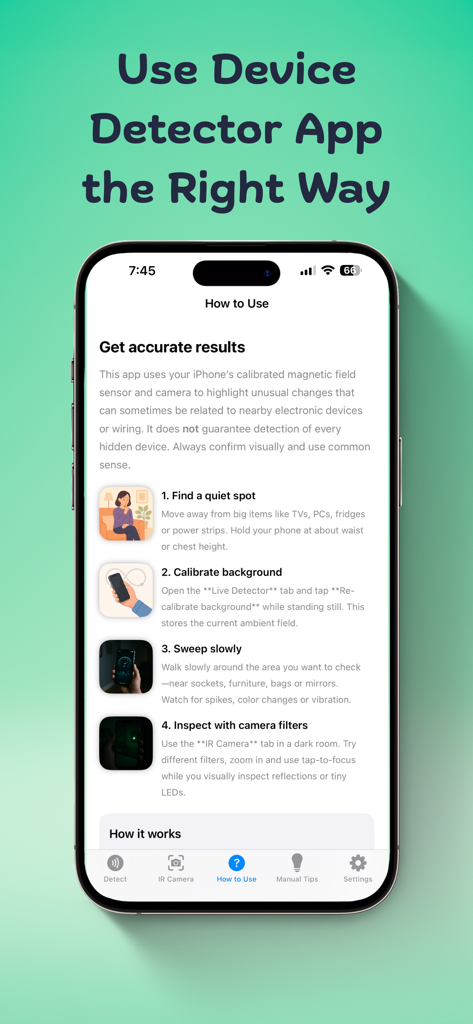
Electronic Device Detector - 隠しカメラや電子機器を検出するための電子機器検出器アプリの使用方法に関するステップバイステップの説明。
隠しカメラや電子機器を検出するための電子機器検出器アプリの使用方法に関するステップバイステップの説明。

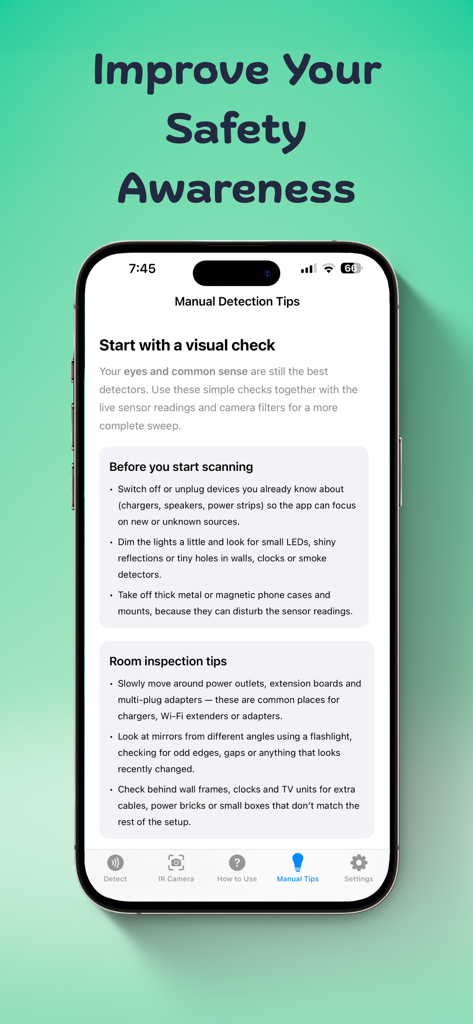
Electronic Device Detector - 隠しカメラの視覚的チェックに関するアドバイスを提供する電子機器検出器アプリのマニュアル検出ヒント画面。
隠しカメラの視覚的チェックに関するアドバイスを提供する電子機器検出器アプリのマニュアル検出ヒント画面。

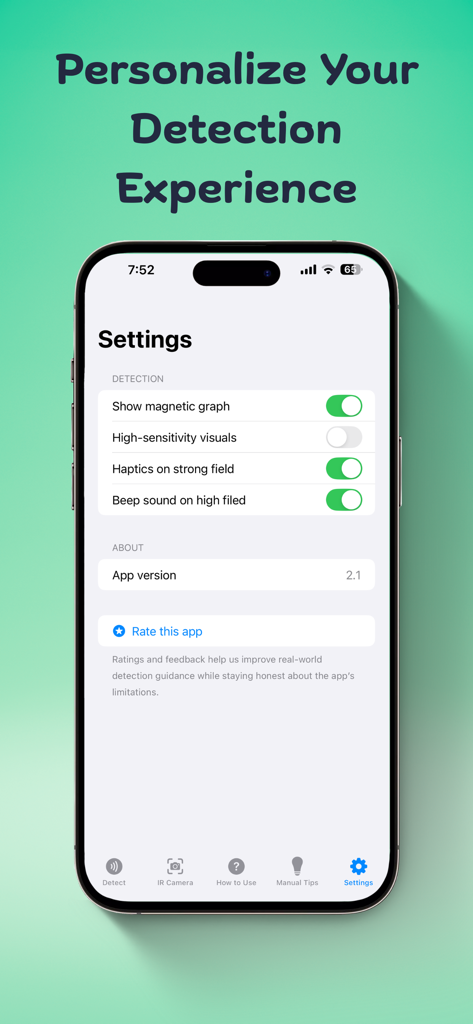
Electronic Device Detector - 検出アラートと磁気グラフの視覚化をパーソナライズするための電子機器検出器アプリの設定画面。

検出アラートと磁気グラフの視覚化をパーソナライズするための電子機器検出器アプリの設定画面。

説明

Electronic Device Detector/Finder app facilitates you to detect any kind of electronics in your vicinity. It is for you if you usually forget where you have put your phone and its on silent. You can easily find lost or hidden devices nearby. App Provides you with 2 modes: 1- Infrared Detector - You can detect Remotes or IR cameras with this mode or any device which emits an IR light. Just close all lights in the place you are and open IR camera mode and scan moving iPhone full 360 degrees, If you see white light or blue light that is invisible to naked eye, then it is infrared light and it could be infrared camera or a remote, well you have to inspect further. Usage: Test with TV remote control light - See TV remote control head with normal eye and press any button, you will not see any light. Then open normal camera or open app and see through the camera - you will see white light. Reason for this is that infrared light is not visible to naked eye but it is visible when seen through a camera. This way you can easily detect IR emitting devices if any. 2. Scan with magnetic sensor – With this mode, app analyse magnetic field around the phone. This feature enables you to find electronic devices like mobile, laptop/pc, cameras etc. If there is a high magnetic filed around, the app will show a warning so you can further investigate. Usage: Move top of your iPhone very close to the object you suspect. It could be screw, flowerpot, shower head, toys or anything that you find suspicious. If app shows a warning when the phone is brought closer to the object, further investigate for camera lens or a mobile phone or any electronic device. It can also be used as hidden camera detector while staying at a hotel room. App also provide you with tip & Tricks so that you can stay protected with some simple tricks or hacks whenever you are in public place. Please rate, comment if you like our app so that we can improve further.

Download

ダウンロード: App Store

このページはアプリまたはその開発者の公式ページではなく、情報提供および論評を目的として作成された独立した編集出版物です。明示的に別段の記載がない限り、アプリおよびその開発者は、MWM、Apple、Google Play、アプリのパブリッシャー、またはアプリの開発者と提携、承認、後援、認可、またはその他の公式的な関係はなく、このページのいかなる内容も、アプリがMWMのサービスを使用して開発されたことを意味するものではありません。すべての商標、ロゴ、スクリーンショット、その他のコンテンツはそれぞれの所有者の財産です。









