
このページはアプリまたはその開発者の公式ページではなく、情報提供および論評を目的として作成された独立した編集出版物です。明示的に別段の記載がない限り、アプリおよびその開発者は、MWM、Apple、Google Play、アプリのパブリッシャー、またはアプリの開発者と提携、承認、後援、認可、またはその他の公式的な関係はなく、このページのいかなる内容も、アプリがMWMのサービスを使用して開発されたことを意味するものではありません。すべての商標、ロゴ、スクリーンショット、その他のコンテンツはそれぞれの所有者の財産です。


Endless Zoom Canvas - ZoomArt
指先一つで宇宙を創造し、限界を超えて探求する力を手に入れる。
ダウンロード
250k+ユーザー評価
評価数
7.2K開発元
カテゴリ
Graphics & Design対応言語
3最新バージョン
2.9.0サイズ
211.3 MBリリース日
2024年11月8日Apple Pencilユーザー向けに最適化された、無限の創造性を解き放つ主要機能
Endless Zoom Canvas - ZoomArt: テックアナリストによる詳細分析
無限のキャンバス
ユーザーは無限のスクロールとズーム機能により、制約なく描画し、あらゆる細部を探求できます。
多層レイヤー管理
ユーザーは複数のレイヤーを使用して複雑なデザインを整理し、柔軟なワークフローを実現できます。
ベクター描画機能
ユーザーは任意のズームレベルで鮮明で正確なベクター描画を作成し、デザインの品質を高く保てます。
Apple Pencil対応の自然な描画
ユーザーはApple Pencilを含むスタイラスや指を使って自然に描画でき、iPadでシームレスな描画体験を享受できます。
カスタマイズ可能なブラシ設定
ユーザーはブラシ設定をカスタマイズして、あらゆるストロークを完全に制御できます。
高解像度エクスポート
ユーザーは作成した作品を高解像度画像やアニメーションビデオとして簡単にエクスポートし、共有できます。
高機能カラーツール
ユーザーはカラーピッカーとスポイトツールで色を選択および一致させ、カラーパレットを洗練できます。
ブックマーク機能
ユーザーはキャンバス上の特定の箇所をブックマークとして保存し、後で興味のある領域を再訪して開発できます。
インテリジェント自動保存
本ツールはインテリジェントな自動保存機能を備えており、ユーザーは安心して描画を続けることができます。
元に戻す・やり直す
ユーザーは元に戻す、やり直す機能で間違いを修正し、描画やデザインにおいて完全なクリエイティブコントロールを享受できます。
よくある質問
について知っておくべきこと Endless Zoom Canvas - ZoomArt
What is ZoomArt?
ZoomArt is an iPad app designed for creative drawing and exploration. It features infinite scroll and zoom, vector drawing capabilities, and comprehensive Apple Pencil support for artists and designers.
Does ZoomArt support Apple Pencil?
Yes, ZoomArt fully supports the Apple Pencil for drawing naturally on your iPad. Users can also draw with their finger or another stylus for a seamless creative experience.
Can I create vector drawings with ZoomArt?
Yes, ZoomArt enables the creation of crisp, precise vector drawings. This ensures that designs maintain their high quality and sharpness regardless of the zoom level.
How do ZoomArt subscriptions work?
ZoomArt subscriptions are charged to your App Store account upon purchase confirmation. Subscriptions automatically renew unless canceled at least 24 hours before the current period ends.
Can ZoomArt export finished artwork?
Yes, ZoomArt allows users to easily share their creations. You can export your artwork as high-resolution images or animated videos.
Does ZoomArt include layer functionality?
Yes, ZoomArt incorporates multiple layers. This feature provides a flexible workflow, enabling users to organize complex designs effectively.
How does ZoomArt protect user data privacy?
ZoomArt's data privacy practices are detailed in its official Privacy Policy. Users can access the full policy document via the provided link in the app description.
Is the toolbar customizable in ZoomArt?
Yes, ZoomArt allows users to customize the toolbar layout. This adjustment helps create a comfortable and personalized workspace tailored to individual preferences.
What drawing tools are available in ZoomArt?
ZoomArt offers customizable brush settings for stroke control, along with color picker and eyedropper tools. These features allow precise color selection and palette refinement.
Does ZoomArt have an autosave feature?
Yes, ZoomArt includes intelligent autosave functionality. This feature automatically saves your progress, allowing you to focus on creativity without worrying about losing work.
以下のスクリーンショットと説明は、アプリの公式ストアリスティングから直接取得されたものであり、アプリ開発者の所有物です。
アプリストア
スクリーンショット
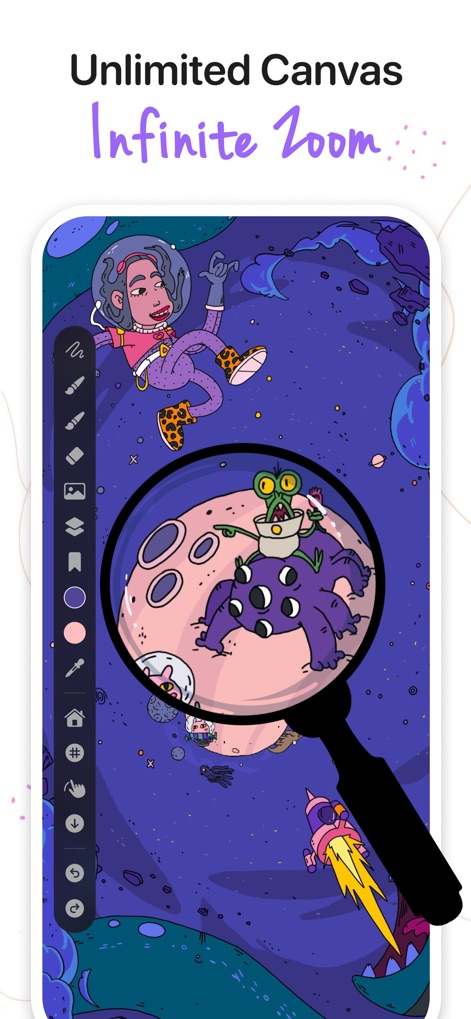
ユーザーは、この画面で無限のキャンバスと、細部まで探索できる無限ズーム機能を活用して、自身の創造性を広げることができます。
限りない描画空間
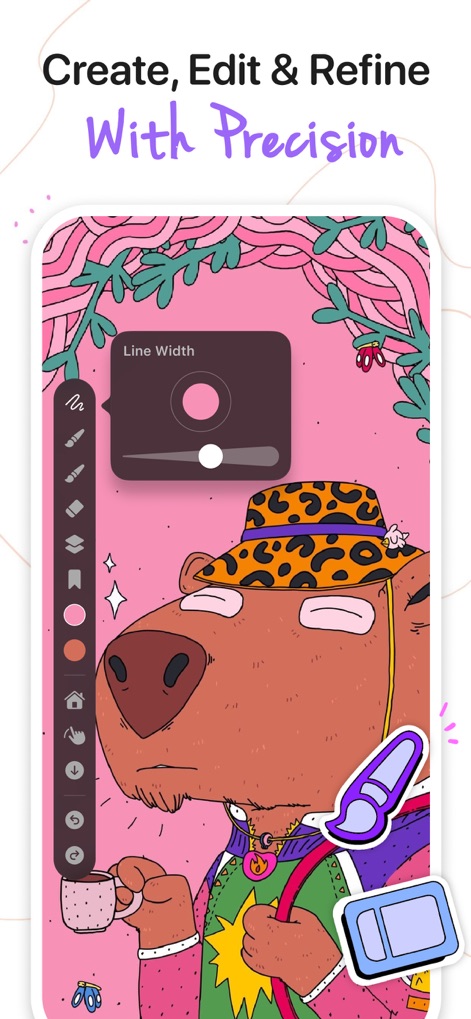
本アプリは、線幅を調整するUIを通して、ユーザーが描画を微調整し、ベクターベースの精密なイラストを作成できることを示しています。
描画の精度調整
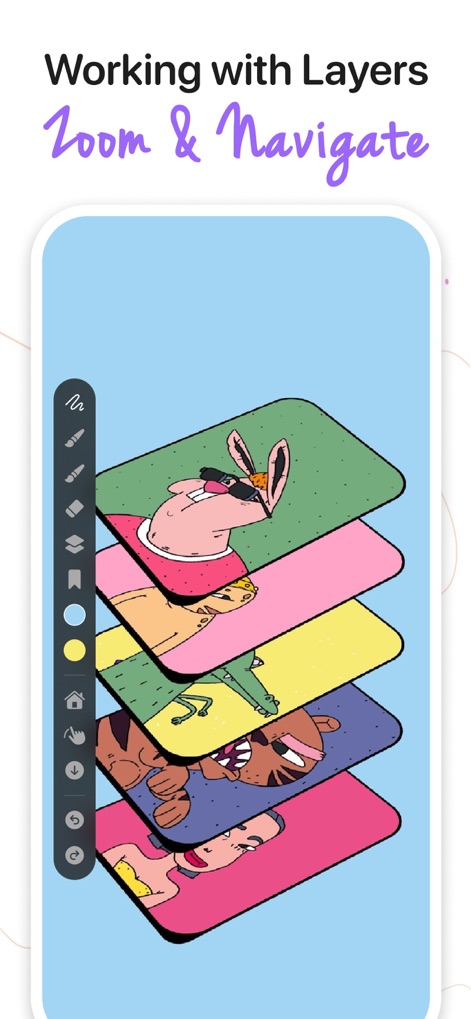
このスクリーンショットでは、ユーザーが複数のレイヤーを管理し、複雑なデザインを整理できることと、それらを視覚的に重ね合わせて確認する機能が提示されています。
レイヤーで整理
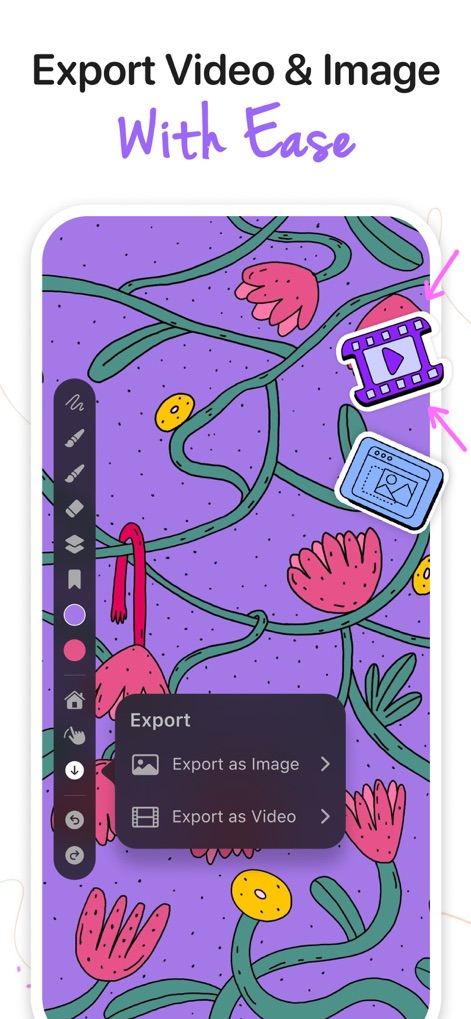
ユーザーは、作成した作品を高解像度画像としてエクスポートできるだけでなく、アニメーションビデオとして出力し、簡単に共有することが可能です。
作品の共有と出力
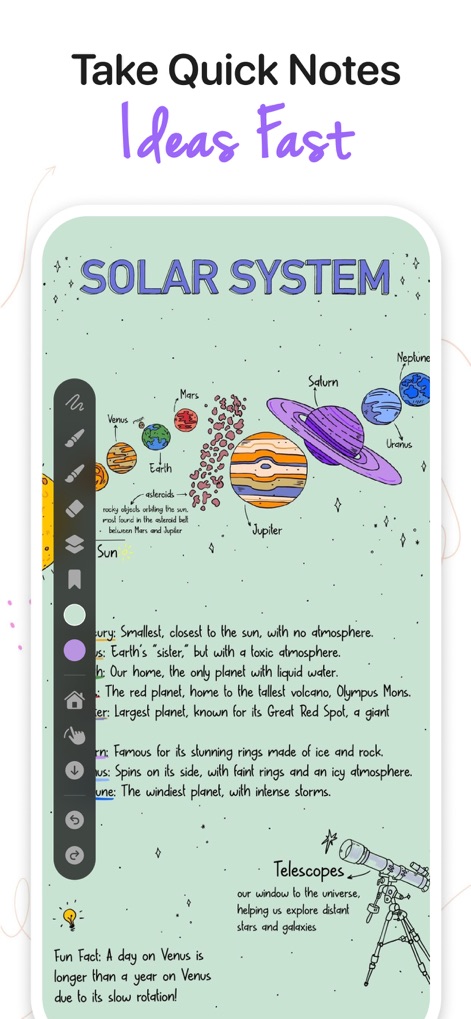
この画面では、ユーザーが大量の情報を視覚的に整理できるメモ機能と、複雑な概念を図解で表現する能力が示されています。
アイデアを素早く記録
説明
Download
類似アプリ
似た機能とユーザー体験を持つアプリ

Penned: Private Notes
Edwing H Santos Mena

MindLine Mind Map
Shenzhen Brown Bear Technology Co., LTD

MindNode: Mind Map & Outline
IdeasOnCanvas GmbH

Post-it®
3M Company

MindSpace - Mind Map
佳文 潘

SimpleMind Pro - Mind Mapping
xpt Software & Consulting B.V.

Ayoa MindMaps for Kids
OpenGenius Limited

TouchMind-handwritten mind map
红霞 鲁

Mind Map Maker - Mindomo
Expert Software Applications Srl
このページはアプリまたはその開発者の公式ページではなく、情報提供および論評を目的として作成された独立した編集出版物です。明示的に別段の記載がない限り、アプリおよびその開発者は、MWM、Apple、Google Play、アプリのパブリッシャー、またはアプリの開発者と提携、承認、後援、認可、またはその他の公式的な関係はなく、このページのいかなる内容も、アプリがMWMのサービスを使用して開発されたことを意味するものではありません。すべての商標、ロゴ、スクリーンショット、その他のコンテンツはそれぞれの所有者の財産です。