Endpoint Central MSP
ダウンロード: App Store

このページはアプリまたはその開発者の公式ページではなく、情報提供および論評を目的として作成された独立した編集出版物です。明示的に別段の記載がない限り、アプリおよびその開発者は、MWM、Apple、Google Play、アプリのパブリッシャー、またはアプリの開発者と提携、承認、後援、認可、またはその他の公式的な関係はなく、このページのいかなる内容も、アプリがMWMのサービスを使用して開発されたことを意味するものではありません。すべての商標、ロゴ、スクリーンショット、その他のコンテンツはそれぞれの所有者の財産です。

ロゴ: Endpoint Central MSP
ダウンロード: App Store

Endpoint Central MSP

MSPが外出先からクライアントエンドポイントを管理、保護、トラブルシューティングできるようにします。デスクに縛られずに、パッチ管理、資産追跡、高度なリモートコントロールをマスターしましょう。

主要数値

ダウンロード

800

ユーザー評価

4.3/5

評価数

0

開発元

Zoho Corporation

カテゴリ

Business

対応言語

2

最新バージョン

25.08.01

サイズ

53.4 MB

リリース日

2018年11月22日
機能

ポケットの中の完全なMSPコントロール

オフィスデスクから解放されましょう。モバイルITリーダー向けに設計されたプロフェッショナルグレードのツールキットで、すべての顧客システムを安全に監視し、トラブルシューティングしましょう。

高度なリモートトラブルシューティング

移動中でも、マルチモニターサポート、シャドウセッション、リモート再起動で、重要な問題をその場で解決します。

自動パッチ管理

どこからでもWindows、Mac、Linuxの脆弱性を特定し、パッチをデプロイしてクライアントシステムを安全に保ちます。

以下のスクリーンショットと説明は、アプリの公式ストアリスティングから直接取得されたものであり、アプリ開発者の所有物です。

アプリストア

スクリーンショット
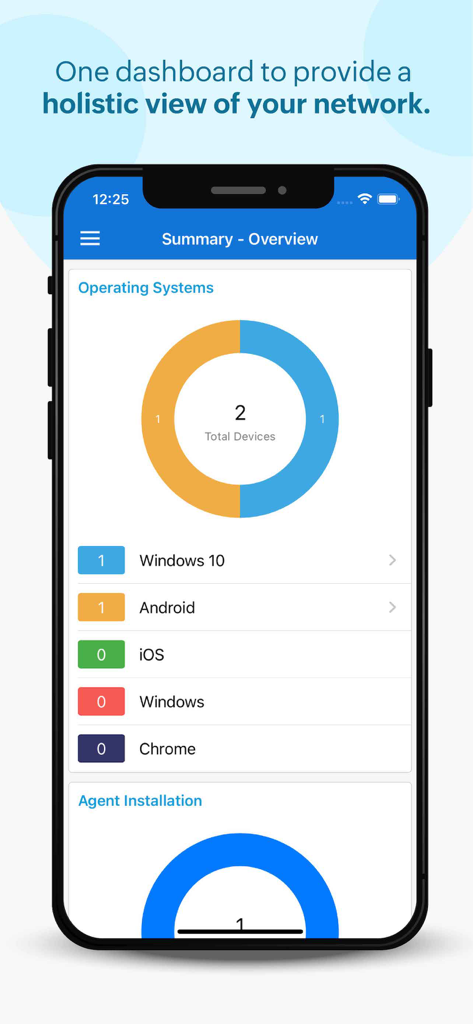
Endpoint Central MSP - Endpoint Central MSPモバイルダッシュボード、iPhone上の管理対象オペレーティングシステムの概要を表示
Endpoint Central MSPモバイルダッシュボード、iPhone上の管理対象オペレーティングシステムの概要を表示

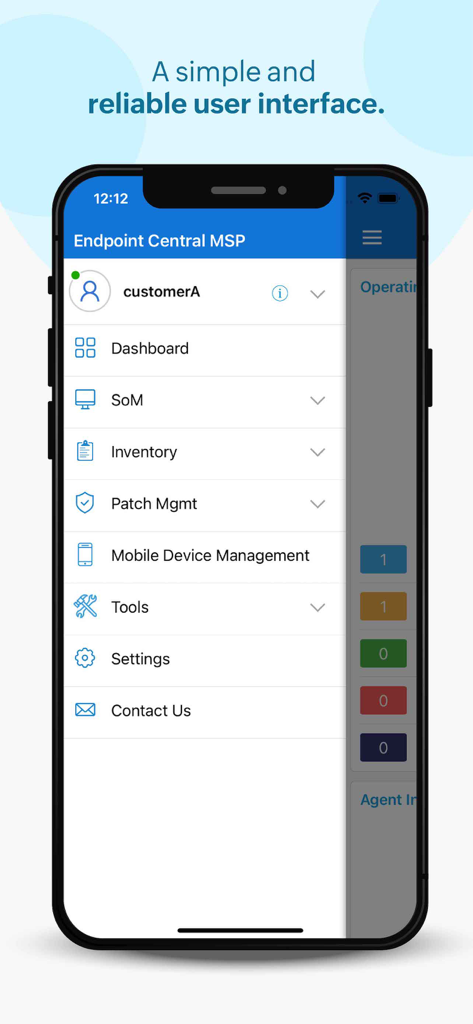
Endpoint Central MSP - Endpoint Central MSPアプリのナビゲーションメニュー(ダッシュボード、パッチ管理などのオプション)を表示するスマートフォン画面
Endpoint Central MSPアプリのナビゲーションメニュー(ダッシュボード、パッチ管理などのオプション)を表示するスマートフォン画面

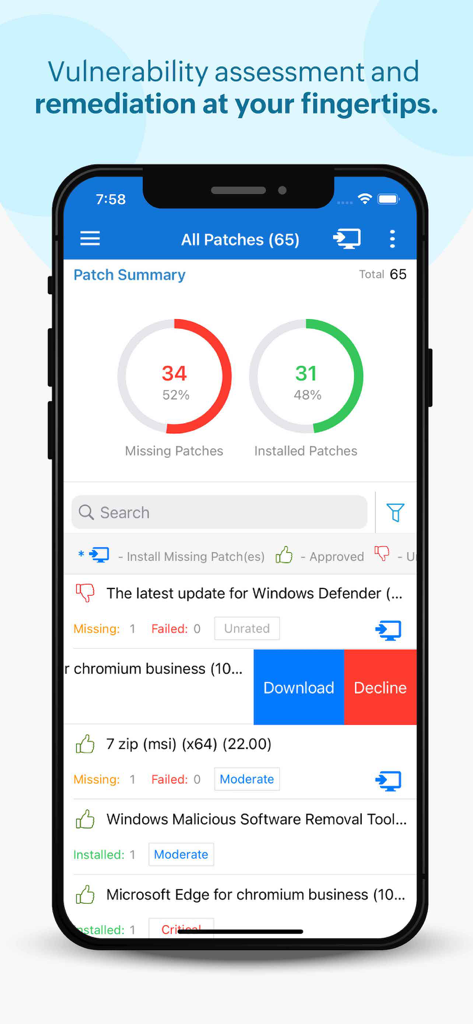
Endpoint Central MSP - パッチ管理の概要と脆弱性修復オプションを表示するEndpoint Central MSPモバイルインターフェース
パッチ管理の概要と脆弱性修復オプションを表示するEndpoint Central MSPモバイルインターフェース

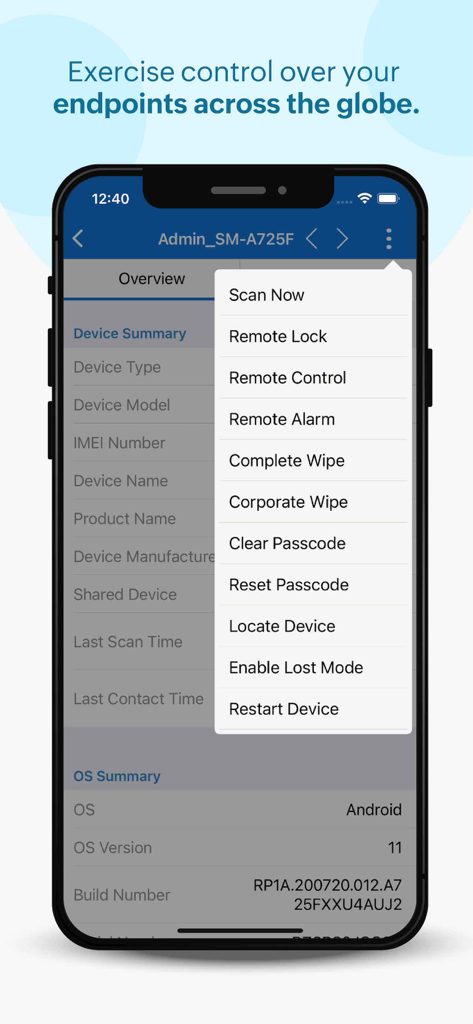
Endpoint Central MSP - リモートロック、リモートコントロール、ワイプなどのリモート管理オプションを含むドロップダウンメニューを表示するEndpoint Central MSPモバイルアプリ
リモートロック、リモートコントロール、ワイプなどのリモート管理オプションを含むドロップダウンメニューを表示するEndpoint Central MSPモバイルアプリ

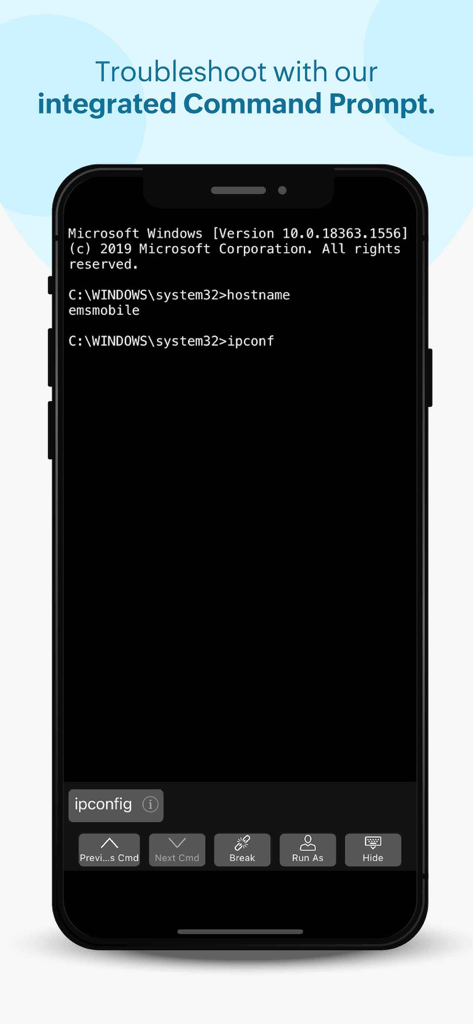
Endpoint Central MSP - ITトラブルシューティング用のリモートコマンドプロンプトを表示するEndpoint Central MSPモバイルアプリ
ITトラブルシューティング用のリモートコマンドプロンプトを表示するEndpoint Central MSPモバイルアプリ

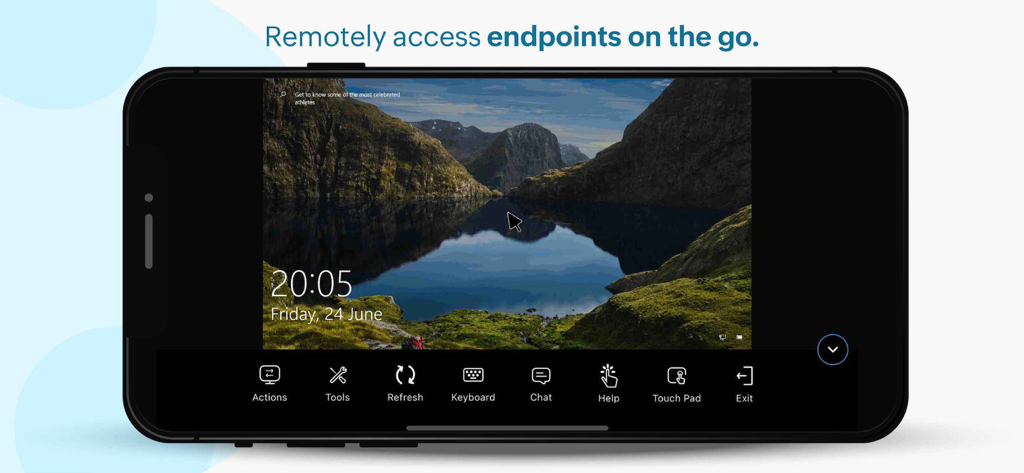
Endpoint Central MSP - Endpoint Central MSP経由のリモートデスクトップセッションを表示するスマートフォン画面

Endpoint Central MSP経由のリモートデスクトップセッションを表示するスマートフォン画面

説明

We have rebranded! Desktop Central MSP is now Endpoint Central MSP. Read our official announcement at zoho.to/EndpointCentral. Manages Windows, Mac and Linux computers Supported Features: Scope of Management, Patch Management, Asset Management, Tools and Mobile Device Management ManageEngine Endpoint Central MSP iOS app formerly known as Desktop Central MSP is exclusively packaged for service providers to seamlessly connect and interact with customer servers, laptops and desktops across the globe. It enables IT service providers to manage customer systems on the go and frees them from being stuck in office to do these routines, thereby making them more productive. Perform the following tasks in just a few clicks using the app, Manage Customer Computers • Add or remove computers to be managed using Endpoint Central MSP • Initiate installation of agents in the computers to be managed • Check status of installation of agents in computers required • Monitor frequency of agent contact to the server • Review information on each Remote offices Asset Management: • Overview of assets being managed by the app • Scan systems for generating information on hardware and software • Review information on Hardware assets being managed • Check software compliance status • Analyze software usage of any software to optimize resources • Prohibit software: Forbid usage of certain applications Patch Management: • Scan and identify vulnerable computers • Detect missing patches for Windows, Mac, Linux and 3rd party applications • Approve/Decline patches • Monitor automated patch deployment tasks • View system health status Advanced Remote Control: • Multi-monitor Support • Shadow User • Reboot during a remote session • Collaborative remote session • Audit remote sessions How to activate? 1. Install the Endpoint Central MSP iOS app on your device. 2. Provide your Endpoint Central MSP server URL 3. Sign-in with your Endpoint Central MSP credentials

Download

ダウンロード: App Store

このページはアプリまたはその開発者の公式ページではなく、情報提供および論評を目的として作成された独立した編集出版物です。明示的に別段の記載がない限り、アプリおよびその開発者は、MWM、Apple、Google Play、アプリのパブリッシャー、またはアプリの開発者と提携、承認、後援、認可、またはその他の公式的な関係はなく、このページのいかなる内容も、アプリがMWMのサービスを使用して開発されたことを意味するものではありません。すべての商標、ロゴ、スクリーンショット、その他のコンテンツはそれぞれの所有者の財産です。








