
このページはアプリまたはその開発者の公式ページではなく、情報提供および論評を目的として作成された独立した編集出版物です。明示的に別段の記載がない限り、アプリおよびその開発者は、MWM、Apple、Google Play、アプリのパブリッシャー、またはアプリの開発者と提携、承認、後援、認可、またはその他の公式的な関係はなく、このページのいかなる内容も、アプリがMWMのサービスを使用して開発されたことを意味するものではありません。すべての商標、ロゴ、スクリーンショット、その他のコンテンツはそれぞれの所有者の財産です。

ESET Secure Authentication
簡単な多要素認証で企業データを保護。ワンタップでログインを承認し、VPN、クラウドサービス、リモートデスクトップへのシームレスなアクセスを確保します。
ダウンロード
369K+ユーザー評価
評価数
200開発元
カテゴリ
Business対応言語
18最新バージョン
4.1.54サイズ
166.6 MBリリース日
2013年2月18日現代のプロフェッショナル向けシームレスセキュリティ
スピード、セキュリティ、ハイブリッドワークの柔軟性のために設計された多要素認証ソリューションで、組織の防御を強化します。
ワンタップ承認
手動コードの入力は不要になります。ロック画面から直接、セキュアなプッシュ通知と生体認証でログインリクエストを即座に承認します。
インスタント登録
数秒でセットアップ完了。IT管理者が提供するQRコードをスキャンするだけで、複雑な設定なしにアカウントをリンクできます。
よくある質問
について知っておくべきこと ESET Secure Authentication
ESET Secure Authenticationとは何ですか?
ESET Secure Authenticationは、企業向けの多要素認証(MFA)ソリューションです。標準認証を強化し、追加の要素で会社のシステムやデータへのアクセスを保護します。
ESET Secure Authenticationはスタンドアロンアプリですか?
いいえ、ESET Secure Authenticationはコンパニオンアプリです。サーバー側のインストールが必要であり、独立して機能しません。ユーザーは登録リンクについてネットワーク管理者に連絡する必要があります。
ユーザーはESET Secure Authenticationに新しいアカウントをどのように追加しますか?
ユーザーはQRコードをスキャンするだけで、ESET Secure Authenticationに新しいアカウントを追加できます。この方法により、新しいアカウントの簡単なセットアップと登録が促進されます。
ESET Secure Authenticationはどのような認証要素を使用しますか?
ESET Secure Authenticationは、承認のためのプッシュ通知、ワンタイムパスワードの生成、および多要素認証のセキュリティ要素としての生体認証を統合しています。
ESET Secure Authenticationは生体認証をサポートしていますか?
はい、ESET Secure Authenticationは生体認証をサポートしています。Face IDなどの生体認証を使用して、アカウント保護を強化し、ログイン試行を認証します。
ESET Secure Authenticationはどのようなプラットフォームやサービスと統合されますか?
ESET Secure Authenticationは、Microsoft Web Apps、ローカルWindowsログイン、RDP、VPN、AD FS経由のクラウドサービス、Mac/Linux、およびカスタムアプリケーションと統合されます。
ESET Secure Authenticationはアカウントデータをクラウドにバックアップできますか?
はい、ESET Secure Authenticationにはクラウドバックアップ機能があります。このオプションにより、ユーザーは利便性と復旧のためにアカウントをクラウドに安全に保存できます。
ESET Secure Authenticationはログイン試行をどのように検証しますか?
ESET Secure Authenticationは、モバイルアプリに送信されるプッシュ通知を通じてログイン試行を検証します。ユーザーはデバイスから直接リクエストを承認または拒否できます。
以下のスクリーンショットと説明は、アプリの公式ストアリスティングから直接取得されたものであり、アプリ開発者の所有物です。
アプリストア
スクリーンショット
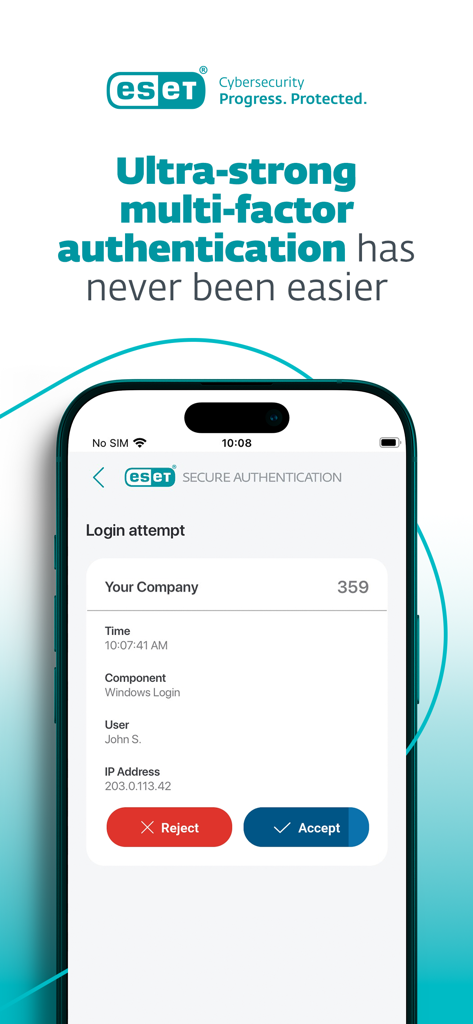
ESET Secure Authenticationモバイルアプリに、承認と拒否ボタン付きの多要素認証ログインリクエストが表示されています。
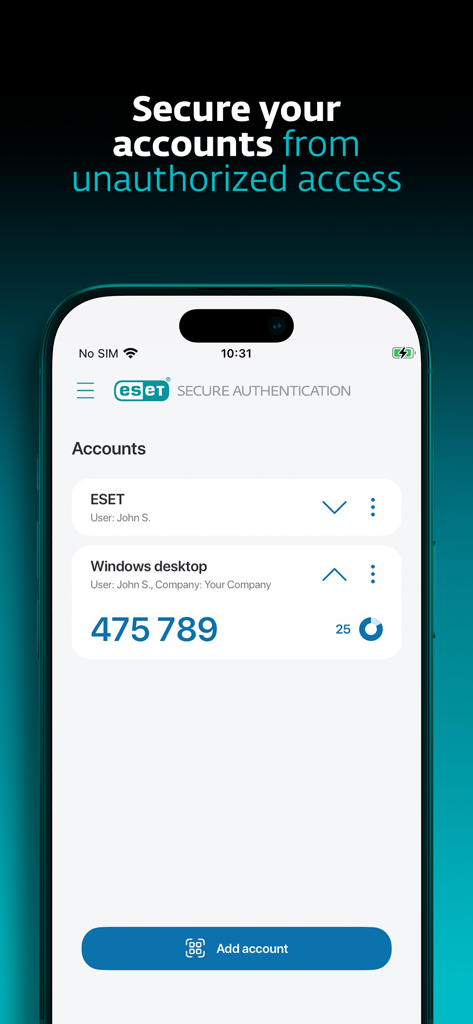
ESET Secure Authenticationアプリのインターフェイスに、Windowsデスクトップ用の多要素認証コードが表示されています。
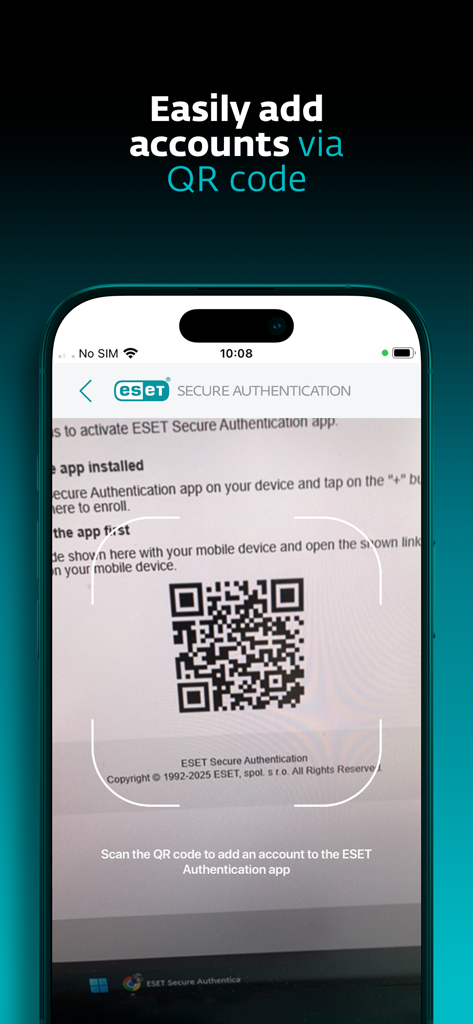
ESET Secure AuthenticationアプリがQRコードをスキャンして新しいアカウントを追加しています。
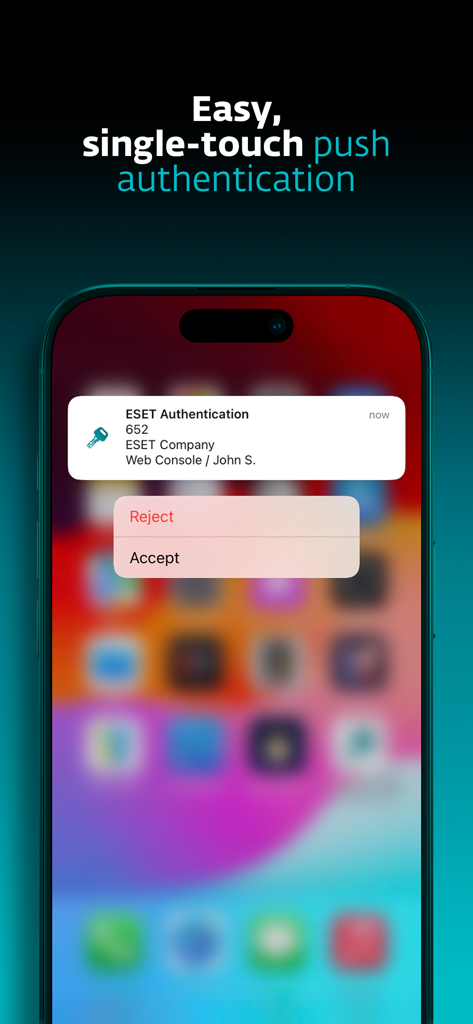
iPhoneにESET Secure Authenticationのプッシュ通知が表示され、ログインリクエストを承認または拒否するオプションが表示されています。
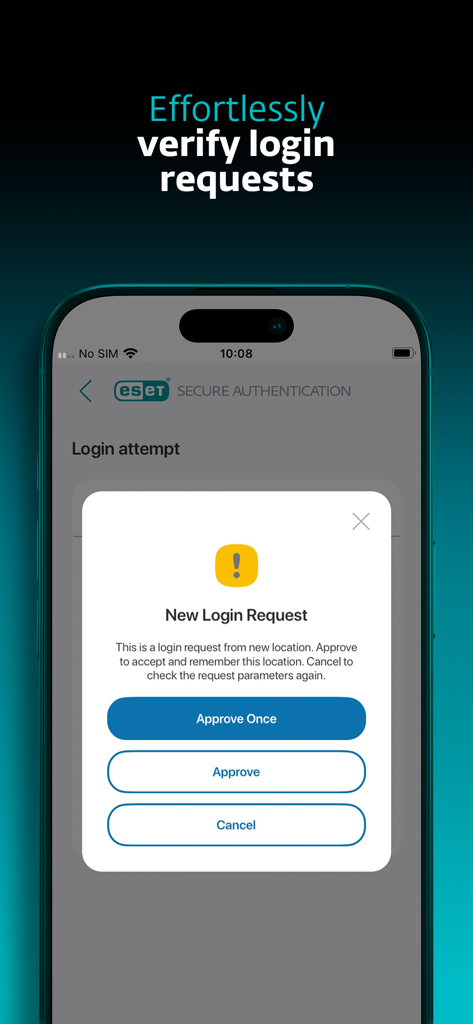
ESET Secure Authenticationアプリに、承認またはキャンセルオプション付きの新しいログインリクエスト画面が表示されています。
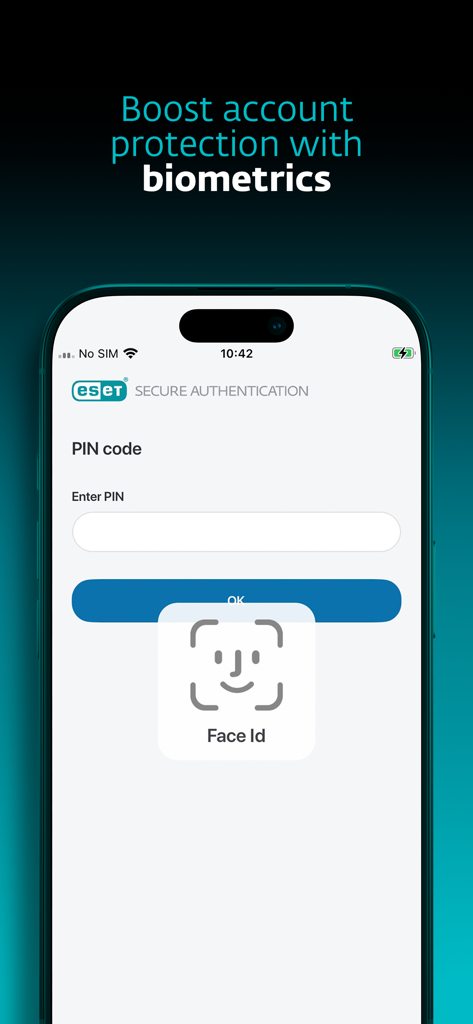
ESET Secure Authenticationアプリのインターフェイスに、アカウント保護のためのFace IDログインが表示されています。
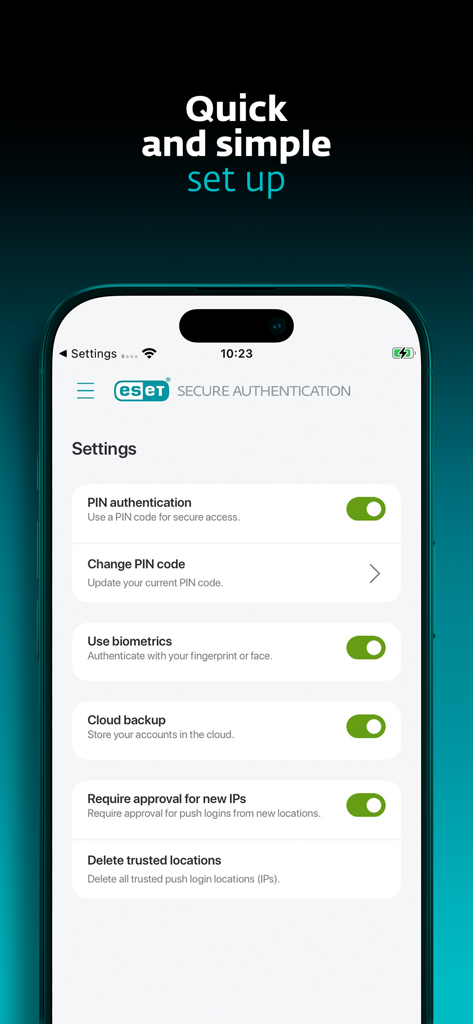
ESET Secure Authenticationアプリの設定メニューに、生体認証ログインおよびセキュリティ設定オプションが表示されています。
説明
Download
類似アプリ
同じカテゴリのトップランクアプリ

Microsoft Teams
Microsoft Corporation

Zoom Workplace
Zoom Communications, Inc.

WhatsApp Business
WhatsApp Inc.

Indeed Job Search
Indeed Inc.

LinkedIn: Network & Job Finder
LinkedIn Corporation

Adobe Acrobat Reader: Sign PDF
Adobe Inc.

WeCom-Work Communication&Tools
Tencent Technology (Shenzhen) Company Limited

BOSS直聘-招聘求职找工作神器
Beijing China Product Bo Farce Network Technology Co., Ltd.

DingDing - Redefine Work in AI
DingTalk Technology Co., Ltd.
このページはアプリまたはその開発者の公式ページではなく、情報提供および論評を目的として作成された独立した編集出版物です。明示的に別段の記載がない限り、アプリおよびその開発者は、MWM、Apple、Google Play、アプリのパブリッシャー、またはアプリの開発者と提携、承認、後援、認可、またはその他の公式的な関係はなく、このページのいかなる内容も、アプリがMWMのサービスを使用して開発されたことを意味するものではありません。すべての商標、ロゴ、スクリーンショット、その他のコンテンツはそれぞれの所有者の財産です。