eSign: Digital Signature Maker
ダウンロード: App Store

このページはアプリまたはその開発者の公式ページではなく、情報提供および論評を目的として作成された独立した編集出版物です。明示的に別段の記載がない限り、アプリおよびその開発者は、MWM、Apple、Google Play、アプリのパブリッシャー、またはアプリの開発者と提携、承認、後援、認可、またはその他の公式的な関係はなく、このページのいかなる内容も、アプリがMWMのサービスを使用して開発されたことを意味するものではありません。すべての商標、ロゴ、スクリーンショット、その他のコンテンツはそれぞれの所有者の財産です。

ロゴ: eSign: Digital Signature Maker
ダウンロード: App Store

eSign: Digital Signature Maker

プリンターを捨てた133,000人以上のプロフェッショナルに加わりましょう。AIを使ってプロフェッショナルな署名を作成し、OCRでIDをスキャンし、iPhoneから直接PDFをパスワード保護します。

主要数値

ダウンロード

133K+

ユーザー評価

4.7/5

評価数

200

開発元

Torgomyan Levon

カテゴリ

Business

対応言語

10

最新バージョン

1.10

サイズ

263.7 MB

リリース日

2024年10月6日
機能

プロフェッショナルな署名を指先で

AI搭載の署名、高精度スキャン、現代のプロフェッショナルのために設計されたエンタープライズグレードのセキュリティでワークフローを合理化します。

AI搭載署名生成

数秒でプロフェッショナルに見えます。AIを使用してイニシャルから洗練された署名を作成するか、独自の筆跡をキャプチャして個人的なタッチを加えます。

モバイルスキャナーとOCR

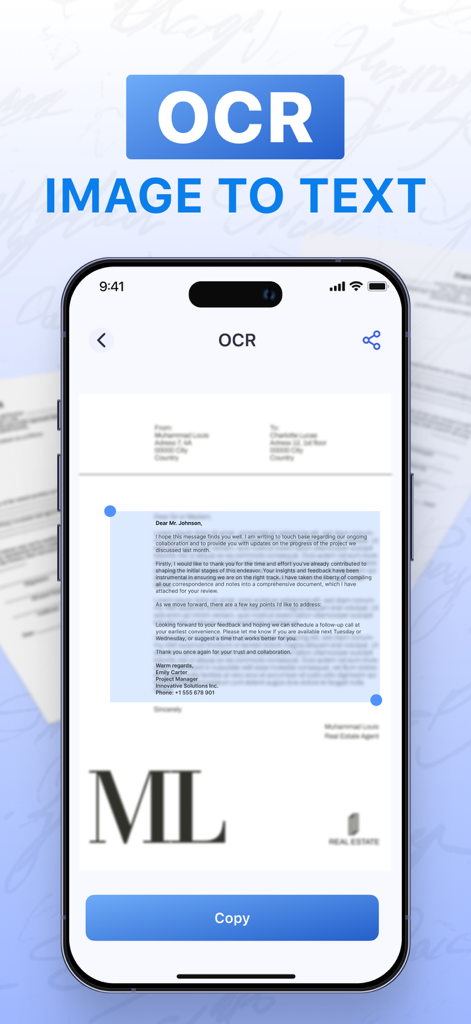
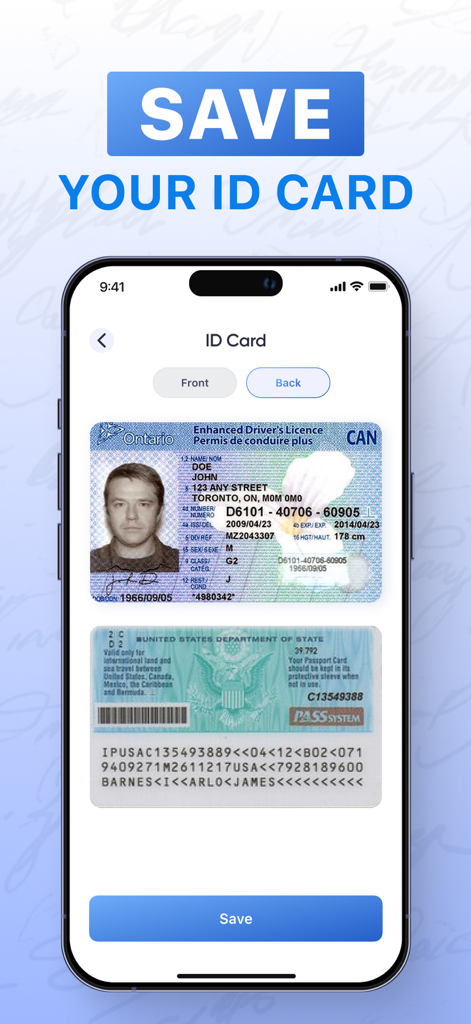
物理的な契約書、ID、フォームを署名可能なPDFに即座に変換します。当社の高度なOCRテクノロジーは、精度高くテキストを抽出し、継続的な作業をサポートします。

以下のスクリーンショットと説明は、アプリの公式ストアリスティングから直接取得されたものであり、アプリ開発者の所有物です。

アプリストア

スクリーンショット
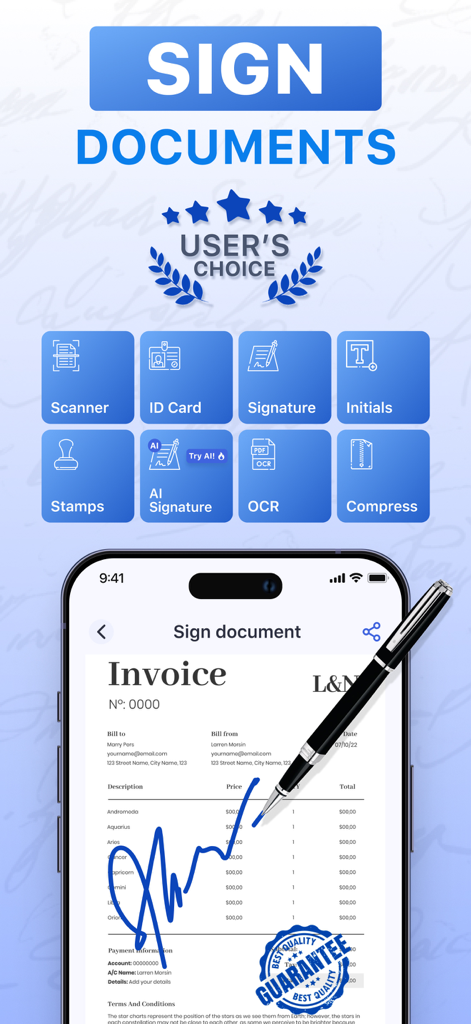
eSign: Digital Signature Maker - eSign Digital Signature Makerアプリのインターフェース。モバイルデバイス上のスキャナー、AI署名、OCRなどのドキュメント署名ツールが表示されています。
eSign Digital Signature Makerアプリのインターフェース。モバイルデバイス上のスキャナー、AI署名、OCRなどのドキュメント署名ツールが表示されています。

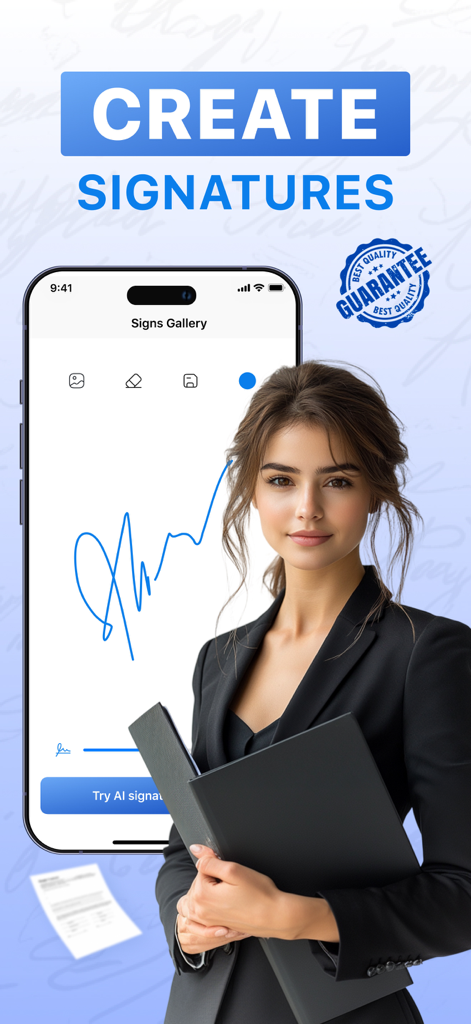
eSign: Digital Signature Maker - eSignアプリのインターフェースを示し、デジタル署名を作成しているプロフェッショナルなビジネスウーマンがスマートフォンの隣に立っています
eSignアプリのインターフェースを示し、デジタル署名を作成しているプロフェッショナルなビジネスウーマンがスマートフォンの隣に立っています

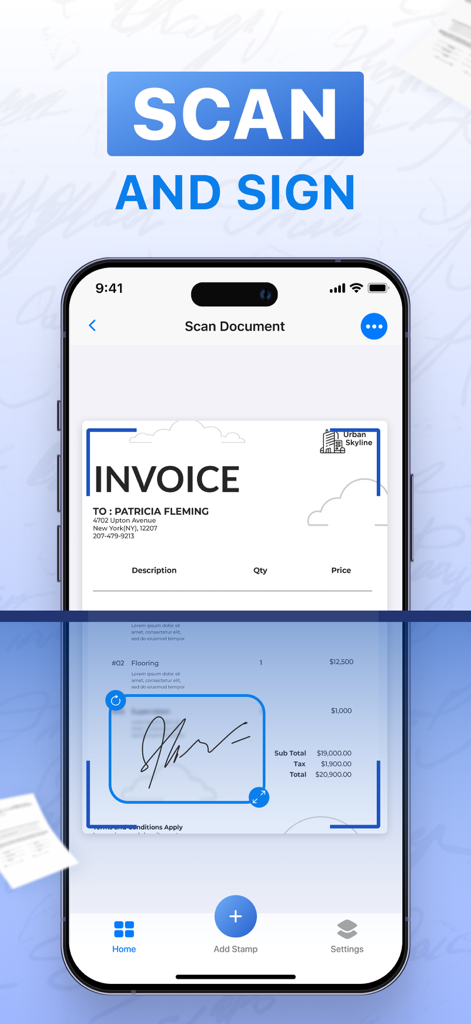
eSign: Digital Signature Maker - ドキュメントがデジタルでスキャンおよび署名されている様子を示すeSignアプリのインターフェース
ドキュメントがデジタルでスキャンおよび署名されている様子を示すeSignアプリのインターフェース

eSign: Digital Signature Maker - iPhoneのeSignアプリのOCR画像からテキストへのインターフェース
iPhoneのeSignアプリのOCR画像からテキストへのインターフェース

eSign: Digital Signature Maker - IDカードのスキャンと保存機能を示すeSignアプリのインターフェース

IDカードのスキャンと保存機能を示すeSignアプリのインターフェース

説明

eSign: Digital Signature Maker is a powerful and convenient tool for signing important documents, including PDFs and various file types. With eSign, you can effortlessly pull documents from your file storage or photo gallery, scan them, and apply your signature. Whether you use the built-in editor or create your own custom signature, the app ensures the process is quick and easy. Key Features: - Supports uploading multiple document formats (PDF, images, and more) - Create and customize your digital signature - Scan and sign documents or PDFs with ease - Capture your handwritten signature directly in the app - Add official stamps to your documents - Generate an electronic signature instantly using AI technology - New! Scan documents directly from the home screen for easier access - New! OCR (Optical Character Recognition) and ID card scanning features for better text extraction from documents - New! Set password protection for individual documents to ensure privacy - Easily share signed files via email or cloud storage - Securely store personal data on your device for privacy and safety With eSign: Digital Signature Maker, your documents are securely signed and stored, ensuring privacy at all times. The AI-powered electronic signature feature makes it incredibly simple—just type your initials, and the AI instantly generates a ready-to-use signature, saving you time and effort. Unlimited Access to All Features: - You can subscribe for unlimited access to all app features. - Payment will be charged to your iTunes account after the purchase is confirmed. - Payment for the next period is due 24 hours before the end of the current period. - Subscriptions are billed automatically at the rate depending on the selected subscription plan. - You can cancel subscription auto-renewal in your account settings at any time. Subscription Options: Weekly Subscription: $6.99 Yearly Subscription: $39.99 (which averages to $3.33 per month) Privacy Policy: https://1drv.ms/w/s!AsU8O4gYJSz-aw_OxABgaHFo8Gg?e=Wh9irv Terms of Use: https://1drv.ms/w/s!AsU8O4gYJSz-cChGCucjXiQ0T1E?e=42SlwG Contact Us: torgomyanlevon@outlook.com

Download

ダウンロード: App Store

このページはアプリまたはその開発者の公式ページではなく、情報提供および論評を目的として作成された独立した編集出版物です。明示的に別段の記載がない限り、アプリおよびその開発者は、MWM、Apple、Google Play、アプリのパブリッシャー、またはアプリの開発者と提携、承認、後援、認可、またはその他の公式的な関係はなく、このページのいかなる内容も、アプリがMWMのサービスを使用して開発されたことを意味するものではありません。すべての商標、ロゴ、スクリーンショット、その他のコンテンツはそれぞれの所有者の財産です。








