Euro Accident 2.0
Euro Accident 2.0
ダウンロード: App Store

このページはアプリまたはその開発者の公式ページではなく、情報提供および論評を目的として作成された独立した編集出版物です。明示的に別段の記載がない限り、アプリおよびその開発者は、MWM、Apple、Google Play、アプリのパブリッシャー、またはアプリの開発者と提携、承認、後援、認可、またはその他の公式的な関係はなく、このページのいかなる内容も、アプリがMWMのサービスを使用して開発されたことを意味するものではありません。すべての商標、ロゴ、スクリーンショット、その他のコンテンツはそれぞれの所有者の財産です。


ロゴ: Euro Accident 2.0
ダウンロード: App Store

Euro Accident 2.0

請求の提出、予約、家族全員の補償管理まで—キャリアがどこへ向かっても、スムーズなヘルスケアサポートを体験してください。

主要数値

ダウンロード

31K+

ユーザー評価

4.6/5

評価数

800

開発元

Euro Accident Livforsakring AB

カテゴリ

Medical

対応言語

2

最新バージョン

1.0.5

サイズ

63.9 MB

リリース日

2024年6月4日
機能

スムーズな保険管理

セキュリティとスピードのために構築された、パワフルでオールインワンのモバイルプラットフォームで、ヘルスケアと保険の手続きを管理しましょう。

即時ケア予約

電話は不要です。デジタルチケットを使用して、アプリ内で直接、医療予約を予約、変更、管理できます。

ワンタップ請求&領収書

新しいケースを即座に提出し、カメラ経由で領収書や医療証明書をアップロードして、迅速かつ手間のかからない払い戻しを受けましょう。

以下のスクリーンショットと説明は、アプリの公式ストアリスティングから直接取得されたものであり、アプリ開発者の所有物です。

アプリストア

スクリーンショット
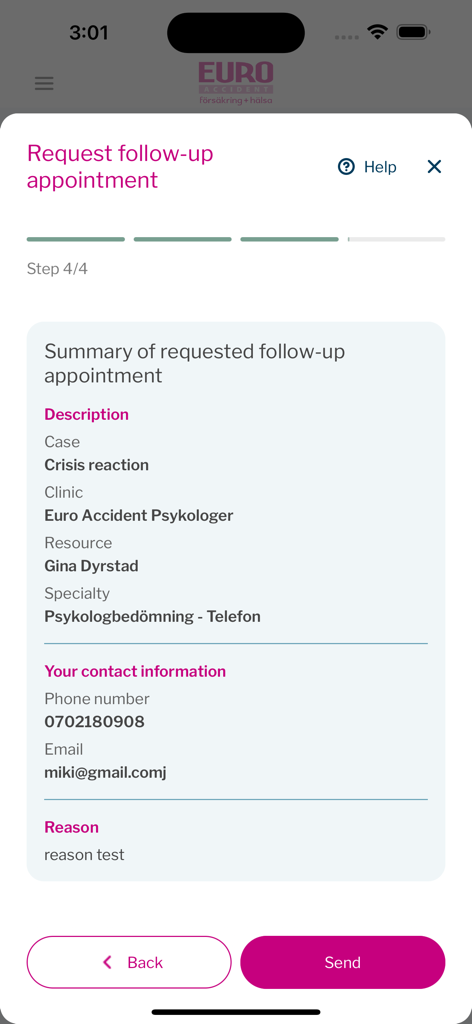
Euro Accident 2.0 - Euro Accidentアプリでのフォローアップ予約リクエストの最終確認画面を示すモバイル画面
Euro Accidentアプリでのフォローアップ予約リクエストの最終確認画面を示すモバイル画面

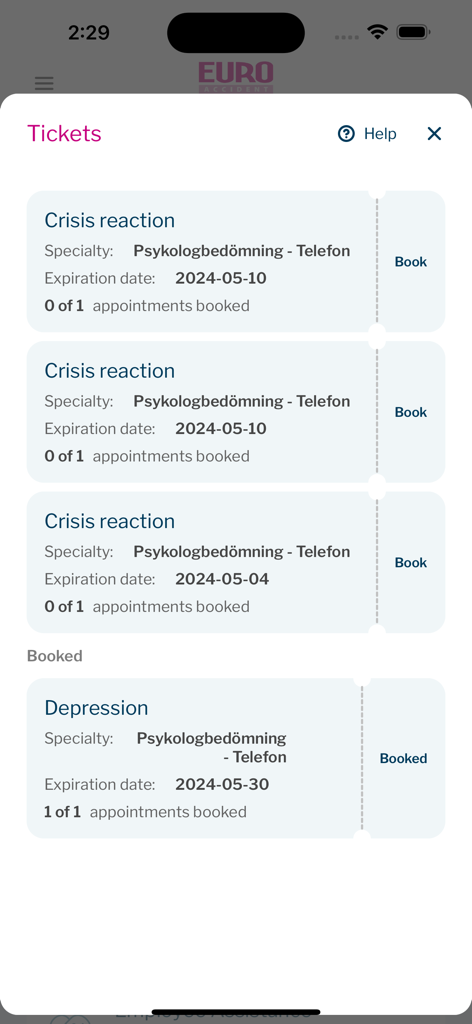
Euro Accident 2.0 - Euro Accidentアプリのインターフェースで、心理的ヘルスケア予約のための保険チケットを表示
Euro Accidentアプリのインターフェースで、心理的ヘルスケア予約のための保険チケットを表示

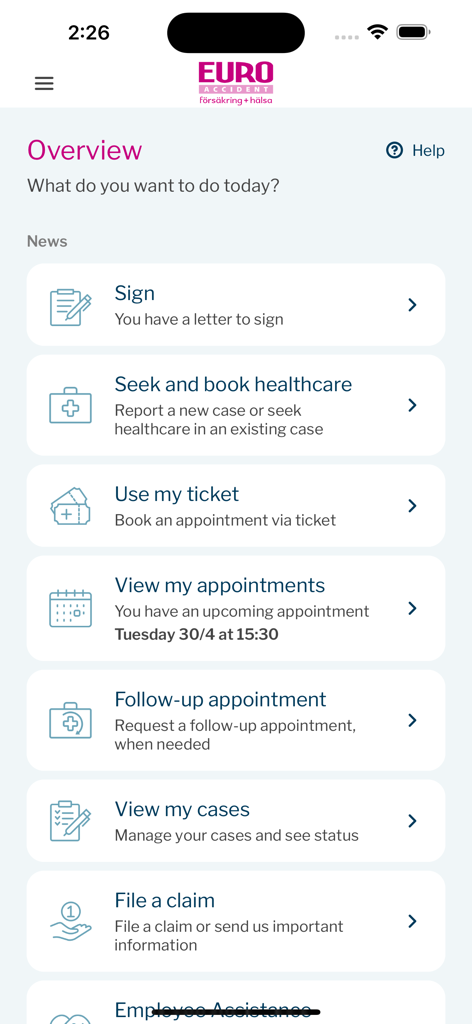
Euro Accident 2.0 - Euro Accident 2.0アプリの概要ダッシュボード。ヘルスケア予約、請求提出、予約管理のメニューオプションが特徴
Euro Accident 2.0アプリの概要ダッシュボード。ヘルスケア予約、請求提出、予約管理のメニューオプションが特徴

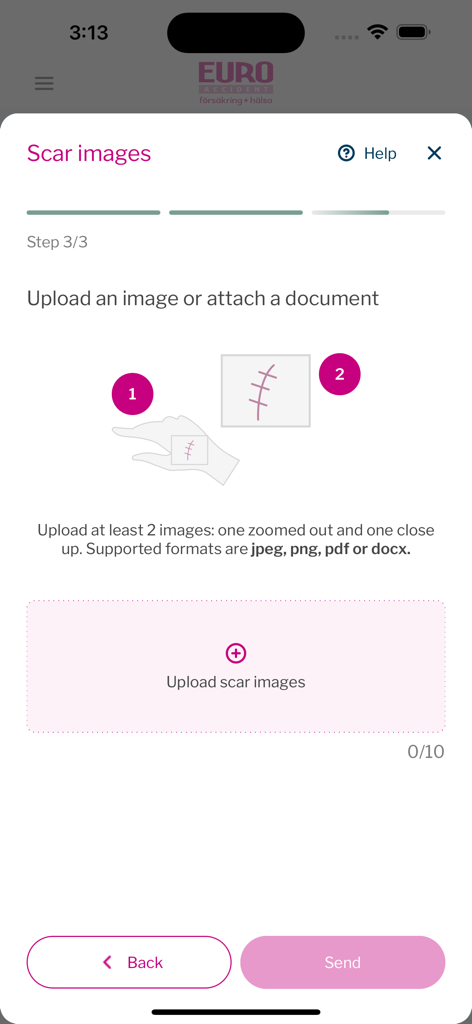
Euro Accident 2.0 - 保険請求の一部として傷跡画像をアップロードするためのモバイルアプリインターフェース
保険請求の一部として傷跡画像をアップロードするためのモバイルアプリインターフェース

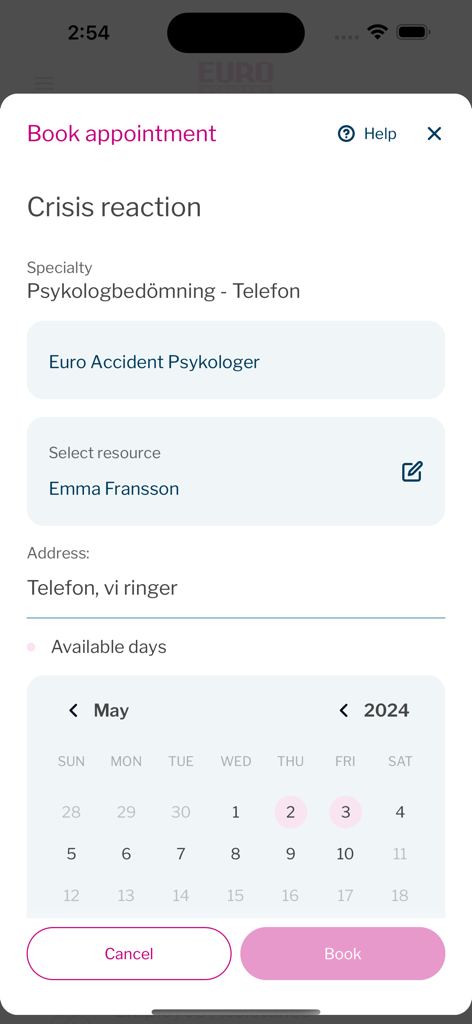
Euro Accident 2.0 - Euro Accidentアプリのカレンダーで心理的評価予約を予約

Euro Accidentアプリのカレンダーで心理的評価予約を予約

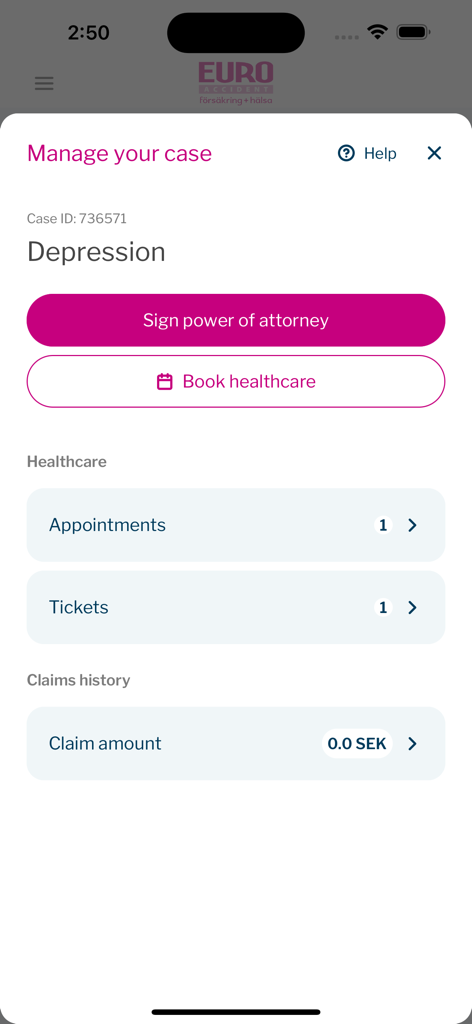
Euro Accident 2.0 - Euro Accident 2.0アプリのインターフェースで、委任状への署名とヘルスケア予約のオプションが表示された特定の保険ケース管理画面を表示
Euro Accident 2.0アプリのインターフェースで、委任状への署名とヘルスケア予約のオプションが表示された特定の保険ケース管理画面を表示

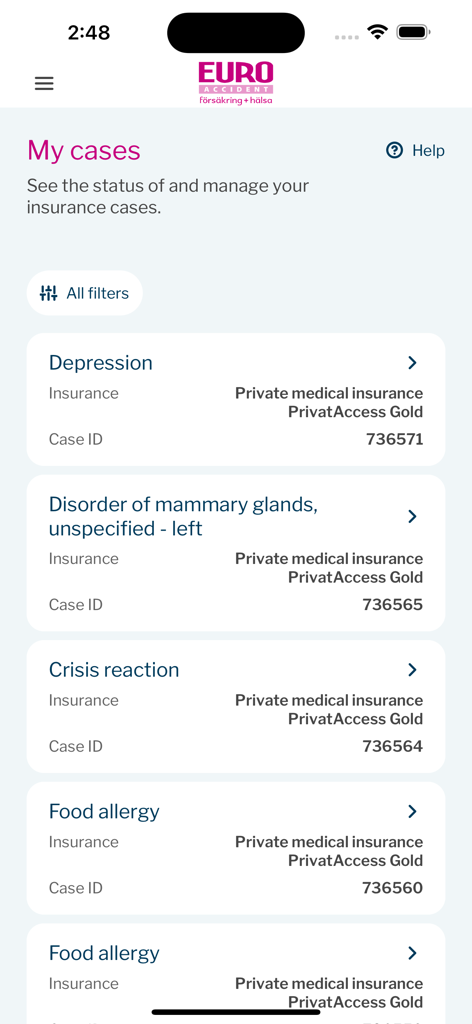
Euro Accident 2.0 - Euro Accidentアプリの「マイケース」画面。ケースIDや補償詳細を含むアクティブな保険請求リストを表示
Euro Accidentアプリの「マイケース」画面。ケースIDや補償詳細を含むアクティブな保険請求リストを表示

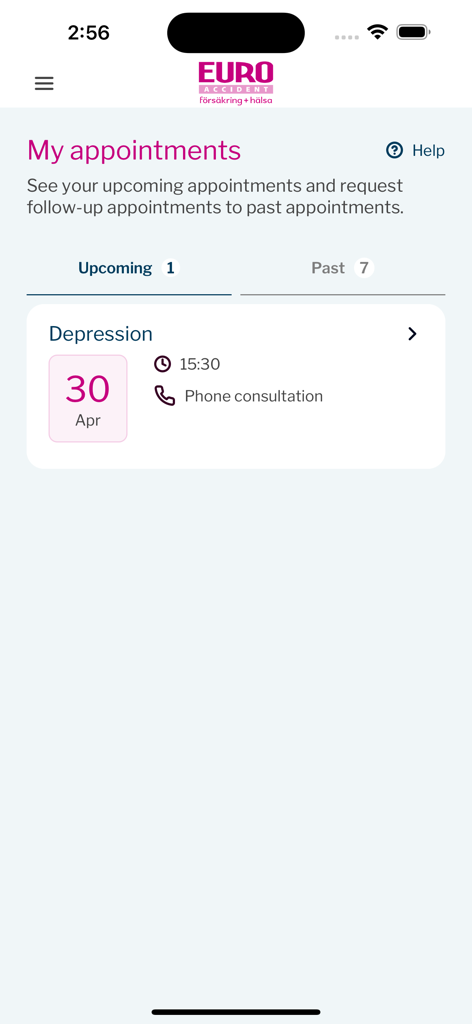
Euro Accident 2.0 - Euro Accident 2.0アプリの「マイアポイントメント」画面。4月30日のうつ病に関する電話相談の予定を表示
Euro Accident 2.0アプリの「マイアポイントメント」画面。4月30日のうつ病に関する電話相談の予定を表示

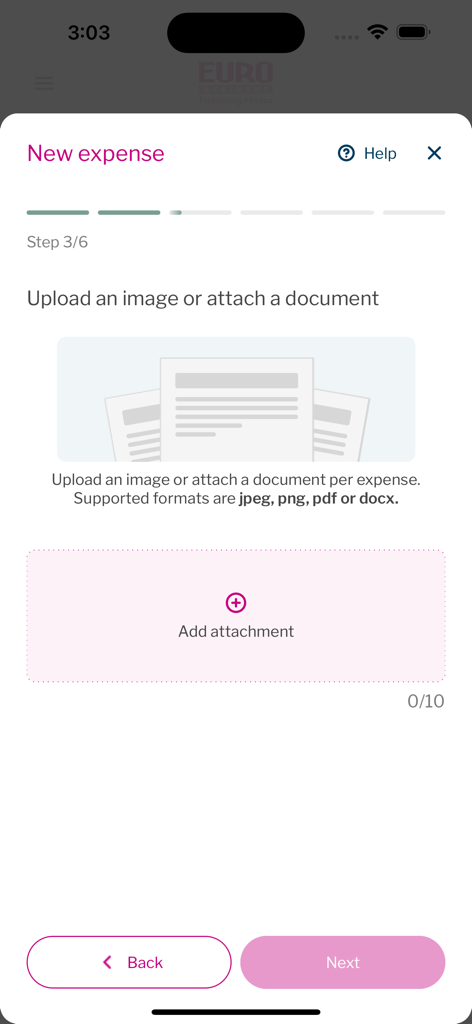
Euro Accident 2.0 - Euro Accidentアプリの新しい経費アップロード画面

Euro Accidentアプリの新しい経費アップロード画面

説明

Introduction The new Euro Accident app help Euro Accident insured customers to file claims, book and handle health care appointments, handle communicationion, get help and be informed when there are actions that they need to take in regards to their insurance errands. Log in In order to log into the app, the user needs to 1. Have at least one active Euro Accident insurance. 2. Be able to identify themselves securely with Swedish identification service BankID. (Information about BankID https://www.bankid.com/en/) Since the the production app integrates towards the production environment, only real persons that fulfil critereas 1 and 2 can test all functionality in the app. In order to review functionality all, functionality has been screen recorded and attache as separate files. Recordings demonstrate the functionalities that can be accessed through the app, depending on what Euro Accident insurance the user has. Features and screenrecording descriptions 1. Log in with BankID (missing) Screen is filmed with another device since BankID refuses to run sessions with ongoing screenrecording. - User can login to the app if they have a Euro Accident insurance by using BankID authentication. 2. File new case - User can file a new case for injury or illness to use their insurance. After filing a new case they get to speak to a doctor or nurse online for an assessment (external link) 3. Book an appointment with ticket - The user has been assigned an appointment ticket to use for booking a healthcare appointment at suitable instance, time and date. 4. Request a follow-up appointment - After user has been to the appointment and they want a follow-up appointment. 5. Manage appointments - see appontment time and location - User can view booked healthcare appointment details, time and location. 6. Manage appointments - Reschedule a booked appointment - User can reschedule a booked appointment directly in the app. 7. Manage appointments - request a follow-up appointment - User can manage appointments and book a follow-up appointment from details view. 8. File a claim - upload receipt - When user has expenses covered by insurance, user can upload receipts in order to get reimbursed for expences, such as for appointments, travel, etc. 9. File a claim - Upload scar pictures - When a user has an Euro Accident insurance that covers injury scars, a user can upload pictures of scars and connect claim to an existing case. 10. Report to us - back at work - When a user with an Euro accident insurance that covers sick leave compensation, they can report when they have returned from sick leave to working again. 11. Report to us - send medical certificate - When a Euro Accident claims adjuster handles a case, a medicial certificate from a doctor needs to be provided by the user. The user can upload the medical certificate in the app. 12. Sign Power of Attorney - In order to provide health care for an individual, user needs to sign a the document. 13. View payments - When Euro Accident customershave been approved compensation, the upcoming payments can be seen in the app. Also user can see past payments. 14. Pay deductable fee - In order to book a first appointment for a case, user needs to pay a deductable first fee either with credit card or with Swish payment solution. 15. View my insurances - User can view and read more about their insurances. 16. View my and my childrens insurances - If user has an insured child, user can switch toggle button to read about childrens insurances. 17. call Employee assistance program - Insured customers covered by the Employee assistance program can easily access the phone number to call. 18. View and edit my details - By going to View my profile, user can easily view and update contact details such as phone number and e-mail adress. 19.Log out - User can easily log out from View my profile-screen.

Download

ダウンロード: App Store

このページはアプリまたはその開発者の公式ページではなく、情報提供および論評を目的として作成された独立した編集出版物です。明示的に別段の記載がない限り、アプリおよびその開発者は、MWM、Apple、Google Play、アプリのパブリッシャー、またはアプリの開発者と提携、承認、後援、認可、またはその他の公式的な関係はなく、このページのいかなる内容も、アプリがMWMのサービスを使用して開発されたことを意味するものではありません。すべての商標、ロゴ、スクリーンショット、その他のコンテンツはそれぞれの所有者の財産です。