
このページはアプリまたはその開発者の公式ページではなく、情報提供および論評を目的として作成された独立した編集出版物です。明示的に別段の記載がない限り、アプリおよびその開発者は、MWM、Apple、Google Play、アプリのパブリッシャー、またはアプリの開発者と提携、承認、後援、認可、またはその他の公式的な関係はなく、このページのいかなる内容も、アプリがMWMのサービスを使用して開発されたことを意味するものではありません。すべての商標、ロゴ、スクリーンショット、その他のコンテンツはそれぞれの所有者の財産です。


Examica for Teachers
究極のハイブリッド評価ツールで、仕事と生活のバランスを取り戻しましょう。カメラを向けて紙のテストを即座に採点するか、自動レポートと詳細な生徒分析を備えたオンライン試験を実施します。
ダウンロード
800ユーザー評価
評価数
100開発元
カテゴリ
Education対応言語
8最新バージョン
1.50.0サイズ
60.7 MBリリース日
2021年10月29日簡単な採点で週末を取り戻しましょう
紙のクイズからオンライン試験まで、Examicaは最も時間のかかるタスクを自動化し、本当に大切なこと、つまり生徒に集中できるようにします。
AIによる即時紙テスト採点
カメラを向けて、1分以内に30人分のクラスの採点を完了します。赤ペンと重いスキャントロンマシンに永遠に別れを告げましょう。
シームレスなハイブリッド評価
紙、オンライン、または両方で同時に評価を実行します。ワークロードを倍増させることなく、1対1の教室での公平性を確保するのに最適です。
よくある質問
について知っておくべきこと Examica for Teachers
Examica for Teachersとは何ですか?
Examica for Teachersは、紙の試験とオンライン試験の両方の採点を迅速に行うことで、時間を節約するために設計されたアプリケーションです。紙の解答用紙を高速スキャンしたり、ユニークなアクセスコード付きのオンラインテストを作成したりできます。
Examicaは紙の試験をどのように採点しますか?
Examicaは、デバイスのカメラを使用して学生の解答用紙をスキャンすることで、紙の試験を採点します。この機能により、30人クラスの採点を60秒未満で完了できる高速採点が可能です。
Examicaはオンライン試験を作成できますか?
はい、Examicaはオンライン試験の作成をサポートしています。教師は、アカウントなしで受験でき、即時に結果を受け取ることができるユニークなアクセスコード付きのリンクを学生に送信できます。
Examicaはどのような質問タイプをサポートしていますか?
Examicaは、選択問題と自由記述問題の採点をサポートしています。また、アプリ内で直接、誤ってマークされた解答を塗りつぶすことで修正することもできます。
Examica for Teachersは誰のために設計されていますか?
Examica for Teachersは、すべての科目とクラスの中学校、高校、大学の教師および大学教授のために設計されています。様々な試験ニーズに対応するため、中等教育から大学レベルまでを対象としています。
Examicaは学生の統計情報を提供できますか?
はい、Examicaは試験に関する有益な統計情報を分析します。学生が最も苦労した質問、最も一般的な解答、その他の詳細な洞察を特定します。
Examicaは学生向けの結果レポートをカスタマイズして送信できますか?
はい、Examicaでは、ワンクリックでカスタマイズされた結果レポートを学生に送信できます。学生はオンライン試験を完了するとすぐに結果レポートを受け取ります。
Examicaは紙とオンラインの試験を同時にサポートしていますか?
はい、Examicaはハイブリッド方式での試験実施をサポートしています。教師は、多様な教育・学習環境に対応するため、紙とオンラインの試験方法を同時に利用できます。
Examicaのすべての機能はどこで利用できますか?
Examica for Teachersのすべての機能は、モバイルアプリと専用のWebポータルの両方で利用できます。これにより、プラットフォームに関係なく一貫した機能が保証されます。
Examicaを使用して試験を作成するにはどうすればよいですか?
Examicaで試験を作成するには、既存の試験をアップロードして解答キーを入力するか、組み込みエディターを使用して最初から新しい試験を作成します。
以下のスクリーンショットと説明は、アプリの公式ストアリスティングから直接取得されたものであり、アプリ開発者の所有物です。
アプリストア
スクリーンショット
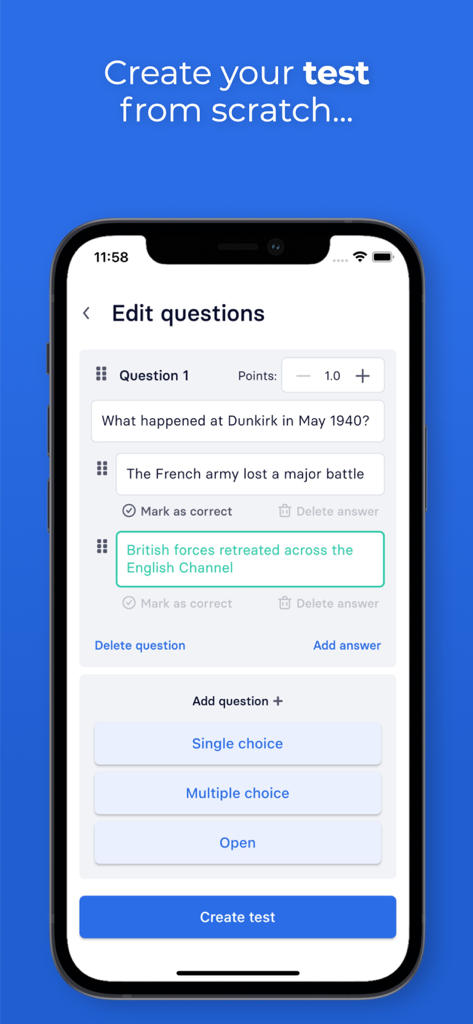
教師が複数の選択肢のあるテスト問題を作成および編集できるExamicaアプリのインターフェイスを表示するスマートフォン。
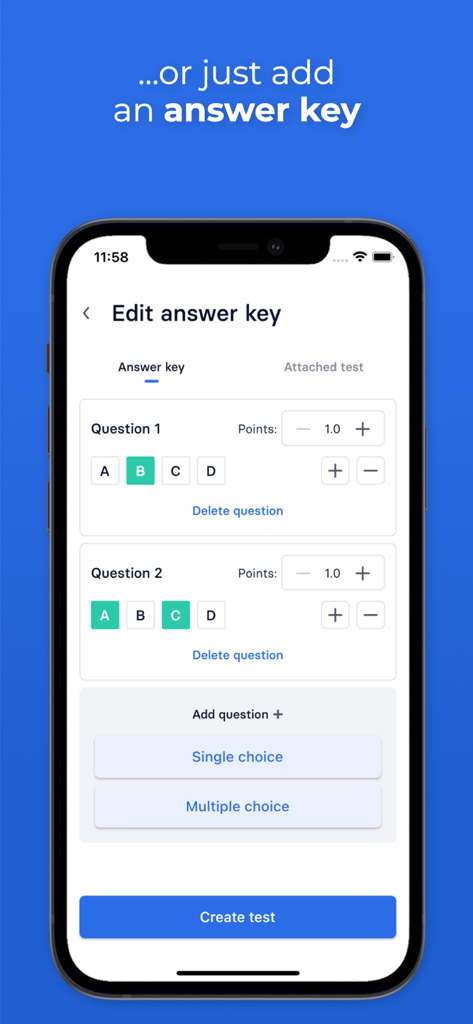
教師向けのExamicaのモバイルアプリインターフェイス。ユーザーが正解を選択し、多肢選択問題のポイントを割り当てることができる解答キーエディタが表示されます。
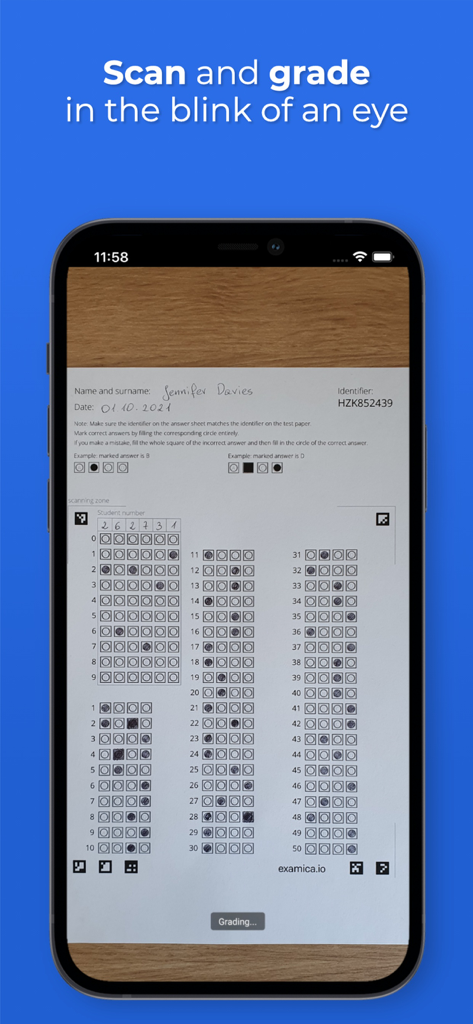
Examicaアプリを使用して、紙の多肢選択解答用紙をスキャンして即座に採点するスマートフォン。
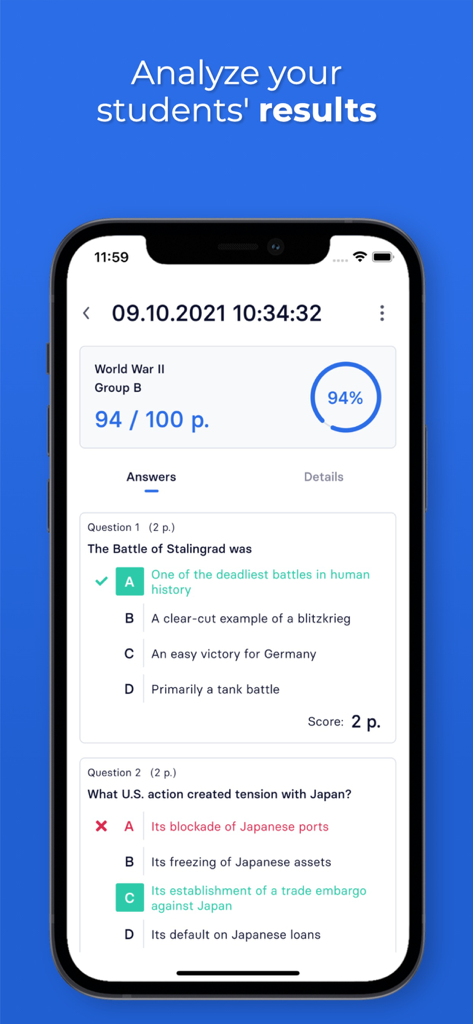
スコアのパーセンテージと個々の問題の分析を示すExamicaの詳細な生徒評価レポート。
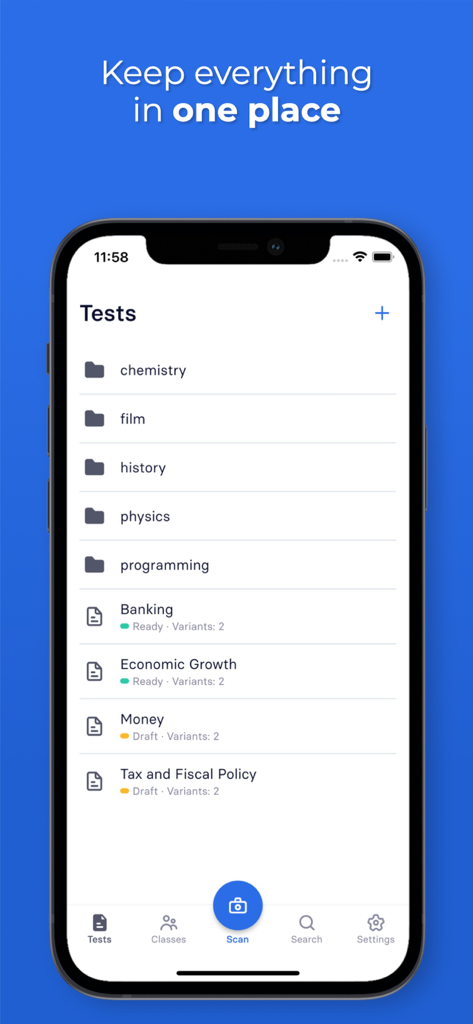
教師向けのテストフォルダと評価リストがカテゴリ分けされたExamicaアプリが表示されたiPhone画面。
説明
Download
類似アプリ
同じカテゴリのトップランクアプリ

Duolingo - Language Lessons
Duolingo, Inc

Speak & Learn English: Learna
DEEP FLOW SOFTWARE SERVICES - FZCO

驾考宝典-科一科四驾驶证考试驾考通
Wuhan Jiakaobaodian Information Service Co., Ltd.

Toca Boca World
Toca Boca AB

Google Classroom
Google LLC

作业帮-中小学家长作业检查和辅导工具
Guangzhou Polar Future Culture Technology Co., Ltd

Gauth: AI Study Companion
GAUTHTECH PTE. LTD.

学信网
Student Information Consultation Service Co., Ltd.

ArtWorkout: Learn How to Draw
Aleksandr Ulitin
このページはアプリまたはその開発者の公式ページではなく、情報提供および論評を目的として作成された独立した編集出版物です。明示的に別段の記載がない限り、アプリおよびその開発者は、MWM、Apple、Google Play、アプリのパブリッシャー、またはアプリの開発者と提携、承認、後援、認可、またはその他の公式的な関係はなく、このページのいかなる内容も、アプリがMWMのサービスを使用して開発されたことを意味するものではありません。すべての商標、ロゴ、スクリーンショット、その他のコンテンツはそれぞれの所有者の財産です。