
このページはアプリまたはその開発者の公式ページではなく、情報提供および論評を目的として作成された独立した編集出版物です。明示的に別段の記載がない限り、アプリおよびその開発者は、MWM、Apple、Google Play、アプリのパブリッシャー、またはアプリの開発者と提携、承認、後援、認可、またはその他の公式的な関係はなく、このページのいかなる内容も、アプリがMWMのサービスを使用して開発されたことを意味するものではありません。すべての商標、ロゴ、スクリーンショット、その他のコンテンツはそれぞれの所有者の財産です。


ダウンロード
5M+ユーザー評価
評価数
66.6K開発元
カテゴリ
Photo & Video対応言語
18最新バージョン
4.5.1サイズ
222.3 MBリリース日
2010年10月13日ユーザーエンゲージメントと創造性を高める主要機能の評価
アプリケーション分析: Faceover: Photo Face Swap
直感的な顔交換
ユーザーは写真内の人物間で顔を簡単にコピーし、リアルで面白い効果を生み出すことができます。本アプリのシンプルさが、高度なスキルなしでユーモラスな結果を可能にします。
写真ライブラリ連携と共有
ユーザーは自身のデバイスの既存の写真から素材を選択して編集し、完成した画像を直接保存したり、人気のソーシャルメディアプラットフォームで友人と瞬時に共有したりすることができます。
多様な編集ツールによる創造性
コピー、ペースト、スワップ、反転、回転といった包括的なツールセットにより、ユーザーは写真に多様な加工を施し、高品質でユニークな視覚効果を迅速に作成できます。
柔軟なオブジェクト/特徴交換
顔全体だけでなく、有名人の目やペットの顔といった特定の部分をコピー&ペーストすることで、創造的な境界を広げ、多様なユーモラスな写真加工を可能にします。
複数写真からの複合スワップ
ユーザーは複数の異なる写真から顔やオブジェクトを組み合わせて利用し、非常にパーソナライズされた、より複雑でユニークな面白いコンテンツを作り出すことができます。
無料版でのアクセスと利用
ユーザーは初期費用なしでアプリの主要な顔交換機能を体験できるため、気軽に試すことができ、幅広い層へのリーチを可能にします。
よくある質問
について知っておくべきこと Faceover: Photo Face Swap
What is Faceover: Photo Face Swap?
Faceover: Photo Face Swap is an app that allows users to easily copy and paste faces between photos, creating realistic and humorous photo edits directly on their iPhone, iPad, or iPod Touch.
Is Faceover: Photo Face Swap a free app?
Yes, Faceover: Photo Face Swap is free to download and use. A Premium version is available for unlimited access to features without ads via subscription.
How does Faceover: Photo Face Swap work?
Faceover allows users to copy, paste, swap, flip, and rotate images to create face edits. Users can select faces from their photo library or use built-in content like memes.
What editing tools are available in Faceover: Photo Face Swap?
Faceover provides tools such as open image, undo, redo, shapes, copy, paste, copy & paste, flip, clean clipboard, and skin tone for detailed manual editing.
Can I save and share photos edited with Faceover: Photo Face Swap?
Yes, Faceover: Photo Face Swap allows users to save their edited photos to their device and share them directly from the app after creation.
Does Faceover: Photo Face Swap support video editing or face swapping in videos?
Yes, Faceover: Photo Face Swap supports working with both photos and videos. Users can manage favorite photos and videos within the app.
How do I upgrade to the Premium version of Faceover: Photo Face Swap?
Users can upgrade to the Premium version of Faceover: Photo Face Swap via a subscription to gain unlimited access to all app features without ads.
How can I cancel my Faceover: Photo Face Swap Premium subscription?
To cancel a Faceover: Photo Face Swap subscription, open the iPhone Settings app, tap your name, then Subscriptions, and select the Faceover subscription to manage it.
Where can I find the Terms of Use for Faceover: Photo Face Swap?
The Terms of Use for Faceover: Photo Face Swap are available on the website linked within the app description at https://www.zedit.info/Service_Terms.html.
Where can I find the Privacy Policy for Faceover: Photo Face Swap?
The Privacy Policy for Faceover: Photo Face Swap is available on the website linked within the app description at https://www.zedit.info/PrivacyPolicy.html.
以下のスクリーンショットと説明は、アプリの公式ストアリスティングから直接取得されたものであり、アプリ開発者の所有物です。
アプリストア
スクリーンショット
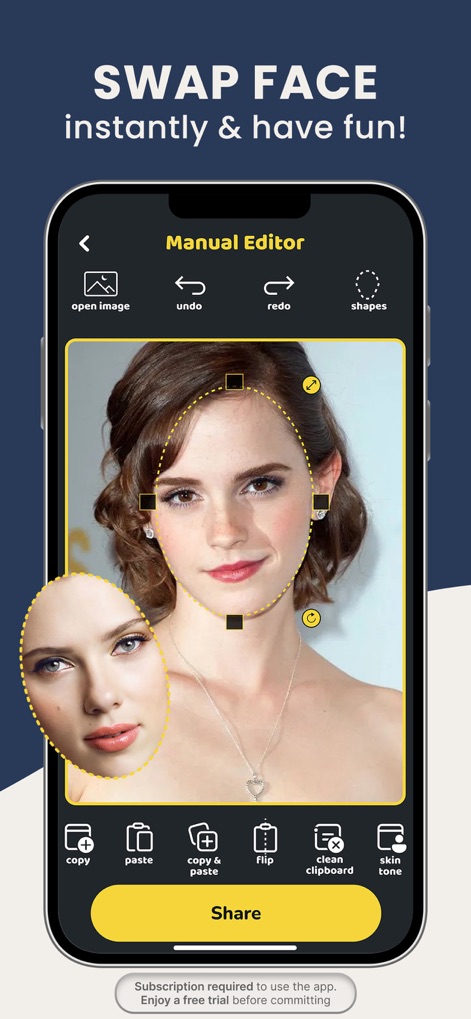
本ツールは、コピー&ペースト機能により顔を精密に操作します。ユーザーは、複数の顔を編集できるインターフェースで創造性を発揮できます。
精密フェイススワップ
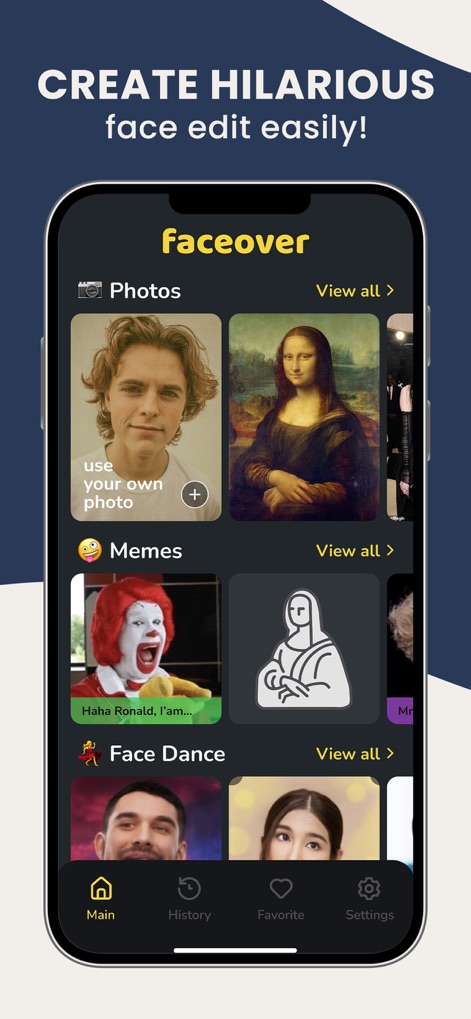
このアプリは、多様なミームや有名人を含む豊富なテンプレートライブラリを提供します。ユーザーは、自身の写真もアップロードして利用できます。
豊富な素材ライブラリ
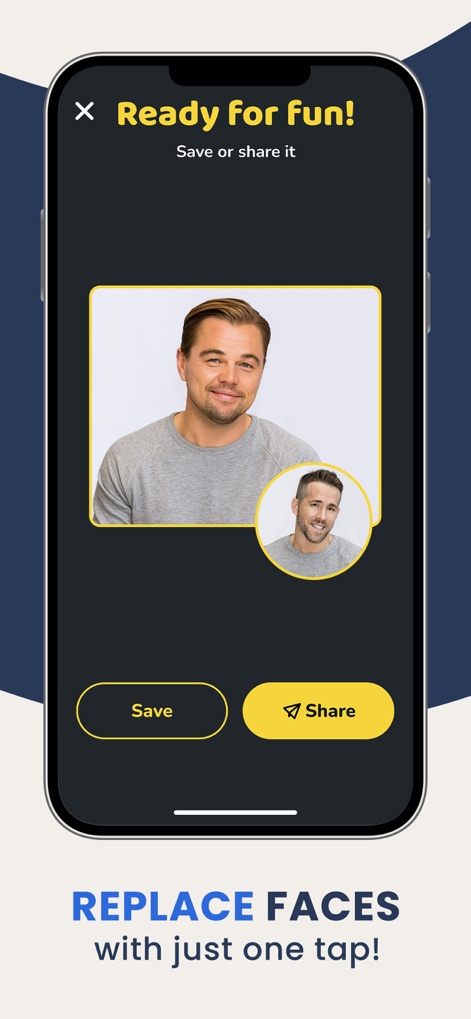
作成した作品は、直感的な保存機能で手軽にデバイスに保存できます。また、主要なソーシャルメディア共有オプションを通じて、瞬時に友人へ共有可能です。
簡単保存&共有
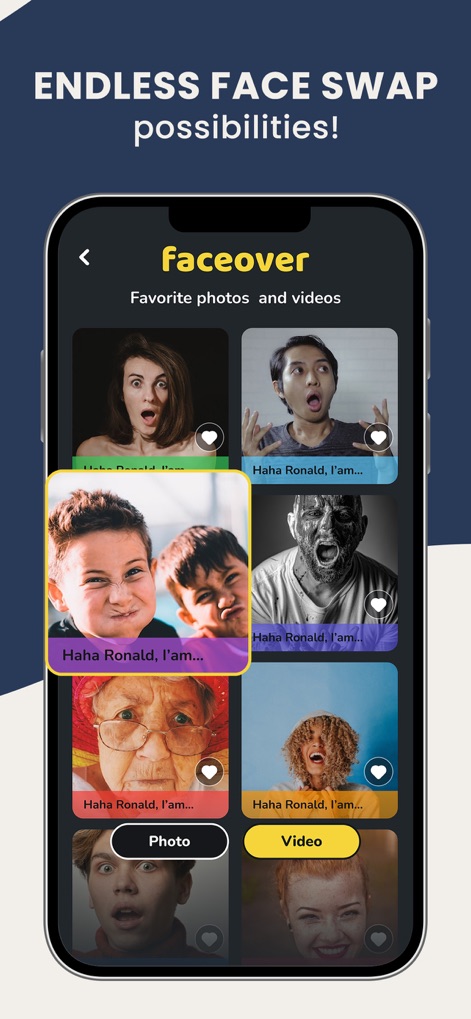
本アプリは、完成した写真や動画を一覧表示するギャラリー機能を提供します。ユーザーは、お気に入り機能で気に入った作品をコレクションできます。
創造性のギャラリー

ユーザーは、カメラで新規撮影するか、既存のギャラリーから画像を選択できます。直感的なグリッドビューにより、編集したい顔を素早く見つけられます。
柔軟な画像選択
説明
Download
類似アプリ
似た機能とユーザー体験を持つアプリ

ElevenLabs: AI Voice Generator
Eleven Labs Inc.

Viggle AI: Meme Maker
WarpEngine Canada Inc.

可灵AI - AI图片&视频创作工具
Beijing Kwai Technology Co., Ltd.

Leonardo.Ai - Image Generator
Leonardo Interactive Pty Ltd

Reface: Face Swap AI Photo App
NEOCORTEXT, INC.

Shedevrum
DIRECT CURSUS COMPUTER SYSTEMS TRADING LLC

Remove Objects
TAPUNIVERSE LLC

Zaps Collages
Turnip Media Private Limited

Carat - Create Anything
Paradot Corp.
このページはアプリまたはその開発者の公式ページではなく、情報提供および論評を目的として作成された独立した編集出版物です。明示的に別段の記載がない限り、アプリおよびその開発者は、MWM、Apple、Google Play、アプリのパブリッシャー、またはアプリの開発者と提携、承認、後援、認可、またはその他の公式的な関係はなく、このページのいかなる内容も、アプリがMWMのサービスを使用して開発されたことを意味するものではありません。すべての商標、ロゴ、スクリーンショット、その他のコンテンツはそれぞれの所有者の財産です。