Fammy - Blocksite
Fammy - Blocksite
ダウンロード: App Store

このページはアプリまたはその開発者の公式ページではなく、情報提供および論評を目的として作成された独立した編集出版物です。明示的に別段の記載がない限り、アプリおよびその開発者は、MWM、Apple、Google Play、アプリのパブリッシャー、またはアプリの開発者と提携、承認、後援、認可、またはその他の公式的な関係はなく、このページのいかなる内容も、アプリがMWMのサービスを使用して開発されたことを意味するものではありません。すべての商標、ロゴ、スクリーンショット、その他のコンテンツはそれぞれの所有者の財産です。


ロゴ: Fammy - Blocksite
ダウンロード: App Store

Fammy - Blocksite

受賞歴のあるコンパニオンアプリで、スクリーンタイムを管理し、有害なアプリをブロックし、リアルタイムの位置情報を追跡して、子供たちをオンラインでもオフラインでも安全に保ちましょう。

主要数値

ダウンロード

252K+

ユーザー評価

1.4/5

評価数

400

開発元

Shenzhen Wondershare Software Co., Ltd

カテゴリ

Lifestyle

対応言語

9

最新バージョン

8.6.20

サイズ

78.3 MB

リリース日

2021年5月19日
機能

デジタルファミリーのための究極の安心

スクリーンタイムの管理、オンラインリスクの検出、子供たちのオンラインと現実世界での安全を確保するために設計された受賞歴のあるツールで、子育てを強化しましょう。

AIによるリスク検出

Instagram、WhatsApp、YouTubeなどのソーシャルメディアアプリで、いじめ、捕食者、露骨なコンテンツに子供が出くわした場合、即座にアラートを受け取ります。

スマート位置情報&SOSアラート

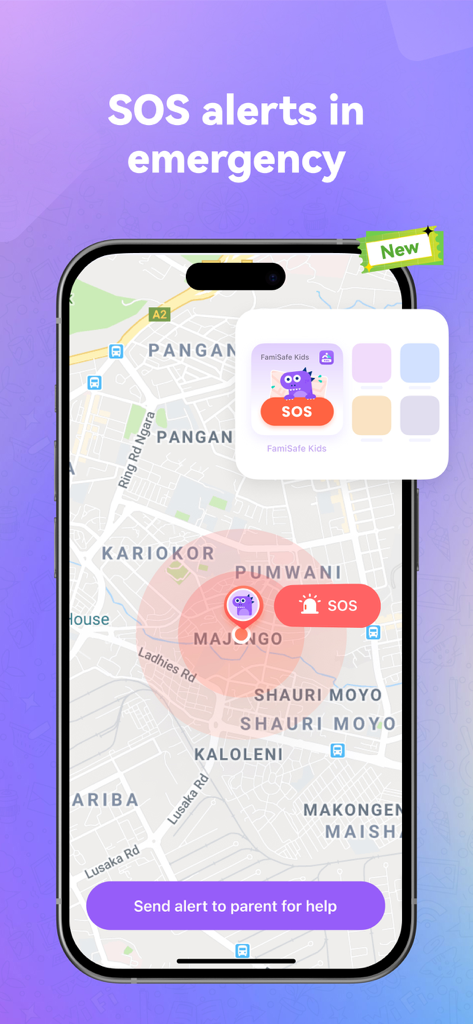
リアルタイムでライブ位置情報を追跡し、ジオフェンスされた「安全地帯」を設定します。さらに、お子様は緊急時にワンタップSOSボタンで即座にあなたに連絡できます。

以下のスクリーンショットと説明は、アプリの公式ストアリスティングから直接取得されたものであり、アプリ開発者の所有物です。

アプリストア

スクリーンショット
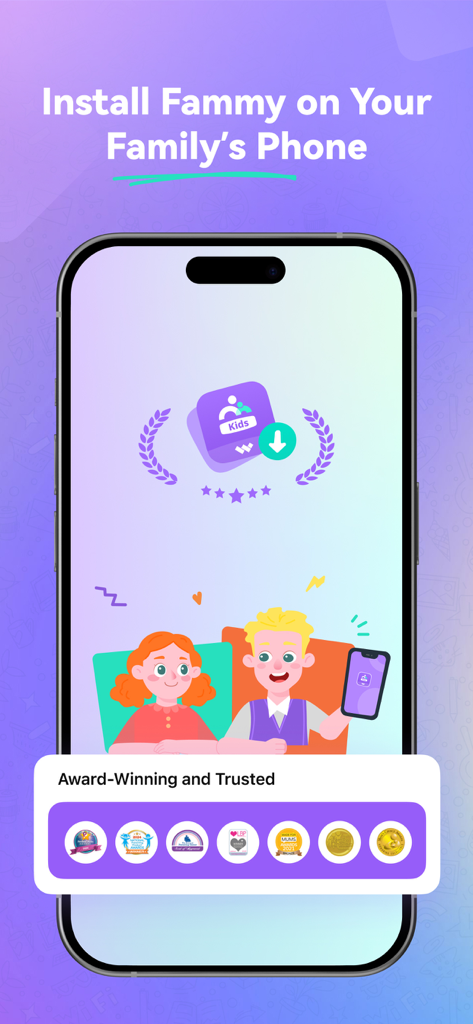
Fammy - Blocksite - Fammyアプリのスクリーンショット。家族の携帯電話へのインストール手順と、ペアレンタルセーフティのための受賞歴のあるバッジが表示されます。
Fammyアプリのスクリーンショット。家族の携帯電話へのインストール手順と、ペアレンタルセーフティのための受賞歴のあるバッジが表示されます。

Fammy - Blocksite - Fammyアプリのインターフェース。地図上にSOS緊急アラートと、保護者にヘルプ通知を送信するボタンが表示されます。
Fammyアプリのインターフェース。地図上にSOS緊急アラートと、保護者にヘルプ通知を送信するボタンが表示されます。

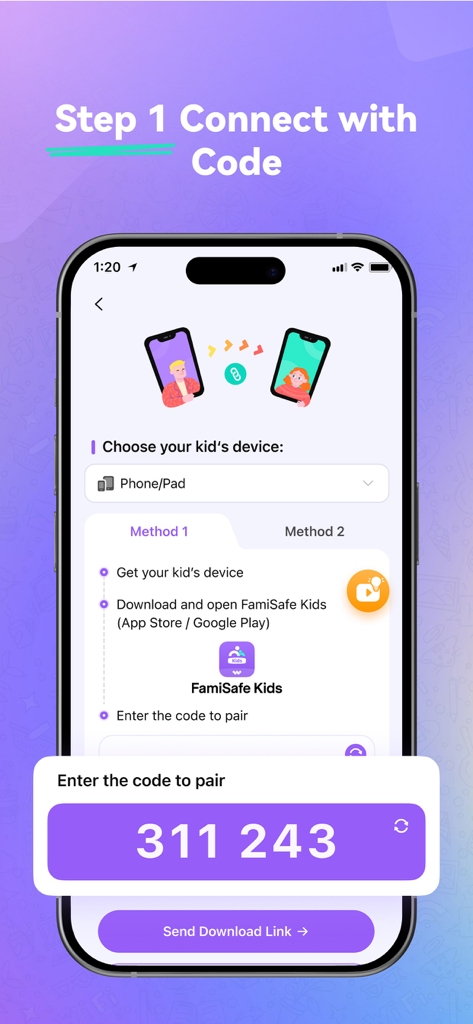
Fammy - Blocksite - ペアレンタルコントロールアプリFammyに子供のデバイスを接続するためのペアリングコードが表示されるセットアップ画面
ペアレンタルコントロールアプリFammyに子供のデバイスを接続するためのペアリングコードが表示されるセットアップ画面

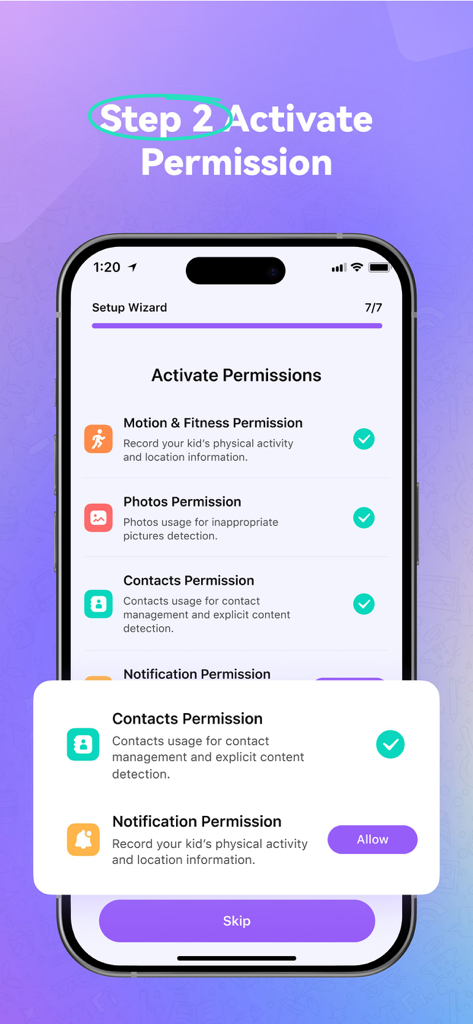
Fammy - Blocksite - Fammyアプリのセットアップウィザード。子供のデバイスで権限を有効にするためのステップ2が表示されます。
Fammyアプリのセットアップウィザード。子供のデバイスで権限を有効にするためのステップ2が表示されます。

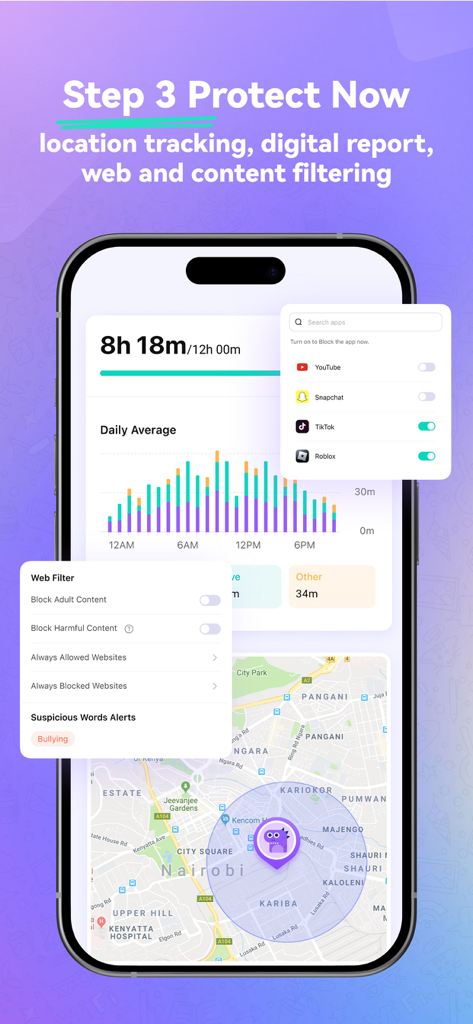
Fammy - Blocksite - スクリーンタイムレポート、アプリブロック、位置情報追跡機能を備えたFammyアプリのインターフェース。

スクリーンタイムレポート、アプリブロック、位置情報追跡機能を備えたFammyアプリのインターフェース。

Fammy - Blocksite - プライバシー保護の保証を示すスマートフォン画面。盾のアイコンと、モバイルデバイスを使用している子供たちが表示されます。

プライバシー保護の保証を示すスマートフォン画面。盾のアイコンと、モバイルデバイスを使用している子供たちが表示されます。

説明

Fammy (formerly FamiSafe Kids - Blocksite) is the companion app of the FamiSafe Parental Control App, our app for the parent’s device. Please install this Fammy onto the devices you want to supervise (usually on childs' mobile phone or pad or computer). Parents need to install FamiSafe Parental Control App on parent devices (usually on your mobile phone or pad) and then connect this Fammy with a pairing code. New feature: SOS Alert. When you are alone outside and feel unsafe, you can quickly seek help from your parents through SOS alert. Fammy is your most reliable Screen Time & Location Tracker parental control app, with features like kids’ screen time limiting, App blocker, website filtering, game/porn blocking, suspicious photos detecting and suspicious text detecting on social media app like YouTube, Facebook, Instagram, WhatsApp and more. Link family devices, keep your family safe and happy. FREE Test for the latest 7.0 version! After registration, you can keep using FamiSafe screentime control for three days, 100% FREE of charge. All the functions like screen time control, App blocker, location tracking, sensitive words block and so on. Hottest Features of FamiSafe: Screen Time Control -Track and plan the screen-time using of kids -Remotely block or allow the using via screentime control Location Tracker & Live-Location Share -Track your kids’ live location and location history timeline -Create a SAFE zone for tracking kids and get alerts when they break the planned zone Phone activity Timeline -Remotely track phone activities -View what apps kids install or uninstall App/Game blocker & Usage -Block or restrict specific inappropriate apps -Send instant alert when children try to open blocked apps or games Suspicious Photos Detection -Send instant warnings when detects dangerous pictures in kids’ phone albums -View Explicit Images directly on parents’ device Suspicious Text Detection -Detect risky keywords from search history, received or sent texts on social media app -Setting keywords you concern about, such as Sex, Violent or Drugs -Detect WhatsApp, Facebook, YouTube, Instagram, Twitter and more Drive Safety -Track records of driving speed, driving time, hard braking -Help teens form good driving habits ---Why is FamiSafe your first and best choice?--- Recognized and trusted by many organizations and associations * 2021 Family Choice Award Winner. Awarded by Family Choice Awards. * Best Innovative Tech Product for Children 2021. Awarded by Loved By Parents Award. * The best family-friendly product. Awarded by Mom’s Choice Award. * 2020 NAPPA Award Winner. Awarded by National Parenting Product AWARDS. * Seal of Approval Winner. Awarded by The National Parenting Center. * MFM Awards 2021 Winners. Awarded by Made For Mums. How to track screen time, with FamiSafe, the best Screentime Control & Location Tracker App? 1. Install FamiSafe via scanning QR-Code or entering pairing Code on the device you want to supervise. 2. Register a FamiSafe account and log in. 3. Create a personalized plan for your kid and Start your safe onlie travel from this moment on! For full user guide reference, please check here: https://famisafe.wondershare.com/user-guide ---FAQs--- • What languages does FamiSafe provide? -FamiSafe screentime control app is available in English, Spanish, French, German, Italian, Portuguese, Japanese and Korean. • Can parents monitor two or more devices on one account? -Yes. One account can manage up to 30 mobile devices or tablets. ---ABOUT US--- Wondershare is a global leader in application software development with 6 offices around the globe and 1000+ talented employees. Our 15 leading products are used in over 150 countries worldwide.

Download

ダウンロード: App Store

このページはアプリまたはその開発者の公式ページではなく、情報提供および論評を目的として作成された独立した編集出版物です。明示的に別段の記載がない限り、アプリおよびその開発者は、MWM、Apple、Google Play、アプリのパブリッシャー、またはアプリの開発者と提携、承認、後援、認可、またはその他の公式的な関係はなく、このページのいかなる内容も、アプリがMWMのサービスを使用して開発されたことを意味するものではありません。すべての商標、ロゴ、スクリーンショット、その他のコンテンツはそれぞれの所有者の財産です。








