Fiery Feeds: News Reader
ダウンロード: App Store

このページはアプリまたはその開発者の公式ページではなく、情報提供および論評を目的として作成された独立した編集出版物です。明示的に別段の記載がない限り、アプリおよびその開発者は、MWM、Apple、Google Play、アプリのパブリッシャー、またはアプリの開発者と提携、承認、後援、認可、またはその他の公式的な関係はなく、このページのいかなる内容も、アプリがMWMのサービスを使用して開発されたことを意味するものではありません。すべての商標、ロゴ、スクリーンショット、その他のコンテンツはそれぞれの所有者の財産です。


ロゴ: Fiery Feeds: News Reader
ダウンロード: App Store

Fiery Feeds: News Reader

効率性を重視して設計された、高度にカスタマイズ可能なニュースリーダー。スマートフィルター、テキスト抽出、プロ仕様のキーボードショートカットを備え、アルゴリズムから主導権を取り戻します。

主要数値

ダウンロード

206K+

ユーザー評価

4.4/5

評価数

1K+

開発元

Lukas Burgstaller

カテゴリ

News

対応言語

33

最新バージョン

2.14.9

サイズ

172.7 MB

リリース日

2016年10月12日
機能

情報のプロフェッショナルのために設計

調査を合理化し、生産性を最大化するように設計された、高度にカスタマイズ可能なフィードリーダーでアルゴリズムから解放されましょう。

インテリジェントなフィード管理

スマートビューでノイズをカット。注目のリンクを自動的に特定し、記事の長さでフィルタリング。必読のソースに優先順位を付けて、一歩先を行きましょう。

プロレベルのカスタマイズ

カラーテーマからキーボードショートカット、カスタムURL共有アクションまで、独自のプロフェッショナルなワークフローに合わせてすべてを完璧に調整できます。

以下のスクリーンショットと説明は、アプリの公式ストアリスティングから直接取得されたものであり、アプリ開発者の所有物です。

アプリストア

スクリーンショット
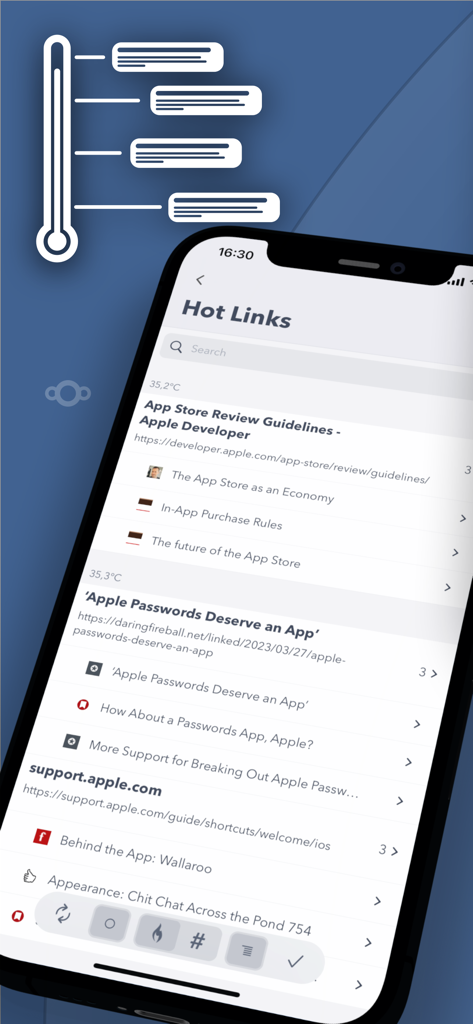
Fiery Feeds: News Reader - トレンドのニュースや記事をハイライトするFiery Feedsのホットリンク機能を表示しているスマートフォンの画面
トレンドのニュースや記事をハイライトするFiery Feedsのホットリンク機能を表示しているスマートフォンの画面

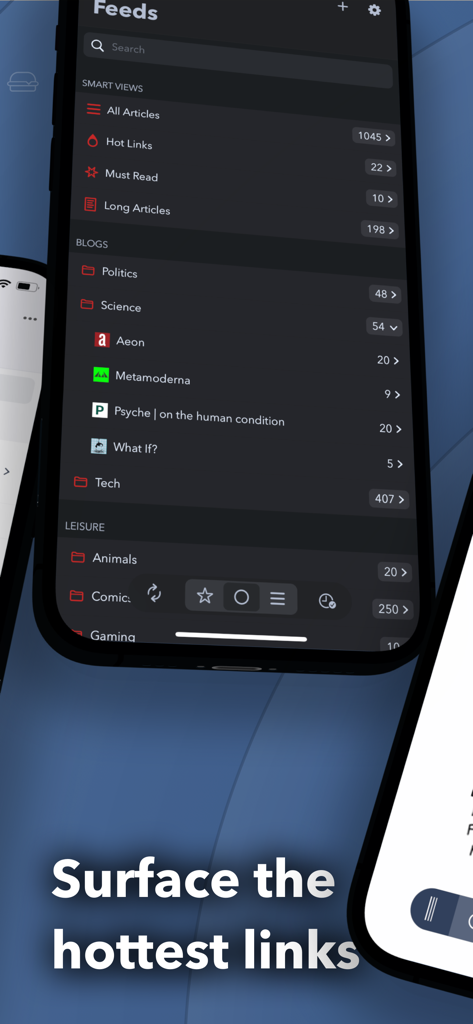
Fiery Feeds: News Reader - スマートフォルダとホットリンクを表示するFiery Feedsニュースリーダーアプリのインターフェース
スマートフォルダとホットリンクを表示するFiery Feedsニュースリーダーアプリのインターフェース

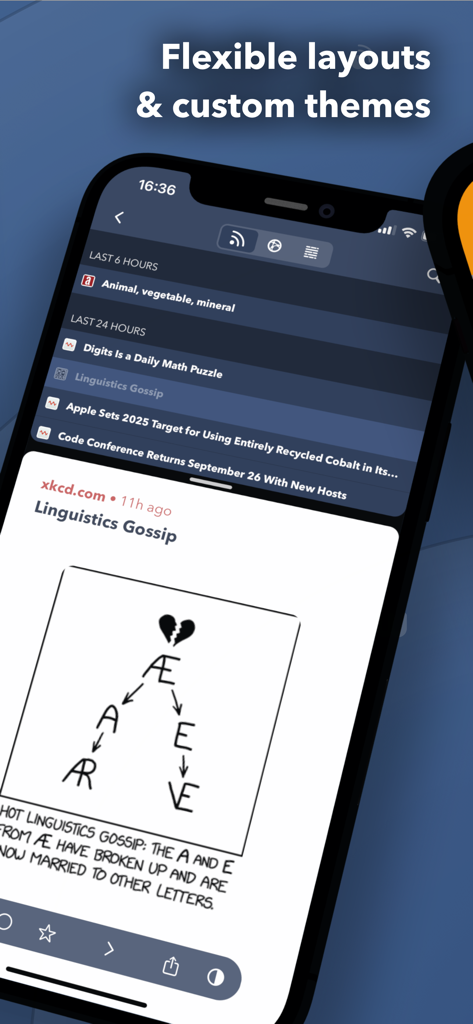
Fiery Feeds: News Reader - xkcdのコミックが表示されたiPhone上で、柔軟なレイアウトとカスタムダークテーマを表示しているFiery Feedsニュースリーダーアプリのインターフェース

xkcdのコミックが表示されたiPhone上で、柔軟なレイアウトとカスタムダークテーマを表示しているFiery Feedsニュースリーダーアプリのインターフェース
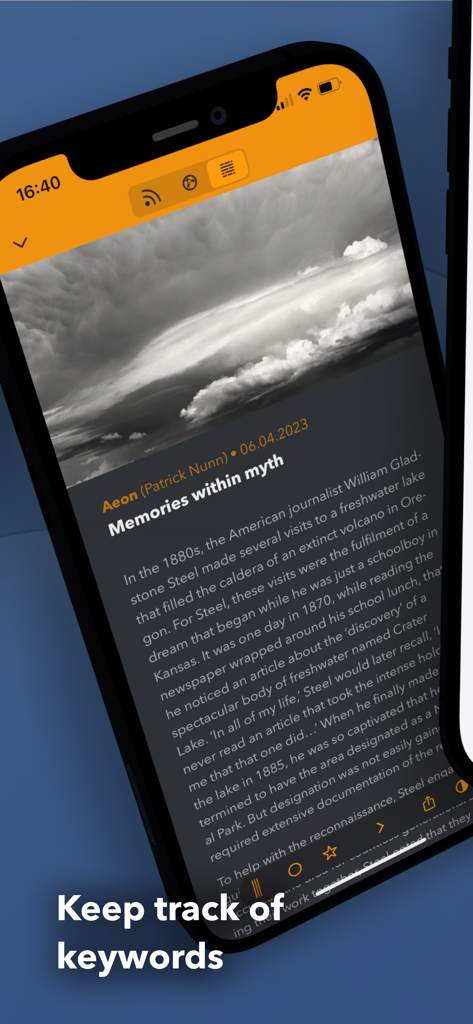
Fiery Feeds: News Reader - 「キーワードを追跡する」というテキストと共にニュース記事を表示しているスマートフォン
「キーワードを追跡する」というテキストと共にニュース記事を表示しているスマートフォン

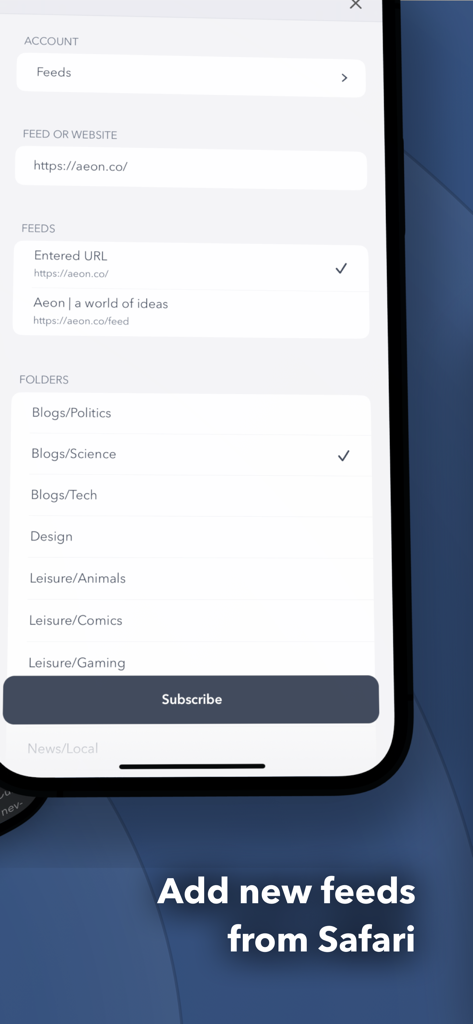
Fiery Feeds: News Reader - Fiery Feedsで新しいRSSフィードを追加し、カテゴリーフォルダを選択するためのインターフェース
Fiery Feedsで新しいRSSフィードを追加し、カテゴリーフォルダを選択するためのインターフェース

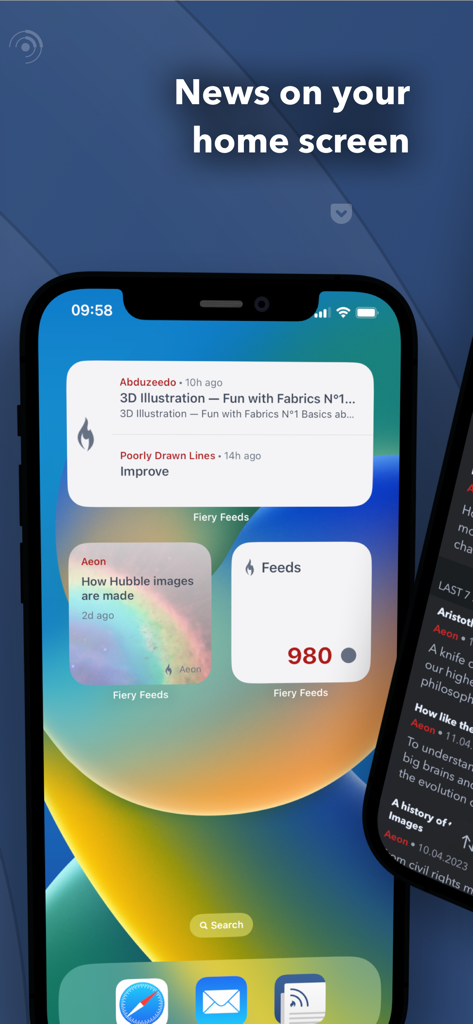
Fiery Feeds: News Reader - 3つのFiery Feedsニュースおよびフィードカウントウィジェットを備えたiPhoneのホーム画面
3つのFiery Feedsニュースおよびフィードカウントウィジェットを備えたiPhoneのホーム画面

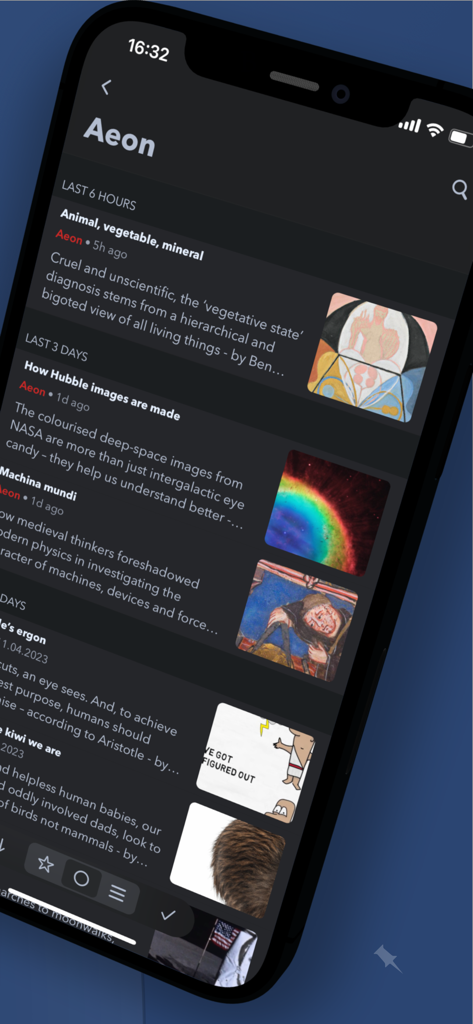
Fiery Feeds: News Reader - ダークモードでAeonからのニュースフィードを表示しているFiery Feedsアプリのスクリーンショット

ダークモードでAeonからのニュースフィードを表示しているFiery Feedsアプリのスクリーンショット

説明

Fiery Feeds is a powerful and highly customisable feed reader and read-it-later client that syncs with most services. - Smart Views - Hot Links - Finds the most linked to websites in your articles Low and High Frequency - folders shows articles from feeds that only post rarely or particularly often. Long and Short Articles - folders filter articles by length. Must Read - folder is a specially highlighted folder, where you can put the most important feeds. Recents - folder only shows articles published today - Text Extraction - Fiery Feeds can automatically extract the full article text or display the website instead of the truncated article text. The selected mode is remembered by feed and the full text can even be downloaded for offline viewing. - Home Widgets - Fiery Feeds includes Home Widgets to display the lastest or random articles, or article counts in specific accounts. You can mark articles starred or read directly from the widget - Smart Searches - You can create saved searches matching multiple properties like content, title, published date, posting frequency and more. - Safari Extension - You can subscribe to new feeds and save links to read later right in Safari with the included extension. - Keyboard Shortcuts - Fiery Feeds fully supports external keyboards and keyboard shortcuts. You can navigate the entire app using only the keyboard if you want to. - Customisable - You can create your own color themes, there is a directory of user-created themes and a theme editor included. - Custom URL Sharing - Fiery also supports sharing to other apps and websites using URL schemes that you can create yourself or install from the action directory and customisable email templates. - Feed Management - You can subscribe to new feeds, unsubscribe, move or rename them. You can add new folders, delete, move or rename them. You can even group your folders. - VoiceOver - Every feature is accessible via VoiceOver. - Even more - Highly customisable - Almost every aspect of Fiery Feeds is customisable. Color Themes, Fonts, Text sizes. If you want a leisurely reading environment, just the headlines, or anything in between, Fiery Feeds has you covered. Horizontal article swiping - You can swipe to the next or previous article by swiping horizontally, instead of vertically. This avoids having to scroll down the entire (long) article just to get to the next one. Marking Articles Read - On Scrolling, only articles older than some time, or marking all above or below a specific article read. Three Pane View - Especially designed for larger iPads. - Supported Feed Accounts - Feedly, Feedbin, Fever, NewsBlur, Tiny Tiny RSS, Inoreader, Bazqux, FreshRSS, The Old Reader, Nextcloud News, iCloud, Local Accounts - Supported Read Later Accounts - Pinboard, Pocket, Instapaper, Wallabag, iCloud, Local Accounts - Fiery Feeds Premium - Fiery Feeds Premium automatically renews as a paid subscription, unless cancelled at least 24 hours before the date of renewal. The payment will be charged to iTunes Account at confirmation of purchase. Your account will be charged for renewal within 24-hours prior to the end of the current period. You can cancel a free trial or subscription anytime by turning off auto-renewal through your iTunes account settings. This must be done 24 hours before the end of a free trial or subscription period to avoid being charged. The cancellation will take effect the day after the last day of the current subscription period, and you will be downgraded to the free service. Any unused portion of a free trial period will be forfeited when you purchase a premium subscription during the free trial period. Privacy Policy: https://voidstern.net/privacy-policy Terms of Use: https://voidstern.net/terms-of-use

Download

ダウンロード: App Store

このページはアプリまたはその開発者の公式ページではなく、情報提供および論評を目的として作成された独立した編集出版物です。明示的に別段の記載がない限り、アプリおよびその開発者は、MWM、Apple、Google Play、アプリのパブリッシャー、またはアプリの開発者と提携、承認、後援、認可、またはその他の公式的な関係はなく、このページのいかなる内容も、アプリがMWMのサービスを使用して開発されたことを意味するものではありません。すべての商標、ロゴ、スクリーンショット、その他のコンテンツはそれぞれの所有者の財産です。