
このページはアプリまたはその開発者の公式ページではなく、情報提供および論評を目的として作成された独立した編集出版物です。明示的に別段の記載がない限り、アプリおよびその開発者は、MWM、Apple、Google Play、アプリのパブリッシャー、またはアプリの開発者と提携、承認、後援、認可、またはその他の公式的な関係はなく、このページのいかなる内容も、アプリがMWMのサービスを使用して開発されたことを意味するものではありません。すべての商標、ロゴ、スクリーンショット、その他のコンテンツはそれぞれの所有者の財産です。


File Manager & Documents
デバイスの制約を打ち破り、ファイル管理をPCレベルに引き上げる。このアプリは、iPhoneやiPadを手のひらの上にある強力なワークステーションに変貌させる。
ダウンロード
500k+ユーザー評価
評価数
8.1K開発元
カテゴリ
Utilities対応言語
1最新バージョン
7.1サイズ
84.7 MBリリース日
2019年11月25日iOSデバイスでのデジタルコンテンツ管理を最適化する主要機能
File Manager & Documents アプリの機能分析
PCライクなファイル管理体験
ユーザーは、PCのようにファイルをダウンロード、閲覧、整理できます。この機能により、デスクトップ環境で慣れ親しんだ操作感をiOSデバイスで再現し、効率的なファイル管理を可能にします。
クラウドストレージ連携
本アプリは、貴重なデバイスの内部メモリを節約しながら、ファイルをクラウドに保存できる機能を提供します。これにより、ストレージ容量の制約を気にすることなく、大量のデジタルコンテンツを管理できます。
組み込みブラウザによる直接ダウンロード
ユーザーは、アプリ内で直接ダウンロードを実行できる専用の組み込みブラウザを利用できます。これにより、外部アプリに切り替える手間なく、コンテンツを迅速に入手することが可能です。
集中型ファイル保管
本ツールは、すべてのファイルを一つの便利な場所に直接保存できる機能を提供し、アクセスと管理を容易にします。これにより、散在しがちなデジタルコンテンツを一元的に集約できます。
直感的なフォルダ整理
ユーザーは、フォルダを作成して、すべてのデータを直感的な方法で整理できます。これにより、ファイルの種類やプロジェクトごとにコンテンツを分類し、必要な情報を素早く見つけ出すことが可能です。
特殊検索オプションによるメディアダウンロード
このアプリは、特殊な検索オプションを使用して画像や動画をダウンロードし、的を絞った結果を得ることを可能にします。これにより、特定のメディアコンテンツを効率的に見つけて保存できます。
よくある質問
について知っておくべきこと File Manager & Documents
What is the main purpose of the File Manager & Documents app?
The File Manager & Documents app allows users to manage, browse, and organize downloaded files on their iPhone or iPad. It also offers cloud storage to save internal memory.
Does File Manager & Documents offer cloud storage?
Yes, the File Manager & Documents app allows users to store files on the cloud. This feature saves valuable internal memory on the device.
How much does the Download Manager subscription cost?
The Download Manager subscription offers a weekly plan for $2.99, a monthly plan for $9.99, or a yearly plan for $49.99. Each option includes a 3-day free trial.
Can users organize files into folders with the File Manager & Documents app?
Yes, users can create folders within the File Manager & Documents app to organize all their data in an intuitive way. This helps manage imported and downloaded files efficiently.
Is there a free trial for the Download Manager app?
Yes, the Download Manager subscription includes a 3-day free trial period. Payment is charged to the iTunes Account after the trial, unless canceled.
How can I download files using the File Manager & Documents app?
The File Manager & Documents app includes a specialized built-in browser for direct downloads. Users can also download images or videos with special search options.
How do I cancel my File Manager & Documents subscription?
Users can manage their File Manager & Documents subscription and turn off auto-renewal through their iPhone settings or Account Settings on their device after purchase.
What types of files can the File Manager & Documents app handle?
The File Manager & Documents app handles various file types, including images, videos, documents, audio, archives, and zip files. It also allows sorting by name, date, size, or type.
Where is the privacy policy for the File Manager & Documents app?
The privacy policy for the File Manager & Documents app is available at the provided URL: https://giantbrainsllc.wordpress.com/privacy-policy/.
以下のスクリーンショットと説明は、アプリの公式ストアリスティングから直接取得されたものであり、アプリ開発者の所有物です。
アプリストア
スクリーンショット

このアプリは、内部ストレージとクラウドストレージの使用状況を明確に表示し、画像や動画などのファイルタイプごとに整理されたカテゴリビューを提供します。
統合ファイル管理
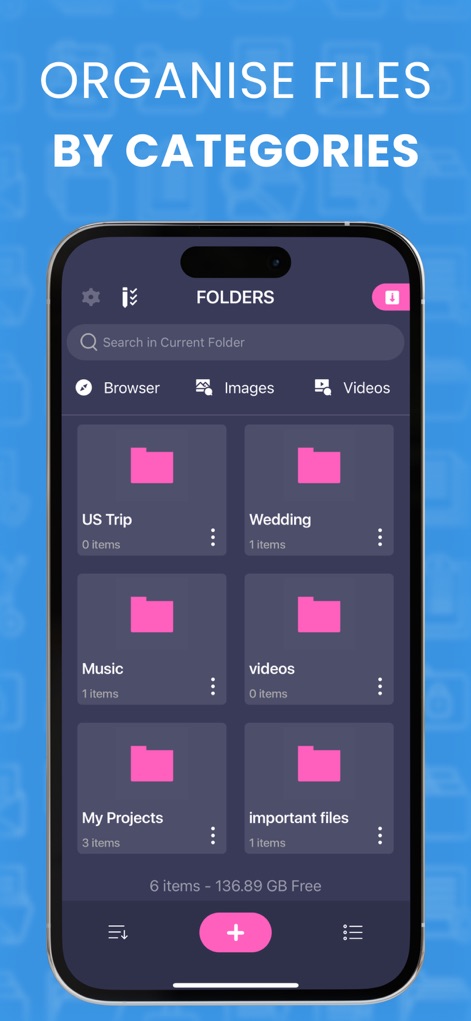
ユーザーは直感的なフォルダ構造でファイルを整理し、ブラウザ、画像、ビデオといったカテゴリ別にコンテンツを簡単に閲覧できます。
フォルダで整理
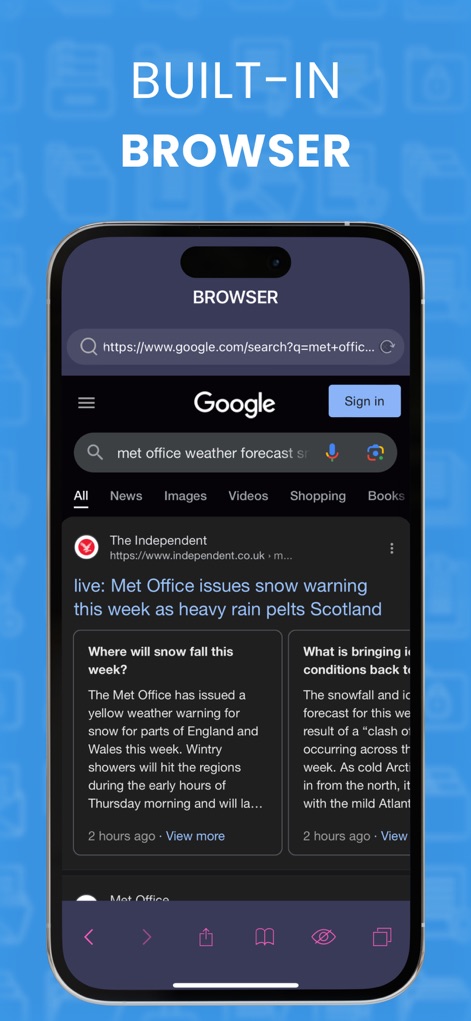
このツールには専用のウェブブラウザが内蔵されており、アプリを離れることなく直接ダウンロードやウェブ検索を実行できます。
内蔵ウェブブラウザ
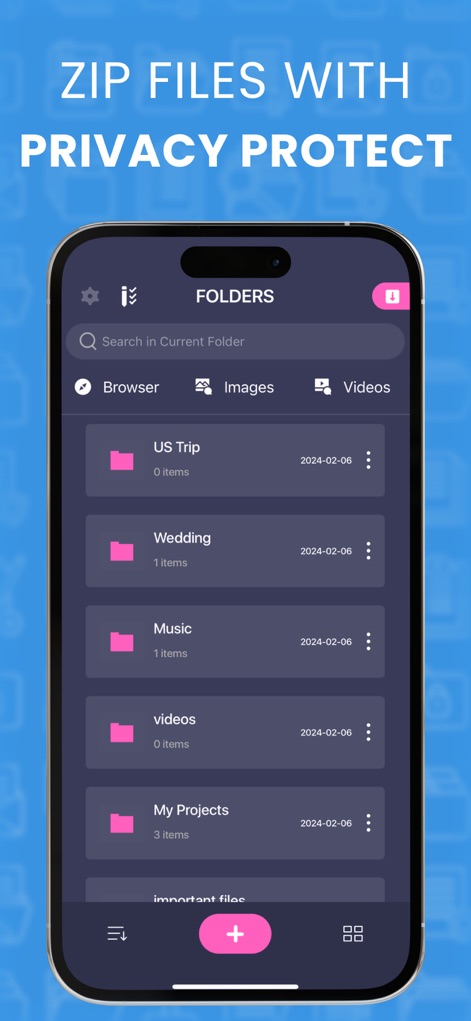
本アプリはZIPファイル機能に対応しており、フォルダごとに表示される日付情報と合わせて、ユーザーのファイルをプライバシー保護と効率的な管理でサポートします。
ZIPとプライバシー保護
説明
Download
類似アプリ
似た機能とユーザー体験を持つアプリ







このページはアプリまたはその開発者の公式ページではなく、情報提供および論評を目的として作成された独立した編集出版物です。明示的に別段の記載がない限り、アプリおよびその開発者は、MWM、Apple、Google Play、アプリのパブリッシャー、またはアプリの開発者と提携、承認、後援、認可、またはその他の公式的な関係はなく、このページのいかなる内容も、アプリがMWMのサービスを使用して開発されたことを意味するものではありません。すべての商標、ロゴ、スクリーンショット、その他のコンテンツはそれぞれの所有者の財産です。