Files Go - media player

Files Go - media player

ダウンロード: App Store
ロゴ: Files Go - media player

Files Go:プロフェッショナルなファイル管理とメディアのための究極のパワーユーティリティ

デスクトップレベルの制御でiOSの制限から解放されましょう。クラウドサーバーを管理し、80以上の形式を解凍し、あらゆるメディアを再生し、パワーユーザー向けの最も汎用性の高いオールインワンツールでデータを保護しましょう。

ダウンロード: App Store

開発元

美荣 缪

カテゴリ

Utilities

ダウンロード

112K+

ユーザー評価

4.4/5

評価数

600

対応言語

3

あなたのデジタルコマンドセンター

このインターフェースを利用する 112K+ 人のユーザー.

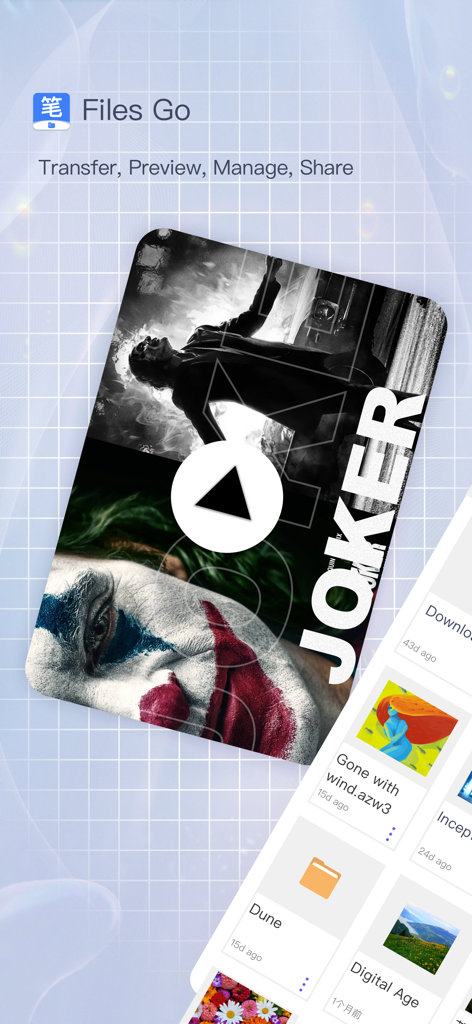
Files Goアプリのインターフェースで、ビデオ再生とファイル管理機能が表示されています
Files Goアプリのインターフェースで、ビデオ再生とファイル管理機能が表示されています

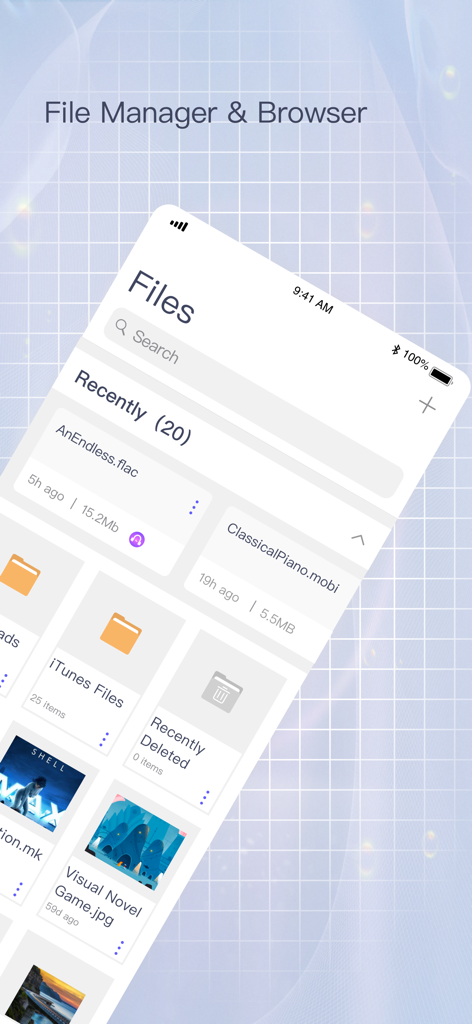
Files Goアプリのスクリーンショット。iPhone上の最近アクセスしたフォルダとメディアファイルのグリッドが表示されています
Files Goアプリのスクリーンショット。iPhone上の最近アクセスしたフォルダとメディアファイルのグリッドが表示されています

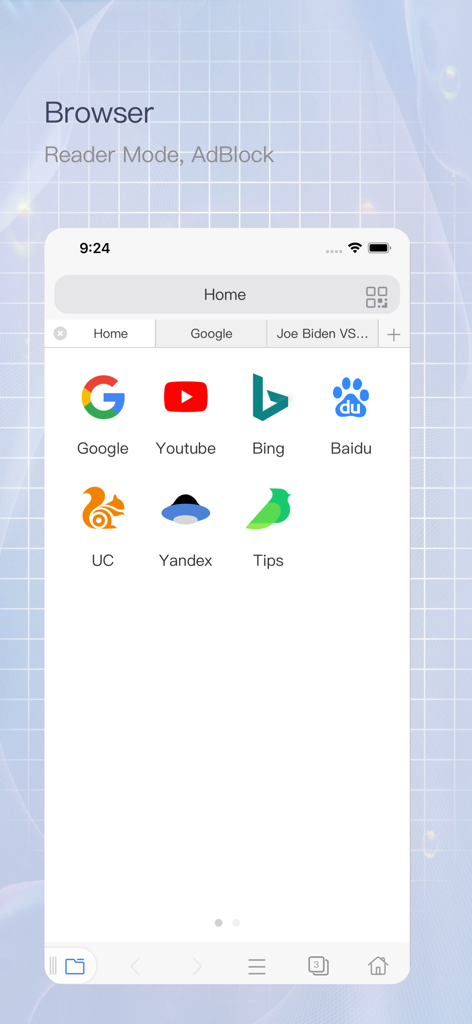
Files Goアプリの組み込みWebブラウザ。広告ブロッカーとウェブサイトのショートカットが表示されています
Files Goアプリの組み込みWebブラウザ。広告ブロッカーとウェブサイトのショートカットが表示されています

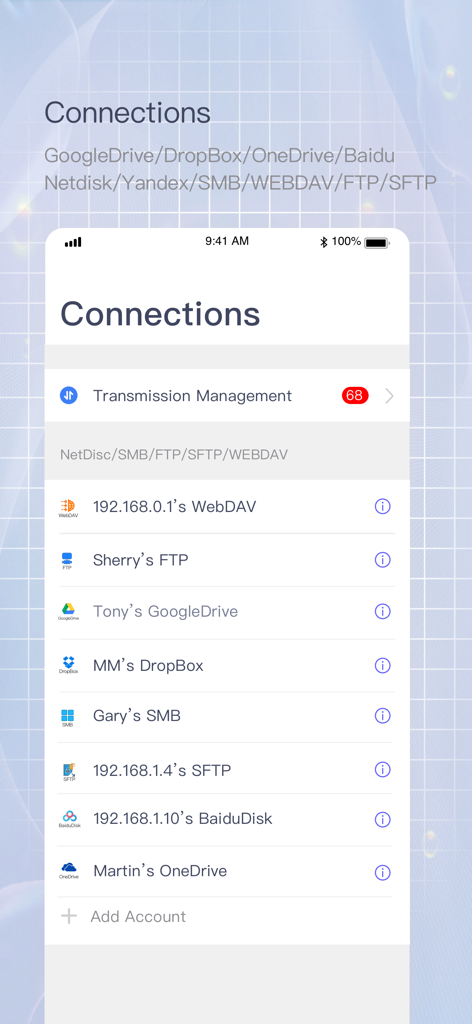
Files Goアプリの接続画面。FTPやSMBなどの統合されたクラウドサービスとネットワークサーバーが表示されています

Files Goアプリの接続画面。FTPやSMBなどの統合されたクラウドサービスとネットワークサーバーが表示されています

Files Goアプリのビデオプレーヤーインターフェース。再生速度コントロールが表示されています
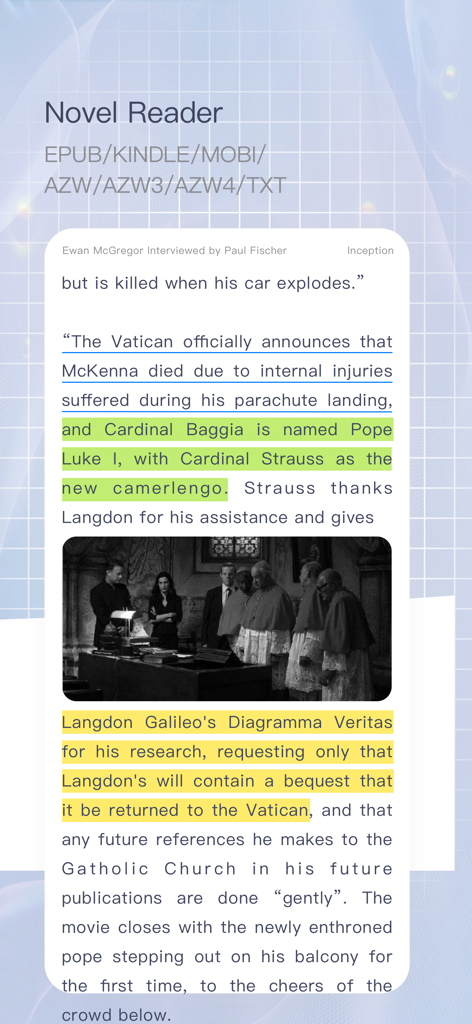
Files Goアプリのビデオプレーヤーインターフェース。再生速度コントロールが表示されています

Files GoアプリのNovel Reader機能のスクリーンショット。ハイライトされたテキストと複数の電子書籍フォーマットのサポートが表示されています
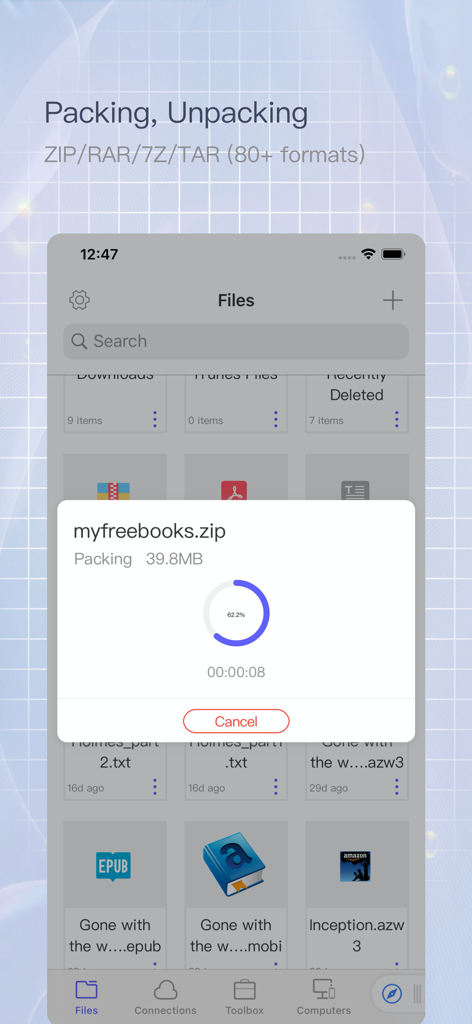
Files GoアプリのNovel Reader機能のスクリーンショット。ハイライトされたテキストと複数の電子書籍フォーマットのサポートが表示されています

Files Goアプリのインターフェース。myfreebooksという名前のファイルをzipアーカイブに圧縮する進行状況が表示されています
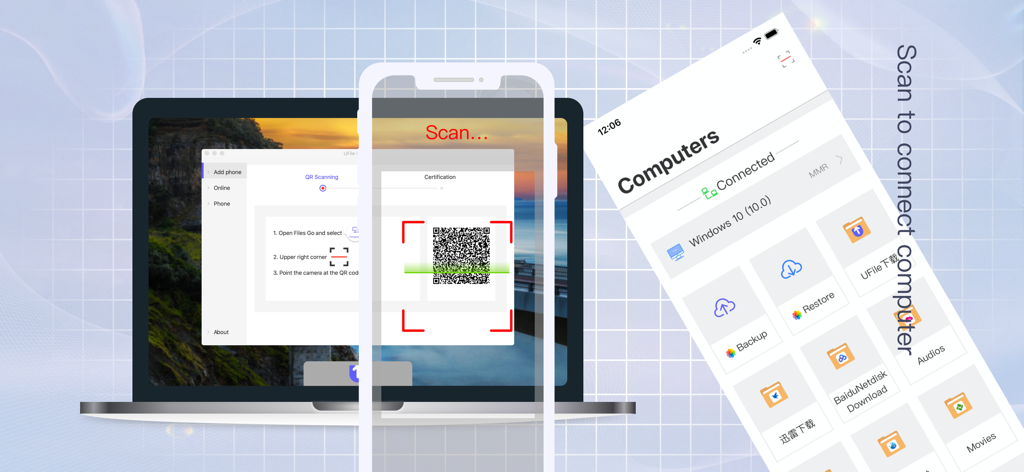
Files Goアプリのインターフェース。myfreebooksという名前のファイルをzipアーカイブに圧縮する進行状況が表示されています

ノートパソコンの画面上のQRコードをスキャンして、Files Goアプリをコンピューターにワイヤレスで接続するスマートフォン。
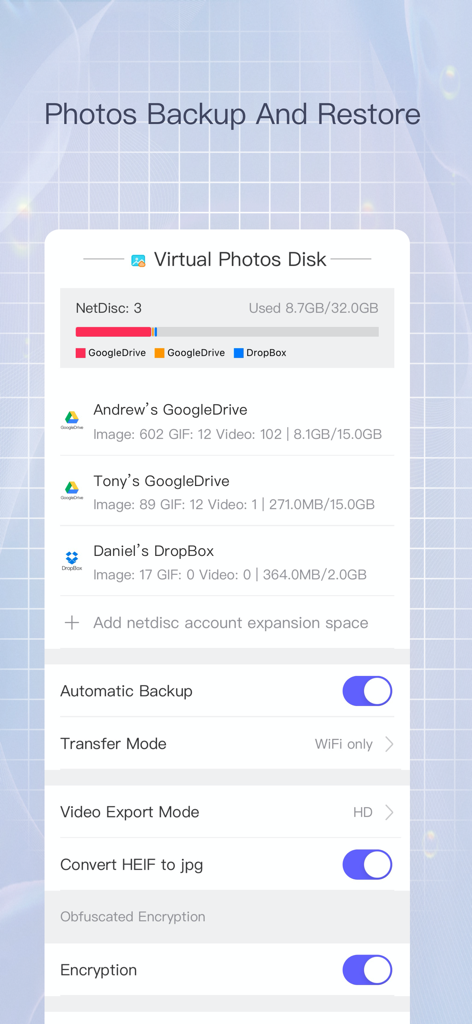
ノートパソコンの画面上のQRコードをスキャンして、Files Goアプリをコンピューターにワイヤレスで接続するスマートフォン。

Files Goアプリのインターフェース。Google DriveとDropboxアカウントの写真バックアップ設定とストレージ管理が表示されています

Files Goアプリのインターフェース。Google DriveとDropboxアカウントの写真バックアップ設定とストレージ管理が表示されています

iPhoneでデスクトップクラスのパワーを

このアプリを際立たせるツール、 112K+ 人のユーザーが選択.

📦

無制限のファイル管理

80以上の圧縮形式、一括リネーム、ローカルファイル暗号化のサポートにより、プロのようにストレージを管理し、プライバシーを完全に保護します。

📺

ユニバーサルメディア&リーダー

内蔵VLCエンジン経由で任意のビデオ形式をストリーミングしたり、EPUB、MOBI、および191のプログラミング言語をサポートする電子書籍コレクションを読みましょう。

🚀

シームレスなネットワーク同期

SMB、FTP、WebDavへのインスタント接続により、モバイルとPC/Mac/Linux間のギャップを埋め、超高速ファイル共有を実現します。

アプリについて

について知っておくべきこと Files Go - media player.

説明

Files Go is a powerful local and network file management tool, focusing on file transfer, preview, management and iCloud file sharing group. Files Go focuses on all management of iOS files, and become the best assistant for mobile phone management. 【The main function】 ⊙1: File Explorer ⊙ Basic operations: drag&drop/batch rename/delete/copy/move/new/recycle/compression and decompression/encryption and decryption/upload and download/file sharing/document scan/edit/details, etc. File import and export: Support import and export files from computer, iCloud, WebDav, FTP, SMB, and other mainstream cloud service providers ⊙2: Powerful Browser⊙ Reader mode/Video floating/Adblock Plus/Multi-tab/Privacy Mode/Incognito Browsing/Long Webpage Clipping/No Image Mode/Search in Page/Generate QR Code/Custom UA/Save PDF/URL Association/Quickly Open and Copy URL/View image mode/Save images in batches/Custom search engine/Multilingual translation/Bookmarks/History/Developer tools, view web source code, Eruda and vConsole ⊙3: Novel Reader⊙ Fully support TXT/EPUB/MOBI/AZW/AZW3/AZW4 and other formats, complete reading configuration and options, take you into a broad reading world ⊙4: Video Player⊙ Built-in VLC video playback engine, supports almost all audio and video formats, supports up to 4 times speed playback, rich audio and video configuration and minimal playback interface, help high-quality entertainment, Support live broadcast of global network TV stations: M3U, M3UA, RSTP, HTTP, HLS, MMS ⊙5: Decompressing And Compressing ⊙ Support more than 80 compression formats such as ZIP, RAR, 7Z, TAR, LZH, XZ, ISO, CAB, WIM, ZIPX, JAR,AAR,LZFSE, etc. Support password, support file name encoding automatic error correction function, no garbled phenomenon Support deconpression online Support sub-volume compression and decompression ⊙6: Privacy protection⊙ Protect important and private files, support file encryption and decryption, the file extension after encryption is sec ⊙7: UFile Desktop Assistant⊙ A fool-like computer sharing artifact is specially customized for non-professional users. You can connect to the computer with only a scan of the mobile phone. The management is clear, the traffic data is intuitive, the multiple encryption technology is safe, the resource usage is very small, and it supports Window, Mac os, Ubuntu Three platforms have been updated to V1.2 version ⊙8: Netdisk And Network Service⊙ Support SMB, FTP, SFTP, WebDav, Yandex, Goole Drive, DropBox, OneDrive,iCloud, Baidu Cloud Disk,Alibaba Cloud,Nutstore, support encoding automatic error correction capability, Support batch renaming, support encoding automatic error correction capability, support online compression and decompression, image batch optimization and format conversion, and automatic synchronization Support clipboard sharing with other iOS devices Support QR code transmission, unlimited speed, up to 5Gb large file temporary transmission service ⊙9: Photo Backup And Restore⊙ Back up a large number of photos to a network disk or computer, and support album restoration ⊙10: READ ⊙ Support mainstream office documents: OFFICE (DOC/DOCX/PPT/PPTX/XLS/XLSX), IWORK (PAGES/KEY/NUMBERS), PDF Support book reading EPUB, KINDLE, MOBI, AZW, AZW3, AZW4
Support text format TXT, RTF, MARKDOWN, HTML, JSON, XML Support mainstream image formats HEIC, BMP, JPG, PNG, TIF, GIF, PCX, TGA, EXIF, FPX, SVG, PDF, WEBP Supports code highlighting and editing in 191 programming languages ⊙11: Disk Management⊙ Document size, cache size, index size,large file list, clear at a glance, it is more convenient to clean the disk ⊙12: Font Installation And Download⊙ Support font preview, installation and download, you can install any third-party font to the system for use by other apps (13+) ⊙13: System Certificate Installation⊙ Support .pem/PKCS1(.cer)/PKCS12(.p12) and other certificate installation Contact us ufileapp@hotmail.com https://www.ufile.app

最新バージョン

3.9

サイズ

121.8 MB

リリース日

2020年4月1日

デバイスの潜在能力を最大限に引き出す準備はできましたか?

112,000人以上のパワーユーザーに参加して、デスクトップレベルのファイル管理、高性能メディア再生、究極のクラウド制御をiPhoneとiPadにもたらしましょう。

ダウンロード: App Store

App information, icons, screenshots, and descriptions displayed on this page are sourced from the Apple App Store and are the property of their respective developers. Download estimates and rankings are based on MWM's proprietary models and may not reflect actual figures. This page is provided for informational and analytical purposes only.

Believe this page infringes your intellectual property? File a dispute