FileViewer USB for iPhone
ダウンロード: App Store

このページはアプリまたはその開発者の公式ページではなく、情報提供および論評を目的として作成された独立した編集出版物です。明示的に別段の記載がない限り、アプリおよびその開発者は、MWM、Apple、Google Play、アプリのパブリッシャー、またはアプリの開発者と提携、承認、後援、認可、またはその他の公式的な関係はなく、このページのいかなる内容も、アプリがMWMのサービスを使用して開発されたことを意味するものではありません。すべての商標、ロゴ、スクリーンショット、その他のコンテンツはそれぞれの所有者の財産です。

ロゴ: FileViewer USB for iPhone
ダウンロード: App Store

FileViewer USB for iPhone

ファイル表示、保存、転送の究極のハブで、ドキュメントを完全に管理しましょう。高度なPDFマークアップから安全なローカルストレージ、マルチクラウド同期まで、すべてを1つの強力なアプリで管理できます。

主要数値

ダウンロード

178K+

ユーザー評価

3.3/5

評価数

100

開発元

MITCHELL COHEN

カテゴリ

Business

対応言語

3

最新バージョン

6.8

サイズ

16.8 MB

リリース日

2010年7月29日
機能

ポケットに入るデスクトップクラスのパワー

プロフェッショナルのための究極のファイル管理ハブ。デスクトップコンピューターの信頼性で、あらゆるドキュメントタイプを表示、保護、整理できます。

ユニバーサルファイルビューア

マルチページPDF、Excelシート、Zipアーカイブ、さらにはソースコードも即座に開けます。すべてを処理するビューアで、フォーマットの不安を解消しましょう。

プライバシー優先のストレージ

FaceIDまたはTouchIDの背後にある機密性の高いビジネスドキュメントを保護します。デジタル主権を完全に保つために、データを物理デバイス上にオフラインで保持します。

以下のスクリーンショットと説明は、アプリの公式ストアリスティングから直接取得されたものであり、アプリ開発者の所有物です。

アプリストア

スクリーンショット
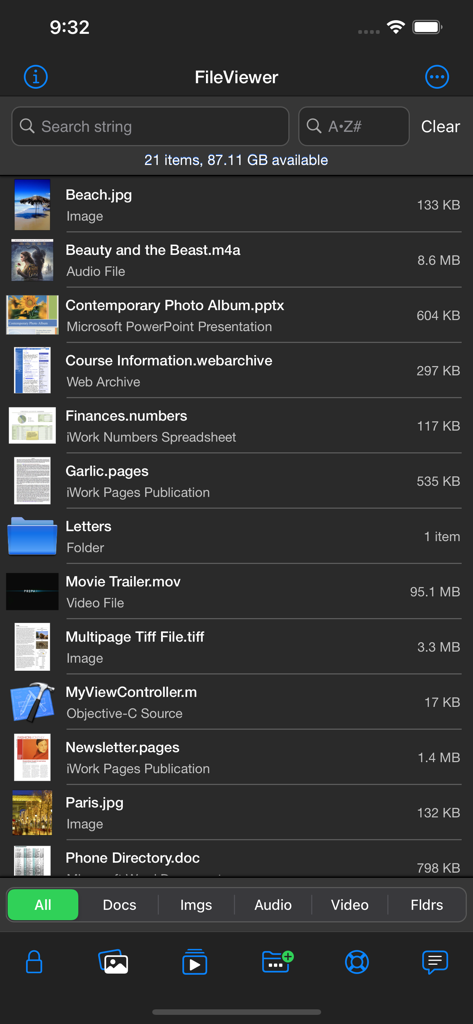
FileViewer USB for iPhone - FileViewer USBアプリのメインファイルリストインターフェース。さまざまなファイルタイプとそのサイズを表示しています。
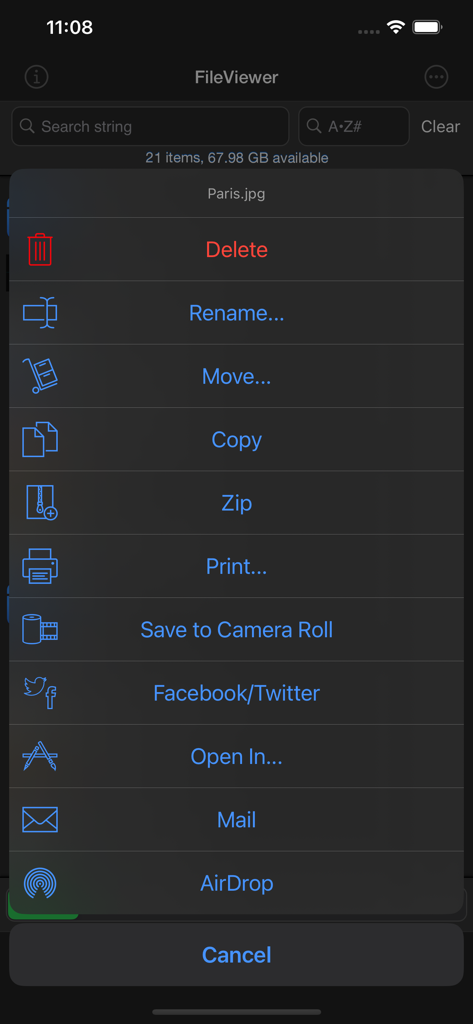
FileViewer USBアプリのメインファイルリストインターフェース。さまざまなファイルタイプとそのサイズを表示しています。

FileViewer USB for iPhone - FileViewer USBアプリのコンテキストメニュー。名前変更、移動、コピー、Zipなどのファイル管理オプションが表示されています。
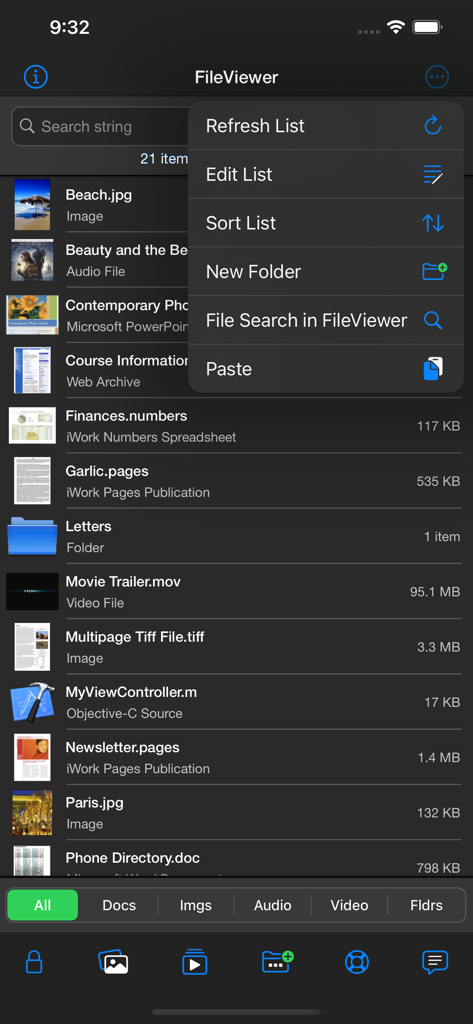
FileViewer USBアプリのコンテキストメニュー。名前変更、移動、コピー、Zipなどのファイル管理オプションが表示されています。

FileViewer USB for iPhone - FileViewer USBアプリがさまざまなファイルタイプのリストとiPhone上のオプションメニューを表示しています。
FileViewer USBアプリがさまざまなファイルタイプのリストとiPhone上のオプションメニューを表示しています。

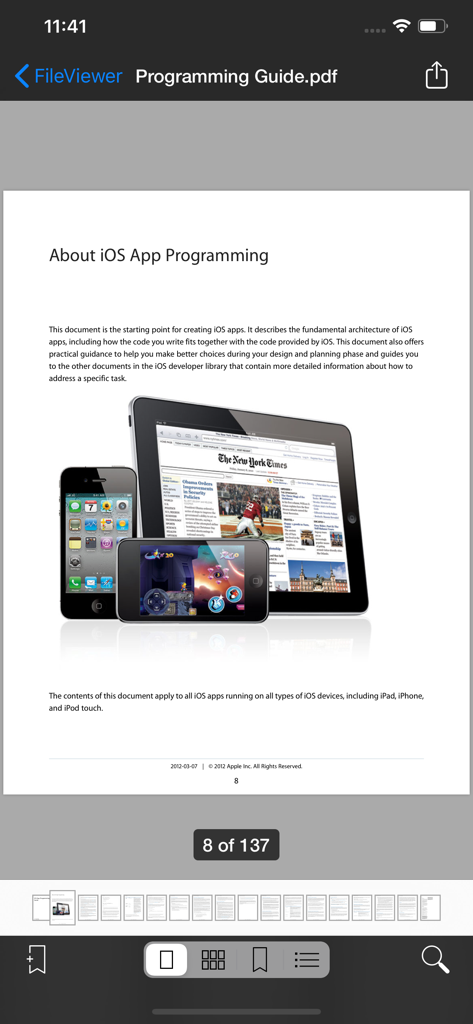
FileViewer USB for iPhone - FileViewer USBアプリのインターフェース。PDFドキュメントとナビゲーションコントロール、ページサムネイルが表示されています。
FileViewer USBアプリのインターフェース。PDFドキュメントとナビゲーションコントロール、ページサムネイルが表示されています。

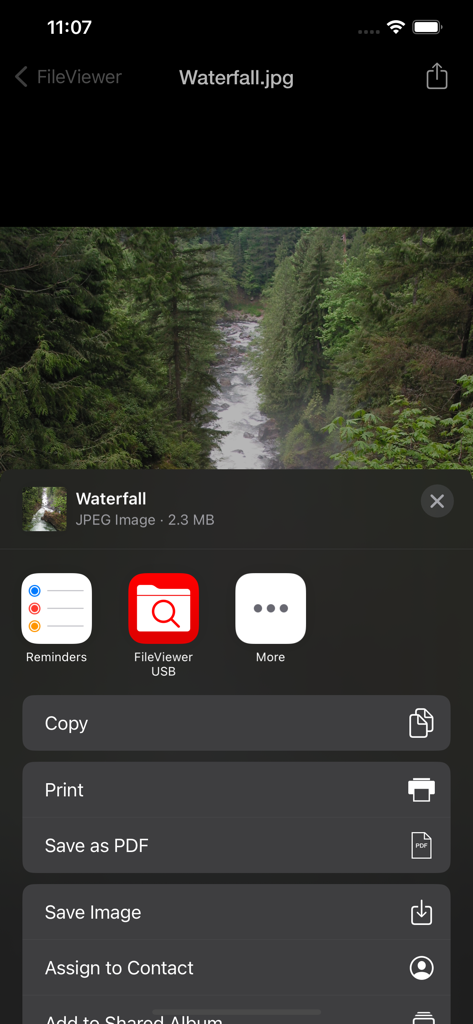
FileViewer USB for iPhone - FileViewer USBの画像に対する印刷やPDFとして保存などのファイル管理オプションを表示するインターフェース。
FileViewer USBの画像に対する印刷やPDFとして保存などのファイル管理オプションを表示するインターフェース。

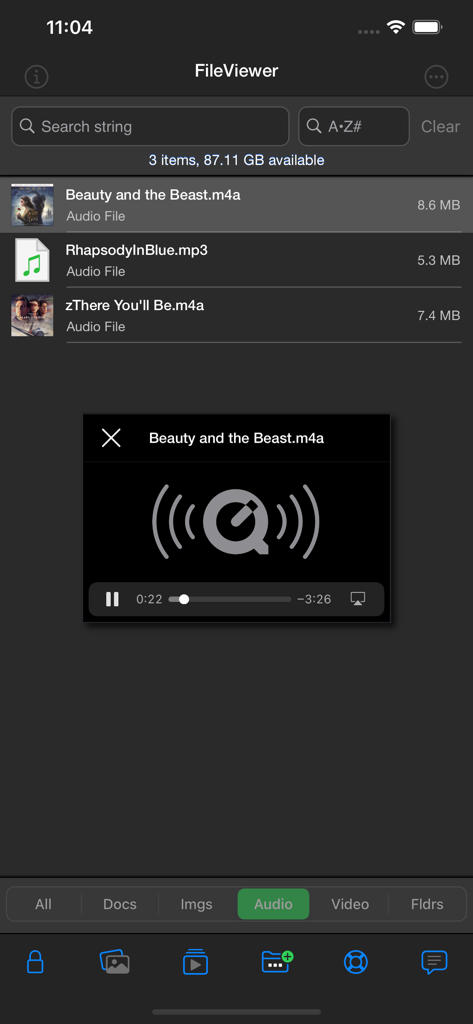
FileViewer USB for iPhone - FileViewerアプリがiPhone上のオーディオファイルのリストと統合メディアプレーヤーを表示するインターフェース。

FileViewerアプリがiPhone上のオーディオファイルのリストと統合メディアプレーヤーを表示するインターフェース。

FileViewer USB for iPhone - FileViewer USBアプリのビデオプレーヤーインターフェース。再生コントロールとSF映画のシーンが表示されています。
FileViewer USBアプリのビデオプレーヤーインターフェース。再生コントロールとSF映画のシーンが表示されています。

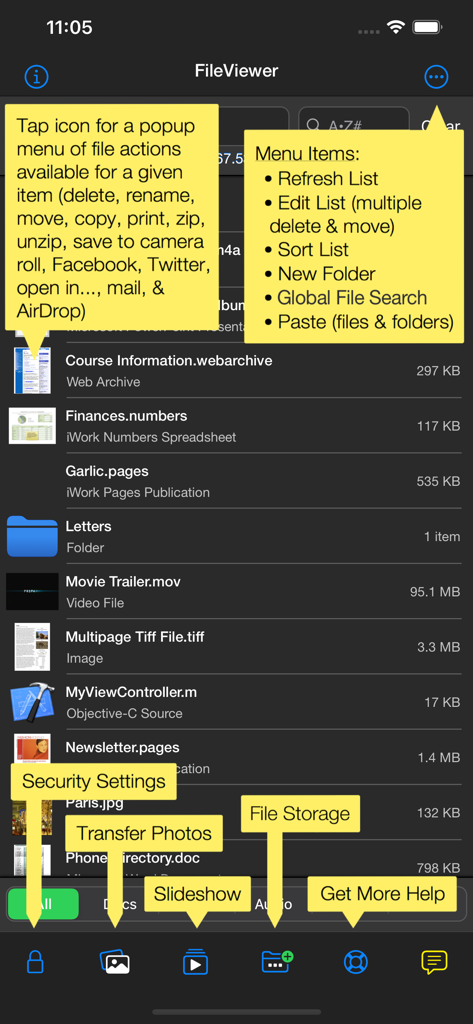
FileViewer USB for iPhone - iPhone用のFileViewer USBアプリのインターフェース。管理されたファイルリストと機能注釈が表示されています。
iPhone用のFileViewer USBアプリのインターフェース。管理されたファイルリストと機能注釈が表示されています。

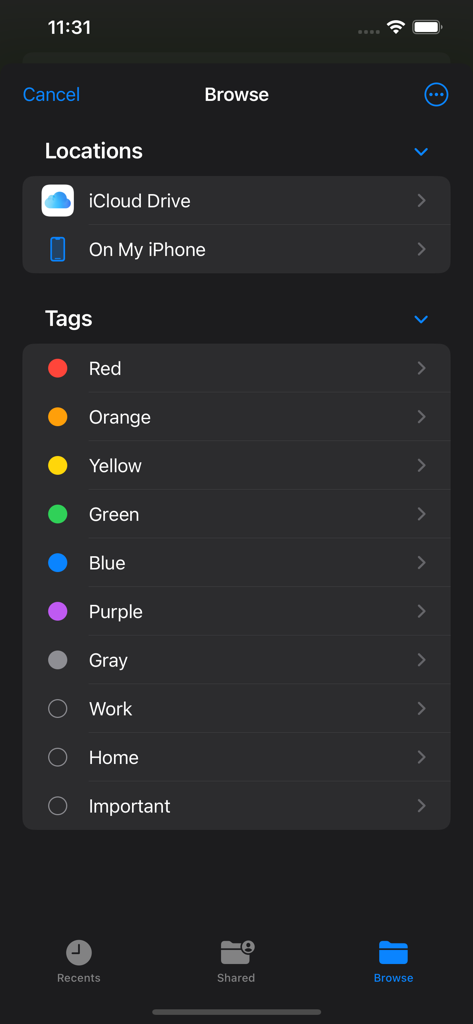
FileViewer USB for iPhone - iPhone用のFileViewer USBのブラウズ画面。ストレージの場所と整理タグが表示されています。
iPhone用のFileViewer USBのブラウズ画面。ストレージの場所と整理タグが表示されています。

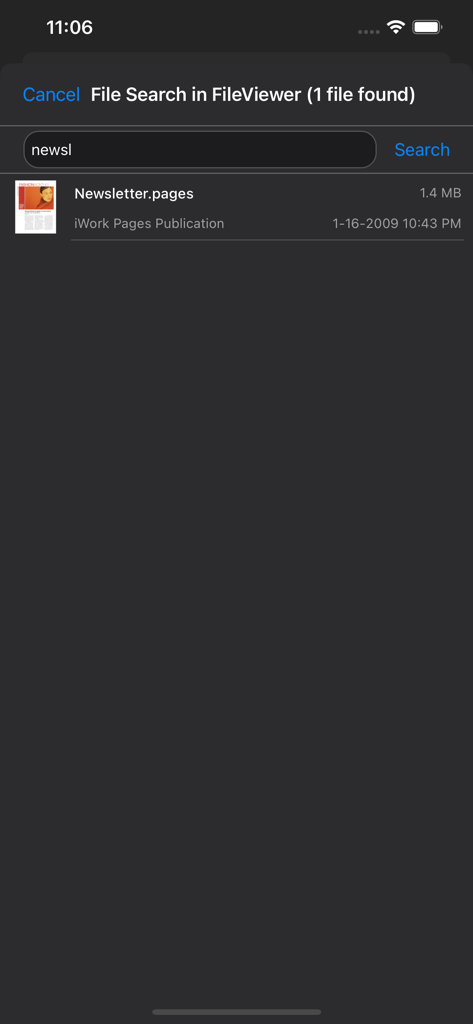
FileViewer USB for iPhone - FileViewer USBアプリでPagesドキュメントのファイル検索結果。

FileViewer USBアプリでPagesドキュメントのファイル検索結果。

説明

OVERVIEW • FileViewer USB is a file viewing, storage, transfer, printing, and email application for the iPhone. It includes one of the best PDF viewers for the iPhone and can also view many other file types. Files are transferred to FileViewer USB, via iTunes (Finder in Mac OS 10.15 Catalina), using a Wi-Fi or USB connection, or via email, AirDrop, the Files app, or connected devices such as thumb drives. FILE VIEWING • Supported file types for direct viewing or listening include portable document format (.pdf), Microsoft Word (.doc & .docx), rich text format (.rtf), plain text files (.txt), Microsoft Excel (.xls & .xlsx), Microsoft PowerPoint (.ppt & .pptx), iWork files (.pages, .key, & .numbers), HTML documents (.html & .htm), web archives (.webarchive), image files (.jpg, .jpeg, .jp2, single & multipage .tif/.tiff, .gif, .bmp, & .png), audio files (.m4a - Apple Lossless & AAC formats, .mp3, .wav, and .aif), video files (.mp4, .m4v, .mov, and .3gp), and other file types (.h, .m, .c, .java, .js, .csv, & .log). • PDF reader is fast, handles large pdf files, and opens password-protected pdfs. A thumbnail scroll bar feature facilitates viewing of long documents. Pages can be bookmarked. Other features include search, markup functionality, and table of contents view. • Photos from the Photos app on the iPhone can be transferred to and viewed in FileViewer. • Images can be copied from this app to the device's camera roll. Images in a given folder can be viewed as a slide show. • Landscape mode as well as zooming and panning is supported for viewing documents and images. FILE & FOLDER MANAGEMENT • Folders can be created to organize files. • Files and folders can be deleted and renamed as well as moved or copied from one folder to another. • Multiple files can be deleted or moved to a different folder at the same time. • FileViewer files can be opened in other apps on the iPhone. • File and folder lists can be filtered by file type, folders, search phrase, and first letter of name. • Files and folders can be sorted by date, size, and modification date (ascending & descending). • Global file search. • Zip archives can be transferred to and unzipped in FileViewer, providing easy one-step transfer of groups of files and/or folders. Zip archives can be created from files and folders stored in FileViewer USB. • Capability to save many document types as a PDF. • Dragging and dropping of files into folders. AIRDROP • With AirDrop, users can share files directly between supported iOS devices, as well as between an iOS device and computer. SOCIAL MEDIA • Post images and web pages to Facebook and Twitter. EMAIL • Files ≤ 20 MB can be emailed as an attachment. • Email attachments can be transferred from the Mail app to FileViewer USB. PRINTING • Documents and images can be printed to AirPrint/ePrint compatible printers. CLOUD STORAGE • Connectivity to iCloud Drive, Box, Dropbox, Google Drive, and Microsoft OneDrive. AIRPLAY & DISPLAYING FILES ON AN EXTERNAL DISPLAY • Using AirPlay, you can wirelessly stream iPhone screen output, via an Apple TV, to an HDTV. • Audio can be wirelessly streamed using AirPlay, via an Apple TV, to an audio system. REQUIREMENTS • iOS 15 (or higher). • Files are transferred to FileViewer USB, via iTunes (Finder in Mac OS 10.15 Catalina), using a Wi-Fi or USB connection, or via email, AirDrop, the Files app, or connected devices such as thumb drives. SECURITY • Use your fingerprint, Face ID, or a password to protect access to FileViewer USB. • Individual files are protected using iOS data protection. HELP • Help is built into and available from within the FileViewer USB application.

Download

ダウンロード: App Store

このページはアプリまたはその開発者の公式ページではなく、情報提供および論評を目的として作成された独立した編集出版物です。明示的に別段の記載がない限り、アプリおよびその開発者は、MWM、Apple、Google Play、アプリのパブリッシャー、またはアプリの開発者と提携、承認、後援、認可、またはその他の公式的な関係はなく、このページのいかなる内容も、アプリがMWMのサービスを使用して開発されたことを意味するものではありません。すべての商標、ロゴ、スクリーンショット、その他のコンテンツはそれぞれの所有者の財産です。








