
このページはアプリまたはその開発者の公式ページではなく、情報提供および論評を目的として作成された独立した編集出版物です。明示的に別段の記載がない限り、アプリおよびその開発者は、MWM、Apple、Google Play、アプリのパブリッシャー、またはアプリの開発者と提携、承認、後援、認可、またはその他の公式的な関係はなく、このページのいかなる内容も、アプリがMWMのサービスを使用して開発されたことを意味するものではありません。すべての商標、ロゴ、スクリーンショット、その他のコンテンツはそれぞれの所有者の財産です。


Filmora: AI Video Editor&Maker
本アプリは、AIの力でユーザーに「バズる」能力を授ける。退屈な映像を瞬時にソーシャルメディアの主役へと変貌させる、現代の錬金術だ。
ダウンロード
25M+ユーザー評価
評価数
335.1K開発元
カテゴリ
Photo & Video対応言語
21最新バージョン
15.3.50サイズ
654.6 MBリリース日
2016年4月28日「Filmora: AI Video Editor&Maker」詳細分析
テックアナリストが厳選する、SNS時代のクリエイター向け主要機能
ダイナミックAIキャプション
音声認識AIが自動で発言をテキスト化し、ワードバイワードの動的なキャプションを生成します。これにより、ユーザーは動画のアクセシビリティとエンゲージメントを大幅に向上させることが可能です。
AI自動カット編集
高度なAIが動画のハイライトシーンを識別し、シームレスに結合して映画のようなストーリーを自動で作成します。ユーザーは編集時間を大幅に短縮しつつ、プロフェッショナルな仕上がりを実現できます。
直感的編集とAI搭載テンプレート
トリミング、分割、テキストや音楽の追加、速度調整などの基本的な編集機能を直感的に操作できます。さらに、AIが組み込まれた魅力的なテンプレートを活用し、ワンクリックで高品質な動画を作成可能です。
AIによる音楽・効果音生成
動画の雰囲気に合わせて、プロフェッショナルな音楽や効果音をAIが自動で生成します。これにより、ユーザーは著作権の心配なく、動画の聴覚的な魅力を高めることができます。
画像から動画生成(Image to Video)
創造的なアイデアを入力するだけで、AIが静止画を元に魅力的な動画コンテンツを魔法のように生成します。ユーザーは写真からダイナミックなストーリーを素早く生み出すことができます。
プロフェッショナル向け高度編集ツール
キーフレーム、クロマキー、PIP(ピクチャー・イン・ピクチャー)、マスキング、スマートトラッキングといったプロレベルのツールを備えており、ユーザーはより複雑でクリエイティブな動画編集が可能です。
AIスマート切り抜き
指でなぞるだけでターゲット領域をAIがインテリジェントに識別し、正確に切り抜きます。切り抜いたオブジェクトには背景の置換やエフェクトの追加も可能で、ユーザーは創造的なビジュアルを生成できます。
テキストから動画生成(Text to Video)
AIが生成したコピーと字幕を使用して動画を作成します。ユーザーのプロンプトに沿った視覚的品質を維持しながら、テキストベースのコンテンツから効率的に動画を生み出すことが可能です。
AIオブジェクト除去
動画内から不要なオブジェクトや要素をAIが自動で認識し、手間なく除去します。これにより、ユーザーはクリーンで洗練された映像を簡単に実現できます。
テキスト読み上げ(Text to Speech)
入力されたテキストをプロフェッショナルな品質のナレーションに変換します。これにより、ユーザーは自身の声を使わずとも、動画に高品質な音声コンテンツを簡単に追加できます。
よくある質問
について知っておくべきこと Filmora: AI Video Editor&Maker
What is Filmora AI Video Editor?
Filmora AI Video Editor is an AI-based video editor and movie maker. It features tools like Image to Video, VideoGen, AI Auto Cut, and Dynamic Captions to help users create and edit videos.
Does Filmora AI Video Editor offer an "Image to Video" feature?
Yes, Filmora AI Video Editor includes an "Image to Video" feature. Users input creative ideas, and the AI converts photos into dynamic videos. This feature is also visible in Screenshot #3.
Can Filmora AI Video Editor remove unwanted elements from videos?
Yes, Filmora AI Video Editor includes "AI Remover" for effortlessly erasing unwanted elements from videos. It also features "AI Smart Cutout" for customized object removal and background replacement.
What are the subscription options for Filmora Pro?
Filmora Pro subscriptions offer Monthly, Annual, or Perpetual billing options. These subscriptions grant access to all features and paid editing materials, while automatically removing watermarks and logo rolls.
Does Filmora AI Video Editor support Text to Speech conversion?
Yes, Filmora AI Video Editor supports Text to Speech. This feature transforms written text into professional voiceovers for videos, enhancing auditory content. Screenshot #4 displays the Text-To-Speech functionality.
How does Filmora AI Video Editor handle captions?
Filmora AI Video Editor provides "Dynamic Captions," which auto-convert speech to text into word-by-word captions. It also features "Text to Video" for generating videos with AI copywriting and subtitles.
Does Filmora AI Video Editor allow adjusting video speed?
Yes, Filmora AI Video Editor allows users to adjust video speed. It includes speed control with customizable and pre-set curves, enabling fast or slow-motion effects. Screenshot #7 shows the "Speed Curve" interface.
Can Filmora AI Video Editor extract music from videos?
Yes, Filmora AI Video Editor can extract music directly from videos. It also enables users to split audio to remove unwanted segments and to add various music, sound effects, or voice-overs.
Is Filmora AI Video Editor suitable for beginners?
Yes, Filmora AI Video Editor offers user-friendly features for beginners. These include trimming, splitting, merging clips, adding text and emojis, and using stunning templates for one-click video creation.
How do I contact support for Filmora AI Video Editor?
You can contact support for Filmora AI Video Editor via email at mailer@service.wondershare.com or by visiting their support website at http://support.wondershare.com.
以下のスクリーンショットと説明は、アプリの公式ストアリスティングから直接取得されたものであり、アプリ開発者の所有物です。
アプリストア
スクリーンショット
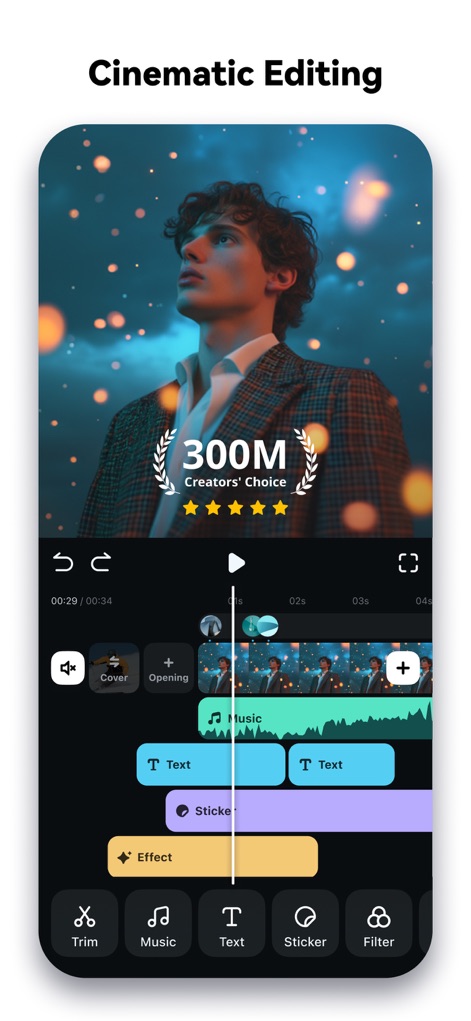
究極の映像体験
本アプリは、300M以上のクリエイターに選ばれる実績と、音楽やテキストを直感的に配置できるタイムライン編集機能で、プロフェッショナルな動画作成を支援します。
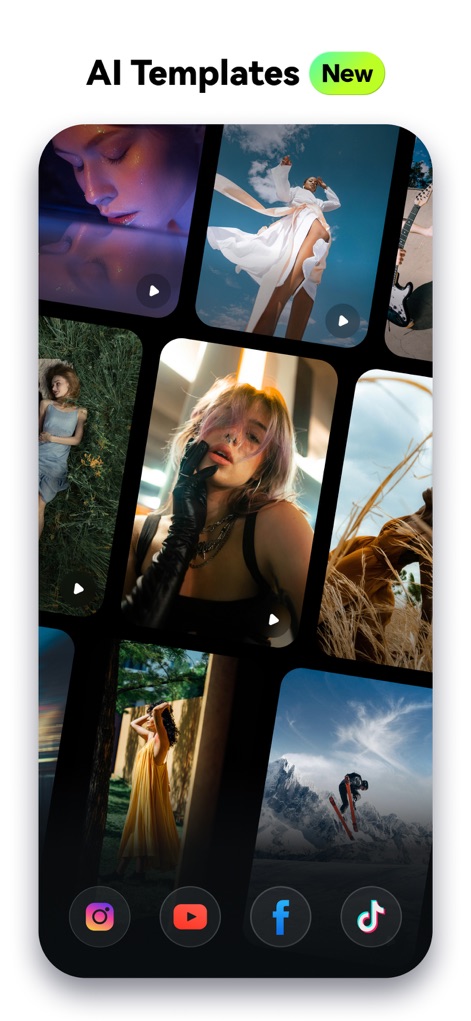
AIテンプレート活用
最新のAIテンプレートを活用し、ユーザーは多様なスタイルの動画を瞬時に作成できます。TikTokやInstagramなど、主要なソーシャルメディアプラットフォームに最適化された出力も可能です。
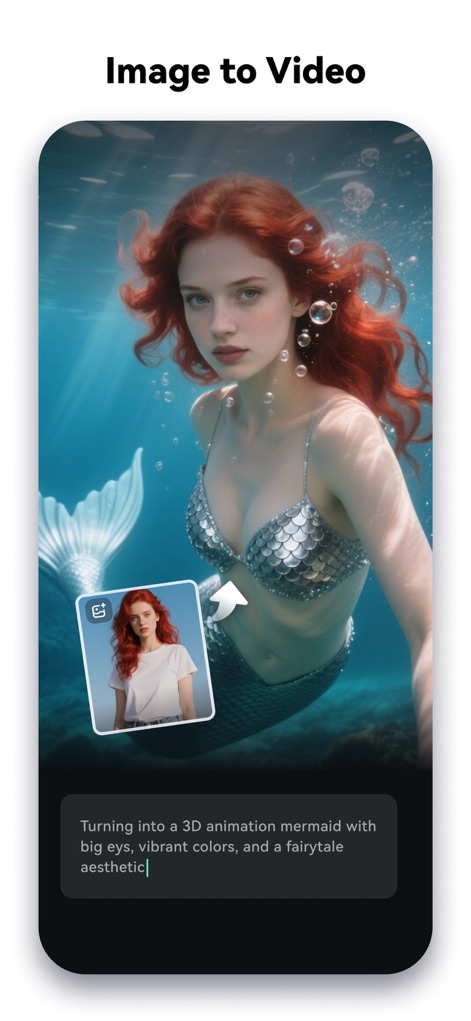
画像が動画に
テキスト入力から画像をAIが動画へ変換し、指定したプロンプトに基づいて3Dアニメーションのマーメイドのような創造的なコンテンツを生成します。

文字が声になる
テキスト読み上げ機能により、ユーザーは入力した文章をプロフェッショナルなナレーションに変換し、魅力的な音声コンテンツを動画に追加できます。

自動字幕で魅せる
音声を自動的にテキスト化し、パワフルなアニメーションキャプションとして表示することで、動画コンテンツの視覚的な魅力を高め、ユーザーエンゲージメントを向上させます。

AIが創る音楽
本アプリは、AIが生成するプロフェッショナルな音楽と、動画のムードに合わせて選択できるサウンドエフェクトにより、クリエイターの表現力を最大限に引き出します。

自由な速度調整
ユーザーは、カスタマイズ可能なスピードカーブ機能を用いて、動画クリップの再生速度を細かく調整し、シーンに合わせたダイナミックなスローモーションや高速モーションを表現できます。

SNSに最適化
本アプリは、TikTok、Instagram、YouTubeなど、様々なソーシャルメディアプラットフォーム向けに動画のアスペクト比を最適化し、ユーザーが最高の視聴体験を提供できるよう支援します。
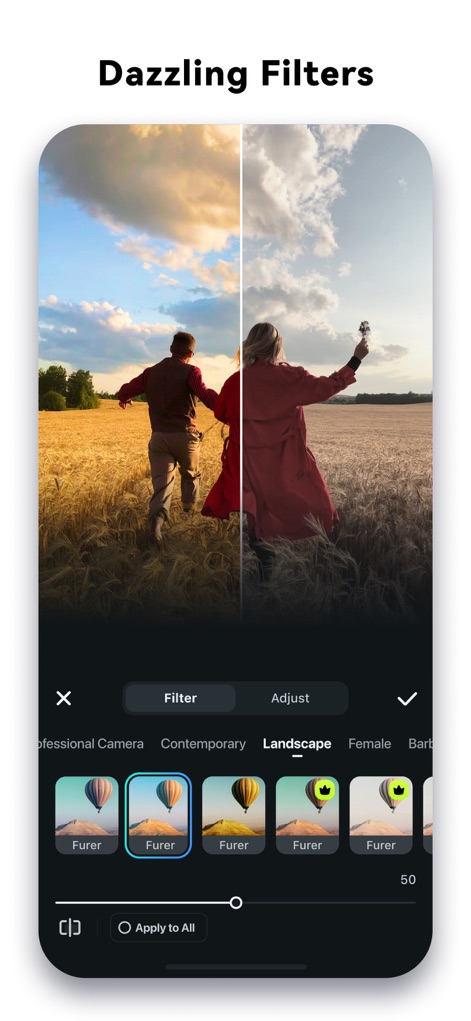
魅惑のフィルター
風景やポートレートに特化した豊富なフィルターコレクションを活用し、ユーザーは動画の雰囲気を劇的に変化させることができます。リアルタイムプレビュー機能で効果を即座に確認しながら、理想の映像を追求してください。
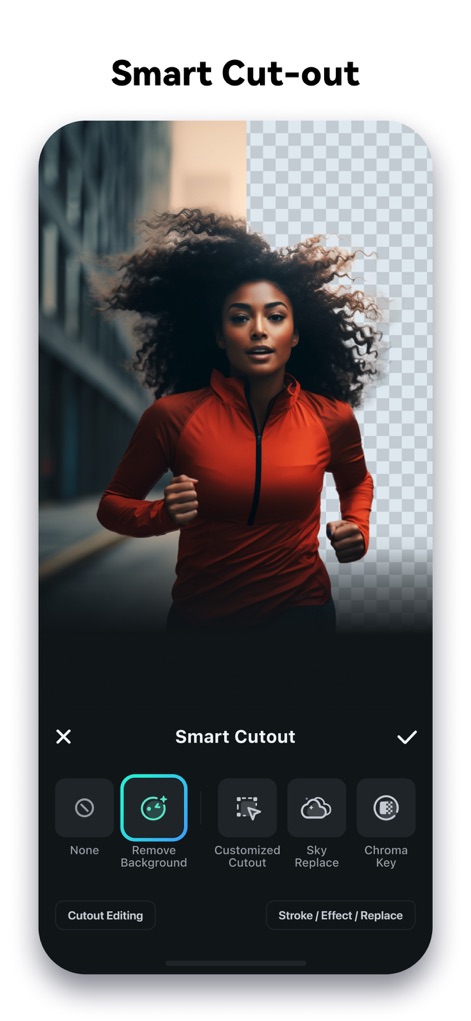
簡単スマート切り抜き
本ツールは、AIスマート切り抜き機能により、不要な背景を簡単に削除したり、カスタマイズされた切り抜きを実行したりできます。クロマキーやスカイリプレイスといった高度なオプションで、動画の視覚効果をさらに高めることができます。
説明
Download
類似アプリ
似た機能とユーザー体験を持つアプリ

InShot - Video Editor
SHANTANU PTE. LTD.

快影
Beijing Kwai Technology Co., Ltd.

Leto: Font for Instagram Story
Leto.Fonts FZCO

Templify・ Photo & Video Editor
Templify Media, Inc.

Spring - Video Editor
KineMaster Corporation

Impresso - Video & Logo Maker
PIXERY BILGI TEKNOLOJILERI ANONIM SIRKETI

Movavi - Video Editor
Movavi Emea LLC

Zebra: Photo & Video Editor
Dmitriy Biserov

快剪辑-AI写真&视频大片一键制作
Wenzhou XunChi Digital Technology Co., Ltd.
このページはアプリまたはその開発者の公式ページではなく、情報提供および論評を目的として作成された独立した編集出版物です。明示的に別段の記載がない限り、アプリおよびその開発者は、MWM、Apple、Google Play、アプリのパブリッシャー、またはアプリの開発者と提携、承認、後援、認可、またはその他の公式的な関係はなく、このページのいかなる内容も、アプリがMWMのサービスを使用して開発されたことを意味するものではありません。すべての商標、ロゴ、スクリーンショット、その他のコンテンツはそれぞれの所有者の財産です。