
このページはアプリまたはその開発者の公式ページではなく、情報提供および論評を目的として作成された独立した編集出版物です。明示的に別段の記載がない限り、アプリおよびその開発者は、MWM、Apple、Google Play、アプリのパブリッシャー、またはアプリの開発者と提携、承認、後援、認可、またはその他の公式的な関係はなく、このページのいかなる内容も、アプリがMWMのサービスを使用して開発されたことを意味するものではありません。すべての商標、ロゴ、スクリーンショット、その他のコンテンツはそれぞれの所有者の財産です。


Flexcil Note & Good PDF Reader
Apple Pencilを操る者だけが手にする、情報の絶対支配。このアプリは、思考を現実の紙のように形にする力を与える。
ダウンロード
1M+ユーザー評価
評価数
18.0K開発元
カテゴリ
Productivity対応言語
15最新バージョン
1.5.24サイズ
159.4 MBリリース日
2020年11月2日テックアナリストによる主要機能と影響度評価
Flexcil Note & Good PDF Reader アプリ分析
高度なPDF注釈と編集
本アプリは、デジタルドキュメントに直接書き込み、ハイライト、編集する機能を提供し、教材や論文の理解度とインタラクションを深めます。
Apple Pencilへの最適化
本ツールは、Apple Pencilの高度な機能を活用することで、紙に書くような自然で正確な筆記体験を提供し、デジタルでの手書きメモの質を高めます。
高機能な音声録音と同期再生
このアプリは、講義や会議中に音声を録音し、メモと同期して再生する機能を提供します。ユーザーは詳細な振り返りや情報の正確な確認が可能です。
直感的なジェスチャー操作
本ツールは、ペンジェスチャーによるシームレスなハイライトや、テキストおよび画像のキャプチャを可能にし、学習や情報整理の効率を飛躍的に向上させます。
効率的なマルチタスク機能
このアプリは、他のアプリと併用したり、同時に複数のPDFドキュメントを編集・閲覧したりする機能を提供します。これにより、複雑な研究やレポート作成時の生産性を最大化します。
デバイス間クラウド同期
本アプリは、複数のデバイス間でノートをシームレスに同期する機能を提供し、ユーザーはどこからでも最新の情報を利用できます。これにより、学習や作業の継続性を保証します。
広範なプラットフォーム互換性
このアプリは、主要なクラウドストレージサービスや学習プラットフォームと連携することで、既存のデジタルワークフローにスムーズに統合し、ユーザーの利便性を高めます。
豊富なノート作成オプション
本ツールは、無限のペンカラー、サイズ、フォントの選択肢と、テキストや画像の簡単な挿入機能を提供します。ユーザーは自身のニーズに合わせて表現豊かなノートを作成できます。
よくある質問
について知っておくべきこと Flexcil Note & Good PDF Reader
What is Flexcil?
Flexcil is an ultimate iOS note-taking app that supports bullet journaling, reading documents, and editing pages from textbooks. Users can annotate PDFs, capture text/images with gestures, and organize notes.
Can I annotate PDFs in Flexcil?
Yes, Flexcil allows users to easily annotate PDFs. It supports editing PDF pages and annotating almost anything within the document.
Does Flexcil support Apple Pencil?
Yes, Flexcil supports the Apple Pencil, including the 2nd generation with double-tap functionality. It simulates real-life note-taking and guarantees zero touch malfunctions.
Can Flexcil record audio during note-taking?
Yes, Flexcil offers audio recording and playback features. Users can record lectures or meetings while taking notes simultaneously, then review by tapping specific notes.
Does Flexcil offer cloud synchronization?
Yes, Flexcil includes cloud sync as a new feature. Users can access notes from anywhere and seamlessly sync them across multiple devices.
Can I view multiple documents at once in Flexcil?
Yes, Flexcil offers multitasking capabilities, including a Pop-up Viewer that allows users to effortlessly compare and view two documents side-by-side. It also supports editing two PDFs simultaneously.
What is the masking pen feature in Flexcil?
The masking pen is a new feature in Flexcil designed to enhance annotations with precision. It allows users to refine their mark-ups.
Does Flexcil offer a dark mode for studying?
Yes, Flexcil includes a Dark Mode feature. This provides a comfortable study environment, specifically designed to be easy on the eyes.
How do pen gestures work in Flexcil?
Flexcil utilizes pen gestures for efficient note-taking, allowing users to highlight, capture images and text, and summarize content. This streamlines tasks in just two easy steps.
Is Flexcil compatible with Google Drive?
Yes, Flexcil is compatible with Google Drive. It also integrates with other services such as Zoom, Google Classroom, Dropbox, Box, and iCloud for versatile use.
以下のスクリーンショットと説明は、アプリの公式ストアリスティングから直接取得されたものであり、アプリ開発者の所有物です。
アプリストア
スクリーンショット

本アプリの豊富なプレミアム機能は、クラウド同期とマスキングペンにより、ユーザーの作業効率を向上させます。
プレミアム機能をご紹介
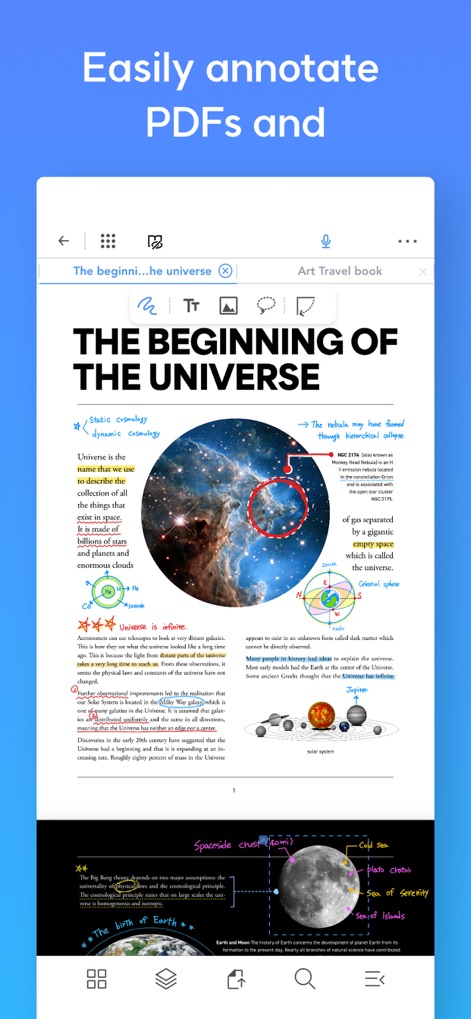
このアプリは、ペンジェスチャーによるテキストのハイライトと、画像や図形への自由な注釈を可能にし、学習やレビューをサポートします。
簡単PDF注釈

ユーザーは単一画面でPDFとノートを同時に表示でき、PDFからノートへの画像ドラッグ&ドロップにより、情報整理が簡単に行えます。
画面分割で効率化

この機能により、ユーザーは2つの文書を横並びで比較表示でき、両方の文書に同時に注釈を加えながら効率的に作業を進めることができます。
ポップアップビューア

ユーザーは文書内の画像を直接ノートにドラッグ&ドロップして情報を素早く抽出でき、重要なコンテンツを瞬時に整理・参照できます。
直感的なドラッグ&ドロップ

ノート内の注釈から元の文書の該当箇所へワンクリックでジャンプでき、情報参照の効率性を高めるとともに、学習の理解度を深めます。
参照リンク機能

講義や会議中に音声録音とノート作成を同時に行い、後からノートをタップするだけでその時点の音声を再生し、効率的な復習をサポートします。
音声録音と同期

ユーザーはペンジェスチャーでテキストを簡単に選択し、瞬時にハイライトやアンダーラインを適用できるため、効率的な文書編集と学習が可能です。
直感的なペンジェスチャー

本アプリのサイドメニューは、文書内のすべての注釈とリンクを一覧表示し、ユーザーが重要なマークアップ情報を素早く確認・管理できるようにします。
サイドメニューで一目瞭然
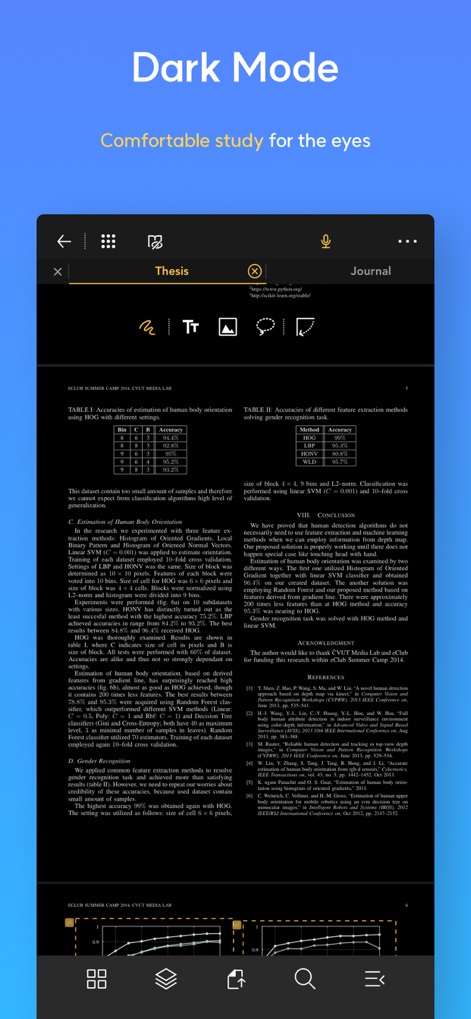
ダークモードは目に優しく、長時間の読書やノート作成でも目の疲れを軽減し、暗い環境での学習や作業を快適にサポートします。
快適ダークモード
説明
Download
類似アプリ
似た機能とユーザー体験を持つアプリ

MarginNote 3
Beijing Yunsi Software Technology Co., Ltd

公文宝-公文写作
Guangzhou Weia Information Technology Co., Ltd.

Mapify: AI Mind Map Summarizer
Xmind Ltd.

Readest - eBook Reader
Bilingify LLC

BoardNotes: Notes&PDF&Mindmap
朝民 肖

LiquidText Prepaid
LiquidText, Inc.

Readwise
Readwise, Inc

Essayist: Academic Writing App
Essayist Software Inc.

GitMind: AI Mind Map & Notes
Wangxu Technology Co., Ltd
このページはアプリまたはその開発者の公式ページではなく、情報提供および論評を目的として作成された独立した編集出版物です。明示的に別段の記載がない限り、アプリおよびその開発者は、MWM、Apple、Google Play、アプリのパブリッシャー、またはアプリの開発者と提携、承認、後援、認可、またはその他の公式的な関係はなく、このページのいかなる内容も、アプリがMWMのサービスを使用して開発されたことを意味するものではありません。すべての商標、ロゴ、スクリーンショット、その他のコンテンツはそれぞれの所有者の財産です。