GeoBallistics
GeoBallistics
ダウンロード: App Store

このページはアプリまたはその開発者の公式ページではなく、情報提供および論評を目的として作成された独立した編集出版物です。明示的に別段の記載がない限り、アプリおよびその開発者は、MWM、Apple、Google Play、アプリのパブリッシャー、またはアプリの開発者と提携、承認、後援、認可、またはその他の公式的な関係はなく、このページのいかなる内容も、アプリがMWMのサービスを使用して開発されたことを意味するものではありません。すべての商標、ロゴ、スクリーンショット、その他のコンテンツはそれぞれの所有者の財産です。


ロゴ: GeoBallistics
ダウンロード: App Store

GeoBallistics

テクニカルシューターのためのオールインワンエコシステム。プロフェッショナル3 DOFソルバー、衛星マッピングされたレンジカード、シームレスなハードウェア統合を組み合わせて、推測を排除し、あらゆる射撃をマスターしましょう。

主要数値

ダウンロード

8K+

ユーザー評価

4.0/5

評価数

200

開発元

Sheltered Wings, Inc.

カテゴリ

Utilities

対応言語

1

最新バージョン

7.2.9(373)

サイズ

76.5 MB

リリース日

2015年8月25日
機能

現代のマークスマンのための精密工学

ハードウェア、気象データ、衛星画像を統合するプログレードの弾道エコシステムで、推測を排除し、一発必中の精度を実現しましょう。

高度な3 DOFソルバー

極端な距離でコリオリ効果、スピンドリフト、空気抵抗によるジャンプを考慮して、超精密なソリューションを計算します。

シームレスなハードウェア同期

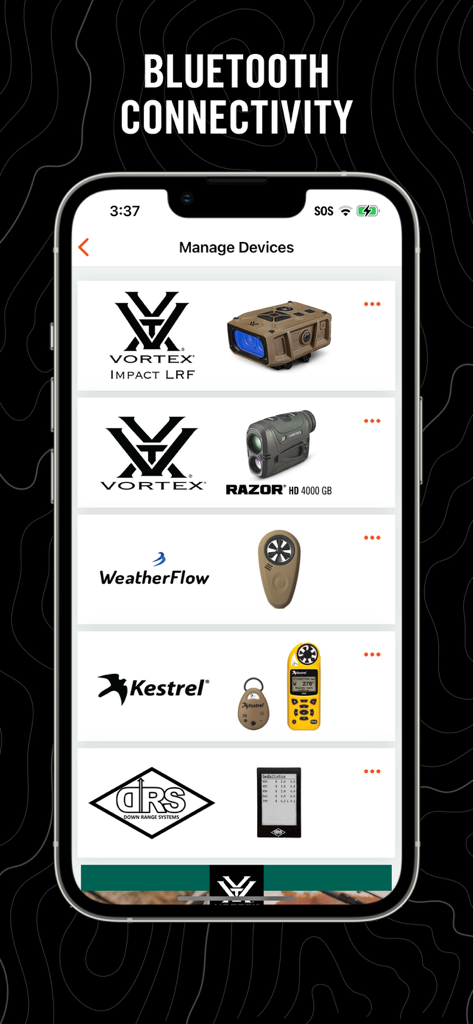
Vortex Razor HD、Kestrel、WeatherFlowデバイスと直接接続し、リアルタイムの気象データと即時レンジアップデートを取得します。

以下のスクリーンショットと説明は、アプリの公式ストアリスティングから直接取得されたものであり、アプリ開発者の所有物です。

アプリストア

スクリーンショット
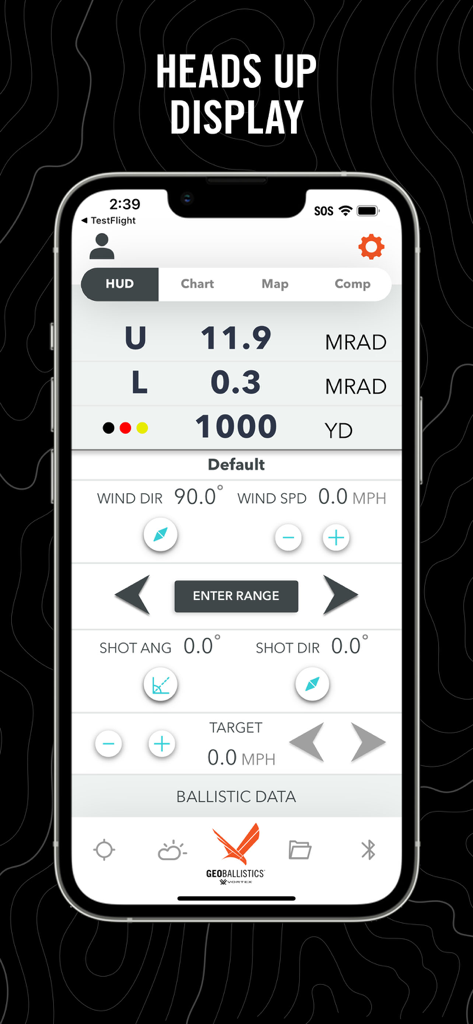
GeoBallistics - GeoBallisticsアプリのヘッドアップディスプレイ。弾道計算とターゲットまでの距離を表示しています。
GeoBallisticsアプリのヘッドアップディスプレイ。弾道計算とターゲットまでの距離を表示しています。

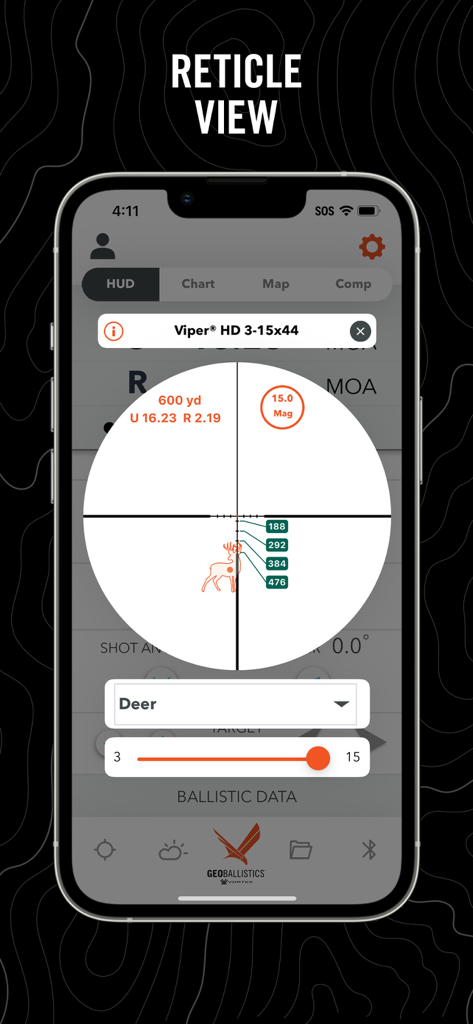
GeoBallistics - GeoBallisticsアプリのレティクルビュー。鹿のターゲットに対する弾道計算を表示しています。
GeoBallisticsアプリのレティクルビュー。鹿のターゲットに対する弾道計算を表示しています。

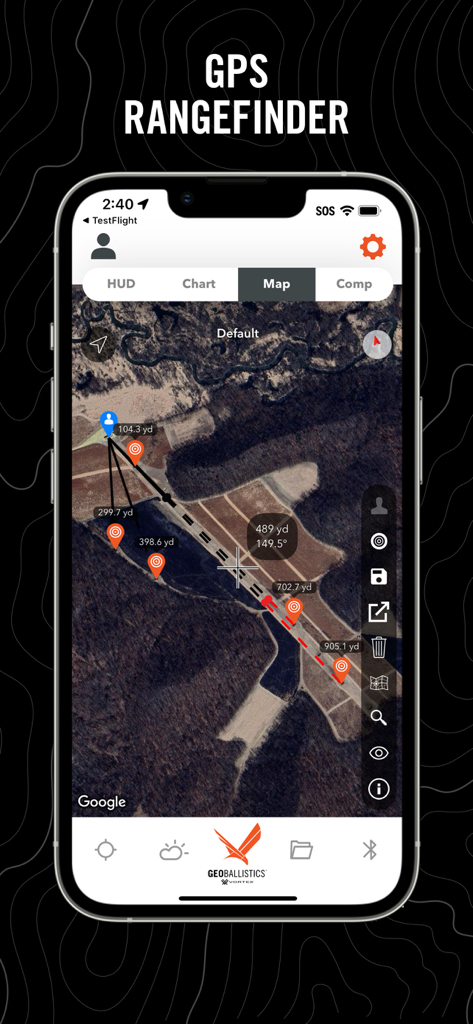
GeoBallistics - GeoBallisticsアプリのGPS距離計インターフェース。距離ピンとターゲットマーカーが表示された衛星画像を表示しています。
GeoBallisticsアプリのGPS距離計インターフェース。距離ピンとターゲットマーカーが表示された衛星画像を表示しています。

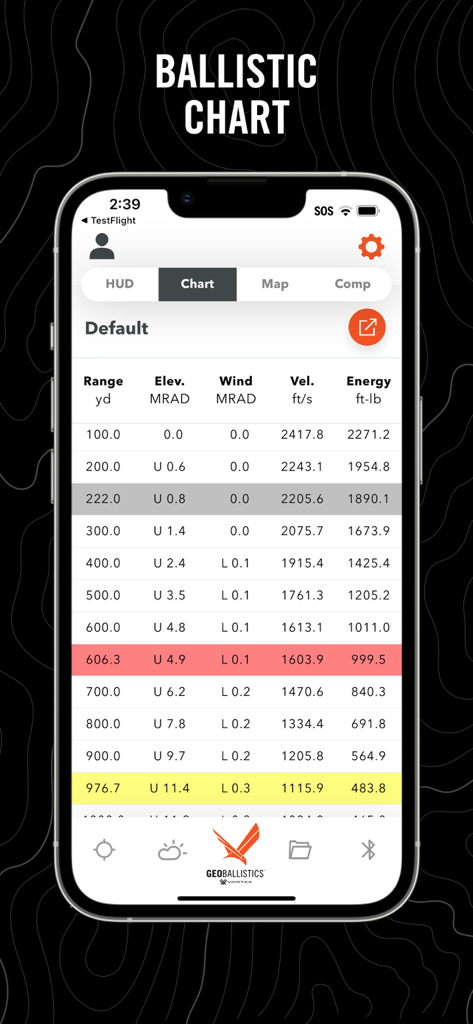
GeoBallistics - GeoBallisticsアプリのスクリーンショット。距離、仰角、風上、速度、エネルギーデータを含む詳細な弾道チャートを表示しています。
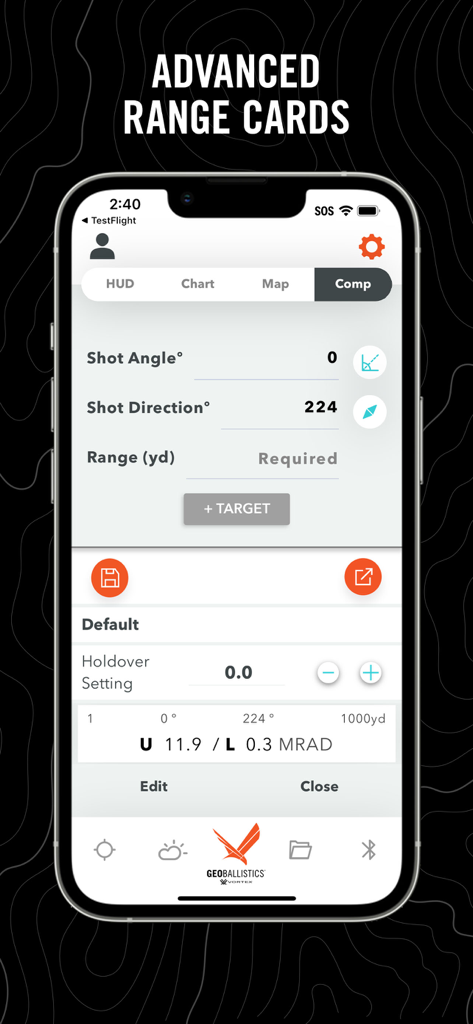
GeoBallisticsアプリのスクリーンショット。距離、仰角、風上、速度、エネルギーデータを含む詳細な弾道チャートを表示しています。

GeoBallistics - GeoBallisticsアプリのインターフェース。精密射撃のためのコンプモードでの高度なレンジカードと射撃パラメータを表示しています。
GeoBallisticsアプリのインターフェース。精密射撃のためのコンプモードでの高度なレンジカードと射撃パラメータを表示しています。

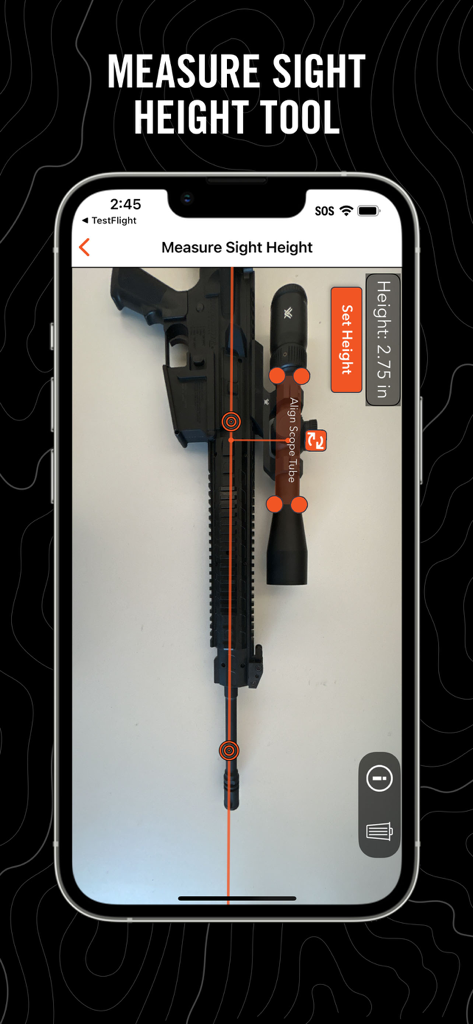
GeoBallistics - GeoBallisticsアプリ。スコープ付きライフルに使用される照準器高さ測定ツールを表示しています。
GeoBallisticsアプリ。スコープ付きライフルに使用される照準器高さ測定ツールを表示しています。

GeoBallistics - GeoBallisticsアプリのデバイス管理画面。VortexおよびKestrelハードウェアとのBluetooth接続を表示しています。

GeoBallisticsアプリのデバイス管理画面。VortexおよびKestrelハードウェアとのBluetooth接続を表示しています。

説明

About This App: GeoBallistics is a mobile app available for iOS devices and is compatible with Vortex Razor HD 4000 GB and Impact 4000 devices. The app allows users the freedom to build and create unlimited rifle profiles, connect with weather-hardware for onsite atmospherics, build/save/export satellite imagery range cards, and more. Key App Features: • Online Rifle Backup (PRO version) • Online Range Card Backup (PRO version) • Match Downloads (PRO version) • Shooting Range Downloads (PRO version) • Movers Calculator • First Ever Holdover calculator • Advanced Ballistics Solver • Comprehensive Bullet Library • Online weather access with station pressure • Free WeatherFlow hardware compatibility • Kestrel LiNK hardware compatibility (PRO version) • Shot-angle calculator • Shot-bearing calculator • Unlimited Rifle Profiles (PRO version) • Ability to save charts to camera roll (PRO version) • Ability to export charts as .csv (PRO version) • Ability to save/load satellite range cards for later use (PRO version) • Muzzle Velocity Truing • Coriolis effect auto-calculated with position and latitude The GeoBallistics mobile app is powered by the BallisticsARC (Ballistics, Atmospherics, and Range Card) solver, and combines the functionality of a ballistics calculator, an atmospheric device, and a GPS rangefinder into one application. The BallisticsARC solver is an advanced 3 DOF solver with provisions for MV vs Temp, Coriolis, spin drift, crosswind jump, moving targets, multiple targets with unique azimuths and angles and much more. GeoBallistics includes 4 modes: HUD Mode, Chart Mode, Map Mode, and Comp Mode. All modes are accessible with 1 custom rifle. In order to add additional rifles and save/export range cards, use Kestrel devices, or backup data online, you must upgrade to the PRO version for a one-time fee. HUD Mode puts everything you need on one screen for a single target. This is also where the moving target feature and max ordinate display is located. Chart Mode is a traditional calculator that allows for a complete solution. Solutions include considerations for gyroscopic drift, Coriolis effect, wind influence, shot angle, atmospheric conditions, and more. Chart Mode also allows FREE integration of the WeatherFlow products. Map Mode allows users to range targets by dropping pins on satellite imagery of a shooting location. Range and solution are displayed by tapping on the target pins. Map Mode also introduces external ballistic data overlays on satellite imagery. These overlays display a bullet's performance along its path according to parameters specified for each rifle profile. Comp Mode allows the user to enter a course of fire with multiple targets with unique variables such as shot angle and shot azimuth. Now features the Holdover Data Zero setting (HDZ) calculator. This is a first-in-class feature that allows you to easily set an optimal zero for holdover stages.

Download

ダウンロード: App Store

このページはアプリまたはその開発者の公式ページではなく、情報提供および論評を目的として作成された独立した編集出版物です。明示的に別段の記載がない限り、アプリおよびその開発者は、MWM、Apple、Google Play、アプリのパブリッシャー、またはアプリの開発者と提携、承認、後援、認可、またはその他の公式的な関係はなく、このページのいかなる内容も、アプリがMWMのサービスを使用して開発されたことを意味するものではありません。すべての商標、ロゴ、スクリーンショット、その他のコンテンツはそれぞれの所有者の財産です。








