
このページはアプリまたはその開発者の公式ページではなく、情報提供および論評を目的として作成された独立した編集出版物です。明示的に別段の記載がない限り、アプリおよびその開発者は、MWM、Apple、Google Play、アプリのパブリッシャー、またはアプリの開発者と提携、承認、後援、認可、またはその他の公式的な関係はなく、このページのいかなる内容も、アプリがMWMのサービスを使用して開発されたことを意味するものではありません。すべての商標、ロゴ、スクリーンショット、その他のコンテンツはそれぞれの所有者の財産です。

GlobalProtect™
どこで仕事をしていても、データが保護された状態を維持することを保証する、シームレスで常時接続のセキュリティを体験してください。企業ネットワークへ自動的に接続します。
ダウンロード
2M+ユーザー評価
評価数
6K+開発元
カテゴリ
Business対応言語
7最新バージョン
6.1.10サイズ
14.3 MBリリース日
2018年9月16日現代のプロフェッショナルのためのシームレスなセキュリティ
GlobalProtect™ は、iPhoneまたはiPadのバックグラウンドで静かに動作するエンタープライズグレードのセキュリティを提供することで、ハイブリッドワークライフを支援します。
手間いらずの接続性
Always-On VPNとiOS On-Demandテクノロジーにより、手動ログインの手間を排除し、接続を自動的に保護します。
最適化されたパフォーマンス
現在の場所に基づいて最も速いサーバーに自動的に接続するインテリジェントゲートウェイディスカバリーにより、生産性を維持します。
よくある質問
について知っておくべきこと GlobalProtect™
GlobalProtect for iOSとは何ですか?
GlobalProtect for iOSは、モバイルユーザーをPalo Alto Networks次世代ファイアウォール上のGlobalProtectゲートウェイに接続し、デバイスにエンタープライズセキュリティ保護を提供します。
GlobalProtect for iOSはどのVPNモードをサポートしていますか?
GlobalProtect for iOSは、常時接続VPN、リモートアクセスVPN、およびアプリ別VPNモードをサポートしています。これらの接続モードはエンタープライズ管理者が構成します。
GlobalProtect for iOSは最適なゲートウェイを自動的に選択しますか?
はい、GlobalProtect for iOSはユーザーの場所に合わせて自動的に適応し、利用可能な最適なゲートウェイに接続するため、ユーザーの介入なしに最適なパフォーマンスを確保します。
GlobalProtect for iOSを使用するためにGlobalProtectゲートウェイサブスクリプションが必要ですか?
はい、GlobalProtect for iOSを使用するには、組織のPalo Alto Networksファイアウォールで有効化されたGlobalProtectゲートウェイサブスクリプションが必要です。IT部門にご確認ください。
GlobalProtect for iOSはVPN On-Demandをサポートしていますか?
はい、GlobalProtect for iOSはiOS VPN On-Demand機能を使用した自動VPN接続をサポートしており、シームレスなアクセスを提供します。
GlobalProtect for iOSはBYODをサポートしていますか?
はい、GlobalProtect for iOSは、リモートアクセスVPNとアプリレベルVPN機能を提供することにより、Bring Your Own Device(BYOD)をサポートしています。
GlobalProtect for iOSでゲートウェイを手動で選択できますか?
はい、GlobalProtect for iOSは手動ゲートウェイ選択機能を提供しています。ユーザーは利用可能なゲートウェイのリストから接続するゲートウェイを選択できます。
GlobalProtect for iOSは接続にどのプロトコルを使用しますか?
GlobalProtect for iOSは、IPSecまたはSSLプロトコル over で接続を確立します。これにより、エンタープライズユーザーの安全で暗号化された通信が保証されます。
GlobalProtect for iOSで有効期限が切れたパスワードを変更できますか?
はい、GlobalProtect for iOSは、リモート接続時にActive Directory(AD)またはRADIUSの有効期限が切れたパスワードを変更することをサポートしています。
GlobalProtect for iOSは2要素認証をサポートしていますか?
はい、GlobalProtect for iOSは、RADIUSまたはSAMLを使用した2要素認証(2FA)をサポートしており、ワンタイムパスワード(OTP)ベースの方法が利用できます。
GlobalProtect for iOSにはどのPAN-OSバージョンが必要ですか?
GlobalProtect for iOSには、PAN-OSバージョン7.1、8.0、8.1、またはそれ以降のリリースを実行しているPalo Alto Networks次世代ファイアウォールが必要です。
GlobalProtect for iOSはどのiOSバージョンをサポートしていますか?
GlobalProtect for iOSは、iOS 10以降を実行しているデバイスでサポートされており、幅広い互換性を確保しています。
GlobalProtect for iOSにサインインするにはどうすればよいですか?
ユーザーは、指定されたポータルの専用ログイン画面でユーザー名とパスワードを入力して、GlobalProtect for iOSにサインインします。
GlobalProtect for iOSが接続されていることをどのように確認できますか?
GlobalProtect for iOSは、メイン画面に「CONNECTED」という目立つメッセージと盾のアイコン、および「TAP TO DISCONNECT」というプロンプトで接続ステータスを示します。
GlobalProtect for iOSにはどのような接続詳細が表示されますか?
GlobalProtect for iOSには、IPアドレス、接続中のゲートウェイ、プロトコル(例:IPSec)、送受信バイト数、送受信パケット数、エラーパケット数、稼働時間などの接続詳細が表示されます。
以下のスクリーンショットと説明は、アプリの公式ストアリスティングから直接取得されたものであり、アプリ開発者の所有物です。
アプリストア
スクリーンショット
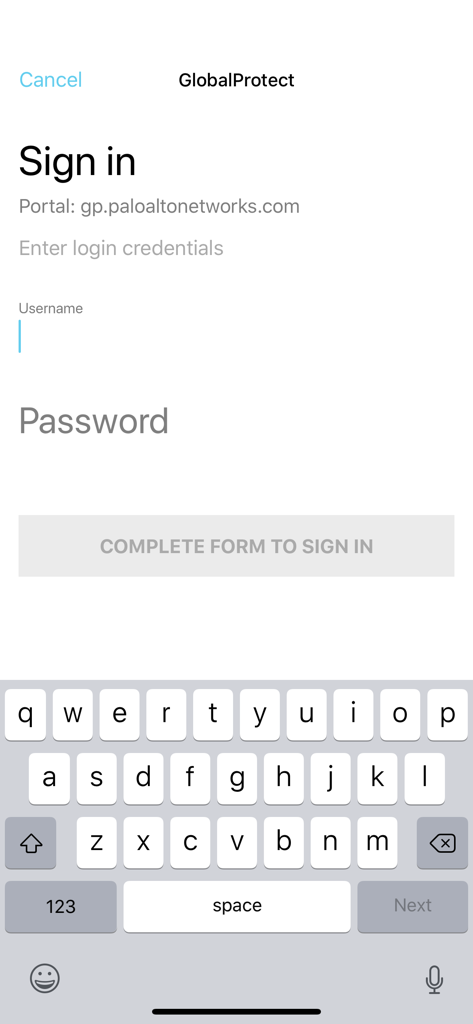
GlobalProtectモバイルアプリのサインイン画面
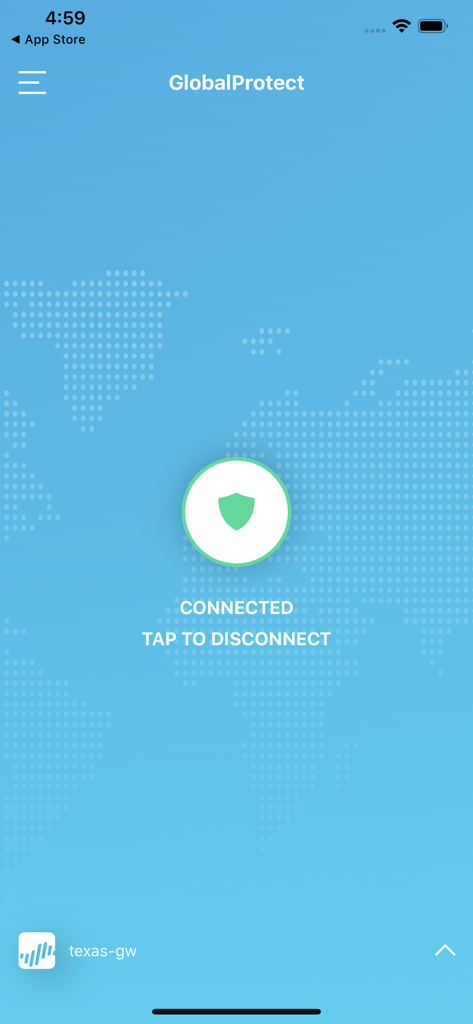
GlobalProtectモバイルアプリのインターフェース。盾のアイコンとともに、VPN接続が成功した状態を示しています。
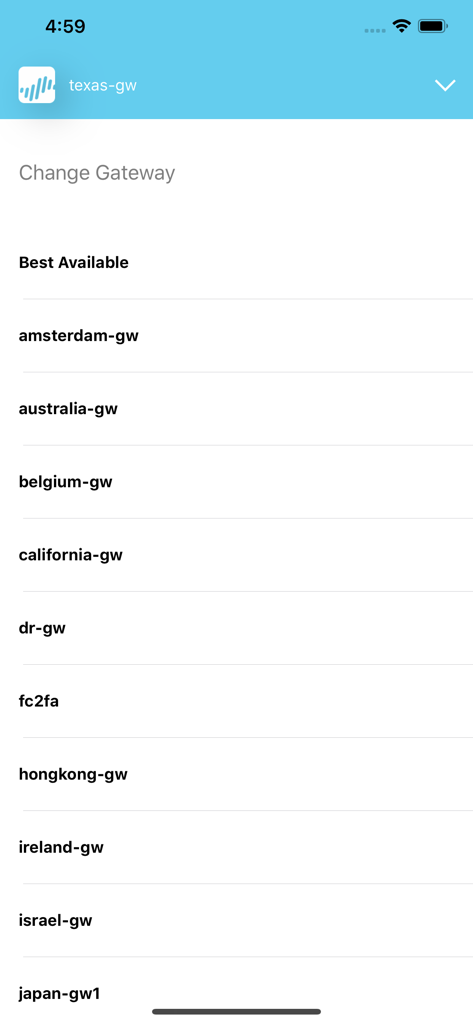
GlobalProtectアプリのインターフェース。安全なエンタープライズ接続のための利用可能なVPNゲートウェイのリストを表示しています。
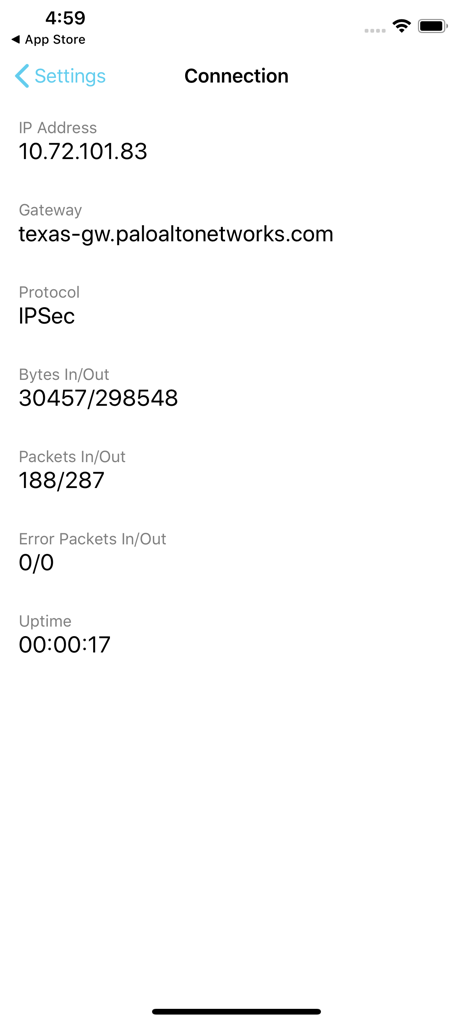
GlobalProtectアプリのインターフェース。IPアドレスとゲートウェイ情報とともに、アクティブなVPN接続ステータスを表示しています。
説明
Download
類似アプリ
似た機能とユーザー体験を持つアプリ

OpenVPN Connect
OpenVPN Inc.

Ivanti Secure Access Client
Pulse Secure LLC

Adios Alpha
Pickpointio LLC

BeiRui Pgy Management
Shanghai best oray information s&t co.,ltd

FortiClient
Fortinet, Inc

Cisco Secure Client
Cisco

publicroam
Publicroam B.V.

Zscaler Client Connector
Zscaler inc

Check Point Capsule Connect
Check Point Software Technologies Ltd.
このページはアプリまたはその開発者の公式ページではなく、情報提供および論評を目的として作成された独立した編集出版物です。明示的に別段の記載がない限り、アプリおよびその開発者は、MWM、Apple、Google Play、アプリのパブリッシャー、またはアプリの開発者と提携、承認、後援、認可、またはその他の公式的な関係はなく、このページのいかなる内容も、アプリがMWMのサービスを使用して開発されたことを意味するものではありません。すべての商標、ロゴ、スクリーンショット、その他のコンテンツはそれぞれの所有者の財産です。