
このページはアプリまたはその開発者の公式ページではなく、情報提供および論評を目的として作成された独立した編集出版物です。明示的に別段の記載がない限り、アプリおよびその開発者は、MWM、Apple、Google Play、アプリのパブリッシャー、またはアプリの開発者と提携、承認、後援、認可、またはその他の公式的な関係はなく、このページのいかなる内容も、アプリがMWMのサービスを使用して開発されたことを意味するものではありません。すべての商標、ロゴ、スクリーンショット、その他のコンテンツはそれぞれの所有者の財産です。


Zscaler Client Connector
どこで働いていても、常に保護され、邪魔にならないゼロトラストセキュリティにより、企業アプリケーションやウェブへのシームレスなアクセスを体験してください。
ダウンロード
632K+ユーザー評価
評価数
100開発元
カテゴリ
Productivity対応言語
1最新バージョン
4.4.3サイズ
53.6 MBリリース日
2017年8月1日どこでも、安全に働く
iOSデバイスで、企業ツールへのシームレスで摩擦のないアクセス、および安全なウェブブラウジングにより、ハイブリッドワークフローを強化します。
摩擦のないアクセス
煩雑なVPNを置き換える軽量トンネルで自動的に接続し、中断することなく作業できます。
エンタープライズグレードのセキュリティ
接続ごとに業界をリードするクラウドセキュリティスクラブにより、データとデバイスをウェブベースの脅威から保護します。
よくある質問
について知っておくべきこと Zscaler Client Connector
What modules does the Zscaler Client Connector for iOS include?
Zscaler Client Connector for iOSには、Zscaler Internet AccessとZscaler Private Accessの両方のモジュールが含まれており、包括的なセキュリティとアクセス機能を提供します。
Do I need a subscription to use the Zscaler Client Connector app?
はい、Zscaler Client Connectorアプリには、Zscalerのモバイルセキュリティサービスのアクティブなエンタープライズサブスクリプションが必要です。ユーザーは、アプリを使用するためにIT組織からの指示に従う必要があります。
How does the Zscaler Client Connector connect to the cloud security platform?
Zscaler Client Connectorは、軽量HTTPトンネルを自動的に作成します。このトンネルは、PACファイルや認証Cookieを必要とせずに、ユーザーのエンドポイントをZscalerのクラウドセキュリティプラットフォームに接続します。
Does Zscaler Client Connector support multifactor authentication?
はい、Zscaler Client Connectorが利用するZscaler Cloud Serviceは、SAML経由での多要素認証をサポートしています。これにより、ユーザーは簡素化された1段階の登録プロセスを利用できます。
Does Zscaler Client Connector collect personal information?
いいえ、Zscaler Client Connectorはユーザーまたはそのデバイスに関する個人情報を収集しません。ただし、会社の管理者は、WebサイトやSaaSアプリケーションに送信されるデバイスのトラフィックを表示できます。
What is the current service status of Zscaler Client Connector?
Zscaler Client Connectorは、サービスステータスを「ON」、オフ-トラステッドネットワークのステータスを「Off-Trusted Network」と表示します。認証ステータスは「Authenticated」と表示されます。
What tunnel protocol does Zscaler Client Connector use?
Zscaler Client Connectorは、セキュアな接続のためにTLSトンネルプロトコルを使用します。アプリは、接続詳細の下に「Tunnel SDK Version 4.3」を表示します。
What network statistics does Zscaler Client Connector display?
Zscaler Client Connectorは、「Bytes Sent」(例:232.39 MB)などのネットワーク統計を表示します。また、サーバーIPおよびクライアントIPアドレスも表示します。
How can users troubleshoot issues within Zscaler Client Connector's Digital Experience?
ユーザーは、アプリインターフェースから直接「Clear ZDX Data」または「Restart ZDX Service」を選択することで、Zscaler Client ConnectorのDigital Experience内の問題をトラブルシューティングできます。
What troubleshooting tools are available in the Zscaler Client Connector app?
Zscaler Client Connectorアプリは、設定内に「Start Packet Capture」、「Report An Issue」、「Restart Service」、「Export Logs」、「Clear Logs」などのトラブルシューティングツールを提供しています。
Can Zscaler Client Connector users control notifications?
はい、Zscaler Client Connectorのユーザーは通知を制御できます。「Show Notifications on app icon」および「ZPA Reauthentication Notification」のトグル設定があります。
Where can I find the Zscaler Client Connector app version?
Zscaler Client Connectorアプリのバージョン(例:「4.3.4 (12)」)は、アプリの設定メニューの「About」セクションにあります。
以下のスクリーンショットと説明は、アプリの公式ストアリスティングから直接取得されたものであり、アプリ開発者の所有物です。
アプリストア
スクリーンショット
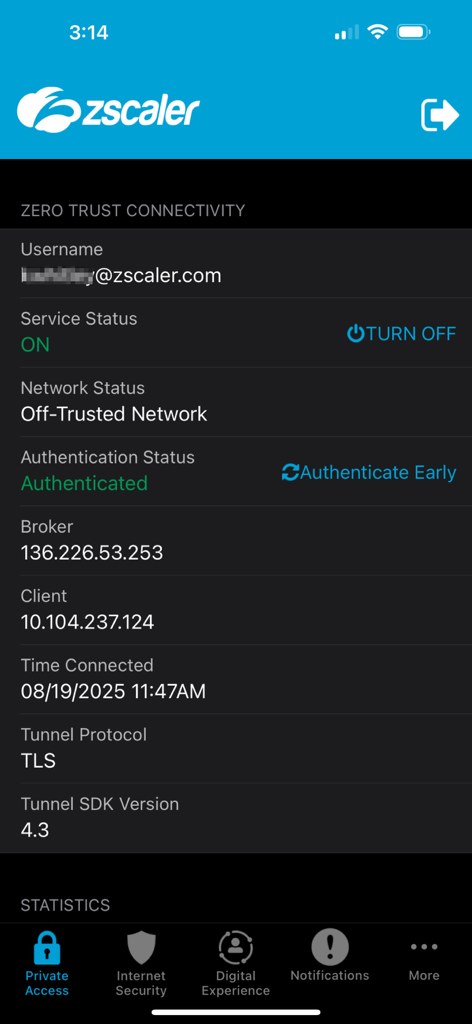
Zscaler Client Connectorアプリのスクリーンショット。アクティブなゼロトラスト接続ステータスとサービス詳細を表示。
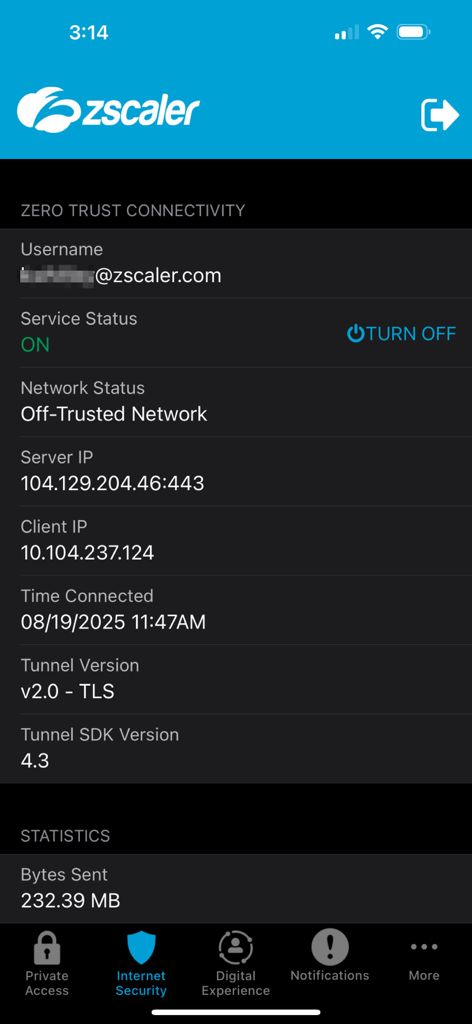
Zscaler Client Connectorアプリのインターフェース。アクティブなゼロトラスト接続ステータスとネットワーク詳細を表示。
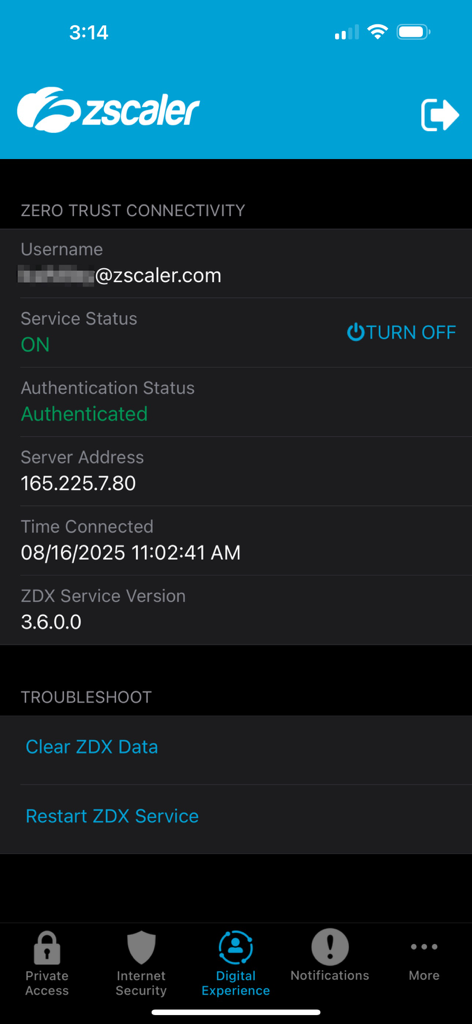
Zscaler Client Connectorアプリのインターフェース。サービスステータスとゼロトラスト接続の詳細を表示。
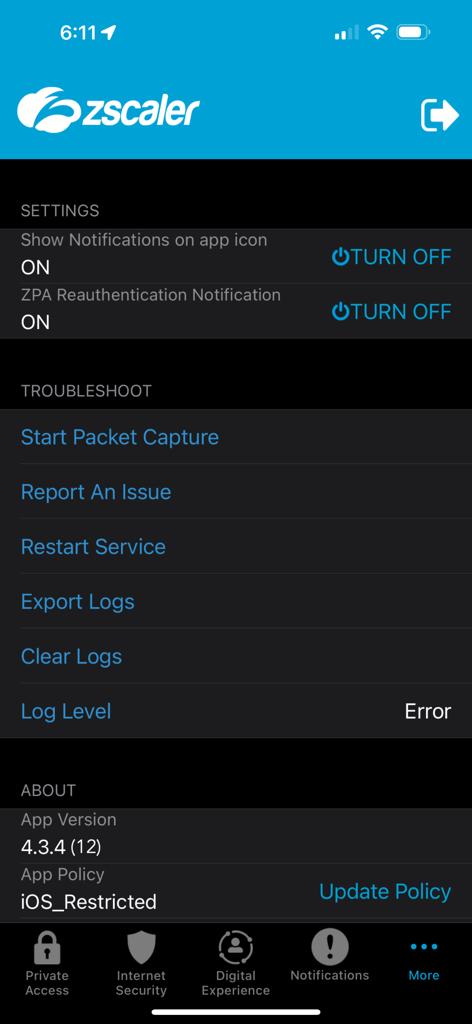
Zscaler Client Connectorの設定とトラブルシューティングメニュー
説明
Download
類似アプリ
似た機能とユーザー体験を持つアプリ

OpenVPN Connect
OpenVPN Inc.
GlobalProtect™
Palo Alto Networks

Ivanti Secure Access Client
Pulse Secure LLC

Adios Alpha
Pickpointio LLC

BeiRui Pgy Management
Shanghai best oray information s&t co.,ltd

FortiClient
Fortinet, Inc

Cisco Secure Client
Cisco

publicroam
Publicroam B.V.

Check Point Capsule Connect
Check Point Software Technologies Ltd.
このページはアプリまたはその開発者の公式ページではなく、情報提供および論評を目的として作成された独立した編集出版物です。明示的に別段の記載がない限り、アプリおよびその開発者は、MWM、Apple、Google Play、アプリのパブリッシャー、またはアプリの開発者と提携、承認、後援、認可、またはその他の公式的な関係はなく、このページのいかなる内容も、アプリがMWMのサービスを使用して開発されたことを意味するものではありません。すべての商標、ロゴ、スクリーンショット、その他のコンテンツはそれぞれの所有者の財産です。