GlobeViewer Moon PRO
ダウンロード: App Store

このページはアプリまたはその開発者の公式ページではなく、情報提供および論評を目的として作成された独立した編集出版物です。明示的に別段の記載がない限り、アプリおよびその開発者は、MWM、Apple、Google Play、アプリのパブリッシャー、またはアプリの開発者と提携、承認、後援、認可、またはその他の公式的な関係はなく、このページのいかなる内容も、アプリがMWMのサービスを使用して開発されたことを意味するものではありません。すべての商標、ロゴ、スクリーンショット、その他のコンテンツはそれぞれの所有者の財産です。

ロゴ: GlobeViewer Moon PRO
ダウンロード: App Store

GlobeViewer Moon PRO

NASAデータで強化されたプロレベルの地形学で月面を探検しましょう。リアルな望遠鏡シミュレーションからクレーター分析のためのカスタマイズ可能な照明まで、最も詳細な3Dマップで月面観測をマスターしましょう。

主要数値

ダウンロード

100

ユーザー評価

1.0/5

評価数

0

開発元

Ralf Armin Boettcher

カテゴリ

Education

対応言語

18

最新バージョン

0.8.4

サイズ

158.9 MB

リリース日

2022年8月14日
機能

月のあらゆる詳細を発見する

高解像度のNASAデータを利用して、GlobeViewer Moon PROは愛好家、教育者、望遠鏡ユーザーにとってプロレベルの3D環境を提供します。

精密望遠鏡シミュレーション

実際の望遠鏡の視界に合わせた月の満ち欠けと秤動のリアルなシミュレーションで、観測セッションを計画しましょう。

NASA搭載3D地形

絶対的な精度を期すため、高解像度の月周回衛星(LRO)データからレンダリングされたクレーター、溝、山脈を探検しましょう。

以下のスクリーンショットと説明は、アプリの公式ストアリスティングから直接取得されたものであり、アプリ開発者の所有物です。

アプリストア

スクリーンショット
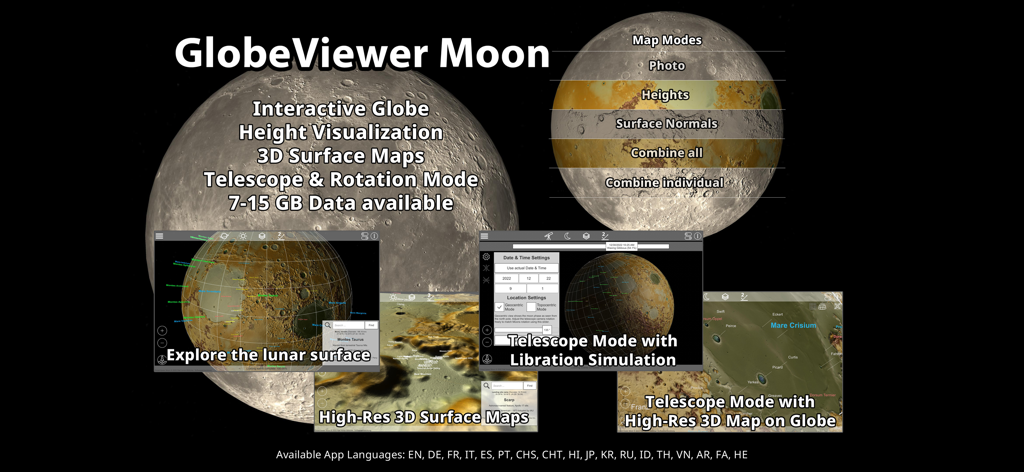
GlobeViewer Moon PRO - GlobeViewer Moon PROアプリ機能の概要。3D表面マップと望遠鏡モードを含む
GlobeViewer Moon PROアプリ機能の概要。3D表面マップと望遠鏡モードを含む

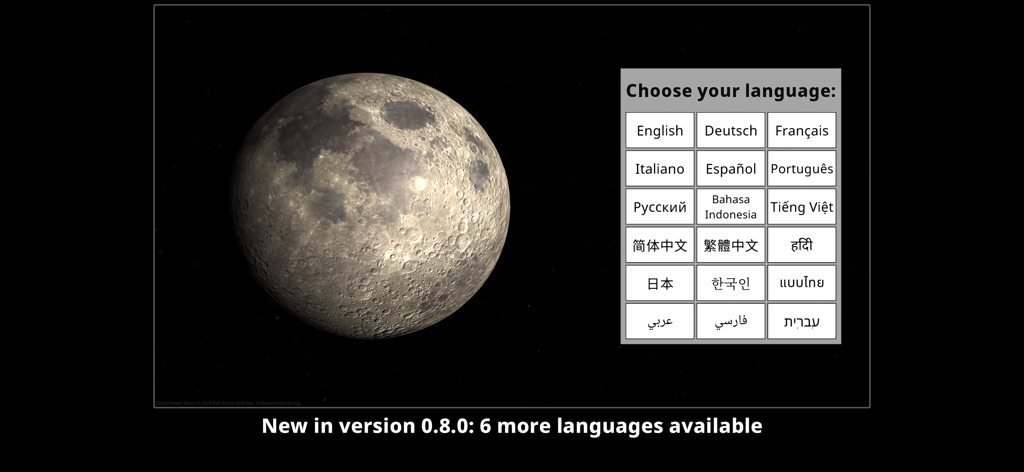
GlobeViewer Moon PRO - 3D月面モデルを備えたGlobeViewer Moon PROの言語選択画面。
3D月面モデルを備えたGlobeViewer Moon PROの言語選択画面。

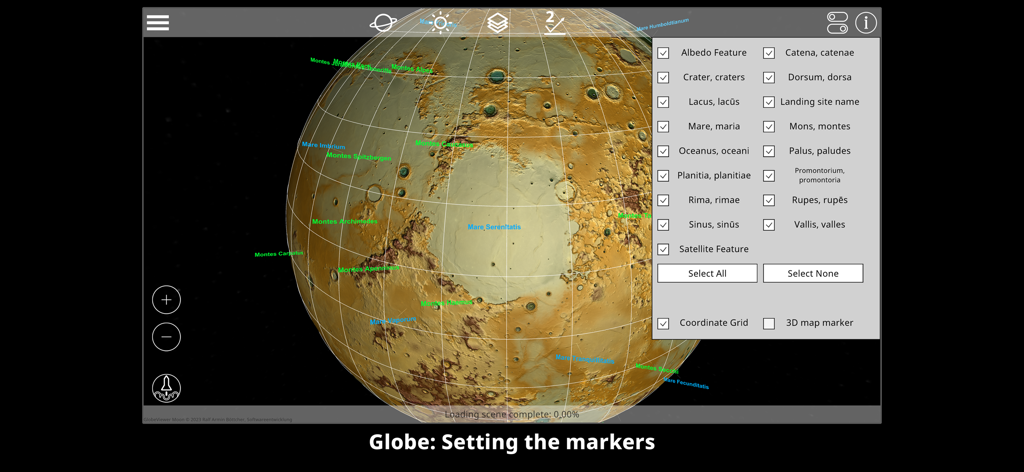
GlobeViewer Moon PRO - 3Dグローブ上の月面特徴マーカーの設定を示すGlobeViewer Moon PROのインターフェース。
3Dグローブ上の月面特徴マーカーの設定を示すGlobeViewer Moon PROのインターフェース。

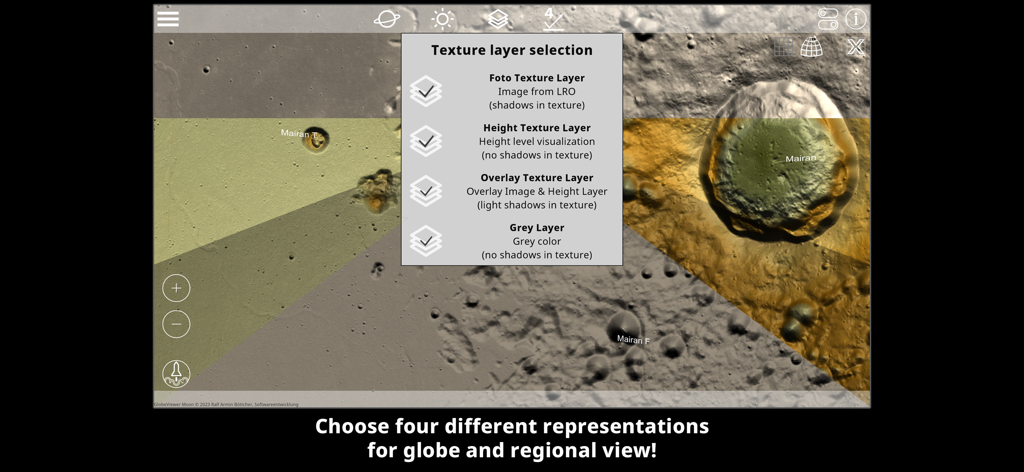
GlobeViewer Moon PRO - 月面の写真高度とオーバーレイマップモードを示すGlobeViewer Moon PROのテクスチャレイヤー選択メニュー
月面の写真高度とオーバーレイマップモードを示すGlobeViewer Moon PROのテクスチャレイヤー選択メニュー

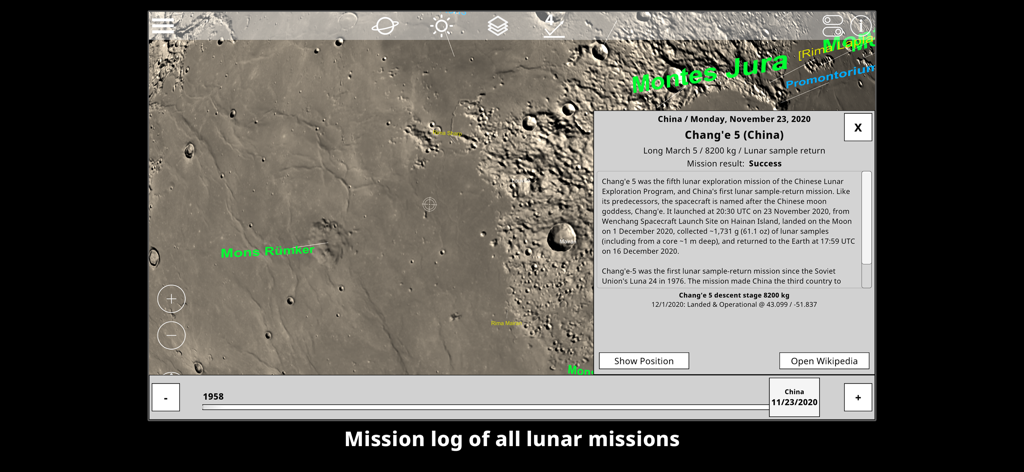
GlobeViewer Moon PRO - 中国の嫦娥5号着陸地点の位置とミッションの詳細を示す3D月面マップ

中国の嫦娥5号着陸地点の位置とミッションの詳細を示す3D月面マップ

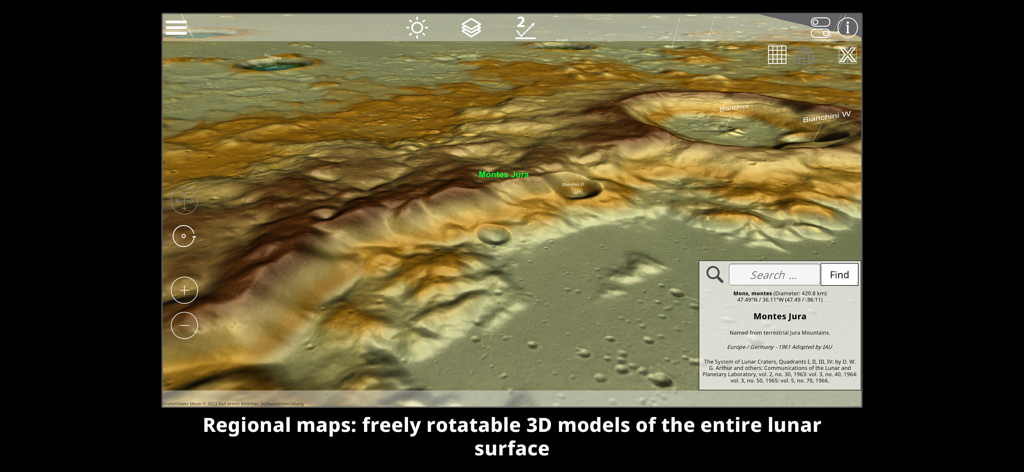
GlobeViewer Moon PRO - モンテス・ジュラ山脈とクレーターを強調する詳細な3D地形図の月面

モンテス・ジュラ山脈とクレーターを強調する詳細な3D地形図の月面

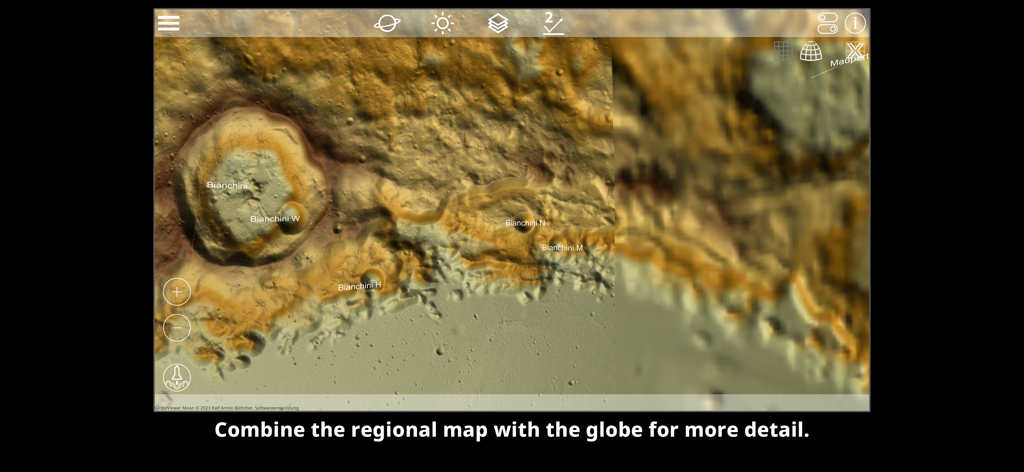
GlobeViewer Moon PRO - 詳細な月面地形とビアンキーニクレーターを示す高解像度3D地域マップ。

詳細な月面地形とビアンキーニクレーターを示す高解像度3D地域マップ。

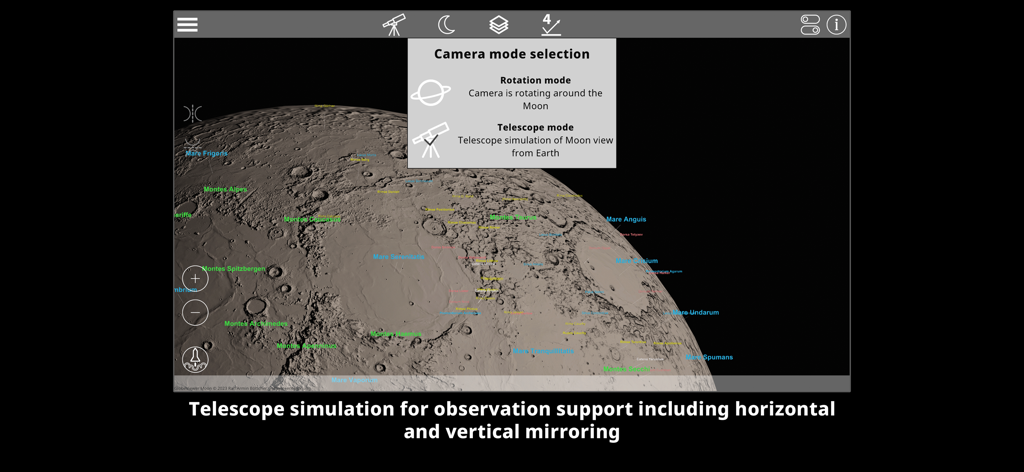
GlobeViewer Moon PRO - クレーターラベル付きの3D月面上の望遠鏡シミュレーション用のカメラモード選択を示すGlobeViewer Moon PROのインターフェース。
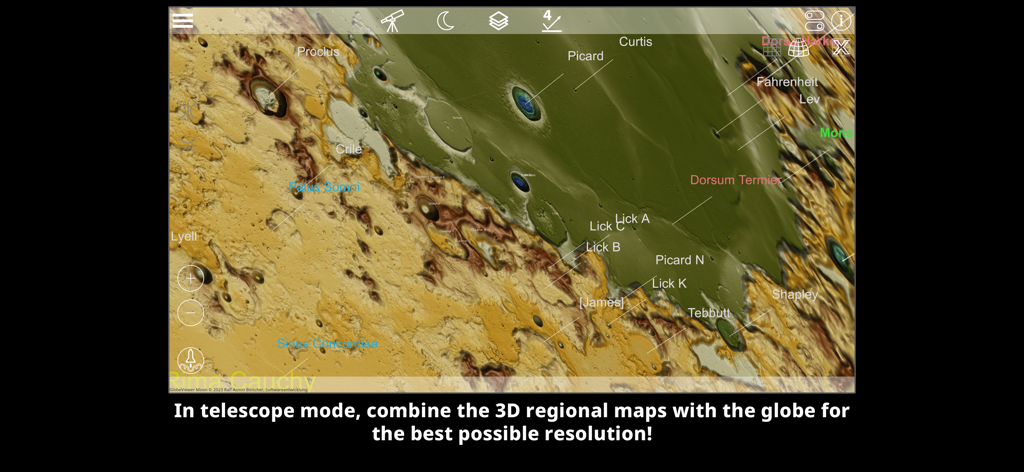
クレーターラベル付きの3D月面上の望遠鏡シミュレーション用のカメラモード選択を示すGlobeViewer Moon PROのインターフェース。

GlobeViewer Moon PRO - ラベル付きのクレーターと地形の詳細な高解像度3D地域マップ

ラベル付きのクレーターと地形の詳細な高解像度3D地域マップ

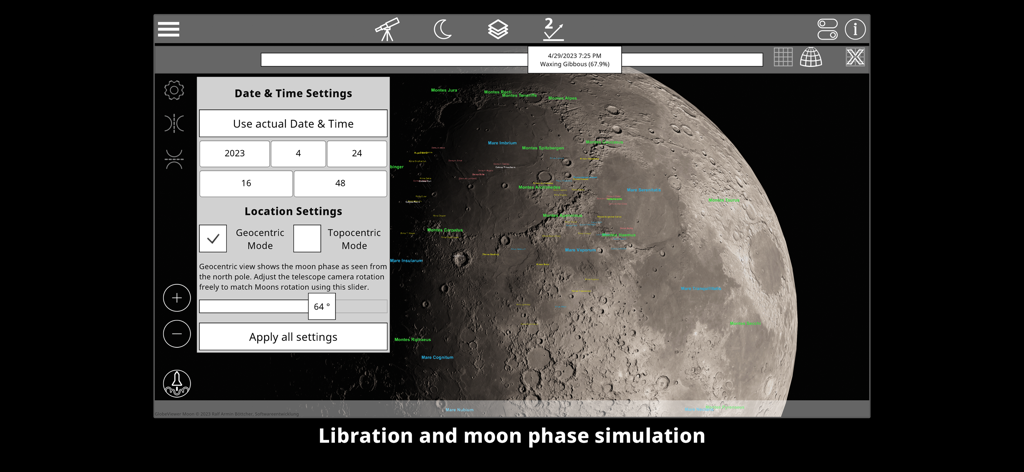
GlobeViewer Moon PRO - 秤動と月の満ち欠けシミュレーション設定を示すGlobeViewer Moon PROインターフェース

秤動と月の満ち欠けシミュレーション設定を示すGlobeViewer Moon PROインターフェース

説明

GlobeViewer Moon is an interactive and three-dimensional representation of the entire moon surface. The globe rotation view provides an overview of all the existing designations for various surface features. If you are interested in a specific region, an even higher resolution 3D map view can be loaded in order to take a close look at the craters, grooves and other features. There are four map modes available (elevation display, photo illustration, a combination of both and a grey texture for the telescope mode). These views were created from data from NASA's Lunar Reconnaissance Orbiter. In addition, surface details (normal maps) have been obtained from the elevation data for the display, which can be combined with all map modes. Even the smallest craters, elevations, grooves and gorges are visible on the map. The lighting in the 3D map view is designed in such a way that the light can be directed into the crater from all directions. This is used to improve the visibility of height structures in the craters and is not intended to represent the real lighting situation. Realistic lighting that includes the ecliptic was also dispensed with in the globe view in favour of the visibility of the polar regions. In telescope mode the lighting is a realistic simulation including Moon phase and libration movement. So the app becomes a useful tool for telescope users. The app will recieve lot of updates in the future - this way, user feedback should flow into the further development. If you have any suggestions or ideas for further functions in the app, please contact us using the contact form on our website. We are looking forward to your feedback.

Download

ダウンロード: App Store

このページはアプリまたはその開発者の公式ページではなく、情報提供および論評を目的として作成された独立した編集出版物です。明示的に別段の記載がない限り、アプリおよびその開発者は、MWM、Apple、Google Play、アプリのパブリッシャー、またはアプリの開発者と提携、承認、後援、認可、またはその他の公式的な関係はなく、このページのいかなる内容も、アプリがMWMのサービスを使用して開発されたことを意味するものではありません。すべての商標、ロゴ、スクリーンショット、その他のコンテンツはそれぞれの所有者の財産です。