Goodnotes Classroom
Goodnotes Classroom
ダウンロード: App Store

このページはアプリまたはその開発者の公式ページではなく、情報提供および論評を目的として作成された独立した編集出版物です。明示的に別段の記載がない限り、アプリおよびその開発者は、MWM、Apple、Google Play、アプリのパブリッシャー、またはアプリの開発者と提携、承認、後援、認可、またはその他の公式的な関係はなく、このページのいかなる内容も、アプリがMWMのサービスを使用して開発されたことを意味するものではありません。すべての商標、ロゴ、スクリーンショット、その他のコンテンツはそれぞれの所有者の財産です。

ロゴ: Goodnotes Classroom
ダウンロード: App Store

Goodnotes Classroom

すべての生徒と個人的なレベルでつながりましょう。ライブでの進捗状況を監視し、即座に手書きフィードバックを提供し、iPad中心のワークフロー内でAI採点により時間を確保しましょう。

主要数値

ダウンロード

40K+

ユーザー評価

4.1/5

評価数

100

開発元

Goodnotes Limited

カテゴリ

Education

対応言語

15

最新バージョン

1.1.4

サイズ

614.3 MB

リリース日

2024年8月12日
機能

教育ワークフローを変革する

生徒とのつながりを深め、管理業務の燃え尽きを防ぐために設計されたツールで、iPad中心の教室を強化しましょう。

ライブ教室の可視性

iPadから生徒全員の画面をリアルタイムで監視します。すぐに苦戦している生徒を特定し、デジタルページに直接手書きフィードバックを提供できます。

AI採点

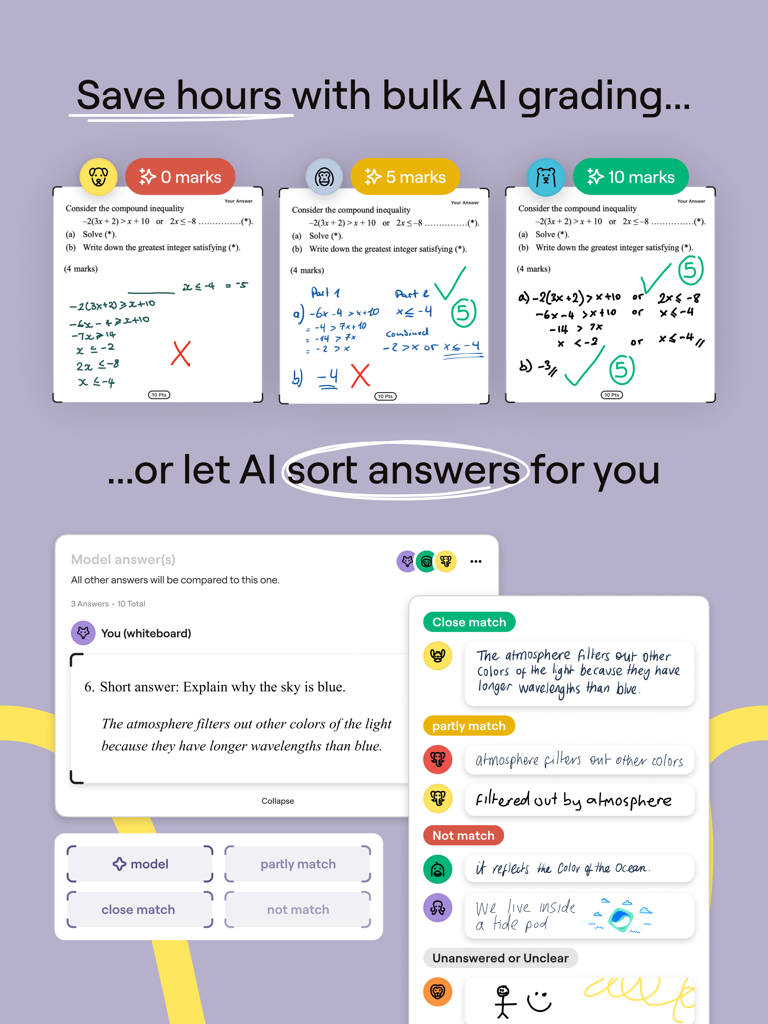
AIを使用して生徒の提出物を模範解答と比較し、週末を確保しましょう。類似した回答をまとめて採点し、質問ごとにマークすることで、記録的な時間で採点を完了できます。

以下のスクリーンショットと説明は、アプリの公式ストアリスティングから直接取得されたものであり、アプリ開発者の所有物です。

アプリストア

スクリーンショット
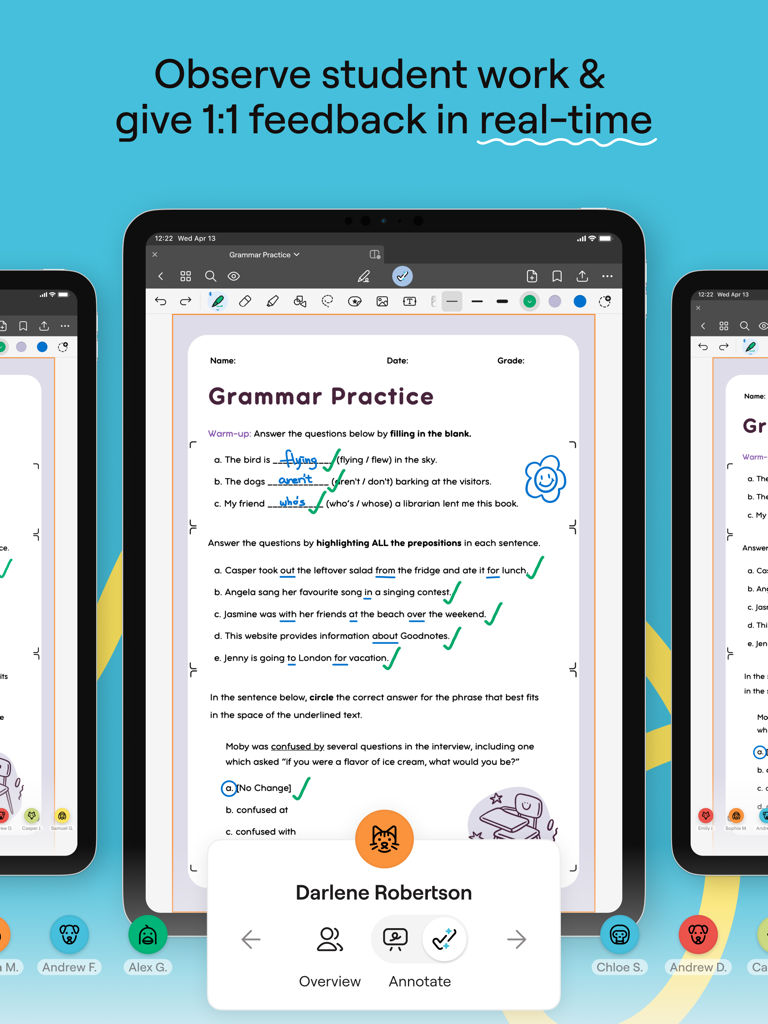
Goodnotes Classroom - Goodnotes Classroomアプリで、教師が生徒のデジタル文法ワークシートにiPadを使用してリアルタイムでフィードバックを提供している様子
Goodnotes Classroomアプリで、教師が生徒のデジタル文法ワークシートにiPadを使用してリアルタイムでフィードバックを提供している様子

Goodnotes Classroom - Goodnotes Classroomインターフェースで、AIによる一括採点と生徒の回答の自動ソートが表示されている様子
Goodnotes Classroomインターフェースで、AIによる一括採点と生徒の回答の自動ソートが表示されている様子

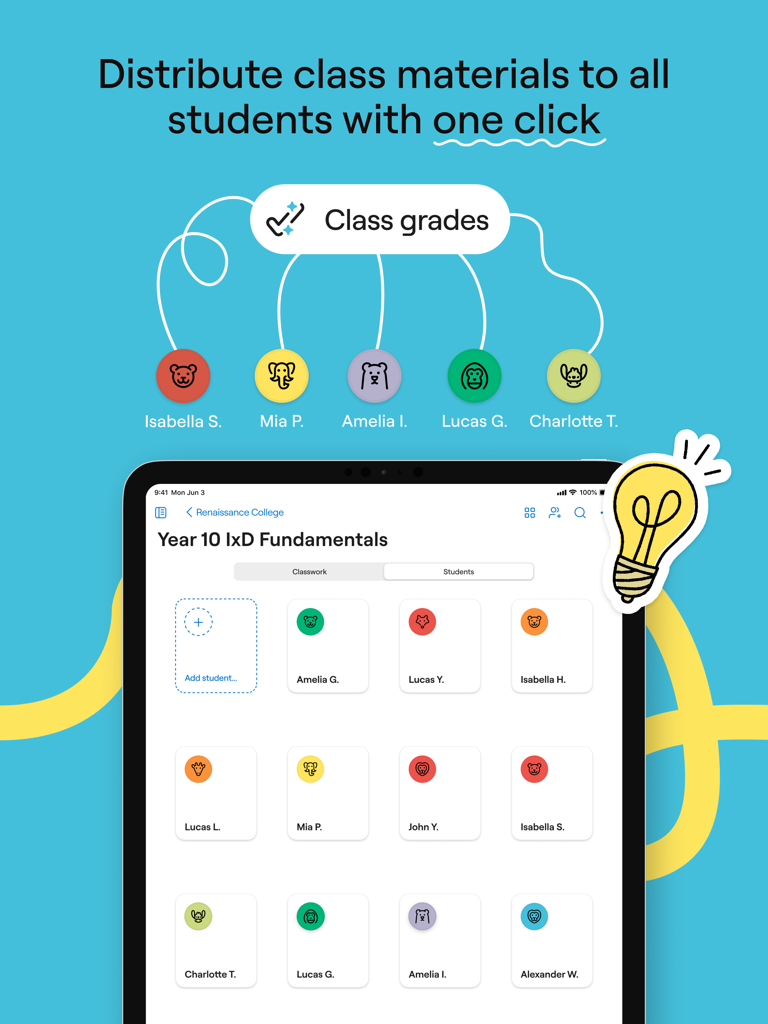
Goodnotes Classroom - iPadに、生徒リストへの教材配布のためのGoodnotes Classroomインターフェースが表示されている
iPadに、生徒リストへの教材配布のためのGoodnotes Classroomインターフェースが表示されている

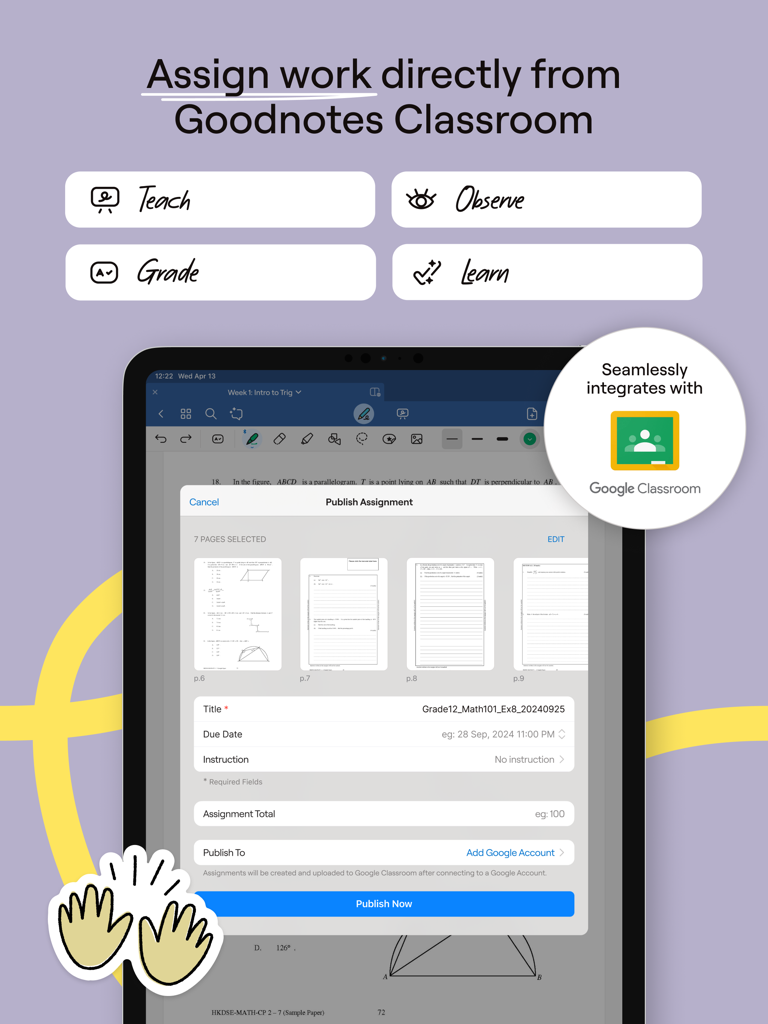
Goodnotes Classroom - Google Classroom連携により、Goodnotes Classroomの課題公開機能が表示されたiPad画面
Google Classroom連携により、Goodnotes Classroomの課題公開機能が表示されたiPad画面

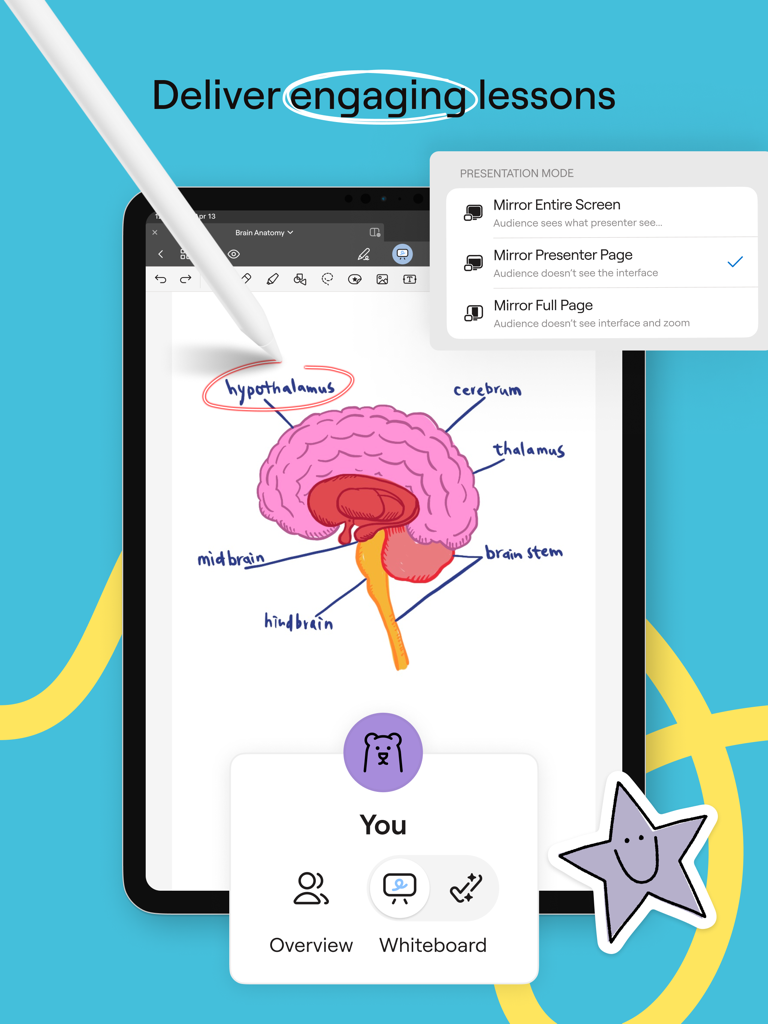
Goodnotes Classroom - 教師がiPadとApple Pencilを使用して、Goodnotes Classroomプレゼンテーションモードでインタラクティブな解剖学の授業を行っている様子
教師がiPadとApple Pencilを使用して、Goodnotes Classroomプレゼンテーションモードでインタラクティブな解剖学の授業を行っている様子

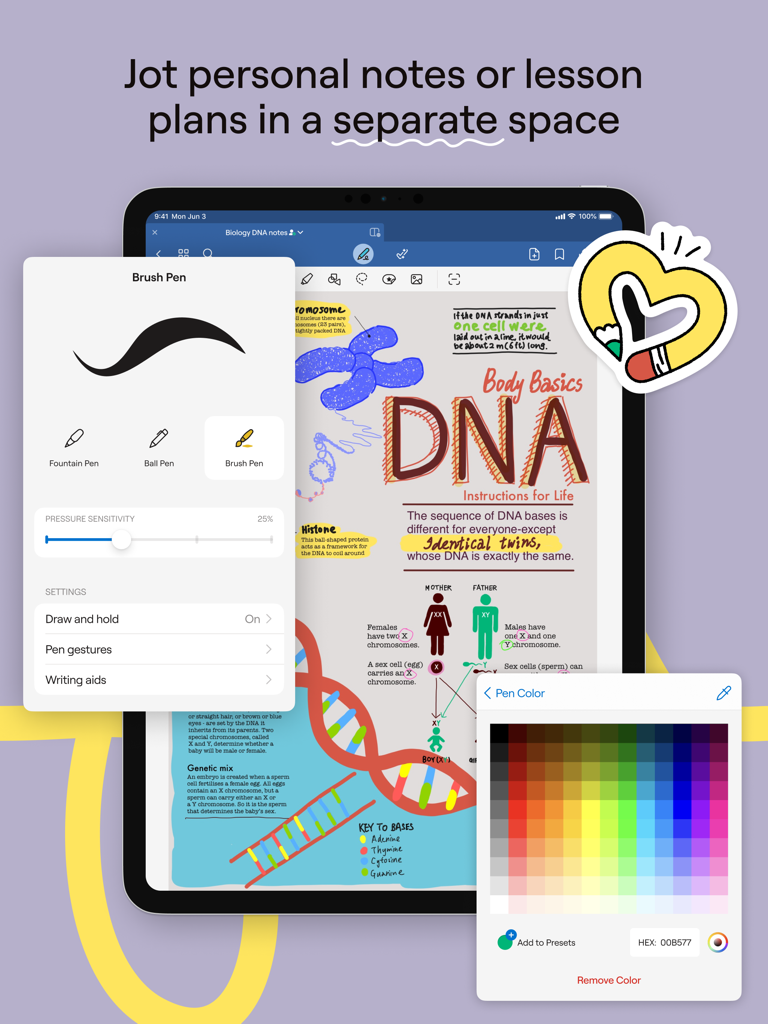
Goodnotes Classroom - iPad上のGoodnotes Classroomアプリに、生物学のノートとペン設定、カラーパレットのオーバーレイが表示されている様子

iPad上のGoodnotes Classroomアプリに、生物学のノートとペン設定、カラーパレットのオーバーレイが表示されている様子

説明

Introducing Goodnotes Classroom, the new way for teachers to connect with each and every student on a personal level, grade papers faster, and make lessons even more engaging—all in one easy-to-use platform. Designed to be used with Goodnotes 6. Stay Connected with Each and Every Student - Effortlessly review every student's work from one screen or navigate between each student’s screen from your iPad. - See each word, diagram, or picture as students write or draw, so you’re always on the same page. - Jump in and write individualized feedback directly on the student's page from your iPad when you need to course-correct. - Easily present student work on the big screen in real-time. Bring the Freedom and Creativity of Handwriting to your Classroom - Project your screen and write freely on a digital canvas as your students follow along in real-time. - Freely write, highlight, draw, zoom in, and zoom out anywhere on the page to make lessons more engaging. - Enhance teaching and learning with multimedia like images, links, stickers, and audio recordings. - Enable students to learn and express themselves in their own way with the intuitive and creative freedom to write, scribble, doodle, and more. Save Time on Grading - Teachers can leverage Goodnotes Classroom AI to compare and grade student submissions against a model answer, saving hours on grading. - Teachers can bulk-grade similar answers to save time. - "Mark by question" allows teachers to view every student's answer to one question at once, making it easy to review and grade without context switching. Seamless and Flexible Classroom Management - Create and share entire Class Folders with students to sync and share coursework. - Create assignments directly from Goodnotes Classroom. Students will receive notifications to start and submit their homework. Intuitive Digital Note-Taking - Personal notes space allowing you to jot down ideas, create lesson plans, and keep materials organized in one place. - Search handwriting and find any of your personal notes or class materials in seconds. - Import PDFs to markup, highlight, and comment, integrating smoothly with classroom activities. Fits into Your Existing Workflow - Seamlessly integrates with Google Classroom, automatically updating assignment statuses and grades, making it easy to track and manage homework. - Easily export pages to share with parents or archive student work. - Purpose-built for classes that use Goodnotes 6, ensuring it fits perfectly into any teacher’s workflow. Ready to transform the learning experience for your students and focus on what you love about teaching? Give Goodnotes Classroom a try.

Download

ダウンロード: App Store

このページはアプリまたはその開発者の公式ページではなく、情報提供および論評を目的として作成された独立した編集出版物です。明示的に別段の記載がない限り、アプリおよびその開発者は、MWM、Apple、Google Play、アプリのパブリッシャー、またはアプリの開発者と提携、承認、後援、認可、またはその他の公式的な関係はなく、このページのいかなる内容も、アプリがMWMのサービスを使用して開発されたことを意味するものではありません。すべての商標、ロゴ、スクリーンショット、その他のコンテンツはそれぞれの所有者の財産です。








