
このページはアプリまたはその開発者の公式ページではなく、情報提供および論評を目的として作成された独立した編集出版物です。明示的に別段の記載がない限り、アプリおよびその開発者は、MWM、Apple、Google Play、アプリのパブリッシャー、またはアプリの開発者と提携、承認、後援、認可、またはその他の公式的な関係はなく、このページのいかなる内容も、アプリがMWMのサービスを使用して開発されたことを意味するものではありません。すべての商標、ロゴ、スクリーンショット、その他のコンテンツはそれぞれの所有者の財産です。


GPS Camera 55. Field Survey
高精度のUTM/MGRS座標スタンプ、インスタント写真注釈、エンジニアや測量士向けに設計された自動PDFレポートで、現場検査を効率化します。
ダウンロード
1M+ユーザー評価
評価数
9K+開発元
カテゴリ
Navigation対応言語
7最新バージョン
4.9サイズ
70.4 MBリリース日
2018年12月6日プロフェッショナルなフィールド調査を効率化
あらゆる詳細を正確にキャプチャします。GPS Camera 55は、エンジニア、測量士、現場管理者向けに設計された強力なドキュメントツールにあなたのデバイスを変換します。
高精度な位置情報オーバーレイ
UTM、MGRS、または10進数形式で高精度の座標、コンパス方位、高度、検証済みタイムスタンプを写真にスタンプします。
インスタントプロフェッショナルレポート
マップ、メモ、画像を含む包括的なPDFレポートを生成し、クライアントやプロジェクトマネージャーと即座に共有することで、オフィスワークの時間を節約します。
よくある質問
について知っておくべきこと GPS Camera 55. Field Survey
GPS Camera 55とは何ですか?また、主な機能は何ですか?
GPS Camera 55は、正確な場所、日付、住所、カスタムメモを画像に直接スタンプして写真をキャプチャします。手描きの注釈や、レポート用に写真をフォルダに整理する機能もサポートしています。
GPS Camera 55で写真にカスタム注釈やメモを追加できますか?
はい、GPS Camera 55では指やApple Pencilを使用して手描きの注釈を追加できます。また、後で編集可能なテキストメモ、タイトル、タグ、住所もサポートしています。
GPS Camera 55はどのような位置情報データ形式をサポートしていますか?
はい、GPS Camera 55は正確な位置情報データをキャプチャします。10進数、DM、DMS、UTM、MGRSなどのさまざまな座標形式に加え、真北または磁北の方位と高度をサポートしています。
GPS Camera 55に既存の写真をインポートして、位置情報を復元できますか?
はい、GPS Camera 55はデバイスのライブラリから写真をインポートできます。アプリは、インポートされた画像からTIFF/EXIF/GPS/IPTCデータを解析することで、位置情報、方向、メモを自動的に復元しようとします。
GPS Camera 55は写真のPDFレポート生成を提供していますか?
はい、GPS Camera 55は選択した写真またはコレクション全体に対してPDFレポートを生成します。ユーザーは、1ページあたりの画像数をカスタマイズし、レポートに写真の説明を含めることができます。
GPS Camera 55 Pro Packアップグレードにはどのような機能が含まれていますか?
GPS Camera 55のPro Packアップグレードでは、追加のコレクションの作成、5つ以上のポイント/画像の共有、KMZのエクスポート/インポート、注釈の保存、高度な写真編集、生体認証セキュリティが可能になります。
GPS Camera 55でPINコードや生体認証を使用してデータを保護できますか?
はい、GPS Camera 55 Pro Packアップグレードには、PINコードまたはFace IDなどの生体認証ベースのアクセスオプションによる、作業とプライバシーの追加保護が含まれています。
GPS Camera 55から他の人と写真やデータを共有するにはどうすればよいですか?
はい、GPS Camera 55では、複数のポイントまたはコレクション全体を共有できます。画像は、位置情報/メモのテキストやオーバーレイの有無にかかわらず共有でき、完全なポイントと画像の転送のためにKMZファイルとしてエクスポートできます。
GPS Camera 55では、コレクションやタグで写真を整理および検索できますか?
はい、GPS Camera 55は画像をコレクションまたはフォルダに整理します。ユーザーはメモ、住所、またはタグで検索し、作成月でフィルタリングし、近接度または日付で並べ替えることができます。
GPS Camera 55でカスタムウォーターマークを写真に使用できますか?
はい、GPS Camera 55はカスタムウォーターマークをサポートしています。Pro Packアップグレードでは、基本ウォーターマークが削除され、ユーザーは独自の画像、テキスト、色を使用してカスタムウォーターマークを設定できます。
以下のスクリーンショットと説明は、アプリの公式ストアリスティングから直接取得されたものであり、アプリ開発者の所有物です。
アプリストア
スクリーンショット
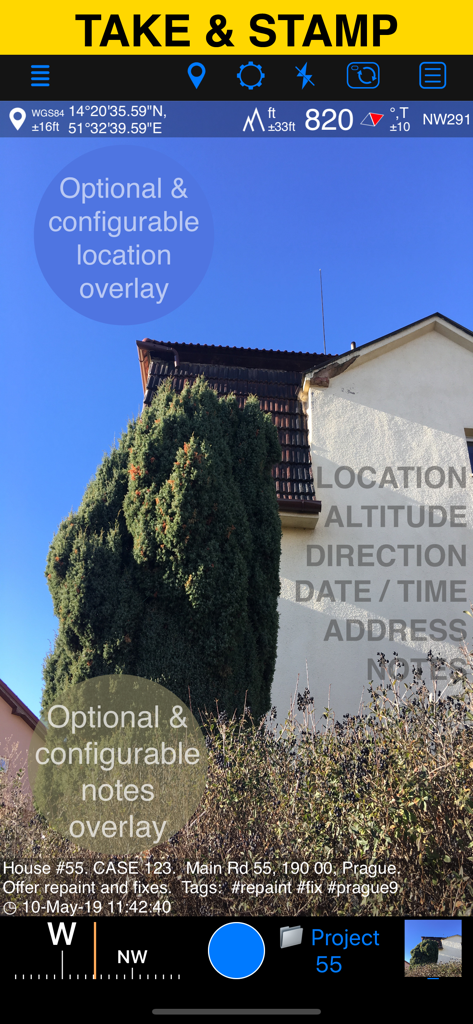
GPS Camera 55アプリのインターフェース。位置、高度、カスタムノートのオーバーレイが表示されたフィールド写真を表示しています。
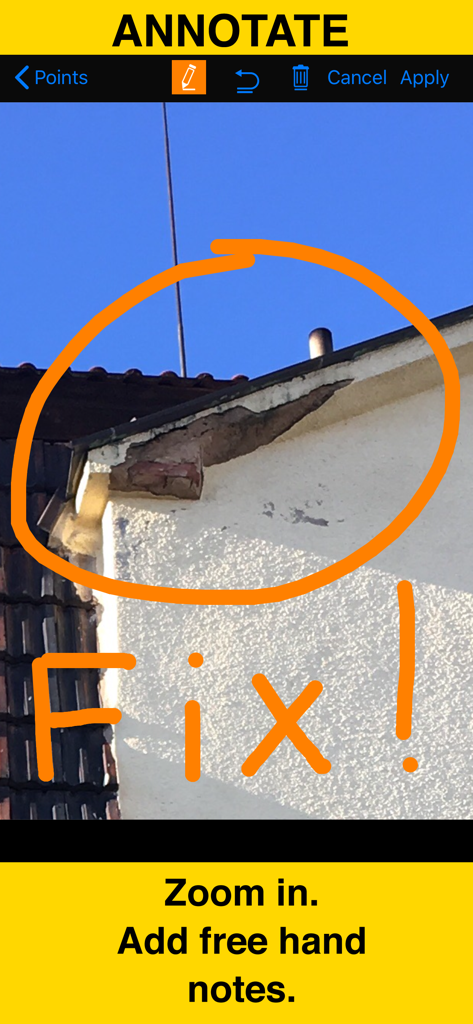
GPSカメラの注釈ツールを使用して、手書きの赤い円と修正メモが付いた建物の損傷のクローズアップ写真
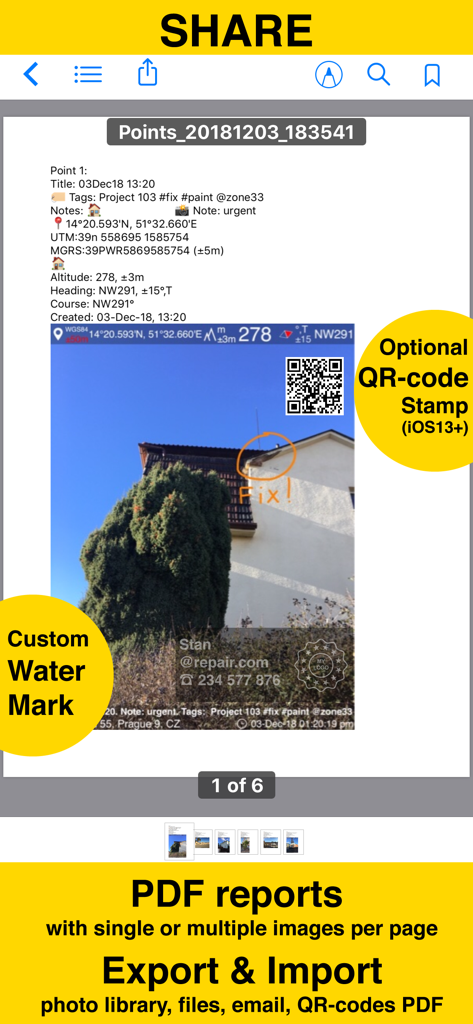
GPS Camera 55アプリによって生成されたPDFレポートのスクリーンショット。位置スタンプ、注釈、カスタムウォーターマークが付いた写真が表示されています。
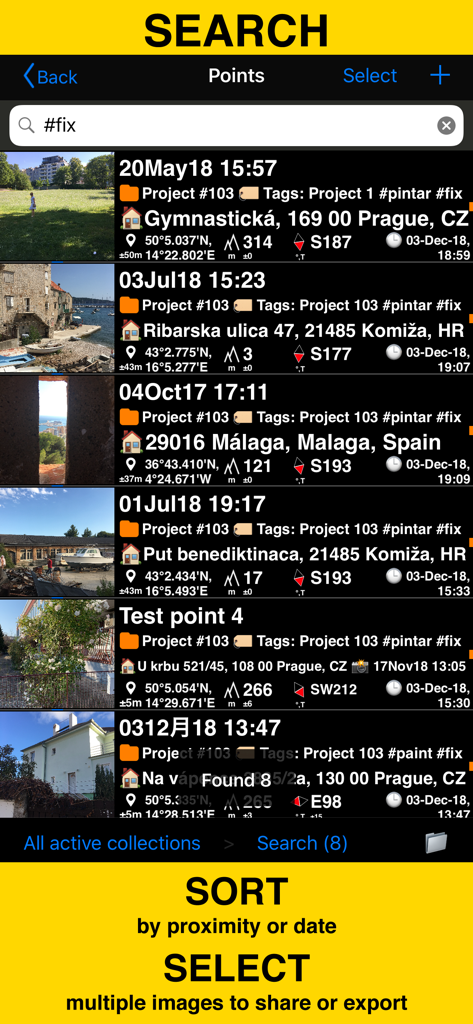
GPS Camera 55アプリでタグと座標でフィールド調査写真を検索およびソート
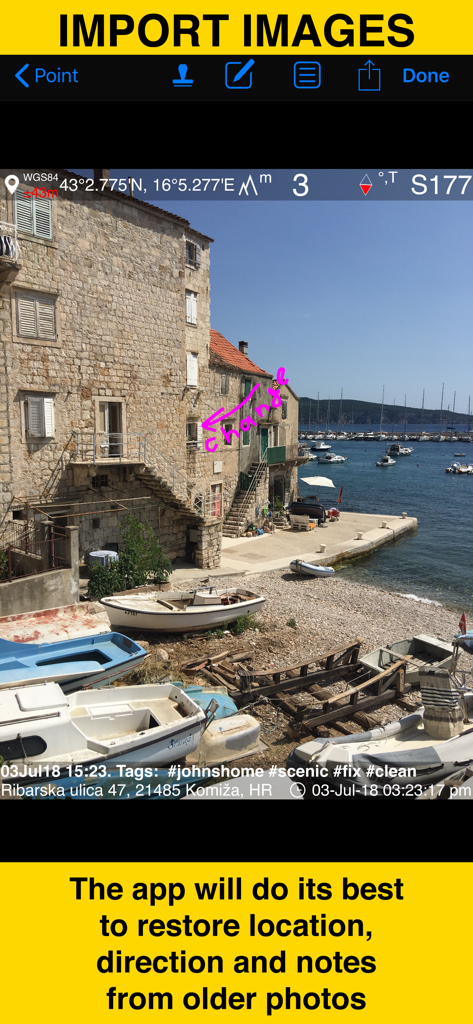
GPS Camera 55アプリにインポートされた古い写真から位置とメモの復元を示すスクリーンショット
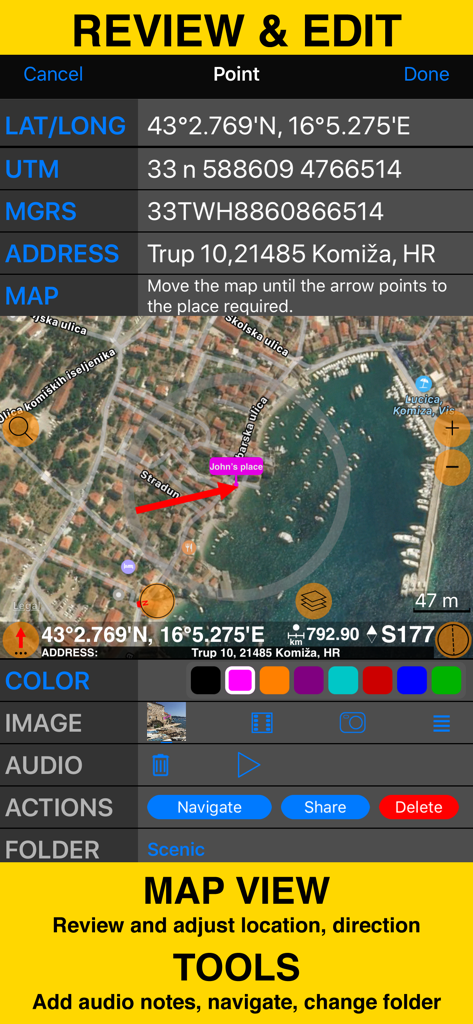
座標マップビューとフィールド調査ツールを備えたレビューおよび編集画面
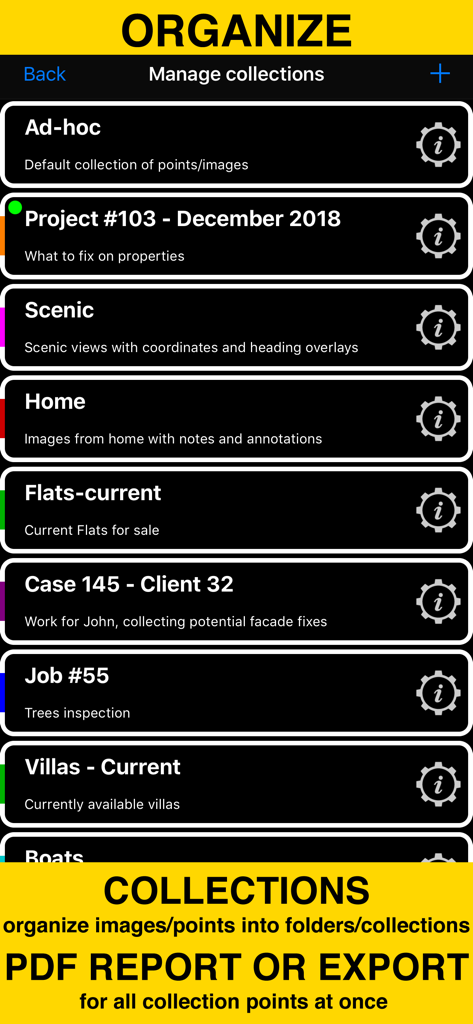
フィールド調査写真の整理とPDFレポート生成のためのフォルダとコレクションを表示する画面
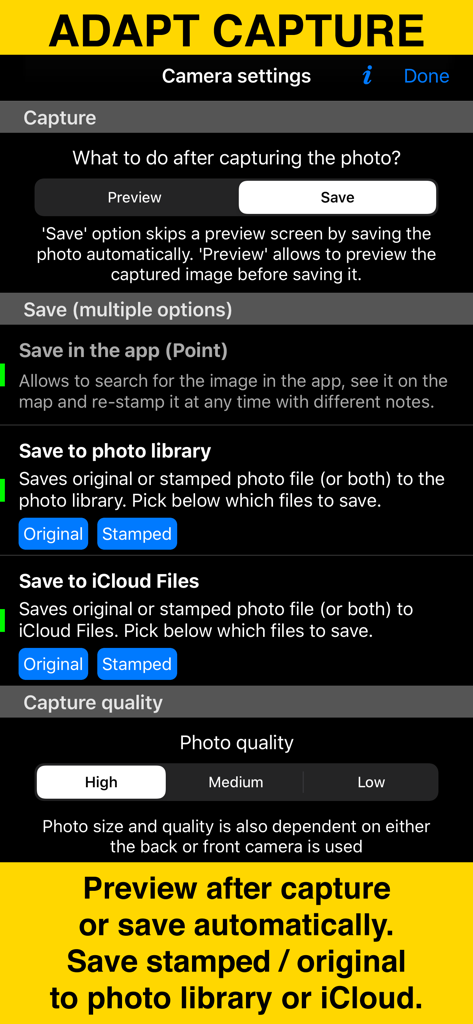
写真キャプチャとストレージオプションを示すGPS Camera 55アプリのカメラ設定画面。
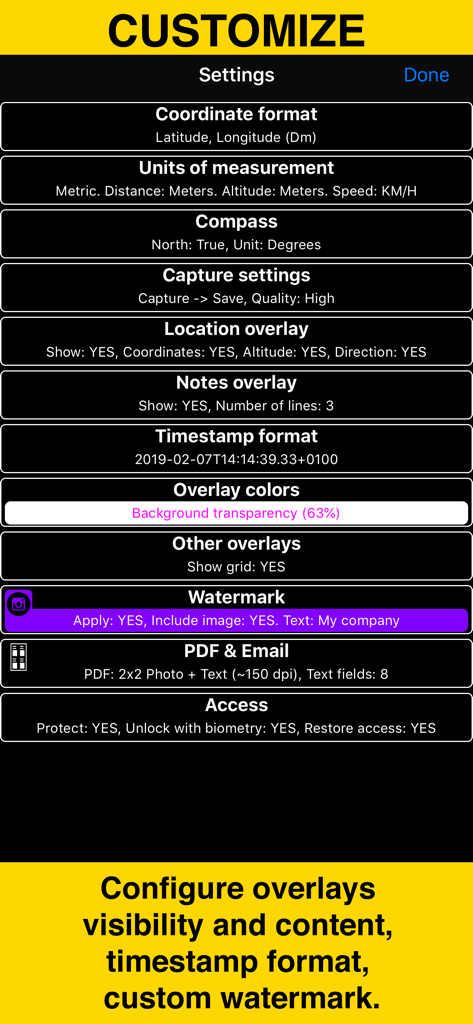
座標単位、オーバーレイ、ウォーターマークのカスタマイズオプションを表示するGPS Camera 55の設定メニュー
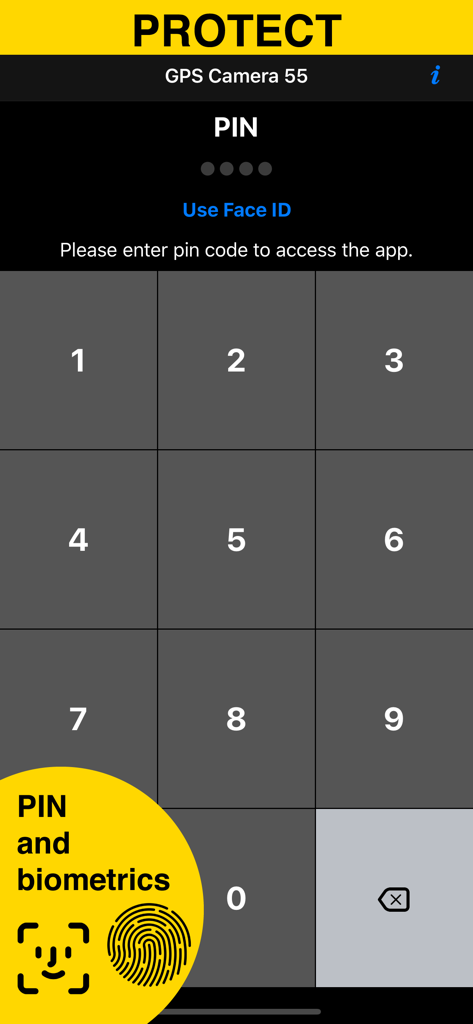
GPS Camera 55アプリのPINおよび生体認証を備えたセキュリティ画面
説明
Download
類似アプリ
似た機能とユーザー体験を持つアプリ
今日水印相机-时间地点经纬度打卡拍照
Keep Curiosity, Inc.

Timemark: Photo Proof
OCEAN GALAXY PTE. LTD.
自定义水印相机
Beidou Hanglu Technology Co.,Ltd.

CompanyCam
CompanyCam, Inc
今日水印专业版-官方无广告版,真实时间今日水印相机拍照
Keep Curiosity, Inc.

经纬度相机&水印相机-记录时间地点天气
Shuzhuo Network Technology Guangzhou Co., Ltd.

水印相机-时间地点工作打卡拍照视频
Chengdu Chongbianli Science and Technology Ltd.

经纬相机:水印相机拍照水印记录时间地点
佳铭 游

TimeStamp Camera+MAP
源泽 高
このページはアプリまたはその開発者の公式ページではなく、情報提供および論評を目的として作成された独立した編集出版物です。明示的に別段の記載がない限り、アプリおよびその開発者は、MWM、Apple、Google Play、アプリのパブリッシャー、またはアプリの開発者と提携、承認、後援、認可、またはその他の公式的な関係はなく、このページのいかなる内容も、アプリがMWMのサービスを使用して開発されたことを意味するものではありません。すべての商標、ロゴ、スクリーンショット、その他のコンテンツはそれぞれの所有者の財産です。