GPS & Maps: Location Tracker
ダウンロード: App Store

このページはアプリまたはその開発者の公式ページではなく、情報提供および論評を目的として作成された独立した編集出版物です。明示的に別段の記載がない限り、アプリおよびその開発者は、MWM、Apple、Google Play、アプリのパブリッシャー、またはアプリの開発者と提携、承認、後援、認可、またはその他の公式的な関係はなく、このページのいかなる内容も、アプリがMWMのサービスを使用して開発されたことを意味するものではありません。すべての商標、ロゴ、スクリーンショット、その他のコンテンツはそれぞれの所有者の財産です。

ロゴ: GPS & Maps: Location Tracker
ダウンロード: App Store

GPS & Maps: Location Tracker

プロレベルの座標システム、高度記録、ウェイポイントトラッキングで、あらゆる地形をマスターしましょう。正確さが標準マップでは不十分なジオキャッチャー、ハイカー、テクニカル探検家のために作られています。

主要数値

ダウンロード

1M+

ユーザー評価

4.4/5

評価数

6K+

開発元

Kraus und Karnath GbR 2Kit Consulting

カテゴリ

Navigation

対応言語

3

最新バージョン

4.3

サイズ

32.4 MB

リリース日

2011年11月23日
機能

あまり行かれない道のための精度

マップ以上のものを求める探検家のために設計された、プロレベルのGPSツール、リアルタイムトラッキング、特殊な座標システムで冒険を強化しましょう。

ミリタリーグレードの精度

MGRS、UTM、度分秒を瞬時に切り替えます。あらゆる環境でのジオキャッシング、測量、または戦術ナビゲーションのためのピンポイント精度を取得します。

数値化された冒険

最高高度、最高速度、リアルタイム加速度を記録します。山道、外洋、または飛行経路での進捗状況の追跡に最適です。

以下のスクリーンショットと説明は、アプリの公式ストアリスティングから直接取得されたものであり、アプリ開発者の所有物です。

アプリストア

スクリーンショット
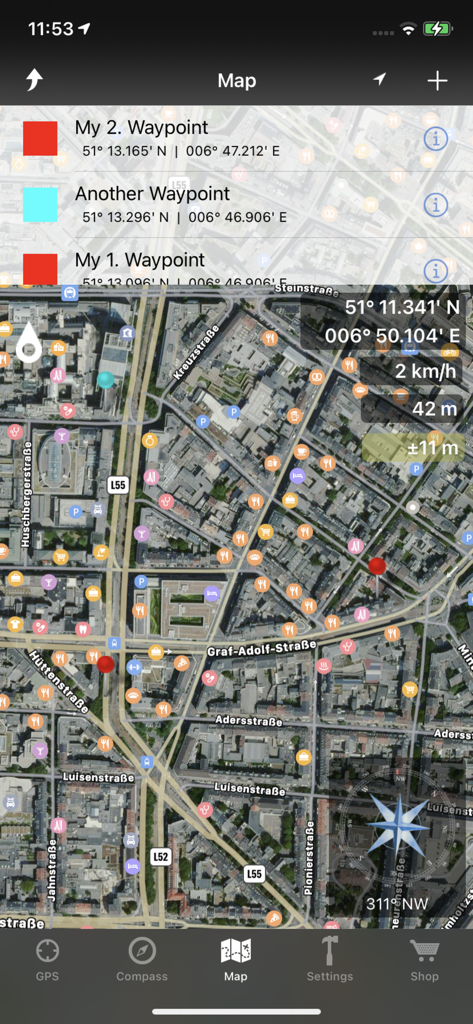
GPS & Maps: Location Tracker - ウェイポイント、GPS座標、高度、コンパスを表示する衛星マップインターフェース。
ウェイポイント、GPS座標、高度、コンパスを表示する衛星マップインターフェース。

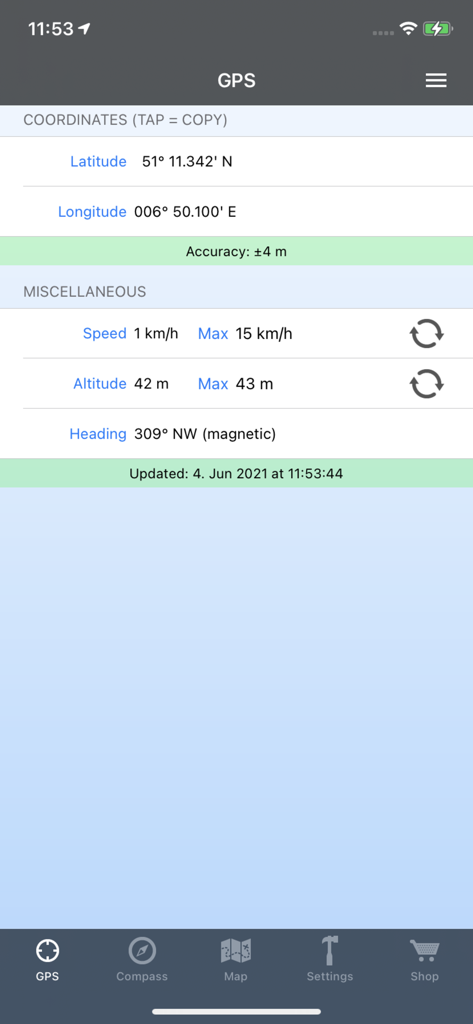
GPS & Maps: Location Tracker - 正確な座標、速度、高度を示すGPSアプリ画面

正確な座標、速度、高度を示すGPSアプリ画面

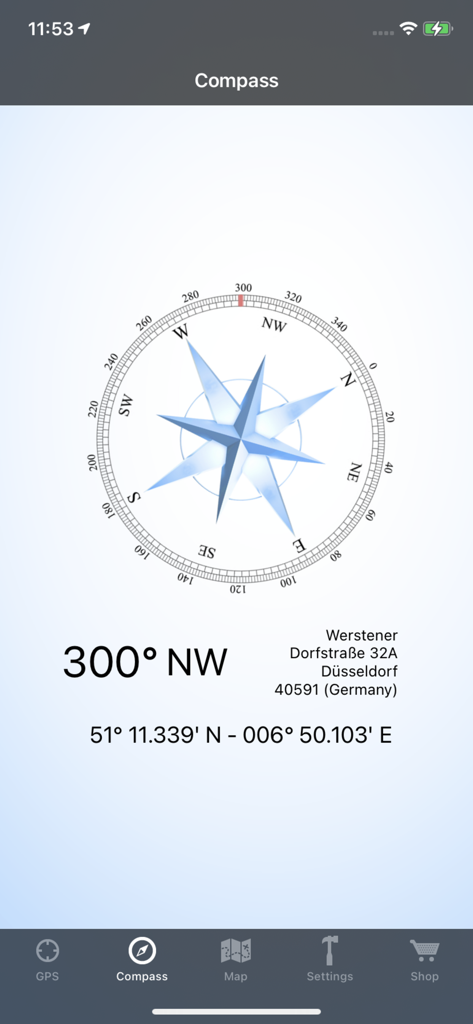
GPS & Maps: Location Tracker - 北西方向300度と正確なGPS座標を示すデジタルコンパスインターフェース

北西方向300度と正確なGPS座標を示すデジタルコンパスインターフェース

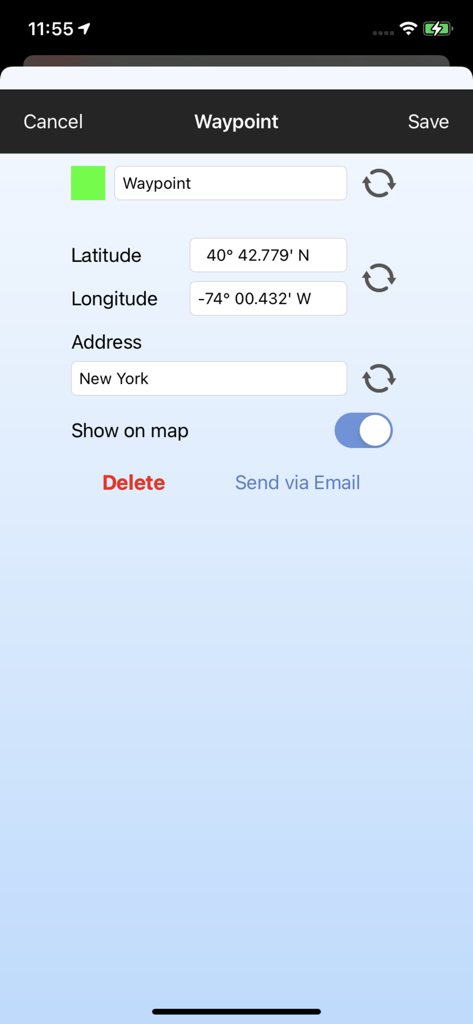
GPS & Maps: Location Tracker - ウェイポイント名とGPS座標を編集するためのインターフェース

ウェイポイント名とGPS座標を編集するためのインターフェース
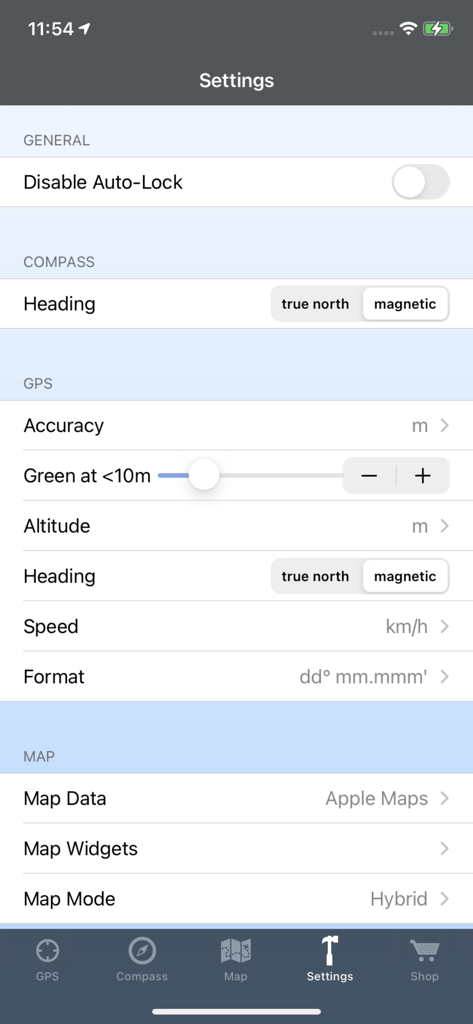
GPS & Maps: Location Tracker - コンパス方位、GPS単位、マップデータソースの設定オプションを示すGPSとマップアプリの設定画面

コンパス方位、GPS単位、マップデータソースの設定オプションを示すGPSとマップアプリの設定画面

説明

GPS & Maps is a simple, yet powerful GPS app for supporting navigation and outdoor activities like geocaching, sailing, skating, trekking, biking or traveling by airplane. It measures your position, height and acceleration with accuracy information and in different units like feet, meter, miles and kilometers. Your highest altitude and speed will also be logged. You can show and save your current position or other waypoints on a map and pick one of the following formats to view your coordinates: - GPS Coordinates (Latitude/Longitude) - Decimal Degrees - Degrees/Minutes/Seconds - UTM: Universal Transverse Mercator - MGRS: Military Grid Reference System GPS & Maps is a must have for geocachers, due to the easy switching between coordinates and map. The integrated flashlight enables users like geocachers to find targets even in dark environments without having to use a separate device. Via in-app purchase you can add some useful features to GPS & Maps: - Premium Edition: Unlock all of the following features. - Waypoints: Save your current location as a marker on the map. Add new locations like geo caches to the map by entering GPS coordinates. Pick different colors for waypoints. Export waypoints via e-mail. Show or hide saved waypoints on the map. - Map Widgets: The draggable Map Widgets show your location, altitude, speed, address and GPS accuracy directly on the map. You can change the widget transparency and textcolor in the settings to optimize readability on different map tiles and map data sources like Google Maps or Open Street Map. - Compass: The compass shows your heading relative to magnetic north or true north (configurable in the settings) and your current location coordinates. It also shows additional information like street, city and country. If you buy Compass and Map Widgets the Compass will also be displays as a widget on the map. - Open Street Map: This feature enhances the map with additional map data from Open Street Map. - Google Maps: This feature enhances the map with additional map data from Google Maps. The map modes 'standard', 'satellite', 'hybrid' and 'terrain' can be selected in the options menu. - iCloud Backup & Restore Please keep in mind that the accuracy of your position and acceleration always depends on the intensity of the available GPS signal. Compass and heading information are only available on devices with magnetometer.

Download

ダウンロード: App Store

このページはアプリまたはその開発者の公式ページではなく、情報提供および論評を目的として作成された独立した編集出版物です。明示的に別段の記載がない限り、アプリおよびその開発者は、MWM、Apple、Google Play、アプリのパブリッシャー、またはアプリの開発者と提携、承認、後援、認可、またはその他の公式的な関係はなく、このページのいかなる内容も、アプリがMWMのサービスを使用して開発されたことを意味するものではありません。すべての商標、ロゴ、スクリーンショット、その他のコンテンツはそれぞれの所有者の財産です。