GradeBook Pro is a powerful and intuitive classroom management tool. Record scores, attendance, and student performance in an app designed with professional educators in mind.
GradeBook Pro is a complete solution, there are no in-app purchases, subscriptions, advertisements, limitations, or third party services to pay for.
Grades
• Weighted and standard point-based scales are supported.
• Customize the grade scale with unlimited letter grade ranges.
• Categorize assignments to see student grades by category.
• Award extra credit or deduct penalty points.
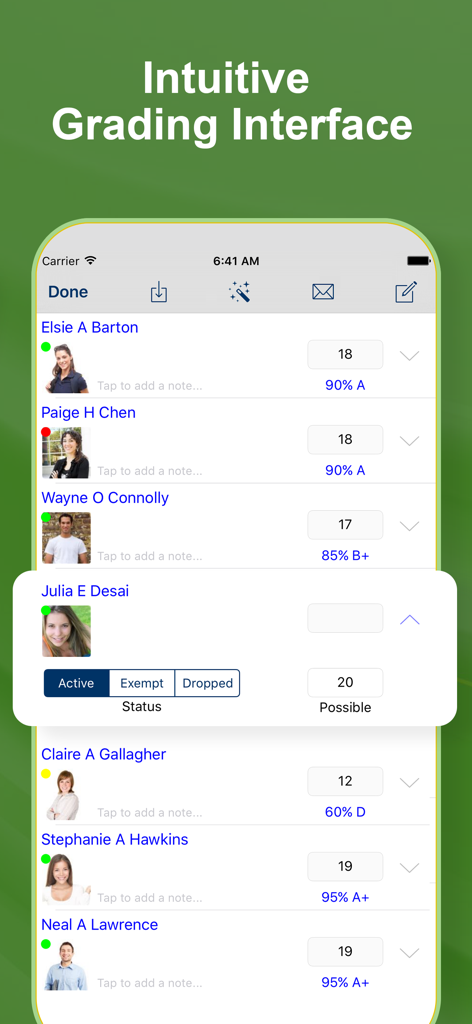
• Drop or exempt a score to exclude it from the grade calculation.
• Override the number of points possible on a student-by-student basis.
• Record a note with any score.
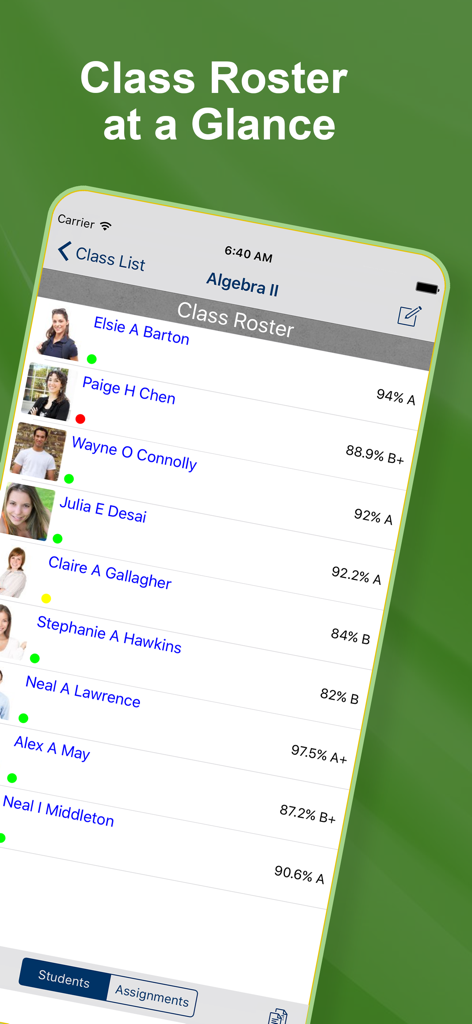
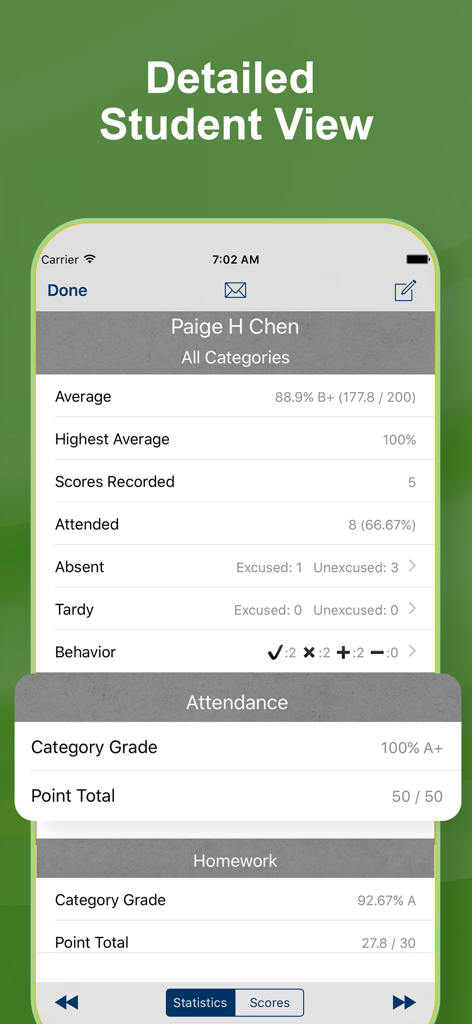
• View student average grade, highest grade, and total point score.
• Categorized classes report overall and category-specific grades.
Behavior
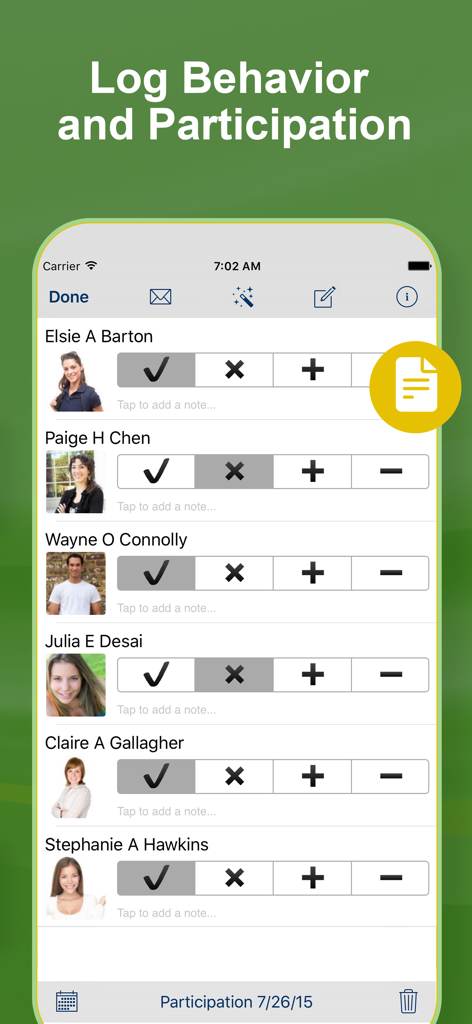
• Assign custom labels to four selectable behavior marks.
• Quickly track performance, participation, preparedness, behavior, conduct, or any other criteria.
Attendance
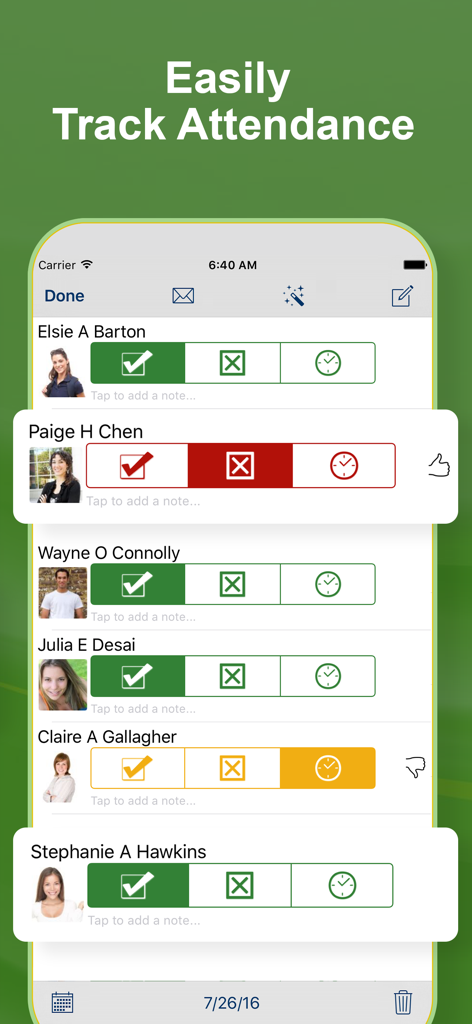
• Mark students as Present, Absent, or Tardy.
• Absent and tardy entries can be flagged as excused or unexcused.
• View photos while recording attendance.
• Email a daily attendance summary.
• Quickly create email addressed to all present, absent, or tardy students.
• Student attendance status is displayed on the main and score entry screen.
Reporting
• Create attendance, grade, performance, and roster reports for the class.
• Create attendance, grade, performance, and summary reports for individual students.
• Export grade, attendance, and performance data to CSV formatted files.
• Upload reports to Dropbox, email them, or view them on the in-app report viewer.
• Email a list of ungraded students by assignment.
Other
• Five color themes to choose from.
• Import class rosters or scores via email, iCloud Drive, Dropbox, Box, etc…
• Backup and restore with via iCloud Drive, Dropbox, Box, etc…
• Assign photos to students to view when recording grades or taking attendance.
• Copy students, assignments, grade scales, and categories between classes.
• Prevent unauthorized access with a launch passcode.
===
GRADEBOOK PRO SUBSCRIPTION PRICING & TERMS
We offer an auto-renewing subscription option:
- Subscriptions are from $4.99 USD monthly with 3 days trial or $34.99 yearly.
- Payment will be charged to iTunes Account at confirmation of purchase
- You will be able to access full features of the app for the duration of the subscription
- Subscription automatically renews for the same price and duration period as the original one week unless auto-renew is turned off at least 24-hours before the end of the current period
- Account will be charged for renewal within 24-hours prior to the end of the current period at the cost of the chosen package weekly
- Subscriptions may be managed by the user and auto-renewal may be turned off by going to the user's iTunes Account Settings after purchase
- No cancellation of the current subscription is allowed during active subscription period
- You may cancel a subscription during its free trial period via the subscription setting through your iTunes account. This must be done 24 hours before the end of the subscription period to avoid being charged. Please visit http://support.apple.com/kb/ht4098 for more information
- You may turn off the auto-renewal of your subscription via your iTunes Account Settings. However, you are not able to cancel the current subscription during its active period
- Any unused portion of a free-trial period, will be forfeited when the user purchases a subscription
For more information, please check:
https://www.apple.com/legal/internet-services/itunes/dev/stdeula/