
このページはアプリまたはその開発者の公式ページではなく、情報提供および論評を目的として作成された独立した編集出版物です。明示的に別段の記載がない限り、アプリおよびその開発者は、MWM、Apple、Google Play、アプリのパブリッシャー、またはアプリの開発者と提携、承認、後援、認可、またはその他の公式的な関係はなく、このページのいかなる内容も、アプリがMWMのサービスを使用して開発されたことを意味するものではありません。すべての商標、ロゴ、スクリーンショット、その他のコンテンツはそれぞれの所有者の財産です。


GradeWay for HAC
使いにくいポータルサイトに時間を無駄にするのはやめましょう。Home Access Center向けの最も強力な学生ダッシュボードで、即座に成績の洞察を得て、「もし〜だったら」シナリオをシミュレーションし、リアルタイムでGPAを追跡します。
ダウンロード
788K+ユーザー評価
評価数
64K+開発元
カテゴリ
Education対応言語
1最新バージョン
3.0.6サイズ
36.5 MBリリース日
2020年9月5日学業成績をマスターする
推測はやめて、成功しましょう。GradeWayは、成績、GPA、スケジュールを、意欲の高い学生のために設計された、強力でモバイルファーストのダッシュボードにまとめます。
予測「もし〜だったら」計算機
期末試験のストレスを軽減します。模擬スコアをシミュレーションして、平均にどのように影響するかを正確に把握し、次の大きな試験の現実的な目標を設定します。
即座の成績洞察
色分けされたトレンドで一歩先を行きましょう。時間の経過とともに進捗状況を追跡し、新しい成績が投稿されたらすぐに通知を受け取ります。
よくある質問
について知っておくべきこと GradeWay for HAC
GradeWayはどの学校システムと互換性がありますか?
GradeWayは、学生情報のためにHome Access Centerを利用しているすべての学校区と互換性があり、ユーザーが広くアクセスできるようにします。
GradeWayを使用するたびにログインする必要がありますか?
いいえ、GradeWayには「ログインしたままにする」機能があります。Home Access Centerの資格情報を一度入力するだけで、継続的にアクセスできます。
GradeWayは学生の成績をどのように表示しますか?
GradeWayは、マーキング期間ごとに整理された、すべてのコースのコード化された平均を一覧表示します。ユーザーは、カテゴリごとに個別の成績とクラスの平均を表示することもできます。
GradeWayは私の成績の傾向を時間とともに分析できますか?
はい、GradeWayの成績インサイト機能を使用すると、ユーザーは時間の経過とともにクラスの平均を表示し、傾向を観察し、改善を追跡できます。また、最近追加された成績も強調表示されます。
GradeWayには成績の「もしも」計算機がありますか?
はい、GradeWayには「もしも」計算機が含まれています。このツールを使用すると、ユーザーは模擬成績を追加したり、既存のスコアを変更したりして、平均を予測し、その影響を確認できます。
GradeWayはGPAを計算しますか?
はい、GradeWayは加重GPAと非加重GPAの両方を正確に計算します。平均、成績証明書、単位を使用し、スケールを編集したり、コースを除外したりするツールを提供して精度を高めます。
GradeWayを使用して、宿題や課題を計画できますか?
はい、GradeWayには包括的なプランナー機能があります。ユーザーは宿題を整理し、リマインダーを設定し、Home Access Centerのコースと統合された課題を表示できます。
GradeWayはどのHome Access Center情報にアクセスできますか?
GradeWayはHome Access Centerの機能を簡素化し、ユーザーがクラスのスケジュール、成績表、進捗報告書、成績証明書、出席記録をアプリ内で便利に表示できるようにします。
GradeWayにはベルスケジュール機能がありますか?
はい、GradeWayにはベルスケジュールトラッカーが含まれています。ベルの時間をシミュレートし、残りの時間 period を表示し、ユーザーがスケジュールに従うのを助けるために通知を送信します。
GradeWayアプリを使用して教師にメールを送信できますか?
はい、GradeWayでは、ユーザーはアプリ内から直接教師にメールを送信できます。メールアドレスを手動で入力する必要がなくなるため、コミュニケーションが効率化されます。
GradeWayは複数の学生アカウントを追加できますか?
はい、GradeWayは単一のデバイスに複数の学生アカウントを追加することをサポートしています。この機能により、プロファイル間の切り替えが容易になり、親に最適です。
GradeWayで利用可能なパーソナライズオプションは何ですか?
GradeWayは、ライトモードとダークモード、10色のテーマ、カスタムプロフィール写真、表示名など、幅広いパーソナライズ機能を提供しています。また、Face IDまたはTouch IDによる安全なログインもサポートしています。
GradeWayはPowerSchoolと提携していますか?
いいえ、GradeWayはPowerSchool LLCまたはその関連会社とは提携しておらず、承認も受けていません。GradeWayがサポートするHome Access Centerは、PowerSchoolの商標です。
以下のスクリーンショットと説明は、アプリの公式ストアリスティングから直接取得されたものであり、アプリ開発者の所有物です。
アプリストア
スクリーンショット
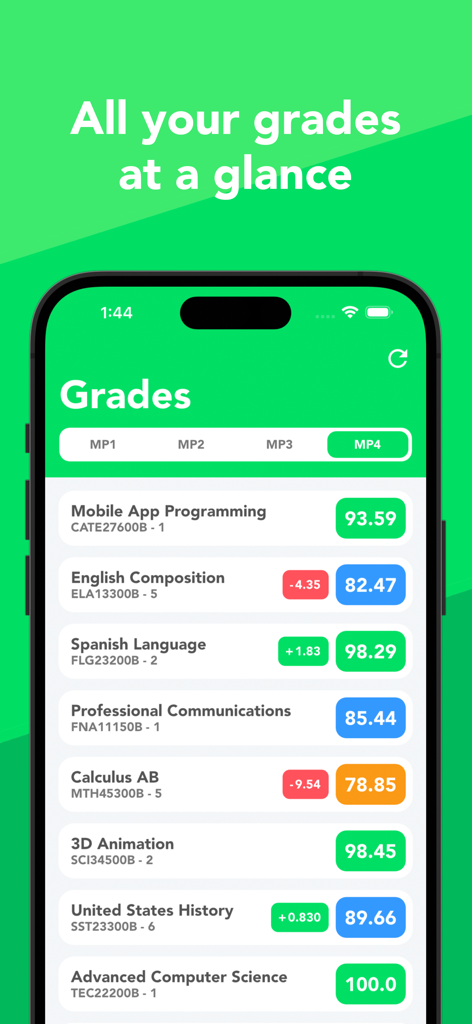
GradeWayアプリのインターフェースに、色分けされた学校の科目と現在の数値成績のリストが表示されている
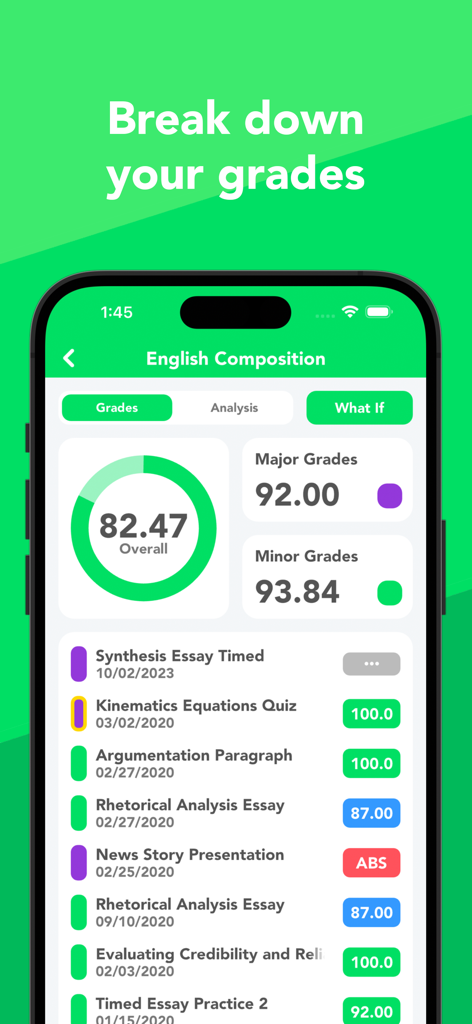
GradeWayアプリに、全体スコアと個々の課題成績を含む、英語作文の成績内訳が表示されている
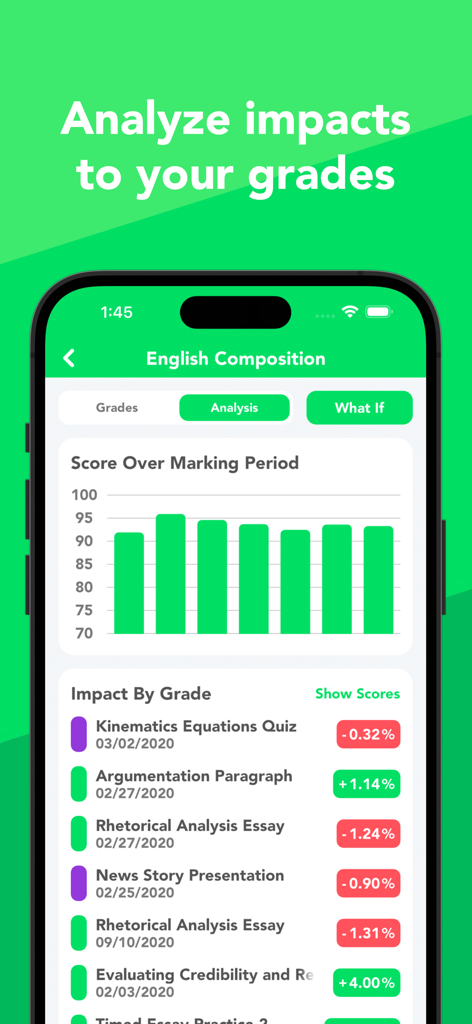
成績分析チャートと、特定の課題が生徒の成績に与えるパーセンテージの影響を示すモバイルアプリ画面
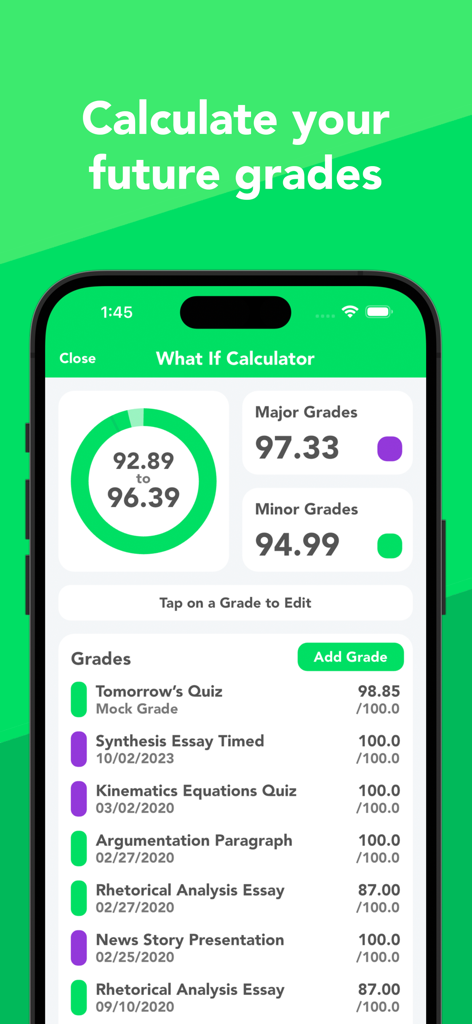
GradeWayアプリの「もし〜だったら」計算機のスクリーンショット、将来の成績予測と模擬課題が表示されている
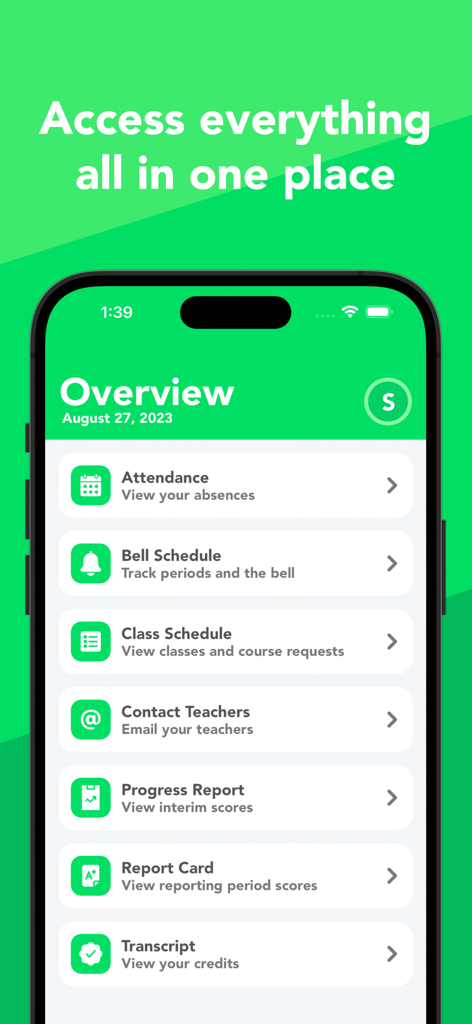
GradeWay for HACアプリの概要ダッシュボード、出欠、クラスのスケジュール、成績レポートへのリンクが表示されている
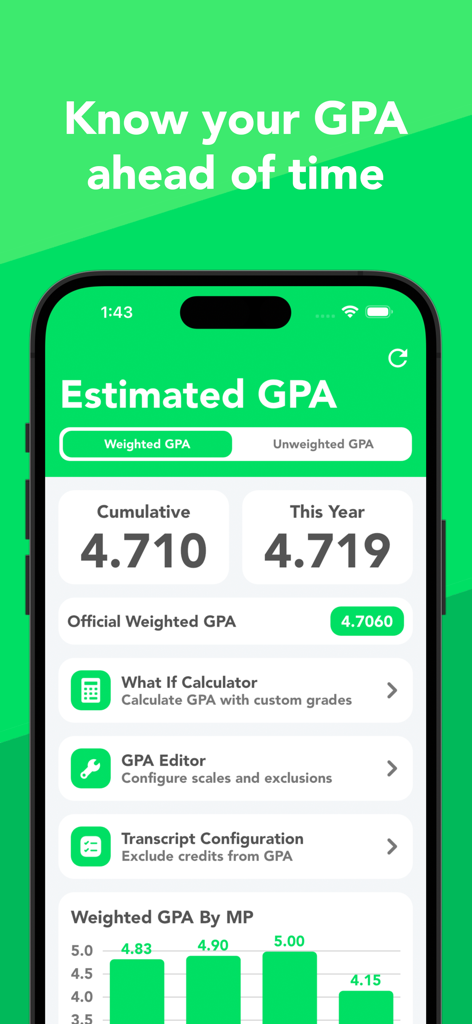
GradeWay for HACのスクリーンショット、推定加重GPAと「もし〜だったら」計算機が表示されている
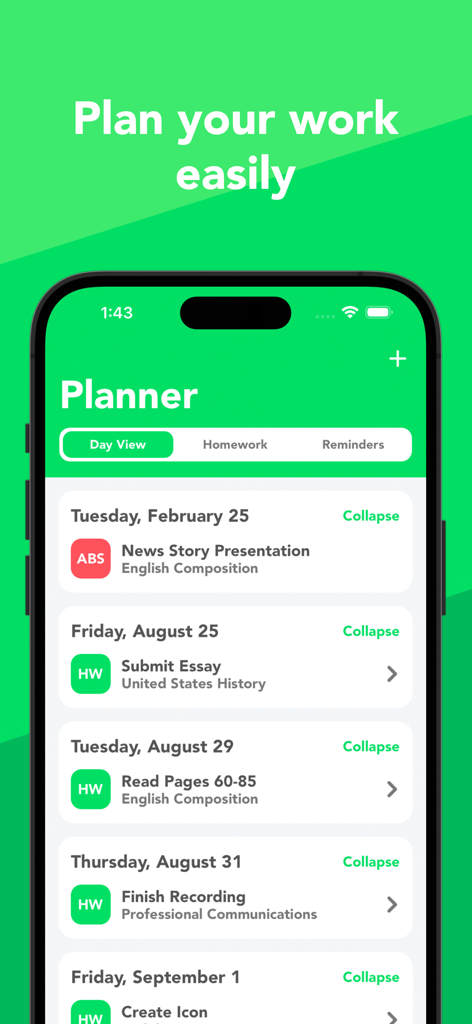
GradeWay for HACの生徒プランナーのインターフェース、宿題とクラスのタスクの1日の表示が表示されている
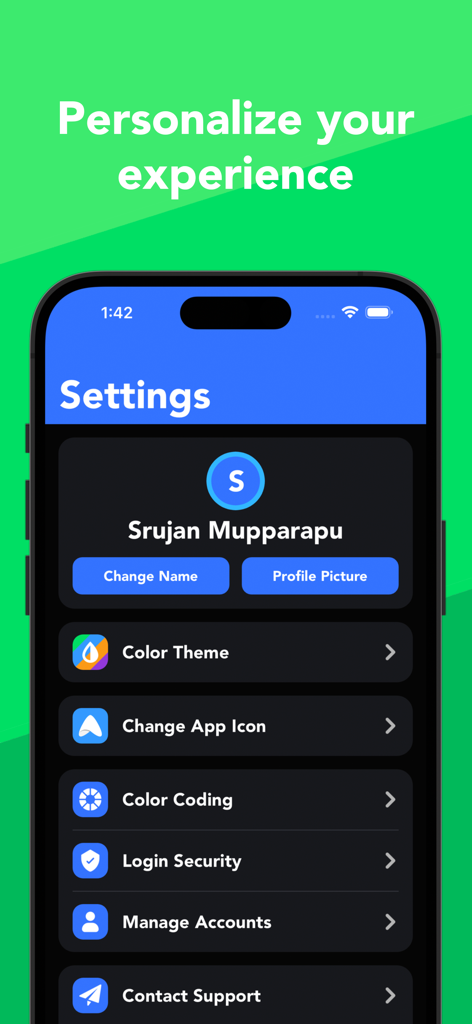
GradeWayアプリの設定画面、カラーテーマ、アプリのアイコン、プロフィールの管理のためのパーソナライズオプションが表示されている
説明
Download
類似アプリ
似た機能とユーザー体験を持つアプリ
Want mark!
Dzmitry Sysoyeu

Grades - Grade Calculator, GPA
Plutonium Apps, LLC

Notan
Tien Do Nam

Folium-Libretto Universitario
Michele Galbiati

核桃编程家长端
Guangdong Walnut Online Non Discipline Training School Co., Ltd
Gradekit: Track Grades & GPA
Adrien Truong

Simulateur de moyenne au Bac
WarthogLab
AvMark - средний балл
Olga Vasilkova

MoyennesED
Diego Finocchiaro
このページはアプリまたはその開発者の公式ページではなく、情報提供および論評を目的として作成された独立した編集出版物です。明示的に別段の記載がない限り、アプリおよびその開発者は、MWM、Apple、Google Play、アプリのパブリッシャー、またはアプリの開発者と提携、承認、後援、認可、またはその他の公式的な関係はなく、このページのいかなる内容も、アプリがMWMのサービスを使用して開発されたことを意味するものではありません。すべての商標、ロゴ、スクリーンショット、その他のコンテンツはそれぞれの所有者の財産です。