GridMaker
GridMaker
ダウンロード: App Store

このページはアプリまたはその開発者の公式ページではなく、情報提供および論評を目的として作成された独立した編集出版物です。明示的に別段の記載がない限り、アプリおよびその開発者は、MWM、Apple、Google Play、アプリのパブリッシャー、またはアプリの開発者と提携、承認、後援、認可、またはその他の公式的な関係はなく、このページのいかなる内容も、アプリがMWMのサービスを使用して開発されたことを意味するものではありません。すべての商標、ロゴ、スクリーンショット、その他のコンテンツはそれぞれの所有者の財産です。


ロゴ: GridMaker
ダウンロード: App Store

GridMaker

クラフト、ファインアート、またはテクニカルプロジェクトに最適なスケールのテンプレートをデザイン。インチまたはメートル単位で詳細をカスタマイズし、高品質なSVGまたはPDFファイルでエクスポート — 広告なし、プライバシー完全保護。

主要数値

ダウンロード

20K+

ユーザー評価

3.0/5

評価数

100

開発元

NNN Software LLC

カテゴリ

Education

対応言語

1

最新バージョン

1.29.5

サイズ

130.3 MB

リリース日

2016年12月22日
機能

すべてのクリエイターのための精密ツール

あなたのクラフトに合わせたプロ仕様のグリッドを作成、カスタマイズ、エクスポート。あなたが繊維アーティスト、テクニカルデザイナー、またはファインペインターであっても、GridMakerは広告なし、プライバシー完全保護で必要な精度を提供します。

比類なき数学的精度

メートル法とヤードポンド法を瞬時に切り替え。編み物、木工、または複雑なテクニカルレイアウトのための正確な線幅と間隔を定義します。

現代のファブリケーターのために構築

グリッドをSVG、PDF、またはPNGでエクスポート。レーザーカッター、Cricutマシン、プロのデザインソフトウェアとデザインをシームレスに統合します。

以下のスクリーンショットと説明は、アプリの公式ストアリスティングから直接取得されたものであり、アプリ開発者の所有物です。

アプリストア

スクリーンショット
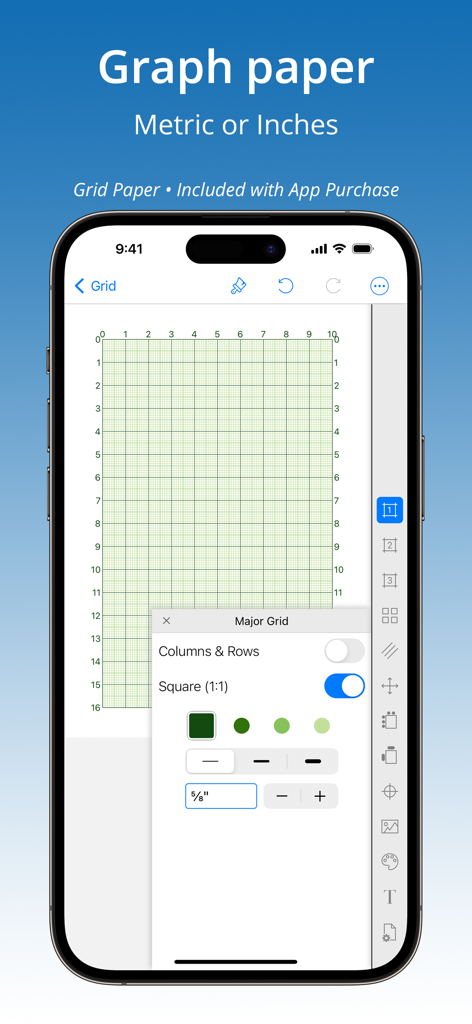
GridMaker - スマートフォン画面に、カスタム方眼紙設定のGridMakerアプリが表示されている
スマートフォン画面に、カスタム方眼紙設定のGridMakerアプリが表示されている

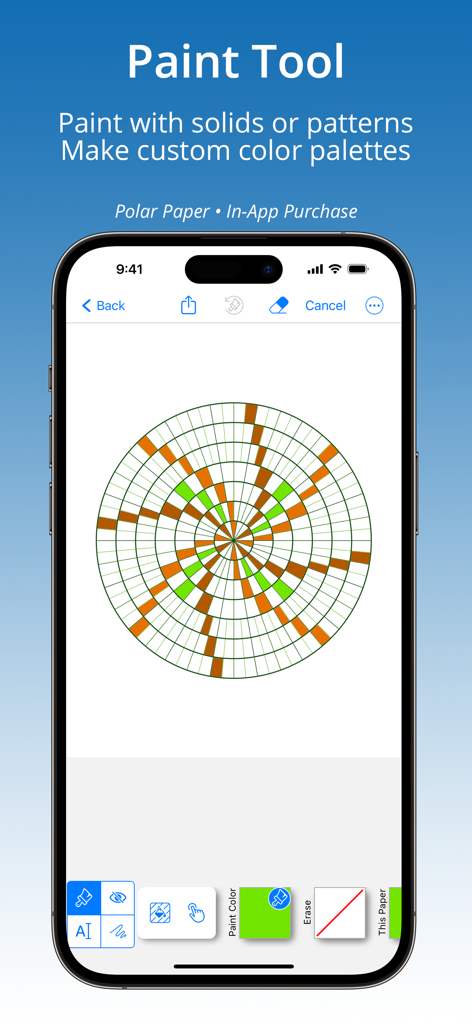
GridMaker - GridMakerアプリのインターフェースで、緑と茶色のパターンの円形極座標紙グリッド上にペイントツールを使用しているデモ
GridMakerアプリのインターフェースで、緑と茶色のパターンの円形極座標紙グリッド上にペイントツールを使用しているデモ

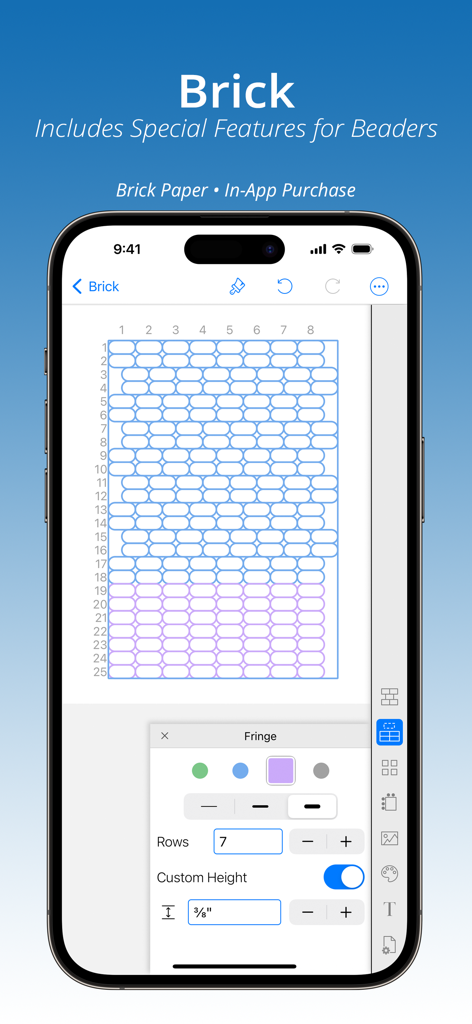
GridMaker - GridMakerアプリのインターフェースに、ビーズ細工とクラフトプロジェクト用にカスタマイズされたレンガパターングリッドが表示されている
GridMakerアプリのインターフェースに、ビーズ細工とクラフトプロジェクト用にカスタマイズされたレンガパターングリッドが表示されている

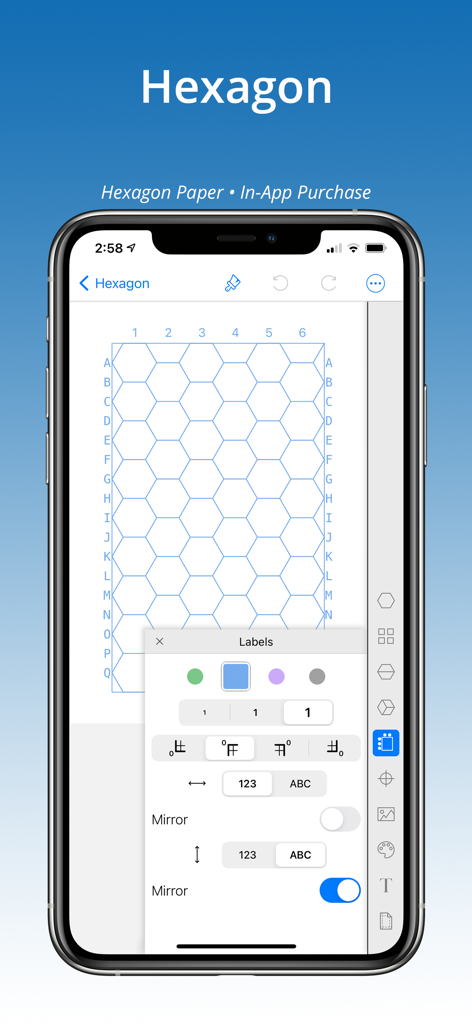
GridMaker - GridMakerアプリで、英数字ラベル付きのカスタマイズ可能な六角形グリッドが表示されているスマートフォン画面
GridMakerアプリで、英数字ラベル付きのカスタマイズ可能な六角形グリッドが表示されているスマートフォン画面

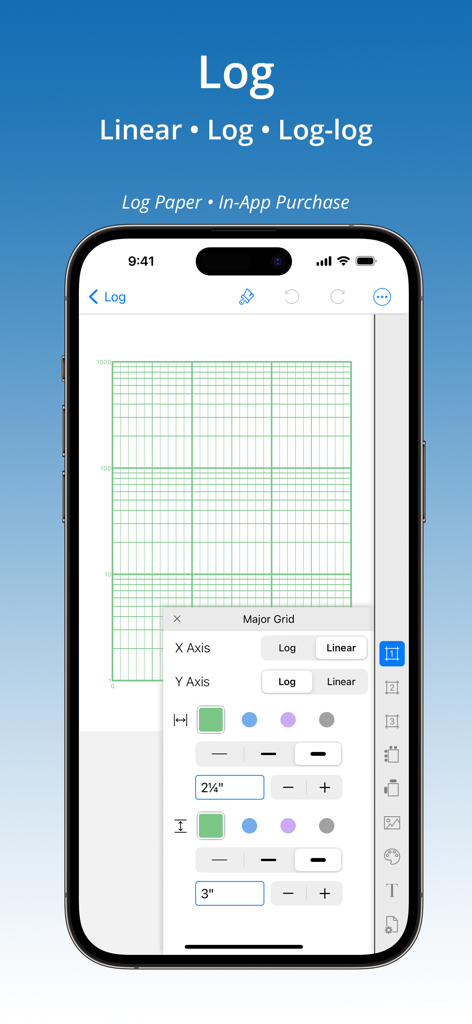
GridMaker - iPhoneのGridMakerアプリのインターフェースに、対数および対数対数方眼紙のカスタマイズオプションが表示されている
iPhoneのGridMakerアプリのインターフェースに、対数および対数対数方眼紙のカスタマイズオプションが表示されている

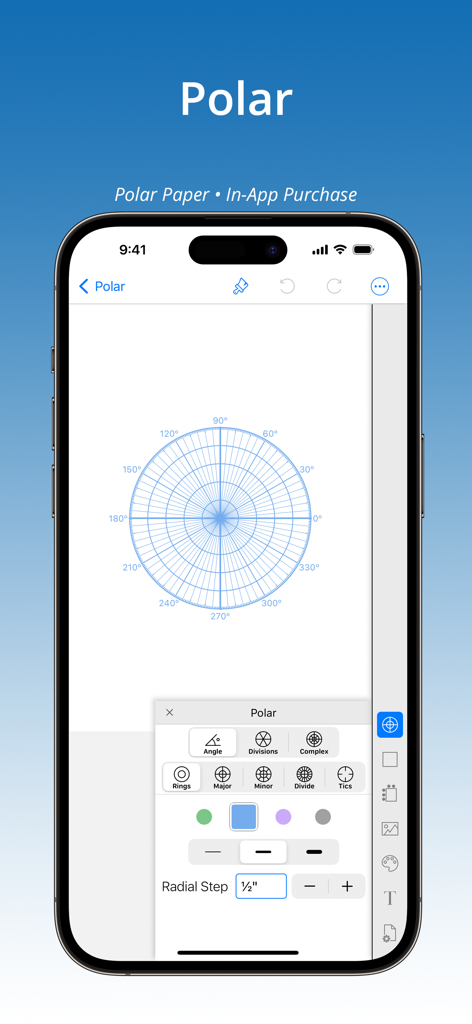
GridMaker - iPhoneのGridMakerアプリのインターフェースに、カスタム極座標グリッド設定と放射状ステップが表示されている
iPhoneのGridMakerアプリのインターフェースに、カスタム極座標グリッド設定と放射状ステップが表示されている

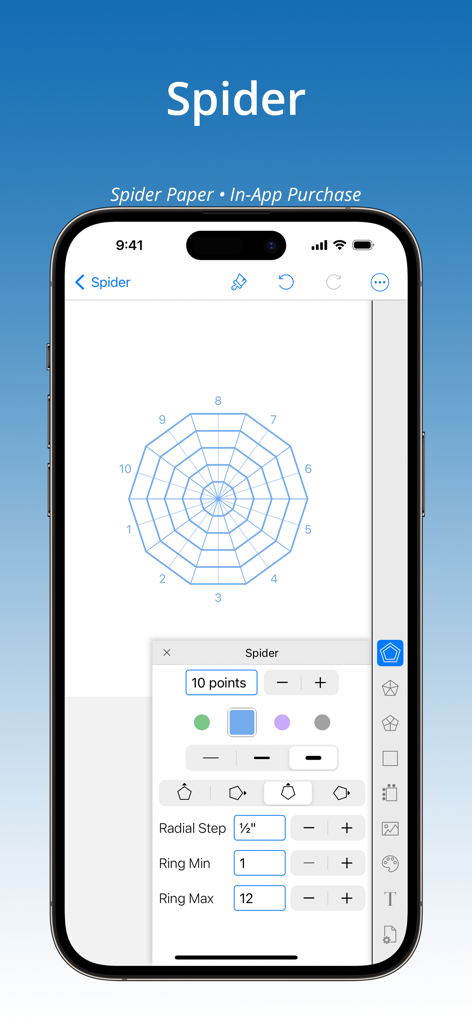
GridMaker - GridMakerアプリのインターフェースに、放射状スパイダーグリッド用紙のカスタマイズオプションが表示されている
GridMakerアプリのインターフェースに、放射状スパイダーグリッド用紙のカスタマイズオプションが表示されている

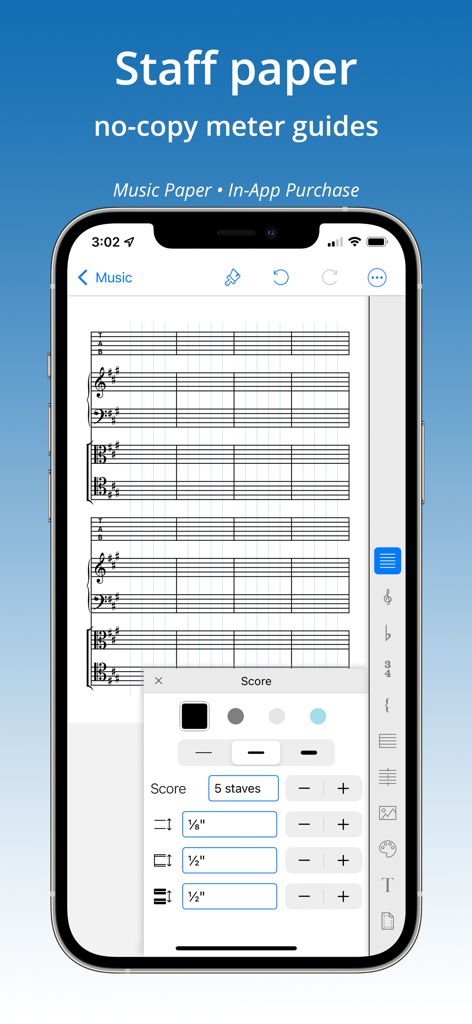
GridMaker - GridMakerアプリのカスタム音楽五線譜用紙作成インターフェース

GridMakerアプリのカスタム音楽五線譜用紙作成インターフェース

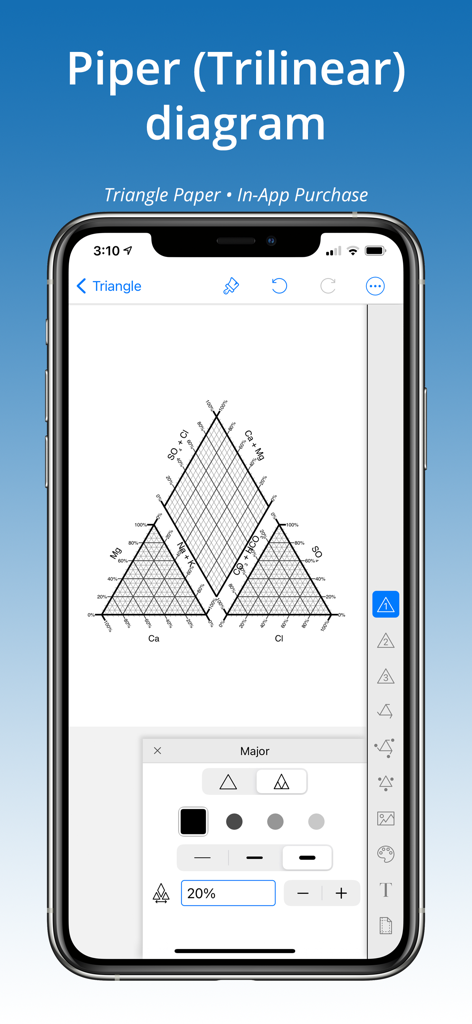
GridMaker - GridMakerアプリで作成されたパイパー三角座標図が表示されているiPhone画面
GridMakerアプリで作成されたパイパー三角座標図が表示されているiPhone画面

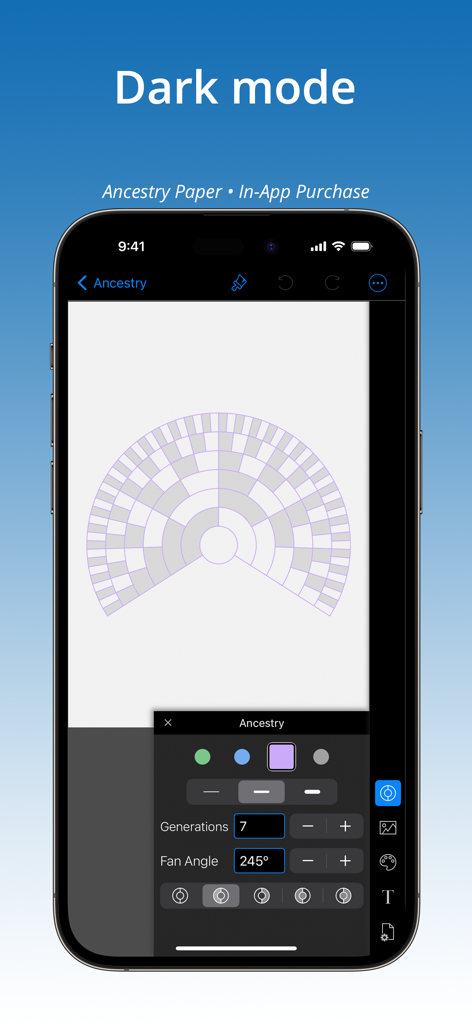
GridMaker - GridMakerモバイルアプリのインターフェースがダークモードで、カスタマイズ可能な家系図ファンチャートグリッドが表示されている

GridMakerモバイルアプリのインターフェースがダークモードで、カスタマイズ可能な家系図ファンチャートグリッドが表示されている

説明

Create accurate grids in inches or metric to print or share as PNG, PDF or SVG. Includes Paint Tool with built-in color palettes or add colors to create unlimited custom pallets from images, live camera, color wheel, RGB or HSB codes. Place image behind any grid for analysis or artist grid method. No ads or tracking. Purchase includes 3 papers GRID, DIAGONAL, DOT: — GRID — • Set to square or rectangle grid. • Adjust grid line weight. Set grids to an exact size — perfect for knitters and crafters! Up to four line colors on a grid, special feature adds custom line colors. • Label rows & columns with numbers [1,2,3] or letters [A,B,C] and set starting corner, values, and stepping. • Label grid axes. • Place axis and label. • Add diagonal lines to split grid into half- or quarter- triangles. • Place a center-dot with adjustable placement. — DOT (ISOMETRIC) — • 5 dot styles. • Set to isometric or rectangular dot pattern. • Specify exact dot spacing, then connect dots with horizontal, vertical, and diagonal lines. • Place a center-dot anywhere on the page. • Label rows & columns with numbers [1,2,3] or letters [A,B,C]. Set starting corner. — DIAGONAL — • Adjust grid line weight. • Divide & sub-divide blocks. Add spacing between blocks, grid, and center-point. — InApp PURCHASES — Add 8 hard-to-find specialty papers. Buy any five papers (or purchase the ’All Papers Forever’ BUNDLE) to unlock all papers forever. Credit is given for every purchase so that on purchase of any fifth paper the bundle is instantly added: Hexagon Brick Log-Log & Semi-Log Polar Spider Ancestry Music Triangle (Ternary) — FEATURES OF ALL PAPERS — √ Paint Tool. Color grid. Make custom color palettes. Add annotations. √ Place an image under any grid, then adjust size and placement. √ Metric (cm or mm) and Inch settings for grid and page size. √ Choice of Print Settings for standard papers (such as 8.5x11 or A4) with adjustable margins, or set page at a custom size. √ Print or share grids as a PDF, PNG or SVG to other apps for further editing — even as templates to laser or pattern cutting machines. √ Share painted grids as a PNG or PDF. √ Work up close using pinch-n-zoom. √ Show multiple grids on a page with tiling. √ Up to four grid line colors, special feature adds custom line colors. √ Title grid with choice of font, size, bold/italic, and color. √ Place a center-point on several papers. √ Library of templates (Quick Picks) offer inspiration and a short cut to creating grids. √ Purchases work on all devices — iPhone, iPad, and iPod. Don’t see the paper or feature you need? Send an email and we’ll see what we can do!

Download

ダウンロード: App Store

このページはアプリまたはその開発者の公式ページではなく、情報提供および論評を目的として作成された独立した編集出版物です。明示的に別段の記載がない限り、アプリおよびその開発者は、MWM、Apple、Google Play、アプリのパブリッシャー、またはアプリの開発者と提携、承認、後援、認可、またはその他の公式的な関係はなく、このページのいかなる内容も、アプリがMWMのサービスを使用して開発されたことを意味するものではありません。すべての商標、ロゴ、スクリーンショット、その他のコンテンツはそれぞれの所有者の財産です。