Guitar Interval Ear Trainer
ダウンロード: App Store

このページはアプリまたはその開発者の公式ページではなく、情報提供および論評を目的として作成された独立した編集出版物です。明示的に別段の記載がない限り、アプリおよびその開発者は、MWM、Apple、Google Play、アプリのパブリッシャー、またはアプリの開発者と提携、承認、後援、認可、またはその他の公式的な関係はなく、このページのいかなる内容も、アプリがMWMのサービスを使用して開発されたことを意味するものではありません。すべての商標、ロゴ、スクリーンショット、その他のコンテンツはそれぞれの所有者の財産です。

ロゴ: Guitar Interval Ear Trainer
ダウンロード: App Store

Guitar Interval Ear Trainer

メロディーを聴いてすぐに演奏する間のギャップを埋めます。真剣なミュージシャンのために開発され、いつでもどこでもインターバルを識別し、スケールパターンを視覚化し、耳を鋭くすることができます。

主要数値

ダウンロード

197K+

ユーザー評価

4.4/5

評価数

100

開発元

Rolf Steenge

カテゴリ

Music

対応言語

1

最新バージョン

5.02

サイズ

27.9 MB

リリース日

2010年6月15日
機能

耳でフレットボードをマスターする

推測をやめ、聴いたものを演奏しましょう。私たちの専門的なトレーナーは、真剣なミュージシャンのために設計されたプロフェッショナルツールを使用して、音楽理論とギターネックの間のギャップを埋めます。

視覚的なフレットボードマッピング

音符を聴いて演奏する間のギャップを埋めます。一般的なピアノベースのアプリとは異なり、すべてのインターバルをギターネックに直接マッピングして、即時の筋覚を構築します。

ハンズフリー練習モード

ユニークなボイス機能を使用して、毎日の通勤や「デッドタイム」を最大限に活用してください。画面を見たりデバイスに触れたりすることなく、外出先で耳を鋭くしましょう。

実世界でのスケールコンテキスト

孤立した音符を超えて。15以上の必須スケールと代替チューニングのコンテキストでインターバルを練習して、実際の音楽パフォーマンスでどのように機能するかを理解しましょう。

以下のスクリーンショットと説明は、アプリの公式ストアリスティングから直接取得されたものであり、アプリ開発者の所有物です。

アプリストア

スクリーンショット
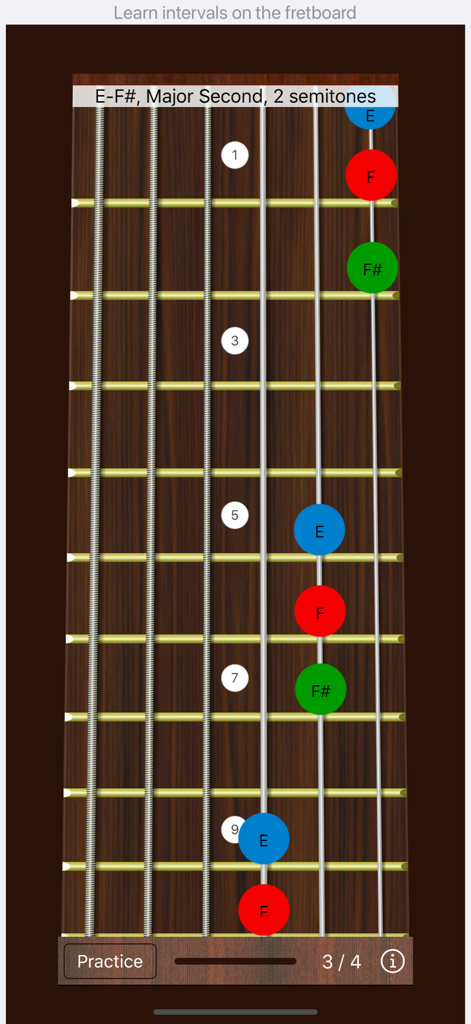
Guitar Interval Ear Trainer - 耳のトレーニング練習のためにメジャーセカンドインターバルの視覚化を表示するギターフレットボード
耳のトレーニング練習のためにメジャーセカンドインターバルの視覚化を表示するギターフレットボード

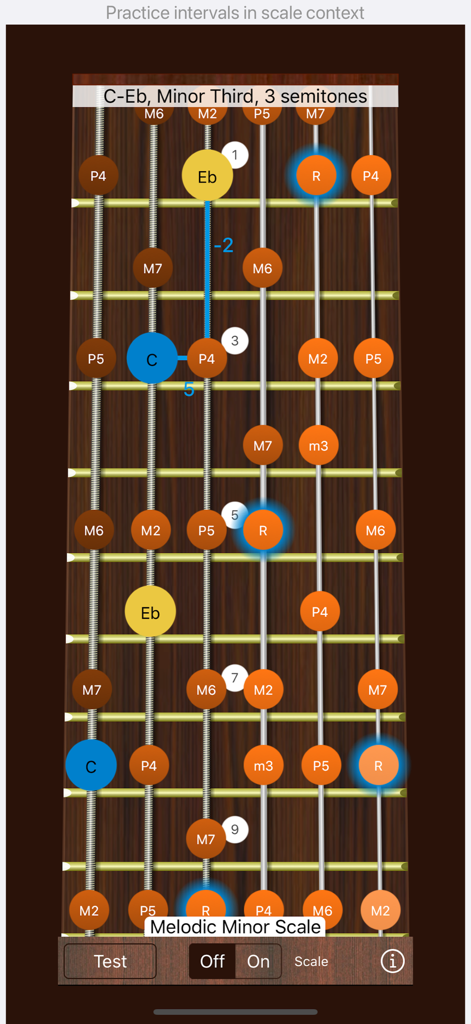
Guitar Interval Ear Trainer - 耳のトレーニング練習のためにメロディックマイナースケールとマイナーサードインターバルを示すギターフレットボードインターフェース
耳のトレーニング練習のためにメロディックマイナースケールとマイナーサードインターバルを示すギターフレットボードインターフェース

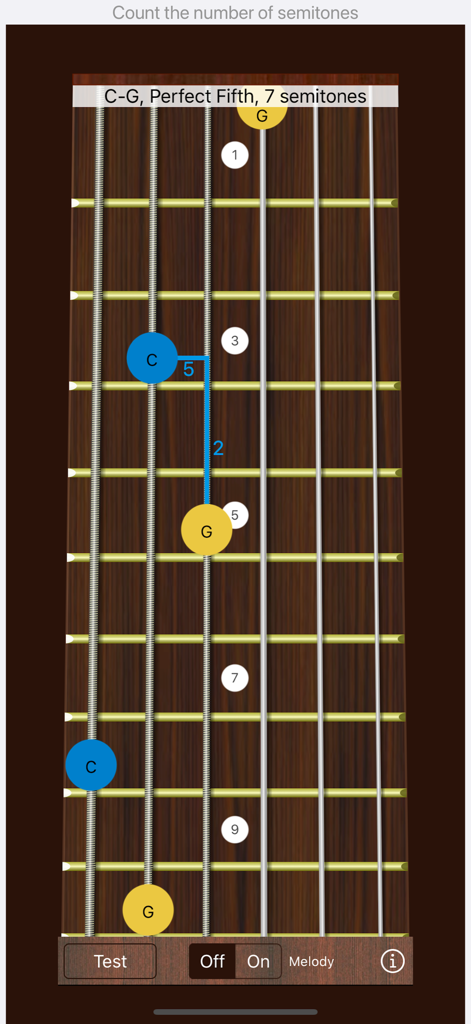
Guitar Interval Ear Trainer - ギターフレットボード上のパーフェクトフィフスインターバルの視覚化を示すギターインターバル耳トレーナーアプリのスクリーンショット。
ギターフレットボード上のパーフェクトフィフスインターバルの視覚化を示すギターインターバル耳トレーナーアプリのスクリーンショット。

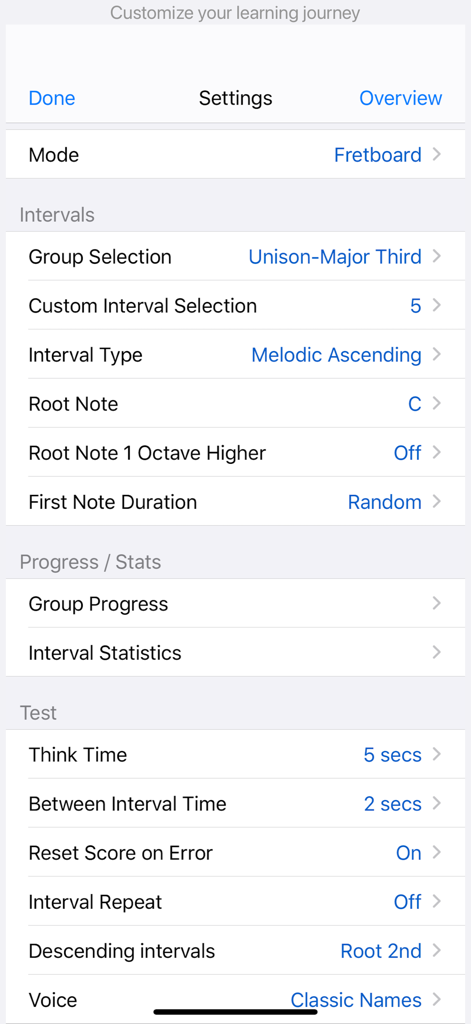
Guitar Interval Ear Trainer - インターバルとテストパラメータのカスタマイズオプションを示すギターインターバル耳トレーナーアプリの設定メニュー
インターバルとテストパラメータのカスタマイズオプションを示すギターインターバル耳トレーナーアプリの設定メニュー

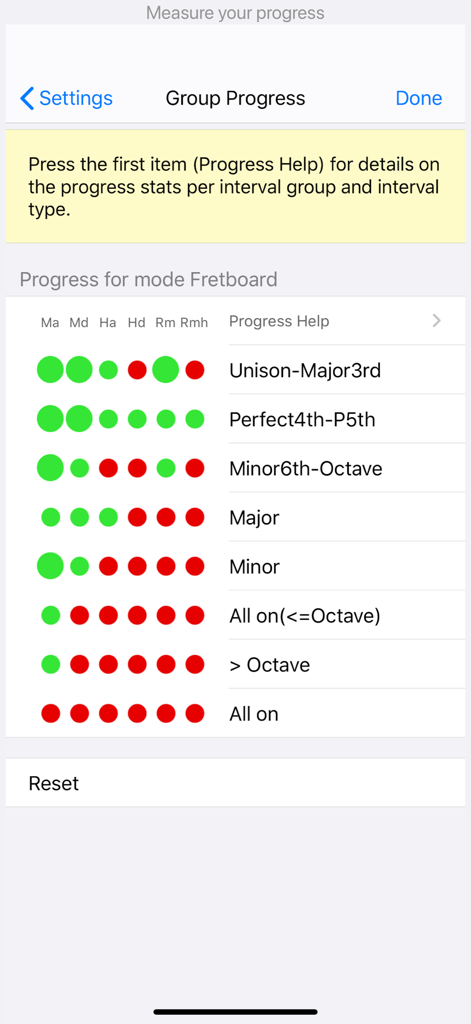
Guitar Interval Ear Trainer - さまざまなインターバルタイプのカラーコード化されたインジケーターを備えた音楽インターバル学習統計を表示するグループ進捗画面

さまざまなインターバルタイプのカラーコード化されたインジケーターを備えた音楽インターバル学習統計を表示するグループ進捗画面

説明

One of the first steps in ear training is recognizing intervals, which are the distances between two notes. Because every melody, chord, or scale consists of a series of intervals, this is a fundamental and valuable skill in music. Our app is designed to help you identify intervals and learn how to locate them on the guitar. By improving your knowledge of intervals on the guitar, you can easily decipher chord progressions, replicate melodies as you hear them, gain a better understanding of written music, and more. Key Features - Choose from 17 selectable intervals, ranging from unison and minor seconds to major tenths. - Select between melodic and harmonic intervals, for both ascending and descending. - Get a visual representation of intervals on the guitar. - Choose the root note from two octaves. - Use portrait, portrait upside down, and landscape modes. - Optional voice function for convenient training, even in the car. - Practice and test (quiz)modes. - Intervals are categorized by difficulty level, with each group having 6 progress indicators corresponding to different interval types (melodic ascending/descending, harmonic ascending/descending, random melodic, random harmonic/melodic). - Optional reference melodies for each interval can be played, helping you learn intervals faster. - When practicing harmonic intervals, the app classifies the interval as consonant or dissonant, helping you identify harmonic intervals effectively. - Access over 10 alternate tunings, including NST (new standard tuning) and all fourths tuning, making it easier to recognize similar patterns across the fretboard for the same intervals. - An option to play only tapped notes (interval type "None") is available, which is useful for figuring out melodies or experimenting with alternate tunings. - In practice mode, the root can also be played as the second note in the interval. -In Test Mode, you can choose an infinite think-time. When infinite think-time is selected, tap anywhere outside the fretboard to replay the interval. - The app supports left-handed and bass guitars. - Enharmonic equivalent notes are used to maintain classical interval names, ensuring consistency with written music (e.g., the 3-semitone interval C - D# will be called a minor third C - Eb). - Practice and test intervals within a scale context, as the same intervals can sound different in various scales. This feature allows you to play partial scale runs of the interval automatically backward and/or forward in your chosen scale. - Visualize over 15 essential scales on the fretboard. The scale notes are clustered and colored to clearly indicate the root note to which the interval applies. - Our app is universal, designed for iPhone and iPad. - Support for all screen sizes. - Dark mode support (iOS 13+). - Tested on iOS and iPadOS 26.

Download

ダウンロード: App Store

このページはアプリまたはその開発者の公式ページではなく、情報提供および論評を目的として作成された独立した編集出版物です。明示的に別段の記載がない限り、アプリおよびその開発者は、MWM、Apple、Google Play、アプリのパブリッシャー、またはアプリの開発者と提携、承認、後援、認可、またはその他の公式的な関係はなく、このページのいかなる内容も、アプリがMWMのサービスを使用して開発されたことを意味するものではありません。すべての商標、ロゴ、スクリーンショット、その他のコンテンツはそれぞれの所有者の財産です。







