Haptic Testing: Developer Tool
ダウンロード: App Store

このページはアプリまたはその開発者の公式ページではなく、情報提供および論評を目的として作成された独立した編集出版物です。明示的に別段の記載がない限り、アプリおよびその開発者は、MWM、Apple、Google Play、アプリのパブリッシャー、またはアプリの開発者と提携、承認、後援、認可、またはその他の公式的な関係はなく、このページのいかなる内容も、アプリがMWMのサービスを使用して開発されたことを意味するものではありません。すべての商標、ロゴ、スクリーンショット、その他のコンテンツはそれぞれの所有者の財産です。

ロゴ: Haptic Testing: Developer Tool
ダウンロード: App Store

Haptic Testing: Developer Tool

iOSおよびwatchOS開発者がプロレベルの触覚をテスト、視覚化、実装するための究極のサンドボックス。推測はやめて、すぐに使えるコードスニペットで没入感のある触覚体験を構築しましょう。

主要数値

ダウンロード

10K+

ユーザー評価

4.5/5

評価数

0

開発元

Ivan Obodianskyi

カテゴリ

Developer Tools

対応言語

1

最新バージョン

2.1

サイズ

27.1 MB

リリース日

2024年10月10日
機能

完璧な触覚体験を構築する

アプリの感触を推測するのはやめましょう。すべての振動をプレビューし、パターンを視覚化して、受賞歴のあるインタラクションを作成するために必要なコードを入手してください。

インスタント触覚オーディション

iOSおよびwatchOSのフィードバックの全範囲をリアルタイムでテストします。再構築なしで、ソフト、ヘビー、リジッドなインパクトの違いを即座に感じてください。

すぐに実装できるコード

完璧な感触を見つけましたか?本番環境対応のSwiftスニペットをコピー&ペーストして、プロジェクトに直接組み込みます。ワークフローを数分から数秒に短縮します。

以下のスクリーンショットと説明は、アプリの公式ストアリスティングから直接取得されたものであり、アプリ開発者の所有物です。

アプリストア

スクリーンショット
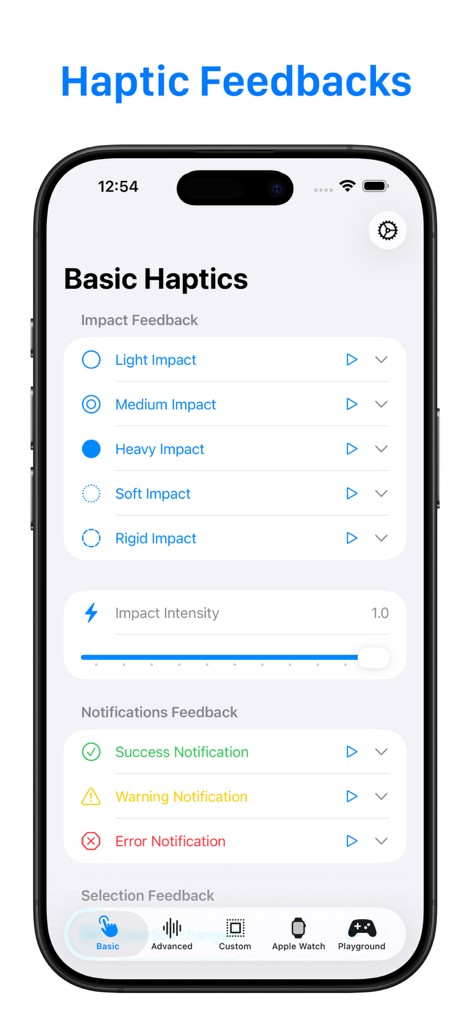
Haptic Testing: Developer Tool - iPhone画面に、開発者向けの基本的なインパクトおよび通知フィードバック設定が表示された触覚テストアプリのインターフェイスが表示されています
iPhone画面に、開発者向けの基本的なインパクトおよび通知フィードバック設定が表示された触覚テストアプリのインターフェイスが表示されています

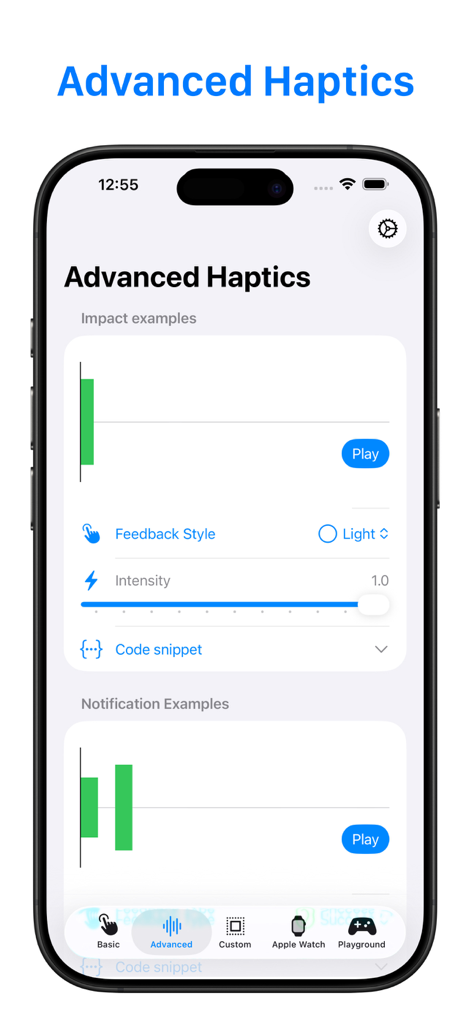
Haptic Testing: Developer Tool - インパクト例とフィードバックスタイルコントロールのビジュアライザーを示す高度な触覚テスト画面
インパクト例とフィードバックスタイルコントロールのビジュアライザーを示す高度な触覚テスト画面

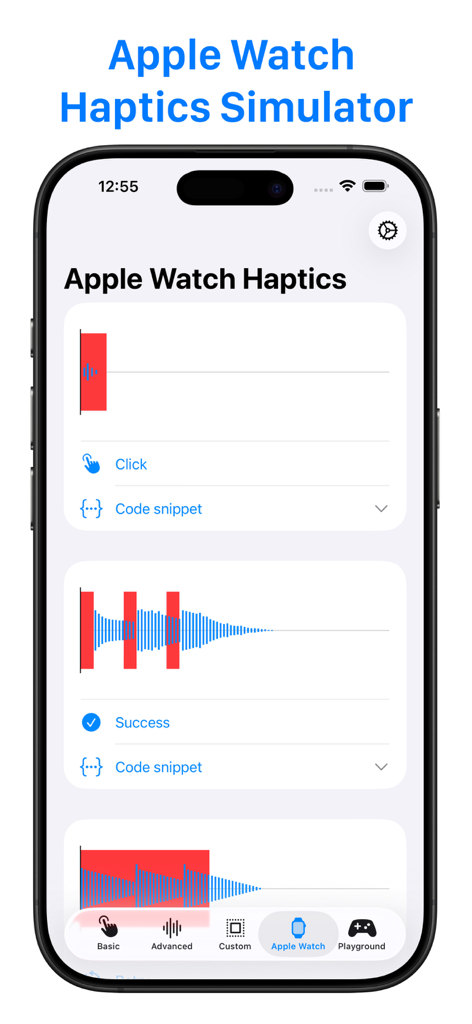
Haptic Testing: Developer Tool - Apple Watch Haptics Simulator画面に、ClickおよびSuccess触覚フィードバックの視覚パターンが表示されています
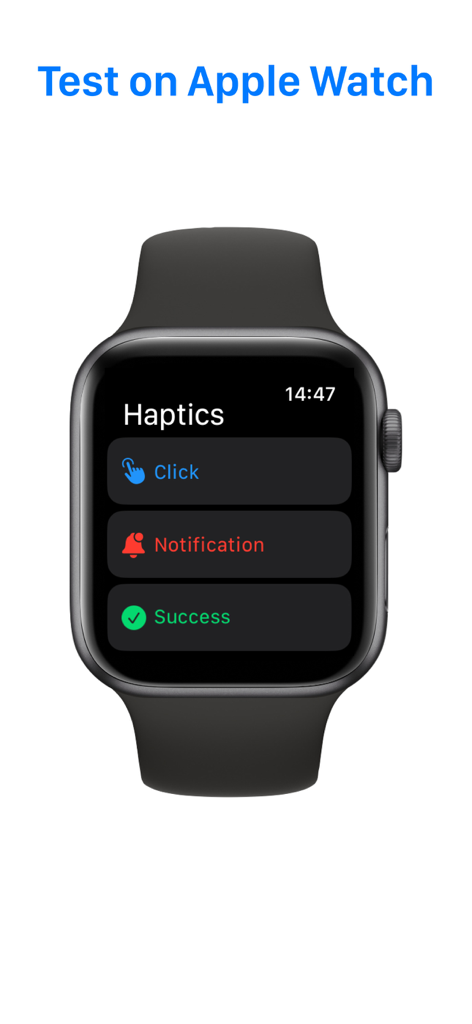
Apple Watch Haptics Simulator画面に、ClickおよびSuccess触覚フィードバックの視覚パターンが表示されています

Haptic Testing: Developer Tool - 開発者向けの触覚フィードバックテストオプションを表示するApple Watchインターフェイス
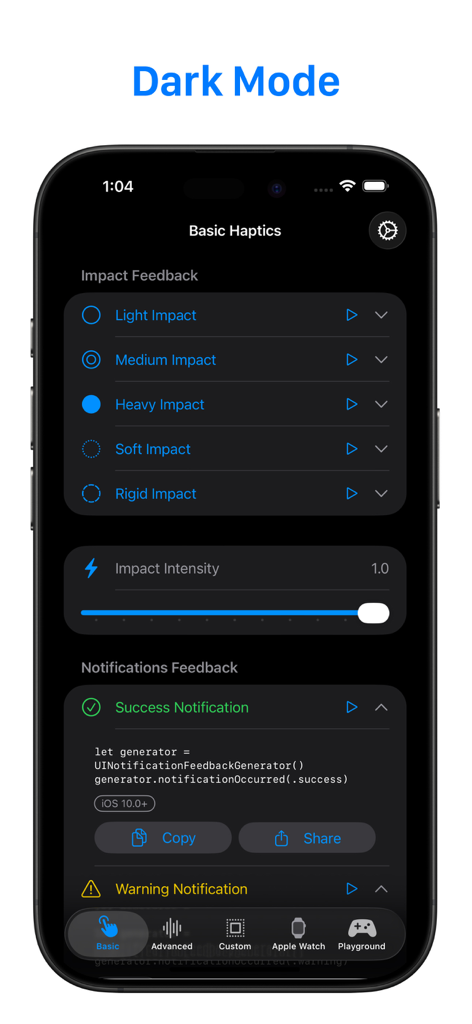
開発者向けの触覚フィードバックテストオプションを表示するApple Watchインターフェイス

Haptic Testing: Developer Tool - ダークモードでの基本的なインパクトフィードバックオプションとSwiftコードスニペットを示す触覚テストアプリのスクリーンショット。
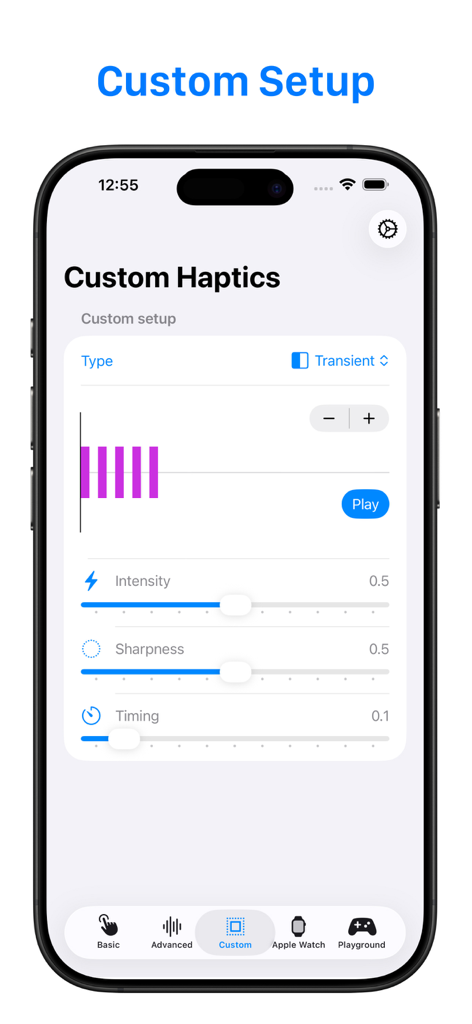
ダークモードでの基本的なインパクトフィードバックオプションとSwiftコードスニペットを示す触覚テストアプリのスクリーンショット。

Haptic Testing: Developer Tool - 強度とシャープネスのスライダーを示すカスタム触覚テスト用のモバイルアプリインターフェイス
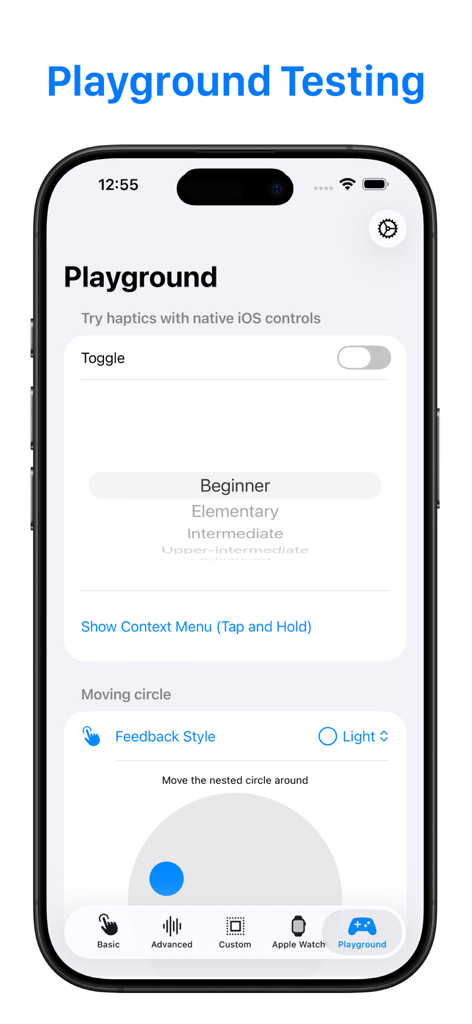
強度とシャープネスのスライダーを示すカスタム触覚テスト用のモバイルアプリインターフェイス

Haptic Testing: Developer Tool - 触覚テストアプリのPlayground画面に、触覚フィードバックテスト用のトグルやピッカーなどのネイティブiOSコントロールが表示されています
触覚テストアプリのPlayground画面に、触覚フィードバックテスト用のトグルやピッカーなどのネイティブiOSコントロールが表示されています

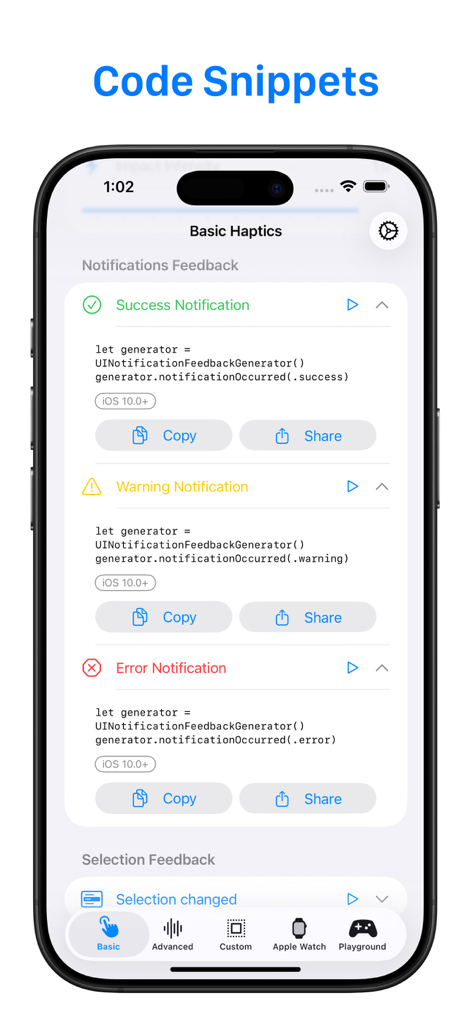
Haptic Testing: Developer Tool - 成功、警告、エラーの触覚フィードバックのコードスニペットを示す開発者ツールインターフェイス

成功、警告、エラーの触覚フィードバックのコードスニペットを示す開発者ツールインターフェイス

説明

Haptics Feedback is powerful tool designed for developers and enthusiasts who want to perfect the tactile experiences on iPhone, iPad, and Apple Watch. Why Haptics Feedback? Haptics are an essential part of any modern app, enhancing user engagement by adding physical responses to actions like taps, swipes, or alerts. With Haptics Feedback, you can easily experiment with different types of haptic responses, see how they feel in real time, and get the code snippets you need to implement them in your own projects. Key Features: 1. Comprehensive Haptic Testing: Test the full range of haptic feedback types on iOS and watchOS devices, including: 2. Advanced Haptics Visualizer: For developers who want to dive deeper into the haptics design process, the Advanced View offers a powerful visual representation of the haptic feedback. 3. Apple Watch Haptics Testing: Designing an Apple Watch app or extension? Haptics Feedback offers a seamless way to test and adjust haptics directly on your Apple Watch. Get hands-on with real-time feedback on your wrist. Not wearing your watch? No problem! Use the built-in Apple Watch Haptics Simulator right on your iPhone to see how haptics would perform on the watch. 4. Developer-Focused Design: Haptics Feedback is tailored specifically for developers, providing not only the tools to test and visualize haptics, but also the code snippets needed to implement them. Each feature has been designed to simplify the process of adding haptics to your apps, reducing guesswork and saving you time. Who Is This App For? - App Developers: Enhance the user experience in your apps by integrating perfect haptics that match every action. - Game Developers: Craft immersive and tactile game experiences that pull players deeper into your game world. - UX/UI Designers: Experiment with haptics to bring your interface designs to life and create memorable interactions. - Tech Enthusiasts: Discover how haptic feedback works, experiment with different styles, and learn how to bring a professional touch to app interactions. Why Haptics Matter Imagine pressing a button in your app and feeling a subtle vibration that confirms your action, or getting an alert on your Apple Watch that not only makes a sound but gives you a tap on your wrist. These sensations create a more intuitive, engaging, and satisfying user experience. With Haptics Feedback, you can test these scenarios and make sure they feel just right before adding them to your app.

Download

ダウンロード: App Store

このページはアプリまたはその開発者の公式ページではなく、情報提供および論評を目的として作成された独立した編集出版物です。明示的に別段の記載がない限り、アプリおよびその開発者は、MWM、Apple、Google Play、アプリのパブリッシャー、またはアプリの開発者と提携、承認、後援、認可、またはその他の公式的な関係はなく、このページのいかなる内容も、アプリがMWMのサービスを使用して開発されたことを意味するものではありません。すべての商標、ロゴ、スクリーンショット、その他のコンテンツはそれぞれの所有者の財産です。








