
このページはアプリまたはその開発者の公式ページではなく、情報提供および論評を目的として作成された独立した編集出版物です。明示的に別段の記載がない限り、アプリおよびその開発者は、MWM、Apple、Google Play、アプリのパブリッシャー、またはアプリの開発者と提携、承認、後援、認可、またはその他の公式的な関係はなく、このページのいかなる内容も、アプリがMWMのサービスを使用して開発されたことを意味するものではありません。すべての商標、ロゴ、スクリーンショット、その他のコンテンツはそれぞれの所有者の財産です。


Hayaemon - Music Player
カスタマイズ可能なサウンドエフェクト、スピード、ピッチで音楽に命を吹き込みましょう。各トラックに完璧な「味付け」を加えて、楽しむために作られたプレーヤーで音楽ライブラリの喜びを再発見してください。
ダウンロード
1M+ユーザー評価
評価数
42K+開発元
カテゴリ
Music対応言語
17最新バージョン
4.70サイズ
71.8 MBリリース日
2013年11月8日お気に入りの曲に飽きることはもうありません
各トラックをユニークな体験に変えましょう。オーディオ「味付け」機能を使用して、リミックス、練習、そして愛する音楽を、すべてのビートを完全にコントロールしながら再発見してください。
テンポをマスターする
トラックのスピードを上げて、すぐにナイトコアの雰囲気を演出したり、音質を損なうことなく複雑なダンスルーチンやギターソロをマスターするために遅くしたりできます。
サウンドに味付けする
カスタムピッチシフトとサウンドエフェクトを適用して、独自の「スロー&リバーブ」バージョンを作成し、お気に入りのトラックを永遠に新鮮に保ちましょう。
よくある質問
について知っておくべきこと Hayaemon - Music Player
Hayaemonとは何ですか?
Hayaemonは、お気に入りの曲に飽きないように、様々な音響効果を適用することで、ユーザーが曲を飽きずに楽しめるように設計された音楽プレーヤーです。まるでご飯に「ふりかけ」をかけるような感覚です。
Hayaemonで音楽の速度とピッチを変更できますか?
はい、Hayaemonではオーディオの速度とピッチを変更できます。この機能は、アプリのコントロールインターフェースからアクセスできます。
Hayaemon - Music Playerにトラックを追加するにはどうすればよいですか?
ユーザーは、音楽ライブラリ、ビデオ、Dropboxなど、さまざまなソースからHayaemonに音楽を追加できます。これらのオプションは、アプリのプレイリスト機能内で利用できます。
Hayaemon - Music PlayerにはABループ機能がありますか?
はい、HayaemonにはABループ機能が含まれています。この機能により、ユーザーは曲内の特定の開始点と終了点を設定して繰り返し再生できるため、真剣なリスニングや練習に役立ちます。
Hayaemonにはイコライザーがありますか?
はい、Hayaemonには31バンドイコライザーが搭載されています。この豊富なイコライザーにより、ユーザーはオーディオ周波数を微調整して、サウンド体験をカスタマイズできます。
Hayaemon - Music Playerにはボーカルキャンセル機能が含まれていますか?
はい、Hayaemonには「ボーカルキャンセル」エフェクトが用意されています。この機能は、曲のボーカルトラックを減らしたり削除したりすることで、ユーザーが歌の練習をするのに役立ちます。
Hayaemonの広告なしバージョンはいくらですか?
Hayaemonは、月額1.49ドルで広告なしバージョンを提供しています。このサブスクリプションは、アプリの運営とサービスの改善もサポートします。
Hayaemon - Music Playerの無料バージョンはありますか?
はい、Hayaemonのすべての機能を無料で試すことができます。アプリは広告付きの無料バージョンを提供しており、サブスクリプションで広告なしバージョンを利用できます。
Hayaemonのサブスクリプションをキャンセルするにはどうすればよいですか?
Hayaemonのサブスクリプションをキャンセルするには、設定アプリを起動し、Apple IDをタップし、サブスクリプションを選択し、Hayaemonサブスクリプションをタップしてから、「サブスクリプションをキャンセル」を選択します。
Hayaemonのサブスクリプションは自動更新されますか?
Hayaemonのサブスクリプションは毎月自動更新されます。来月分の請求を避けるには、更新日の24時間以上前にキャンセルする必要があります。
以下のスクリーンショットと説明は、アプリの公式ストアリスティングから直接取得されたものであり、アプリ開発者の所有物です。
アプリストア
スクリーンショット
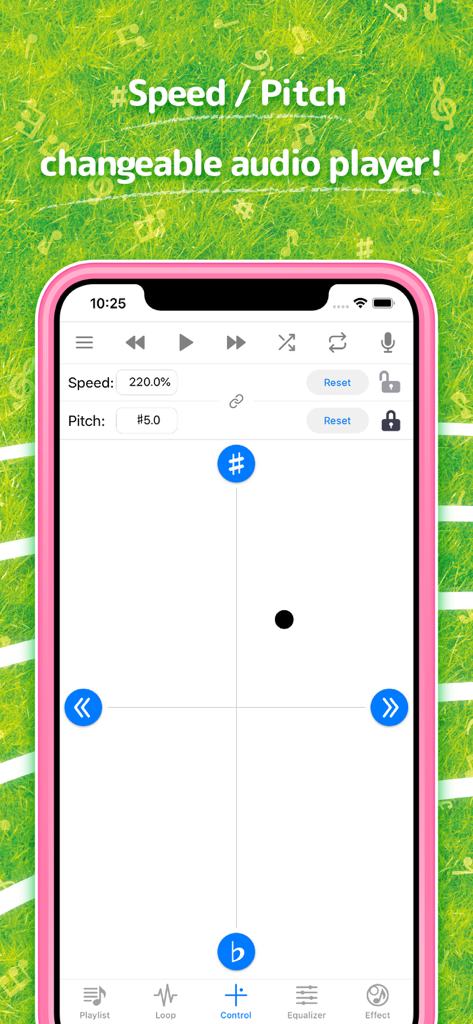
Hayaemon音楽プレーヤーアプリのインターフェース。スピードとピッチ調整コントロールが表示されています。
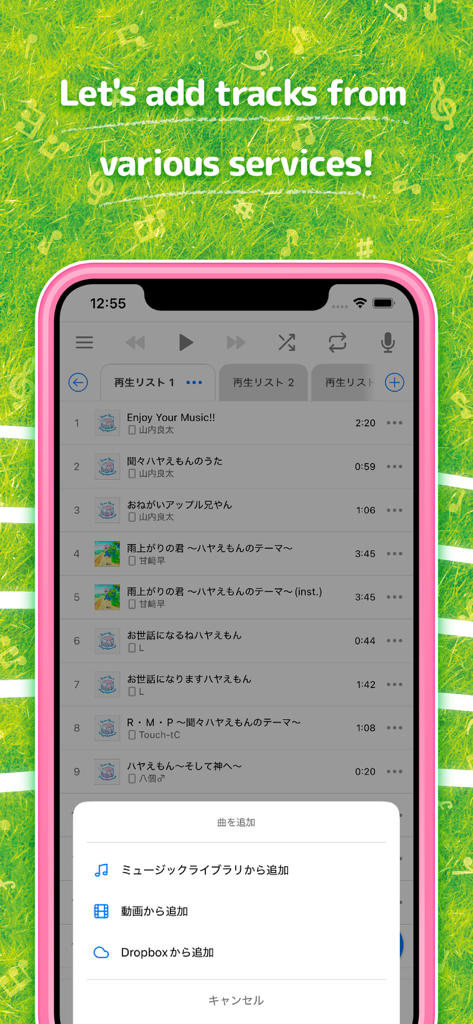
Hayaemon音楽プレーヤーアプリのインターフェース。さまざまなサービスからトラックを追加するオプションが表示されています。
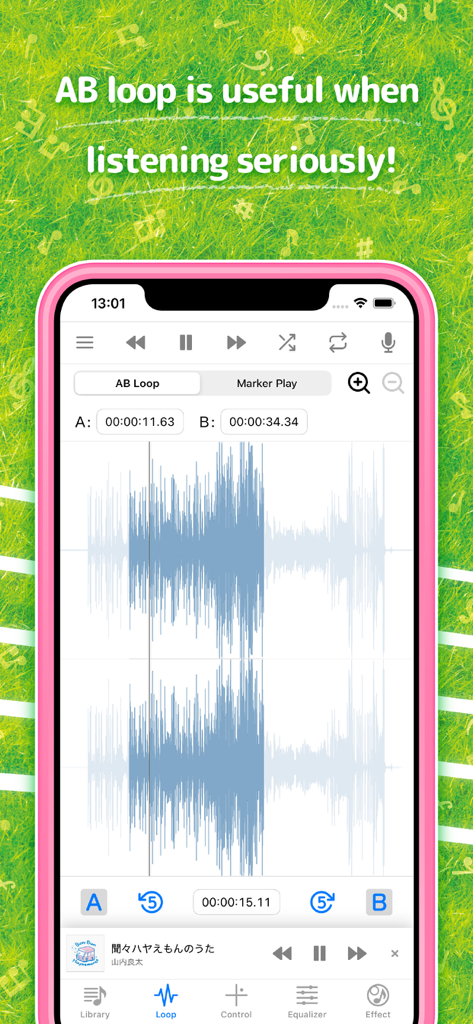
Hayaemonアプリのインターフェース。音楽波形表示付きのABループ機能が表示されています。
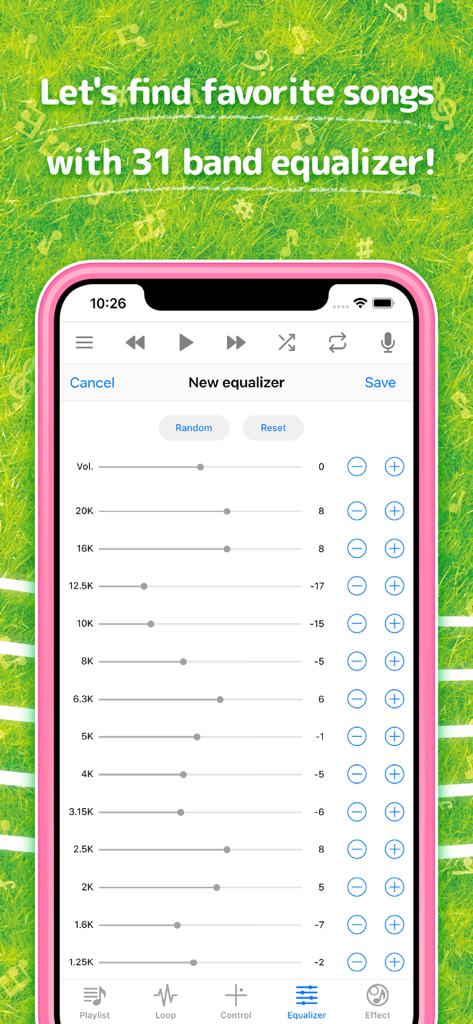
Hayaemon音楽プレーヤーアプリ内の31バンドイコライザー設定を表示するスマートフォンの画面。
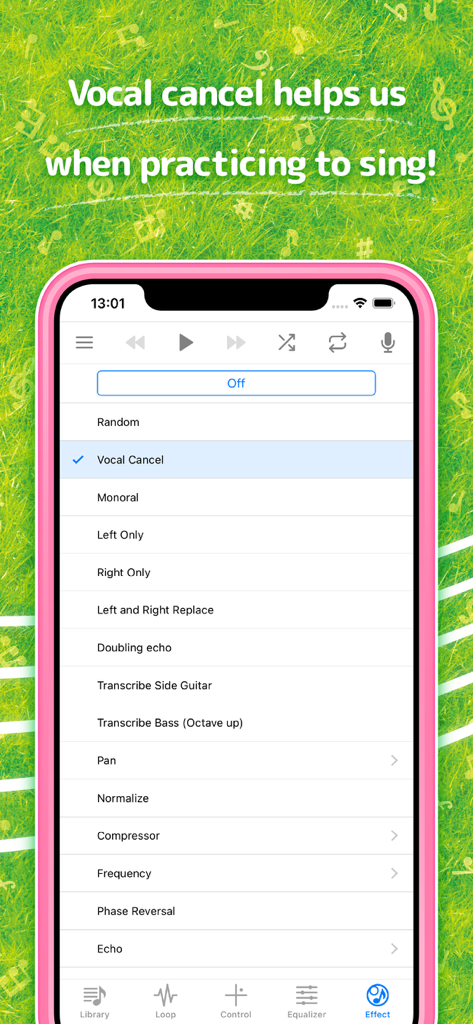
Hayaemon音楽プレーヤーアプリの画面。歌の練習のためのボーカルキャンセルエフェクトが表示されています。
説明
Download
類似アプリ
似た機能とユーザー体験を持つアプリ

Bass Booster & Music EQ: BASSY
Maryana Yurieva

Volume Booster Bass Booster
KUPERTINO BIL. YAZ. HALIL IBRAHIM KARAHAN SAFFET ARSLAN MUSTAFA AYTEN MUHAMMET YALCIN OZDEMIR K. S.
Bass Booster - Volume Booster
雨双 柯
Bass Booster, Volume Amplifier
Dorothy Clive
Bass Booster & Sound Equalizer
Zipo Apps Ltd.

Equalizer & Bass Booster FX
VDR APP DEVELOPMENT S.R.L.-D.

Volume Booster: Bass Amplifier
BELKALABS PTE. LTD.

Max Volume Booster: Super Loud
Fawad Ali
Bass Booster + Sound Equalizer
Uladzimir Luhin
このページはアプリまたはその開発者の公式ページではなく、情報提供および論評を目的として作成された独立した編集出版物です。明示的に別段の記載がない限り、アプリおよびその開発者は、MWM、Apple、Google Play、アプリのパブリッシャー、またはアプリの開発者と提携、承認、後援、認可、またはその他の公式的な関係はなく、このページのいかなる内容も、アプリがMWMのサービスを使用して開発されたことを意味するものではありません。すべての商標、ロゴ、スクリーンショット、その他のコンテンツはそれぞれの所有者の財産です。