Hidden Camera Detector FindSpy
ダウンロード: App Store

このページはアプリまたはその開発者の公式ページではなく、情報提供および論評を目的として作成された独立した編集出版物です。明示的に別段の記載がない限り、アプリおよびその開発者は、MWM、Apple、Google Play、アプリのパブリッシャー、またはアプリの開発者と提携、承認、後援、認可、またはその他の公式的な関係はなく、このページのいかなる内容も、アプリがMWMのサービスを使用して開発されたことを意味するものではありません。すべての商標、ロゴ、スクリーンショット、その他のコンテンツはそれぞれの所有者の財産です。

ロゴ: Hidden Camera Detector FindSpy
ダウンロード: App Store

Hidden Camera Detector FindSpy

隠しカメラ、盗聴器、不審なデバイスを数秒でスキャン。自信を持って旅行し、ポケットの中のプロ仕様の検出ツールで心の安らぎを取り戻しましょう。

主要数値

ダウンロード

82K+

ユーザー評価

4.5/5

評価数

3K+

開発元

KAIN SUITE PTE. LTD.

カテゴリ

Utilities

対応言語

1

最新バージョン

2.2.0

サイズ

179.5 MB

リリース日

2023年11月1日
機能

あらゆる滞在で完全なプライバシー

Airbnb、ホテル、バケーションレンタルで安全を確保するために設計された、強力で使いやすいツール。

Wi-Fiカメラ検出

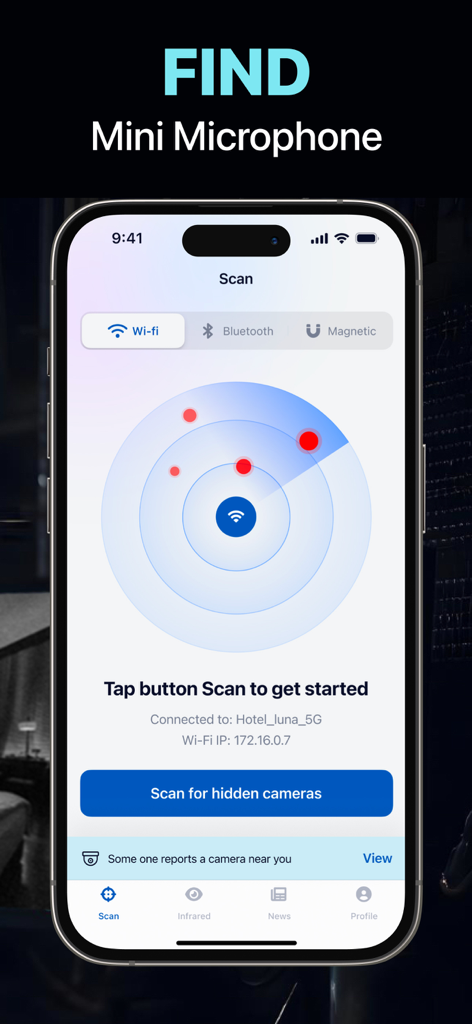
ローカルネットワークをスキャンして、同じWi-Fiに接続されている隠しカメラやスマートデバイスを即座に表示します。

赤外線レンズファインダー

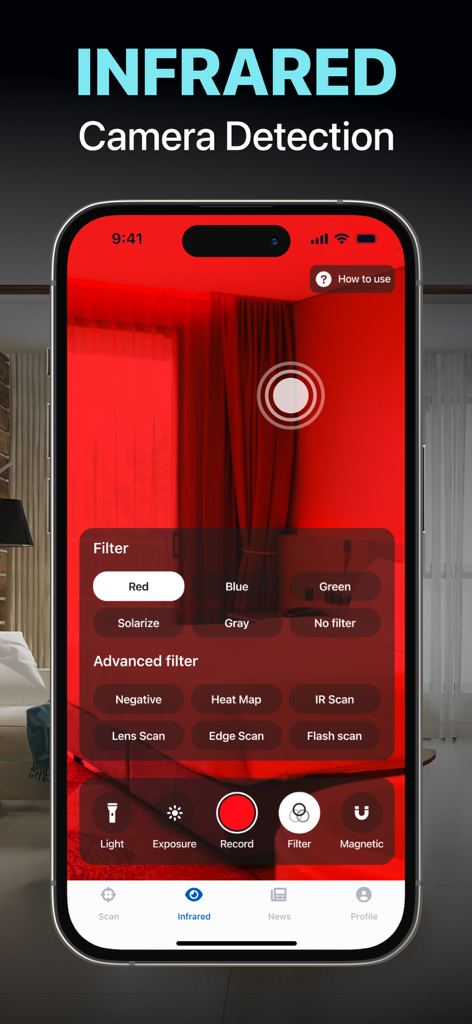
人間の目には見えない赤外線信号を識別して、完全な暗闇の中の隠しカメラレンズを見つけ出します。

以下のスクリーンショットと説明は、アプリの公式ストアリスティングから直接取得されたものであり、アプリ開発者の所有物です。

アプリストア

スクリーンショット
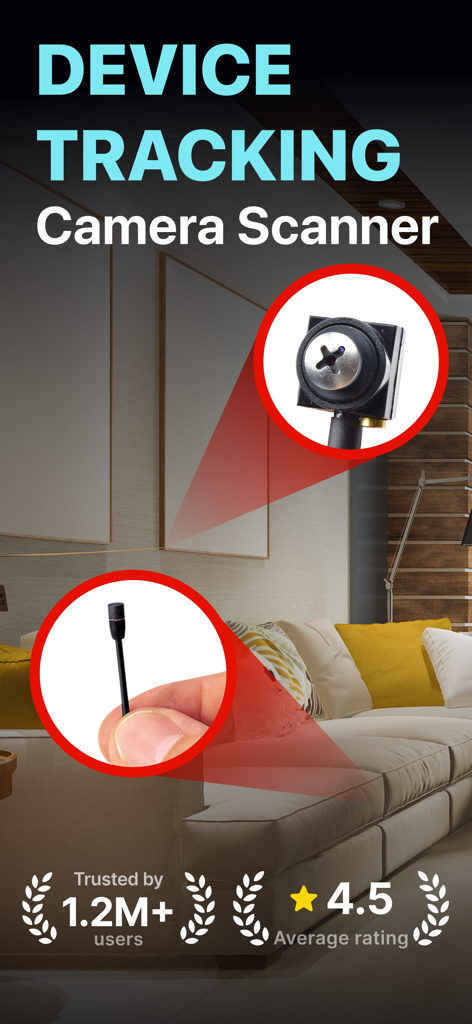
Hidden Camera Detector FindSpy - 隠しカメラ検出器FindSpyアプリ画面、リビングルームでのプライバシーのためのデバイス追跡を表示
隠しカメラ検出器FindSpyアプリ画面、リビングルームでのプライバシーのためのデバイス追跡を表示

Hidden Camera Detector FindSpy - 赤外線カメラ検出機能を示すスマートフォンのインターフェース、FindSpyアプリ、ホテルの部屋に赤いフィルターがかかっています
赤外線カメラ検出機能を示すスマートフォンのインターフェース、FindSpyアプリ、ホテルの部屋に赤いフィルターがかかっています

Hidden Camera Detector FindSpy - Wi-Fiネットワーク接続経由で隠しマイクやカメラを検出するためのレーダースキャンを表示するモバイルアプリインターフェース
Wi-Fiネットワーク接続経由で隠しマイクやカメラを検出するためのレーダースキャンを表示するモバイルアプリインターフェース

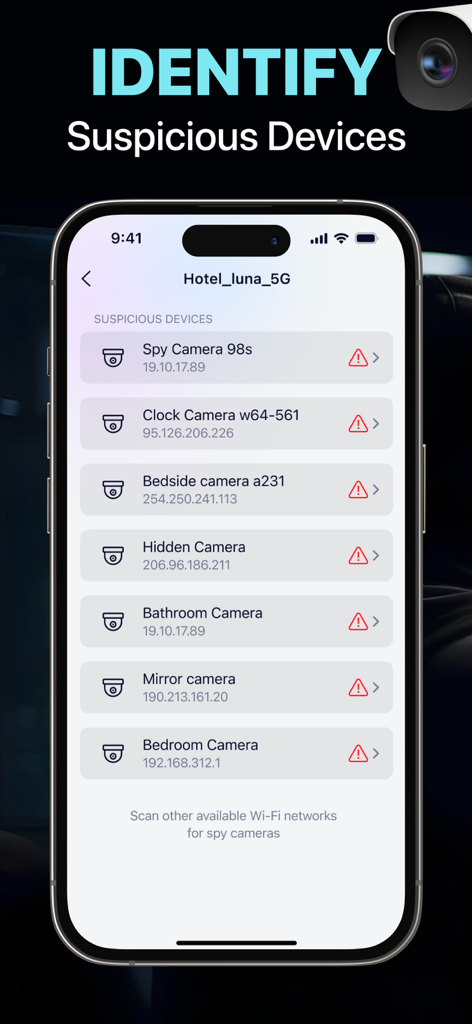
Hidden Camera Detector FindSpy - ホテルのネットワーク上の不正なカメラのリストを表示するスマートフォンの画面
ホテルのネットワーク上の不正なカメラのリストを表示するスマートフォンの画面

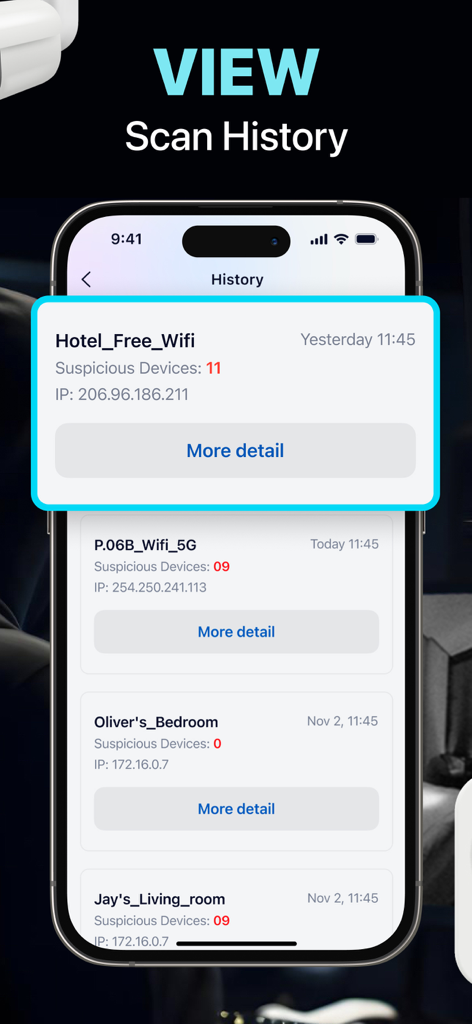
Hidden Camera Detector FindSpy - ホテルや寝室などのさまざまな場所で検出された不正なデバイスのリストを表示するスキャン履歴を表示するFindSpyアプリのインターフェース
ホテルや寝室などのさまざまな場所で検出された不正なデバイスのリストを表示するスキャン履歴を表示するFindSpyアプリのインターフェース

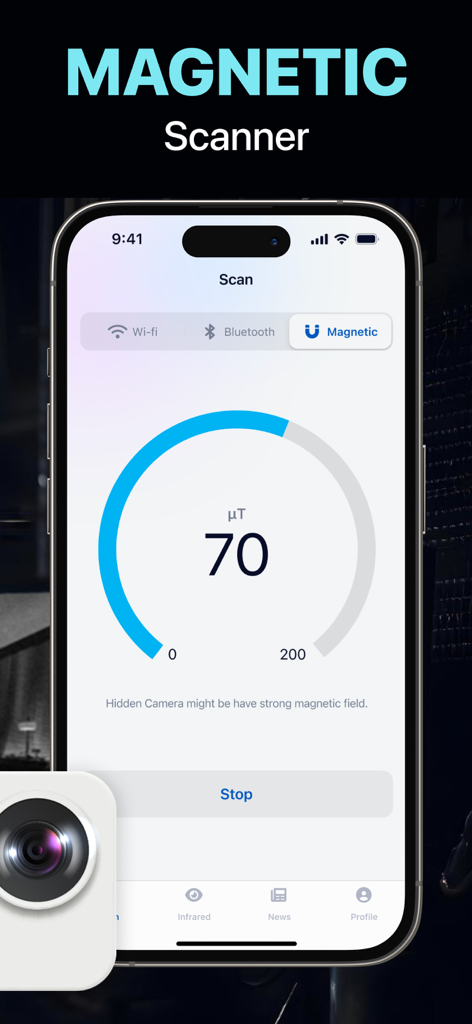
Hidden Camera Detector FindSpy - 信号測定値とともに磁場スキャナー機能を表示する隠しカメラ検出器FindSpyアプリのインターフェース
信号測定値とともに磁場スキャナー機能を表示する隠しカメラ検出器FindSpyアプリのインターフェース

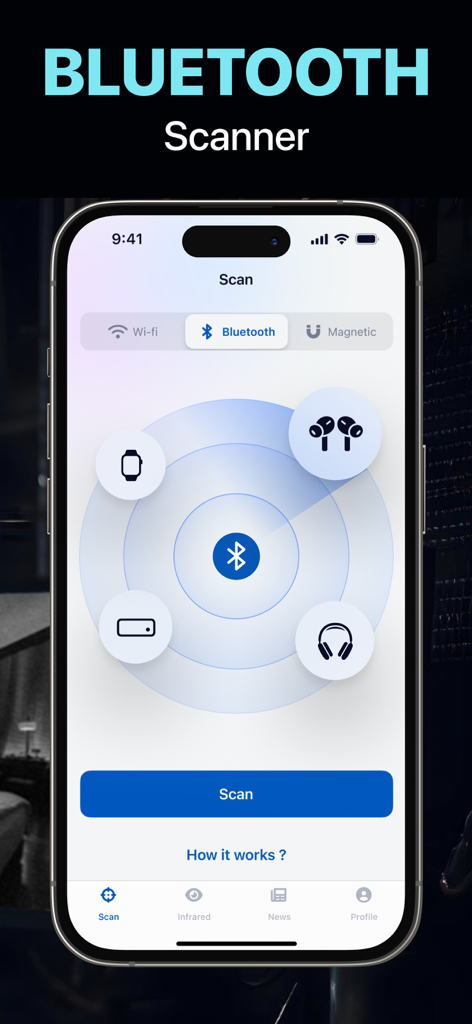
Hidden Camera Detector FindSpy - イヤホン、スマートウォッチ、ヘッドフォンのアイコンが表示されたレーダーディスプレイを表示し、隠しデバイスを検出するFindSpyアプリのBluetoothスキャナー画面。

イヤホン、スマートウォッチ、ヘッドフォンのアイコンが表示されたレーダーディスプレイを表示し、隠しデバイスを検出するFindSpyアプリのBluetoothスキャナー画面。

説明

Protect your privacy and stay secure with the Camera Detector app. This app allows you to detect suspicious surveillance devices—such as unauthorized cameras, audio bugs, listening tools, or other covert equipment—in hotels, Airbnbs, vacation rentals, shared spaces, or any place that feels unfamiliar. Ideal for travelers, renters, and anyone who values peace of mind, this tool empowers you to take control of your personal security—anytime, anywhere. NETWORK SCAN: >>> Connect to a Wi-Fi network. >>> Activate Network Scan. >>> Unearth unauthorized cameras through detected network devices. BLUETOOTH DETECTION >>> Enable Bluetooth on your device. >>> Launch the app and enable Bluetooth Detection. >>> Locate nearby suspicious devices using Bluetooth signals. MAGNETIC FIELD ANALYSIS >>> Harness your phone's magnetic sensor. >>> Start Magnetic Field Analysis. >>> Detect unauthorized surveillance tools like microphones, speakers, or cameras based on magnetic fields. INFRARED SCANNING >>> Activate Infrared Scanning. >>> Identify suspicious devices emitting infrared signals, even in low-light environments. Disclaimer: This app is designed to assist users in detecting potentially suspicious surveillance devices using the available sensors on their phones (such as Bluetooth and Wi-Fi scanning). However, it does not guarantee complete accuracy in detection. Users are encouraged to remain vigilant and consider using additional inspection methods. The developer assumes no liability for any damages, losses, or consequences resulting from reliance on the app alone. SUBSCRIPTION PLANS: | Weekly Access | Monthly Access | Yearly Access Information about the auto-renewal of subscription: - Payment will be charged to iTunes Account at confirmation of purchase. - Subscription automatically renews unless auto-renew is turned off at least 24 hours before the end of the current period. - Account will be charged for renewal within 24 hours prior to the end of the current period, and identify the cost of the renewal. The cost depends on the selected plan. - Subscriptions may be managed by the user and auto-renewal may be turned off by going to the user's Account Settings after purchase. - Any unused portion of the free trial will be forfeited when the user purchases a subscription. Privacy Policy: https://kainsuite.com/privacy-policy/ Terms of Service https://kainsuite.com/terms-conditions/

Download

ダウンロード: App Store

このページはアプリまたはその開発者の公式ページではなく、情報提供および論評を目的として作成された独立した編集出版物です。明示的に別段の記載がない限り、アプリおよびその開発者は、MWM、Apple、Google Play、アプリのパブリッシャー、またはアプリの開発者と提携、承認、後援、認可、またはその他の公式的な関係はなく、このページのいかなる内容も、アプリがMWMのサービスを使用して開発されたことを意味するものではありません。すべての商標、ロゴ、スクリーンショット、その他のコンテンツはそれぞれの所有者の財産です。








