Hindenburg Field Recorder

Hindenburg Field Recorder

ダウンロード: App Store
ロゴ: Hindenburg Field Recorder

Hindenburgフィールドレコーダー:プロフェッショナルな精度ですべてのストーリーをキャプチャ

ラジオジャーナリストやポッドキャスターにとって不可欠なツール。高忠実度オーディオを録音し、リアルタイムでマーカーを設定し、デバイスから直接放送準備のできたインタビューを編集します。

開発元

Hindenburg Systems ApS

カテゴリ

Business

ダウンロード

144K+

ユーザー評価

4.0/5

評価数

100

対応言語

7

ポケットの中のスタジオ

このインターフェースを利用する 144K+ 人のユーザー.

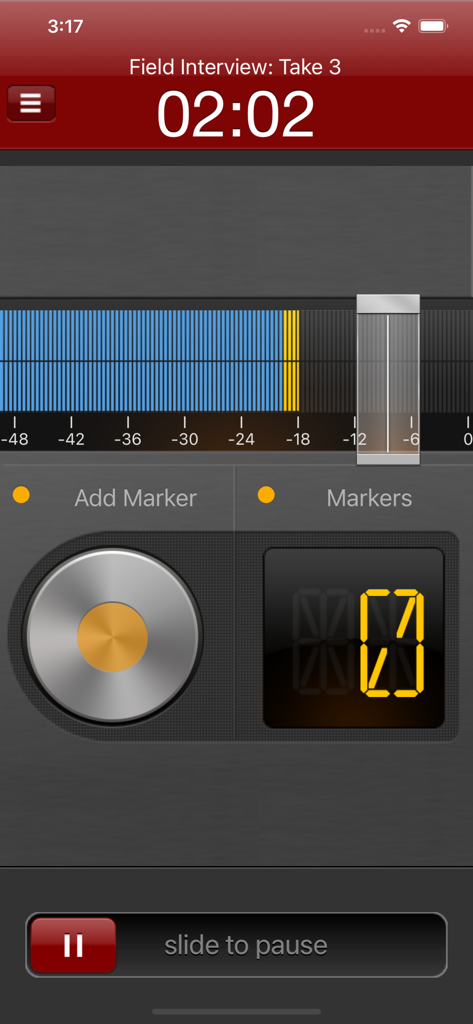
Hindenburgフィールドレコーダーのインターフェース。マーカーと音量レベルが表示されたアクティブなオーディオ録音セッションを示しています。
Hindenburgフィールドレコーダーのインターフェース。マーカーと音量レベルが表示されたアクティブなオーディオ録音セッションを示しています。

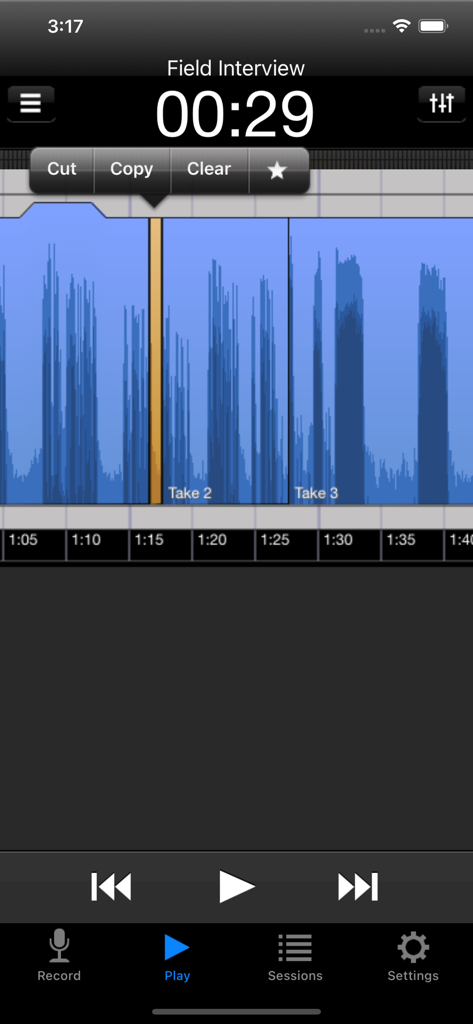
Hindenburgフィールドレコーダーアプリ。フィールドインタビューセッション中にカットおよびコピーオプションを備えたオーディオ波形編集を表示しています。
Hindenburgフィールドレコーダーアプリ。フィールドインタビューセッション中にカットおよびコピーオプションを備えたオーディオ波形編集を表示しています。

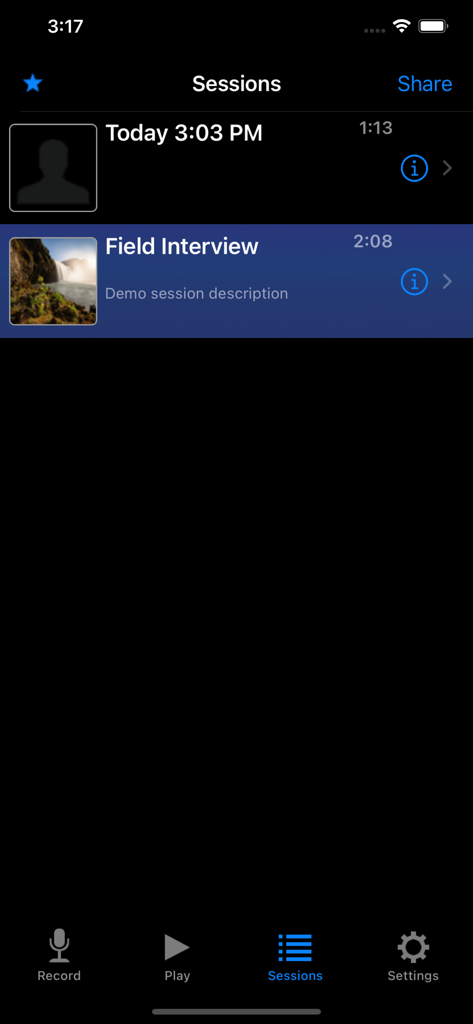
Hindenburgフィールドレコーダーアプリ内のオーディオ録音セッションのリスト。タイムスタンプと「フィールドインタビュー」のようなタイトルが表示されています。
Hindenburgフィールドレコーダーアプリ内のオーディオ録音セッションのリスト。タイムスタンプと「フィールドインタビュー」のようなタイトルが表示されています。

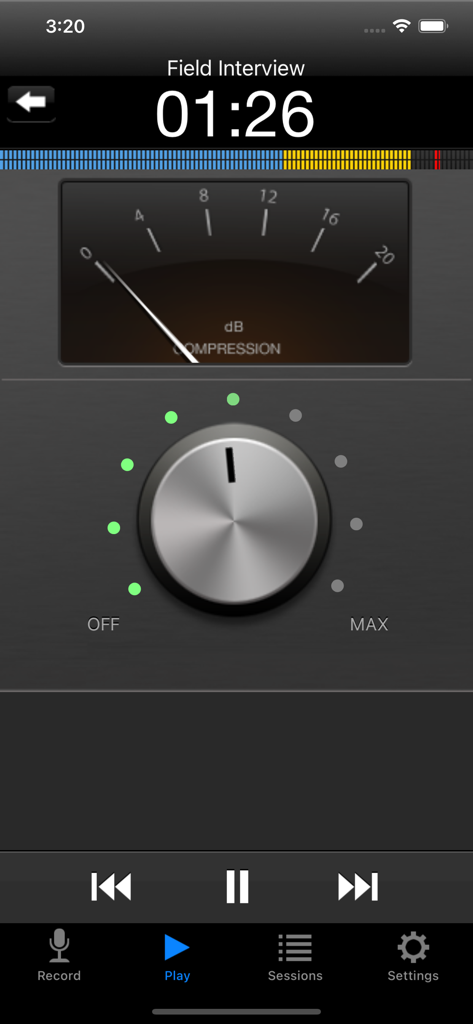
Hindenburgフィールドレコーダーアプリの画面。オーディオ圧縮設定とdBメーターを表示しています。

Hindenburgフィールドレコーダーアプリの画面。オーディオ圧縮設定とdBメーターを表示しています。

ストーリーをキャプチャし、オーディオをマスターする

このアプリを際立たせるツール、 144K+ 人のユーザーが選択.

🎙️

プロ品質の録音

24ビット/48kHzをサポートし、すべてのニュアンスをキャプチャ。フィールドテープが最高のラジオおよびポッドキャスト基準を満たすことを保証します。

🔖

インスタントサウンドバイトナビゲーション

引用を二度と失うことはありません。録音中にマーカーを設定して、重要な瞬間を特定し、ポストプロダクションワークフローを加速します。

シームレスなスタジオ統合

非破壊編集ツールで編集し、Hindenburg ProまたはFTPサーバーに直接エクスポートして、タイトな締め切りに対応します。

アプリについて

について知っておくべきこと Hindenburg Field Recorder.

説明

Hindenburg Field Recorder is made with radio production in mind. It will work equally well for anyone conducting interviews for podcasts or research. It’s all about the story..... Create your interview in three simple steps: Step 1: Record interview and set markers at points of interest Step 2: Edit recording with cut, copy, paste and more... Step 3: Share your interview with attached picture and location Recording Simply begin recording whenever a story occurs. Set markers at points of interest in the interview. Markers make it easier to navigate large interviews. Finding those good soundbites can otherwise be a tedious job. Add additional recordings to your session. This could be speaks or background sounds and more. Editing Hindenburg Field Recorder has all the editing features needed for creating a radio interview. The interface is kept simple and uncluttered. But there is more to it than meets the eye. * Non-destructive editing with full undo/redo. * Cut, copy, paste, insert, break, clear, move, trim and change volume of regions * Adjust playback position with audible scrub * Rehearse edit or play selection * Add fade in and fade out or create cross-fades between regions * Create, delete and rename markers, jump between markers * Copy and paste audio between sessions * Add jingles or sound bites from the favorites clipboard. * Use the built in compressor/limiter to increase overall volume. To find out more check the support URL where you will find a download link to the the PDF guide. 
 Share There are five ways of getting your interviews out of the device. 1. Send to your computer (With Hindenburg Pro) 2. Send as e-mail 3. Upload to FTP server 4. Share to iTunes 5. Use "Open in..." to share to other apps Specifications: Records audio as 16 or 24-bit / 44.1 or 48kHz PCM. Stereo recording supported with suitable accessories. Option to monitor with headphones while recording. Share audio as WAV, AAC, MP2 or ALAC with adjustable compression parameters. Hindenburg Radio Tools are developed and tested in a collaborations with radio professionals.

最新バージョン

1.82

サイズ

2.9 MB

リリース日

2010年1月10日

あなたの次の受賞作をキャプチャ

世界をリードするジャーナリストやポッドキャスターの仲間入りをしましょう。プロのラジオ制作と高忠実度ストーリーテリングのために設計された、フィールドテスト済みのレコーダーをダウンロードしてください。

ダウンロード: App Store

App information, icons, screenshots, and descriptions displayed on this page are sourced from the Apple App Store and are the property of their respective developers. Download estimates and rankings are based on MWM's proprietary models and may not reflect actual figures. This page is provided for informational and analytical purposes only.

Believe this page infringes your intellectual property? File a dispute