Hotspot Info

Hotspot Info

ダウンロード: App Store
ロゴ: Hotspot Info

Hotspot Info: パーソナルネットワークのためのプロフェッショナルな洞察

モバイルホットスポットの完全な透明性を確保しましょう。接続済みクライアントを監視し、リアルタイムトラフィックを追跡し、iOSでは表示されない詳細な技術診断にアクセスできます。

ダウンロード: App Store

開発元

Csaba Iranyi

カテゴリ

Utilities

ダウンロード

26K+

ユーザー評価

1.6/5

評価数

0

対応言語

1

内部を覗く

このインターフェースを利用する 26K+ 人のユーザー.

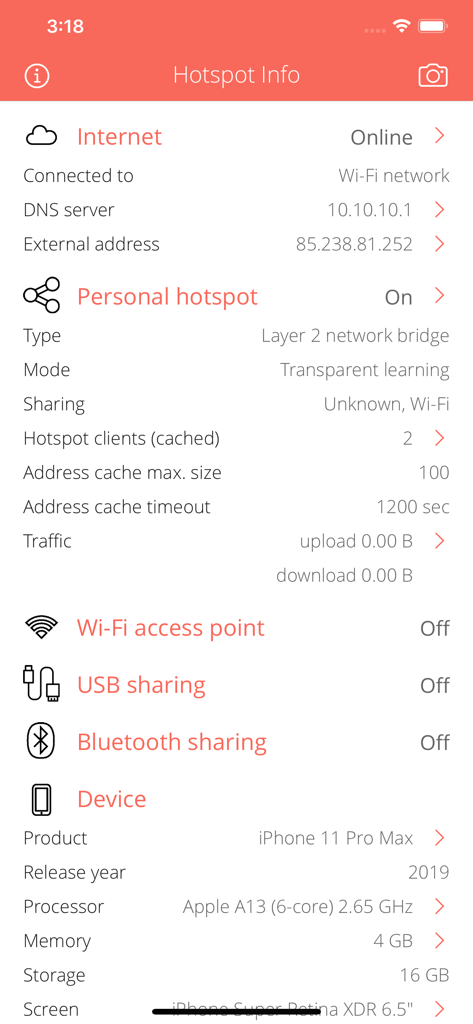
インターネット接続とパーソナルホットスポットのステータスを示すHotspot Infoアプリの技術ダッシュボード。
インターネット接続とパーソナルホットスポットのステータスを示すHotspot Infoアプリの技術ダッシュボード。

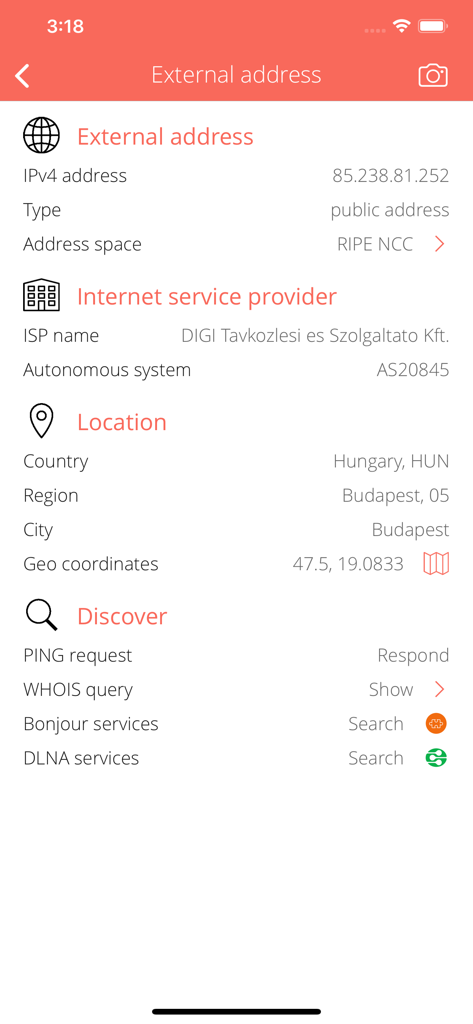
外部IPアドレスISP情報と地理的位置画面
外部IPアドレスISP情報と地理的位置画面

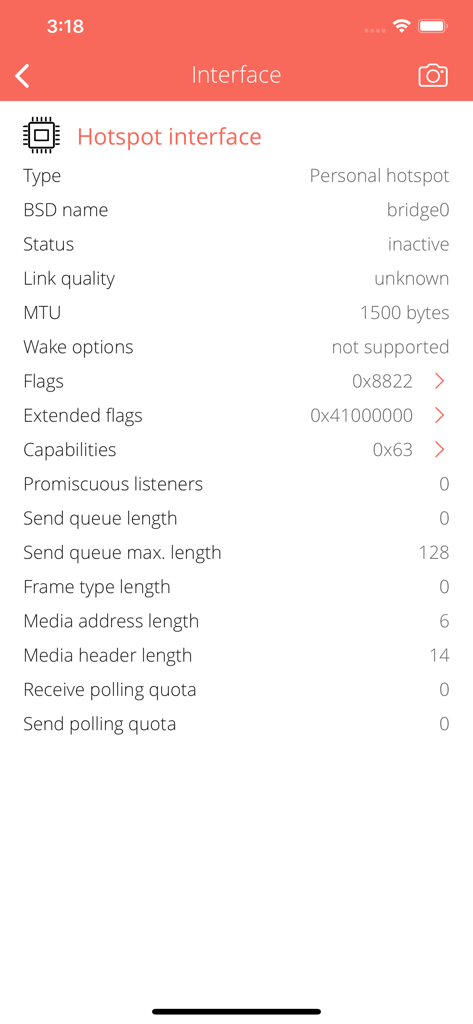
BSD名、MTU、ネットワークフラグを含むホットスポットインターフェースの技術的詳細
BSD名、MTU、ネットワークフラグを含むホットスポットインターフェースの技術的詳細

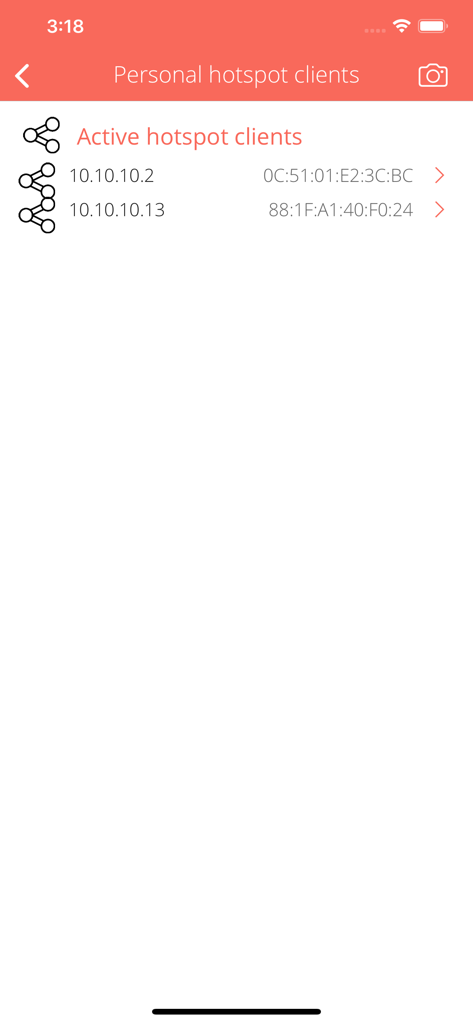
IPアドレスとMACアドレスを持つパーソナルホットスポット上のアクティブな接続済みクライアントを表示するアプリインターフェース。
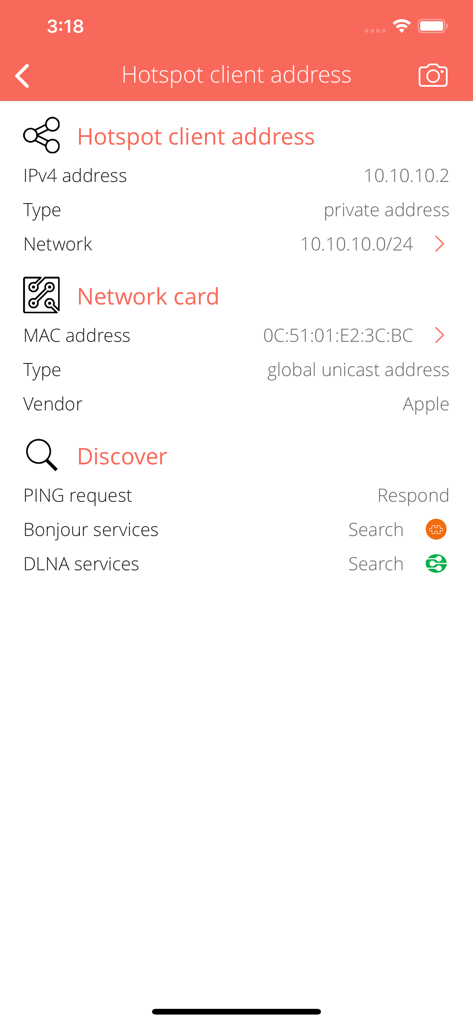
IPアドレスとMACアドレスを持つパーソナルホットスポット上のアクティブな接続済みクライアントを表示するアプリインターフェース。

IPアドレスとMACアドレスを含む接続済みホットスポットクライアントの詳細なネットワーク情報を示す技術ダッシュボード
IPアドレスとMACアドレスを含む接続済みホットスポットクライアントの詳細なネットワーク情報を示す技術ダッシュボード

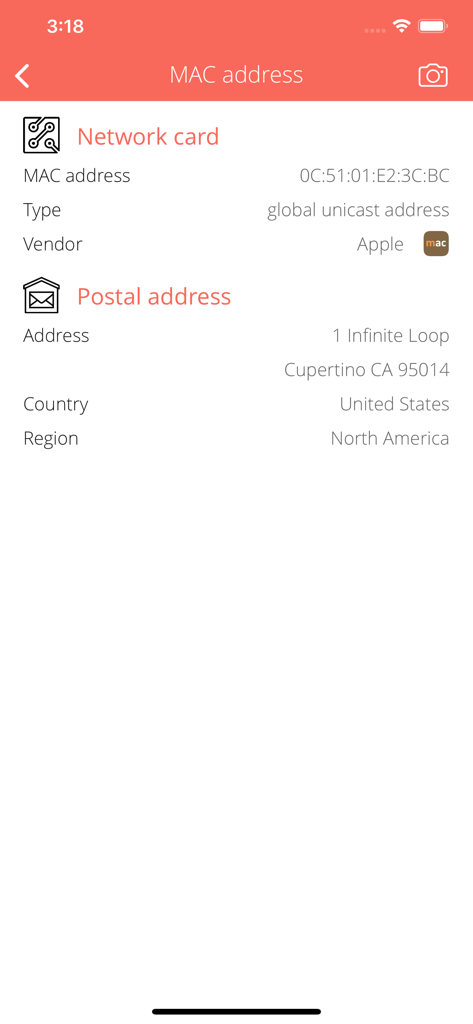
MACアドレスルックアップの詳細ビュー。Appleのネットワークカードタイプとベンダー情報が表示されます。
MACアドレスルックアップの詳細ビュー。Appleのネットワークカードタイプとベンダー情報が表示されます。

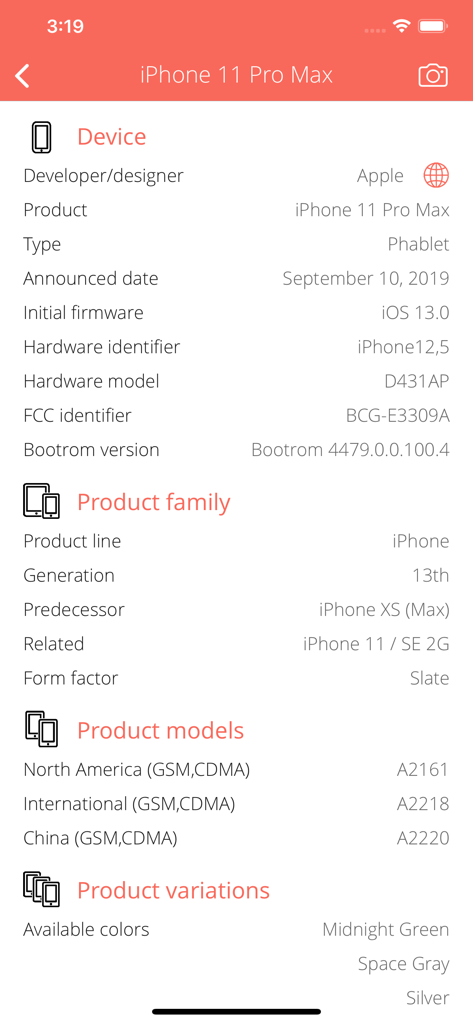
アプリ内のiPhone 11 Pro Maxの詳細技術仕様の表示
アプリ内のiPhone 11 Pro Maxの詳細技術仕様の表示

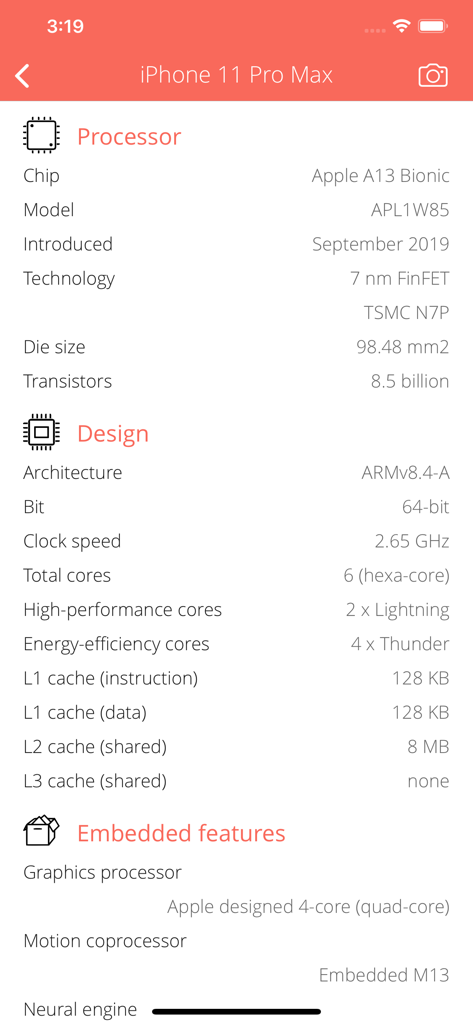
iPhone 11 Pro Maxのプロセッサとシステムデザインの技術仕様

iPhone 11 Pro Maxのプロセッサとシステムデザインの技術仕様

iPhone 11 Pro Maxの技術メモリ詳細。サイズ、クロックスピード、テクノロジーが表示されます。
iPhone 11 Pro Maxの技術メモリ詳細。サイズ、クロックスピード、テクノロジーが表示されます。

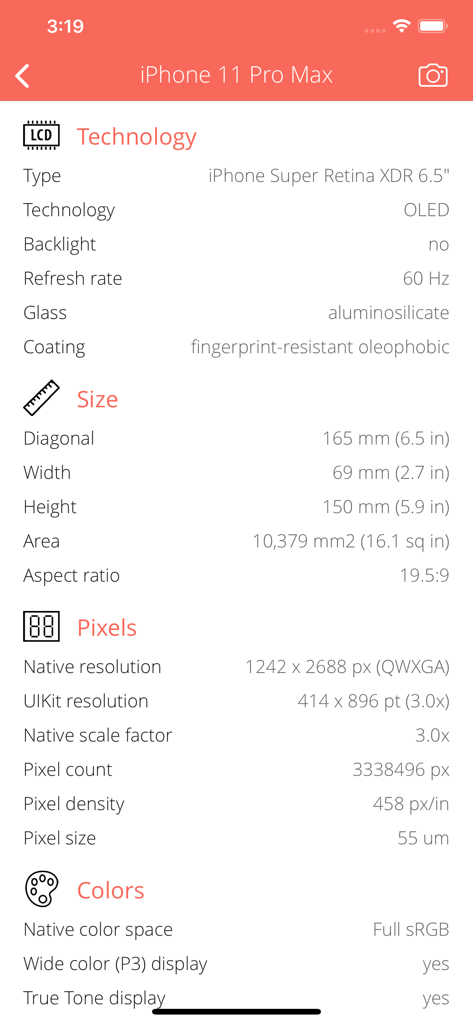
iPhone 11 Pro Maxのディスプレイ技術と解像度を示す技術ハードウェア仕様画面

iPhone 11 Pro Maxのディスプレイ技術と解像度を示す技術ハードウェア仕様画面

モバイルネットワークを完全に制御する

このアプリを際立たせるツール、 26K+ 人のユーザーが選択.

🔍

接続済みデバイスを特定する

IPアドレスとMACアドレス検出により、リアルタイムでネットワークを監査し、不正アクセスやフリーライダーからホットスポットを保護します。

📶

高度な信号診断

無線周波数と干渉レベルを分析し、モバイルオフィスを最適化して、重要なビデオ通話のために接続を安定させます。

📊

精密トラフィック監視

アップロードとダウンロードの詳細なインターフェースカウンターを表示して、セルラーデータキャップを管理し、キャリアのスロットリングを回避します。

アプリについて

について知っておくべきこと Hotspot Info.

説明

Everything you want to know about your PERSONAL HOTSPOT but were afraid to ask. Hotspot Info is a small and useful utility that lets you see detailed information about current Personal Hotspot sharing from sharing types to connected clients and more. Personal Hotspot lets you connect your computers and devices to the Internet using the cellular data connection on your device. You can share only a cellular data connection; you cannot share a Wi-Fi connection. PERSONAL HOTSPOT INFO • Detect current network sharing types. Support Wi-Fi access point, Bluetooth and USB sharing. • Detailed informations about communication type, speed, mode. • Analyze currently connected hotspot clients. Show IP and MAC address, PING capability, etc. • Low-level informations about the personal hotspot (bridge), W-Fi access point, Bluetooth and USB interface, technical parameters, flags. • Interface traffic counters: upload, download, errors, quality of service (QoS) categories. WI-FI ACCESS POINT INFORMATIONS • Show max. speed by Wi-Fi technologies. • Show Wi-Fi radio frequencies. • Show Wi-Fi radio interference informations. • Show Wi-Fi sharing options. USB SHARING INFORMATIONS • Show USB sharing options. BLUETOOTH SHARING INFORMATIONS • Show Bluetooth protocols and standards supported by your device: Classic, High Speed (HS), Low Energy (LE) or Bluetooth Smart. • Show Bluetooth tethering options: cellular internet connection sharing options via Bluetooth to other iOS devices. • Show supported Bluetooth power class, max. ranges. • Show device supported Bluetooth frequencies and channels with radio interference informations. INTERNET INFO • Show default gateways, IP addresses, networks. • Show DNS servers, search domain names, local MAC addresses, host name resolve. • Depth external address analysis: ISP name, autonomous system name, whois, ping, regional internet registry info. • Full offline MAC vendor database. REACH UI FEATURES • Info menu with feedback and privacy settings • Use the camera icon (upper-right corner) to create and print/send/share a screenshot from the entire page. • Pull down with your finger to refresh the informations. • Long press on a cell to copy/print/send/open as/share the cell value. • Shake your device to refresh the informations.

最新バージョン

1.19

サイズ

5.5 MB

リリース日

2014年12月6日

パーソナルホットスポットデータをマスターする

推測はもうやめましょう。26,000人以上のパワーユーザーが、iOSでは表示されない詳細な技術的洞察とリアルタイムネットワーク監視を利用しています。

ダウンロード: App Store

App information, icons, screenshots, and descriptions displayed on this page are sourced from the Apple App Store and are the property of their respective developers. Download estimates and rankings are based on MWM's proprietary models and may not reflect actual figures. This page is provided for informational and analytical purposes only.

Believe this page infringes your intellectual property? File a dispute