iCab Mobile (Web Browser)
ダウンロード: App Store

このページはアプリまたはその開発者の公式ページではなく、情報提供および論評を目的として作成された独立した編集出版物です。明示的に別段の記載がない限り、アプリおよびその開発者は、MWM、Apple、Google Play、アプリのパブリッシャー、またはアプリの開発者と提携、承認、後援、認可、またはその他の公式的な関係はなく、このページのいかなる内容も、アプリがMWMのサービスを使用して開発されたことを意味するものではありません。すべての商標、ロゴ、スクリーンショット、その他のコンテンツはそれぞれの所有者の財産です。


ロゴ: iCab Mobile (Web Browser)
ダウンロード: App Store

iCab Mobile (Web Browser)

プロフェッショナルグレードのツール、高度なカスタマイズ、マルチユーザープロファイルにより、Webエクスペリエンスを完全にコントロール。iPadとiPhoneにそれ以上のものを求める方のために作られました。

主要数値

ダウンロード

486K+

ユーザー評価

3.8/5

評価数

11K+

開発元

Alexander Clauss

カテゴリ

Utilities

対応言語

5

最新バージョン

11.2.5

サイズ

44.0 MB

リリース日

2009年4月21日
機能

パワーユーザーのためのブラウザ

Webのための究極の「スイスアーミーナイフ」を体験してください。高度なファイル管理からマルチユーザープロファイルまで、iCab Mobileはあなたのプロフェッショナルワークフローに適応します。

デスクトップクラスのダウンロードマネージャー

あらゆるファイルタイプをダウンロードし、ZIPアーカイブを管理し、データを簡単にエクスポートできます。iPadを生産性の高いパワフルなデバイスに変えるために必須の機能です。

マルチユーザープロファイル

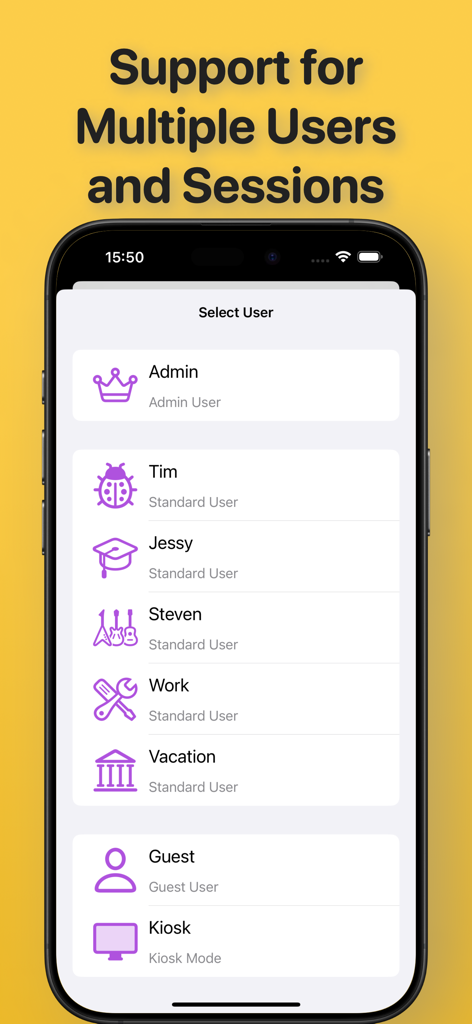
家族での利用や、仕事とプライベートの分離に最適です。単一のデバイスで、専用のブックマーク、設定、ログインを持つ独立したアカウントを作成できます。

以下のスクリーンショットと説明は、アプリの公式ストアリスティングから直接取得されたものであり、アプリ開発者の所有物です。

アプリストア

スクリーンショット
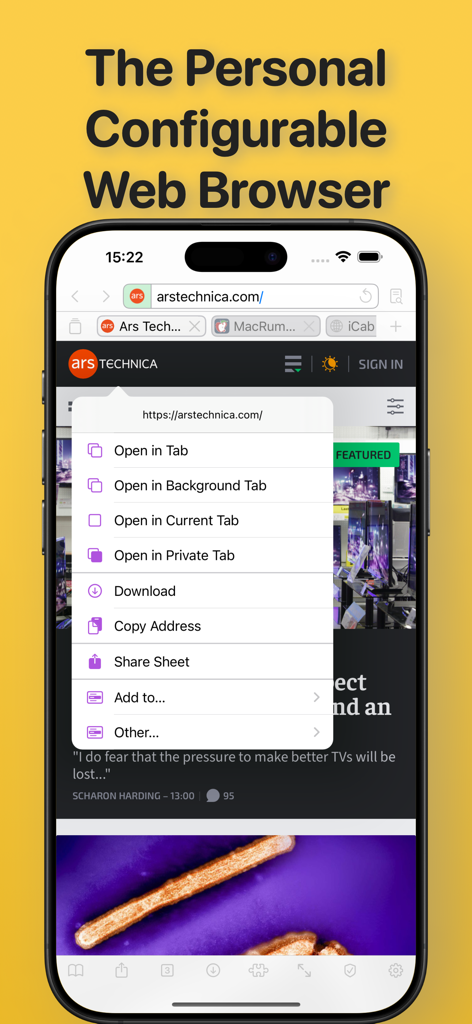
iCab Mobile (Web Browser) - iCab Mobileブラウザインターフェイス。リンクのコンテキストメニューには、iPhone画面上の複数のタブとダウンロードオプションが表示されています。
iCab Mobileブラウザインターフェイス。リンクのコンテキストメニューには、iPhone画面上の複数のタブとダウンロードオプションが表示されています。

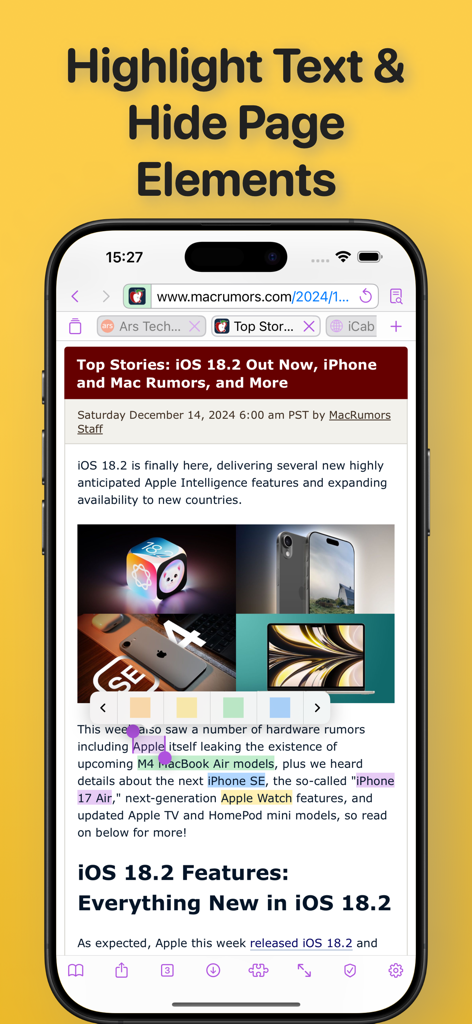
iCab Mobile (Web Browser) - iCab Mobile Webブラウザのスクリーンショット。ニュース記事が表示され、複数の行のテキストが組み込みハイライターツールを使用して異なる色でハイライトされています。
iCab Mobile Webブラウザのスクリーンショット。ニュース記事が表示され、複数の行のテキストが組み込みハイライターツールを使用して異なる色でハイライトされています。

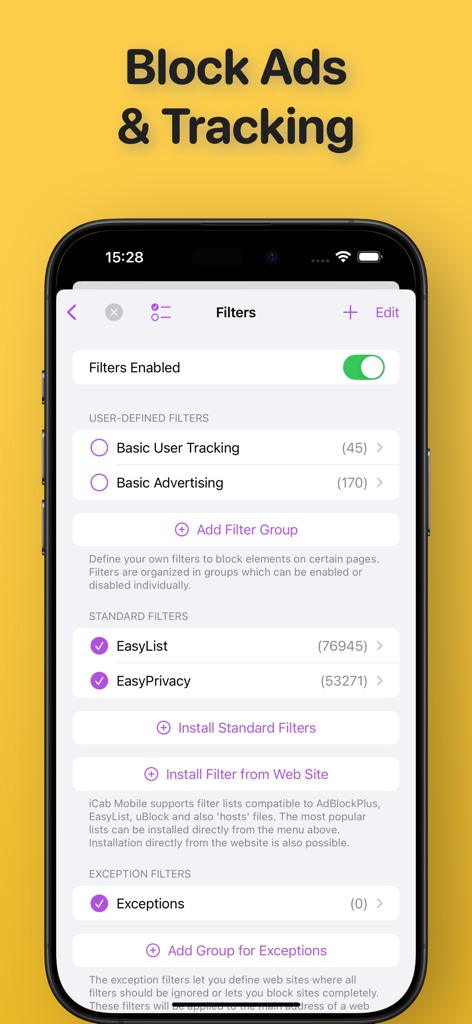
iCab Mobile (Web Browser) - iCab Mobileアプリインターフェイス。広告ブロックとトラッキングフィルターの設定が表示されています。
iCab Mobileアプリインターフェイス。広告ブロックとトラッキングフィルターの設定が表示されています。

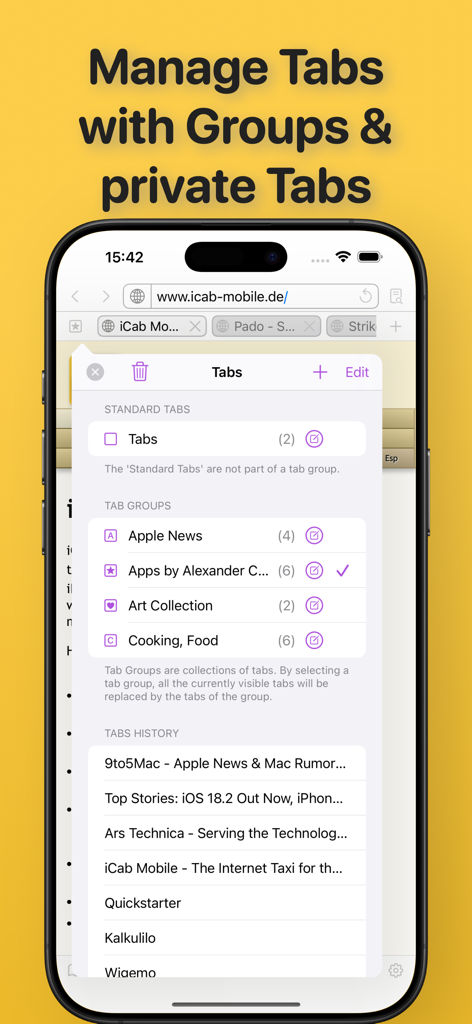
iCab Mobile (Web Browser) - iCab Mobileブラウザインターフェイス。iPhone上の整理されたタブグループと閲覧履歴が表示されています。
iCab Mobileブラウザインターフェイス。iPhone上の整理されたタブグループと閲覧履歴が表示されています。

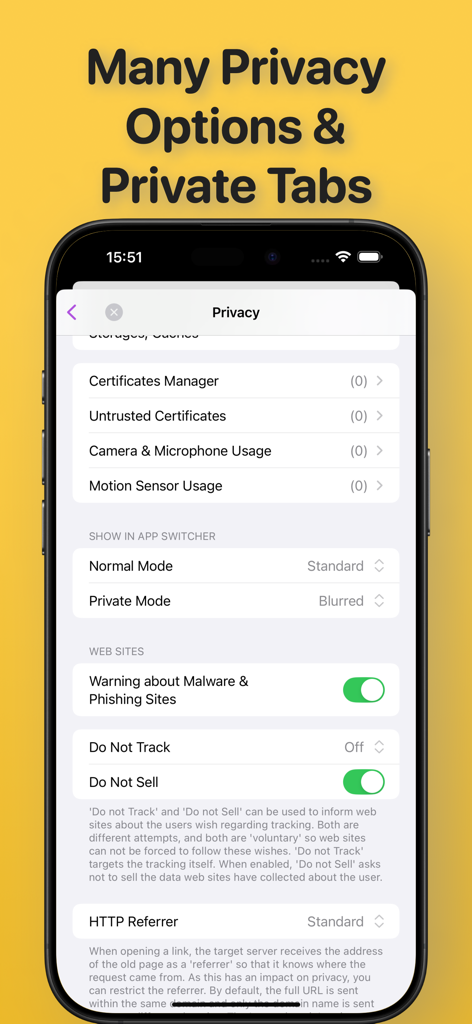
iCab Mobile (Web Browser) - iCab Mobileブラウザのプライバシー設定メニュー。セキュリティオプションとプライベートモードの設定が表示されています。
iCab Mobileブラウザのプライバシー設定メニュー。セキュリティオプションとプライベートモードの設定が表示されています。

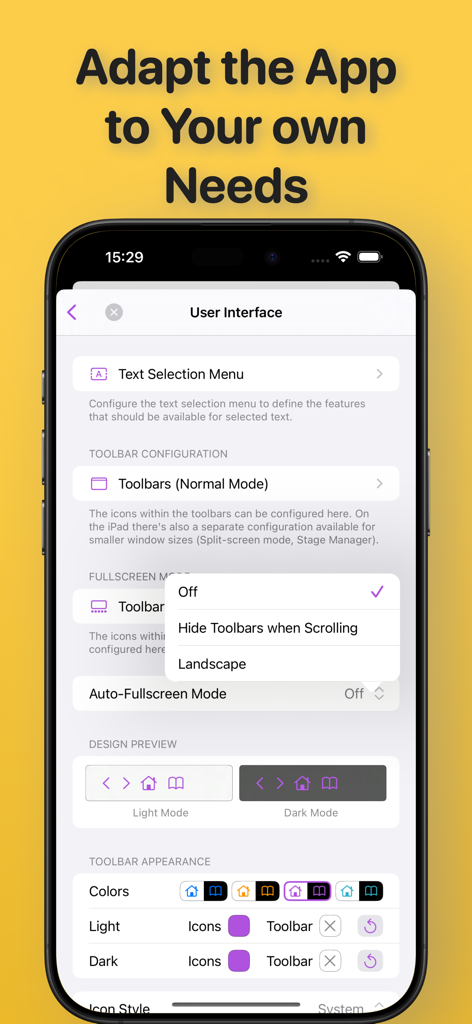
iCab Mobile (Web Browser) - iCab Mobileユーザーインターフェイス設定画面。ツールバー、テキストメニュー、ライトまたはダークモードテーマのカスタマイズオプションが表示されています。
iCab Mobileユーザーインターフェイス設定画面。ツールバー、テキストメニュー、ライトまたはダークモードテーマのカスタマイズオプションが表示されています。

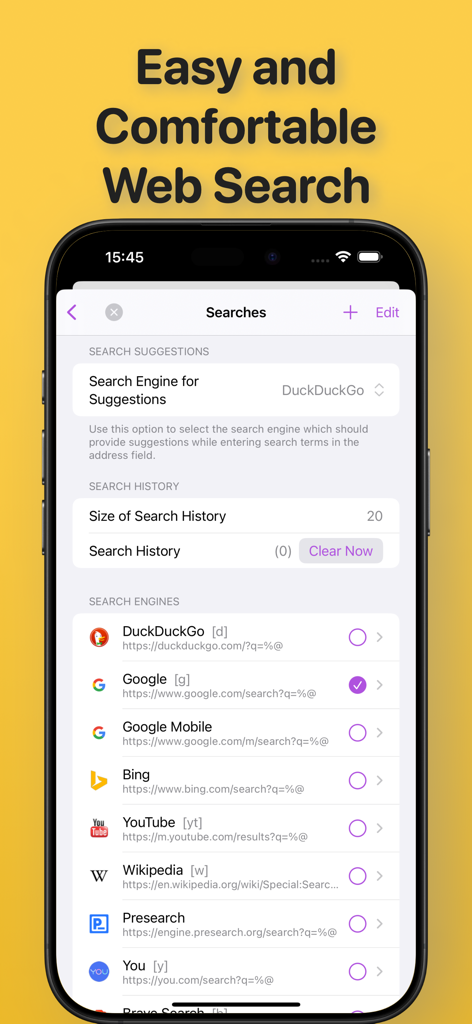
iCab Mobile (Web Browser) - iCab Mobileブラウザの検索エンジン選択と履歴設定画面。

iCab Mobileブラウザの検索エンジン選択と履歴設定画面。

iCab Mobile (Web Browser) - iCab Mobileブラウザのスクリーンショット。個別のブラウジングセッションのための複数のユーザープロファイル選択画面が表示されています。
iCab Mobileブラウザのスクリーンショット。個別のブラウジングセッションのための複数のユーザープロファイル選択画面が表示されています。

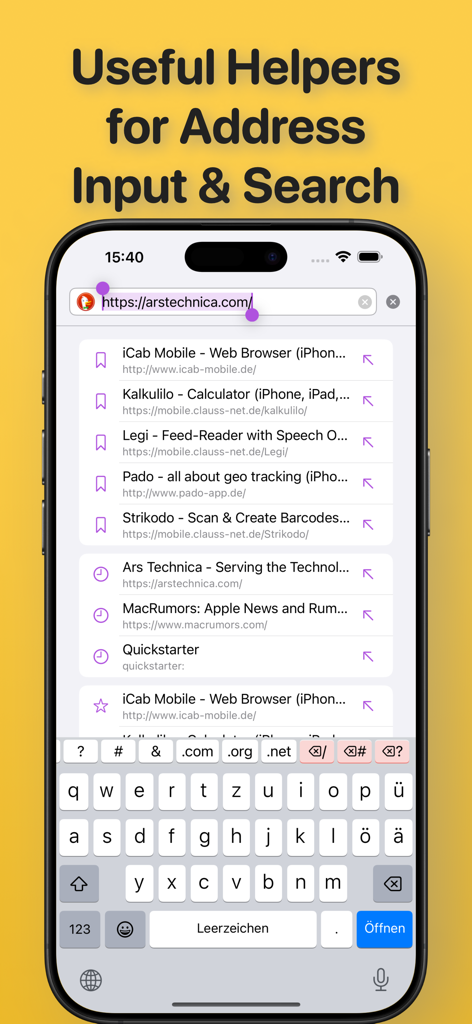
iCab Mobile (Web Browser) - iCab Mobileアドレスバー。検索候補とカスタムキーボードが表示されています。
iCab Mobileアドレスバー。検索候補とカスタムキーボードが表示されています。

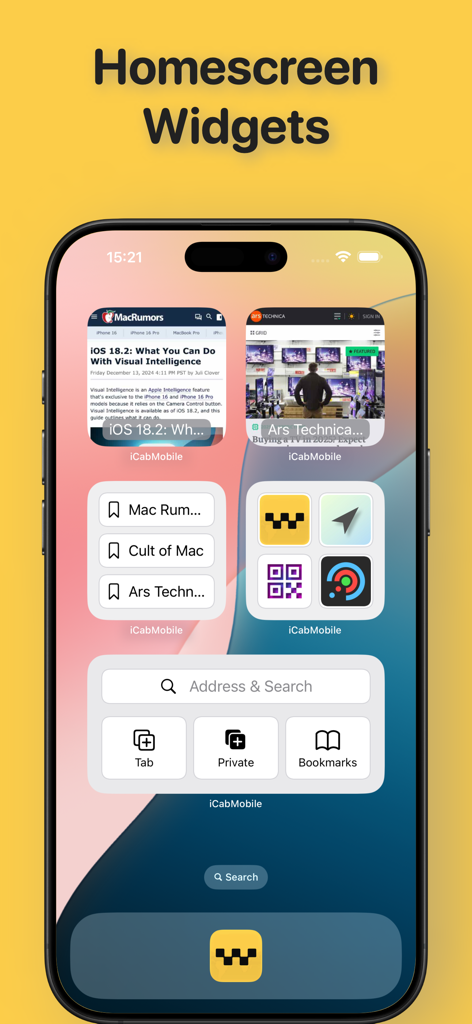
iCab Mobile (Web Browser) - iPhone上のiCab Mobileホーム画面ウィジェット。検索バー、ブックマーク、ウェブサイトのプレビューが表示されています。

iPhone上のiCab Mobileホーム画面ウィジェット。検索バー、ブックマーク、ウェブサイトのプレビューが表示されています。

説明

iCab Mobile is a web browser for iOS. iCab Mobile is customizable in almost all areas and can thus be made into your very own personal browser. PRIVACY: In private mode, no private data is saved permanently. Special private tabs increase privacy even further, with only a small loss of comfort. PROFILES/USER ACCOUNTS: Any number of profiles/user accounts can be created, with each profile having its own settings, bookmarks, etc. Profiles are suitable for an iPad that is used by the whole family, but also for users who want to separate professional and private surfing. TABS, WINDOWS: iCab Mobile can open any number of websites simultaneously in tabs. Tabs can be saved and organized in groups so that they can easily be loaded together again later. Tabs can be protected against accidental closing or overwriting. On the iPad, multiple app instances can be opened as windows (Stage Manager, Split View), even with multiple profiles simultaneously (since iOS 18). FILTERS: Filters can be used to block advertising, trackers, etc. Popular filter lists can be used directly (Easylist, AdBlock Plus, uBlock & compatible), but you can also define your own. USER INTERFACE: The user interface is freely configurable. Action, context and text selection menus, toolbars and gestures can be adapted to your own needs. ACCESSIBLE: The user interface is barrier-free and adapts to the system font size and is compatible with VoiceOver. BOOKMARKS: Bookmarks can be organized in folders. “Smart folders” create special collections based on self-defined rules (e.g. the latest bookmarks from the last 2 weeks). Colored labels allow further categorization. DOWNLOADS: Download any files and manage the files in the download manager, including unpacking/creating ZIP archives, exporting/importing, etc. SEARCH: The app offers a large list of search engines (self-expandable) that you can use to search directly on the web. It is also possible to search on the current page. WEBSITES: You can define what websites can and cannot do. Highlight important content with a highlighter, hide unwanted elements, allow buttons to be clicked automatically (e.g. for cookie messages). Control permissions for camera, microphone and sensor usage. Pro users can even inject JavaScript and CSS code into websites to customize them to their liking. EXPORT/IMPORT: All data can be exported/imported (for creating backups, data synchronization with other devices/apps) WIDGETS: Widgets allow you to control the App and open bookmarks directly from the home screen. Websites can also be displayed directly there. APPLE WATCH: Open websites directly on the Apple Watch (albeit limited). Remotely control iCab Mobile on the iPhone from the Watch. FURTHER FEATURES: - Quick starter - Configurable browser ID (UserAgent) - Full support for international domain names - Simple built-in RSS reader - Kiosk mode - a more limited version of the full-screen mode for kiosk systems. The app includes a store where you can give us a tip via InApp purchase to additionally support the further development of the app. The development of the app takes a lot of time and is a lot of work, which the low purchase price cannot cover. Te sources of income used by the big popular browsers, such as advertising, deals with search engines, tracking etc. are not an option for iCab Mobile. Tipping is completely voluntary and you won't miss out on any important features if you don't tip. However, users who tip will be given the option to change the app icon as a thank you.

Download

ダウンロード: App Store

このページはアプリまたはその開発者の公式ページではなく、情報提供および論評を目的として作成された独立した編集出版物です。明示的に別段の記載がない限り、アプリおよびその開発者は、MWM、Apple、Google Play、アプリのパブリッシャー、またはアプリの開発者と提携、承認、後援、認可、またはその他の公式的な関係はなく、このページのいかなる内容も、アプリがMWMのサービスを使用して開発されたことを意味するものではありません。すべての商標、ロゴ、スクリーンショット、その他のコンテンツはそれぞれの所有者の財産です。