Web Messenger for Dual Chat
ダウンロード: App Store

このページはアプリまたはその開発者の公式ページではなく、情報提供および論評を目的として作成された独立した編集出版物です。明示的に別段の記載がない限り、アプリおよびその開発者は、MWM、Apple、Google Play、アプリのパブリッシャー、またはアプリの開発者と提携、承認、後援、認可、またはその他の公式的な関係はなく、このページのいかなる内容も、アプリがMWMのサービスを使用して開発されたことを意味するものではありません。すべての商標、ロゴ、スクリーンショット、その他のコンテンツはそれぞれの所有者の財産です。

ロゴ: Web Messenger for Dual Chat
ダウンロード: App Store

Web Messenger for Dual Chat

プロフェッショナルやパワーユーザーのための高度なブラウザ。デスクトップ表示モードでモバイル制限をバイパスし、複数のメッセージングアカウントを管理し、WebセッションとCookieを完全に制御します。

主要数値

ダウンロード

1M+

ユーザー評価

4.5/5

評価数

9K+

開発元

ATA KAGAN DURAKER

カテゴリ

Utilities

対応言語

1

最新バージョン

1.5

サイズ

22.1 MB

リリース日

2022年9月1日
機能

モバイル生産性をマスターする

iPhoneとiPadでプロフェッショナルグレードのブラウジング機能をアンロックし、デュアルアカウントを簡単に管理し、モバイル制限をバイパスします。

真のデスクトップ体験

「制限された」モバイルレイアウトをバイパスします。デフォルトのデスクトップユーザーエージェントは、WebサイトにPC版全体を表示させるため、iPadが真のラップトップ代替となります。

シームレスなデュアルメッセージング

ソロプレナーやパワーユーザーに最適です。お気に入りのメッセージングプラットフォームのセカンドインスタンスを同時に実行し、1台のデバイスで仕事とプライベートのバランスを取りましょう。

以下のスクリーンショットと説明は、アプリの公式ストアリスティングから直接取得されたものであり、アプリ開発者の所有物です。

アプリストア

スクリーンショット
Web Messenger for Dual Chat - Web Messenger for Dual Chatのアプリアイコン。緑色の背景に白いグリッドシンボルが表示されています。
Web Messenger for Dual Chatのアプリアイコン。緑色の背景に白いグリッドシンボルが表示されています。

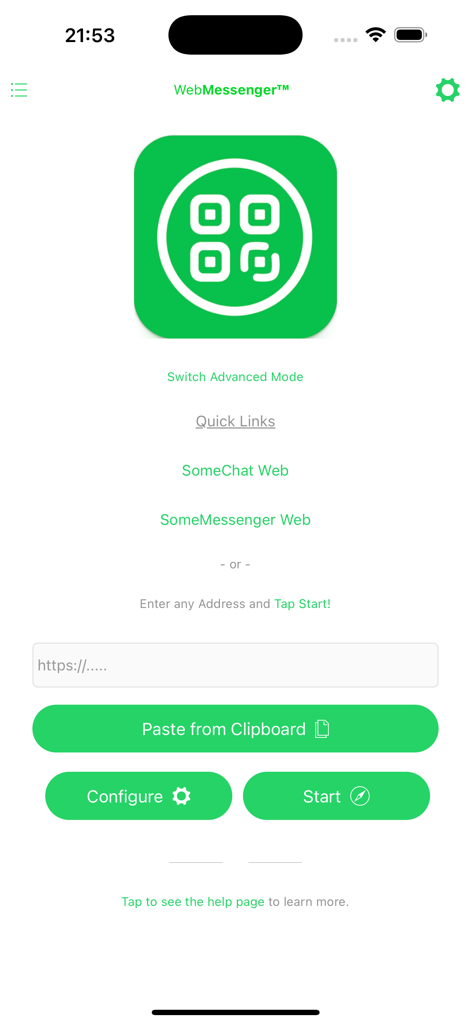
Web Messenger for Dual Chat - Web Messengerのホーム画面。デュアルチャットのクイックリンクとURLアドレスバーが表示されています。
Web Messengerのホーム画面。デュアルチャットのクイックリンクとURLアドレスバーが表示されています。

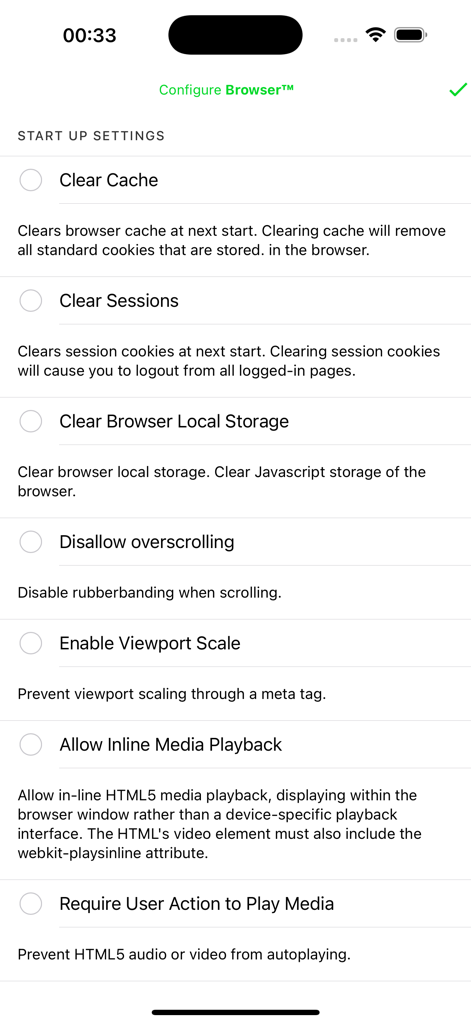
Web Messenger for Dual Chat - Web Messenger for Dual Chatアプリのインターフェース。キャッシュのクリアやセッションの管理などのオプションを含むブラウザの起動設定が表示されています。

Web Messenger for Dual Chatアプリのインターフェース。キャッシュのクリアやセッションの管理などのオプションを含むブラウザの起動設定が表示されています。
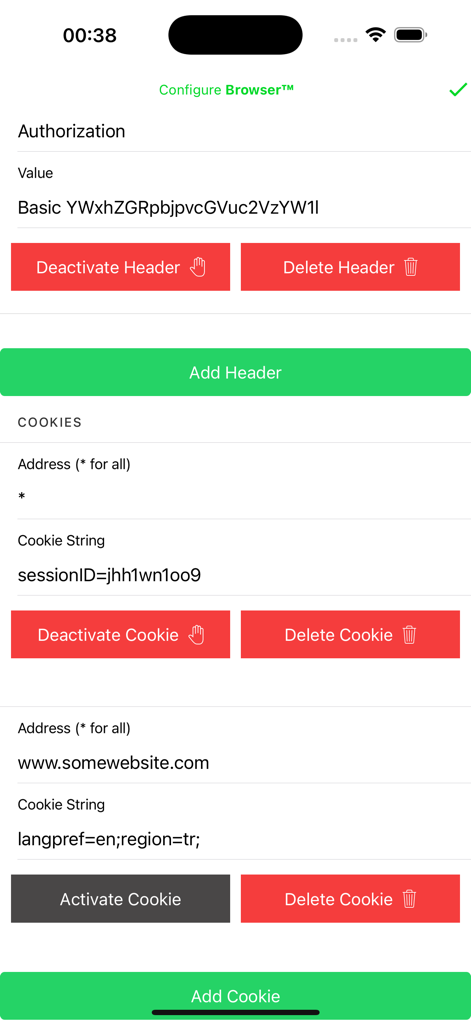
Web Messenger for Dual Chat - Web MessengerでHTTPヘッダーとブラウザCookieを管理するための設定画面。

Web MessengerでHTTPヘッダーとブラウザCookieを管理するための設定画面。

説明

Web Messenger is an advanced browser with some most essential capabilities, such as Desktop View. Web Messenger App allows you to browse web in desktop view, which comes handy for using/debugging websites that are only available for desktops. Changing user agent also allow users to access third-party applications' web offerings. Which are normally not usable on mobile browsers, by just enabling the desktop view (enabled in default) you can simply use them as you are in a Desktop! Web Messenger is an in-app browser that allows users to access some developer features. Such as changing the headers and cookies that are being sent to the websites with each request. And directly to manage the browsers storage functionality both cookies and the local storage of it. Also it allows you to change your User-Agent, actually in default it is changed to Desktop user agent so that when you are browsing, you are seen as a Desktop and the website gives you it's desktop view rather than the mobile one. By also altering the Headers and Cookies, you may transfer your sessions, or test your websites/webAPI's functionalities in different use cases. For both cookies and headers, it is supported to Deactivate them rather than Deleting and Re-creating between your test cases. Several advanced features such as View Port manipulation also available over the settings. For anything you can think of please approach us using the Contact Us button in the Settings Page. And don't forget to share your thoughts on the App Store. Privacy Policy and Terms of Use are accessible over the Settings page also during a purchase. If you have already subscribed, please tap the Restore Purchases button in the Settings Page. Premium removes all the limits and allows unlimited usage. To cancel it please go to the App Store App, Tap Your Profile Icon at the top-right, go to subscriptions and find the one for this app and tap Cancel. LEGAL DISCLAIMER: This application is not endorsed by or affiliated with WhatsApp Inc. WhatsApp Messenger, WhatsApp Web, Meta Inc., Telegram LLC. Telegram, its name, trademark, and other aspects of the app are trademarked and owned by their respective owners. Read more about our terms, conditions, and privacy here: • Visit our Privacy Policy at: https://dualbrowser.iosapp.mobi/dualbrowser/privacy.html • View our Terms of Service at: https://dualbrowser.iosapp.mobi/dualbrowser/terms.html

Download

ダウンロード: App Store

このページはアプリまたはその開発者の公式ページではなく、情報提供および論評を目的として作成された独立した編集出版物です。明示的に別段の記載がない限り、アプリおよびその開発者は、MWM、Apple、Google Play、アプリのパブリッシャー、またはアプリの開発者と提携、承認、後援、認可、またはその他の公式的な関係はなく、このページのいかなる内容も、アプリがMWMのサービスを使用して開発されたことを意味するものではありません。すべての商標、ロゴ、スクリーンショット、その他のコンテンツはそれぞれの所有者の財産です。