iCareFone:Phone Transfer&Clean
ダウンロード: App Store

このページはアプリまたはその開発者の公式ページではなく、情報提供および論評を目的として作成された独立した編集出版物です。明示的に別段の記載がない限り、アプリおよびその開発者は、MWM、Apple、Google Play、アプリのパブリッシャー、またはアプリの開発者と提携、承認、後援、認可、またはその他の公式的な関係はなく、このページのいかなる内容も、アプリがMWMのサービスを使用して開発されたことを意味するものではありません。すべての商標、ロゴ、スクリーンショット、その他のコンテンツはそれぞれの所有者の財産です。


ロゴ: iCareFone:Phone Transfer&Clean
ダウンロード: App Store

iCareFone:Phone Transfer&Clean

iCloudの月額料金やiTunesの複雑さから解放されましょう。数クリックでメディアをPCに簡単に転送し、デジタルのゴミを掃除して、数ギガバイトの空き容量を取り戻せます。

主要数値

ダウンロード

1M+

ユーザー評価

3.0/5

評価数

2K+

開発元

Tenorshare(Hongkong)Limited

カテゴリ

Utilities

対応言語

9

最新バージョン

4.11.15

サイズ

103.9 MB

リリース日

2016年10月3日
機能

iPhoneのコントロールを取り戻す

月額のiCloud料金やiTunesの煩わしさなしに、ファイルを転送し、容量を確保し、プライバシーを保護するための究極のツールキットです。

超高速ファイル転送

Wi-Fi経由で写真や動画をPCやMacに直接移動。ケーブル不要、同期エラーなし、iCloudの追加料金もかかりません。

スマート・ストレージ・クリーニング

ぼやけた写真や重複した写真を削除して、瞬時に数ギガバイトの容量を解放。大きな動画を圧縮して、新しい思い出のためのスペースを作ります。

以下のスクリーンショットと説明は、アプリの公式ストアリスティングから直接取得されたものであり、アプリ開発者の所有物です。

アプリストア

スクリーンショット
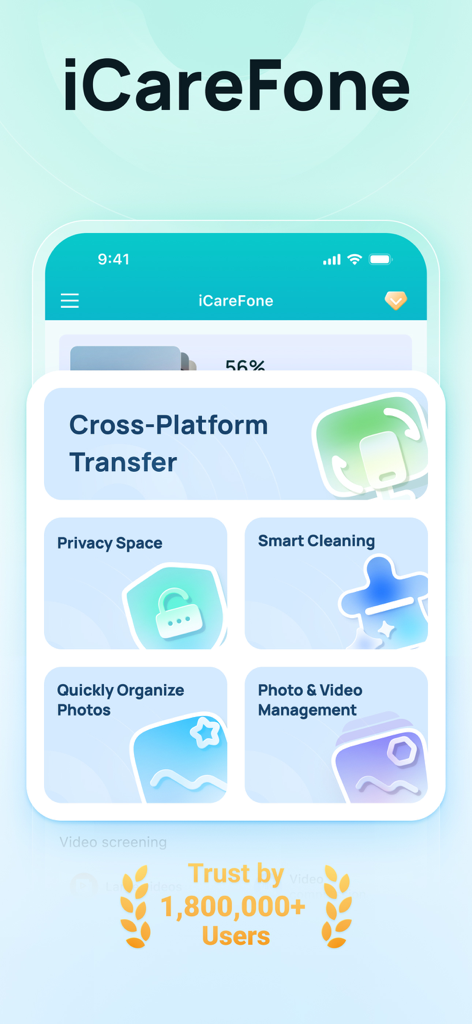
iCareFone:Phone Transfer&Clean - 電話転送とストレージクリーニングのオプションを表示するiCareFoneアプリのダッシュボード
電話転送とストレージクリーニングのオプションを表示するiCareFoneアプリのダッシュボード

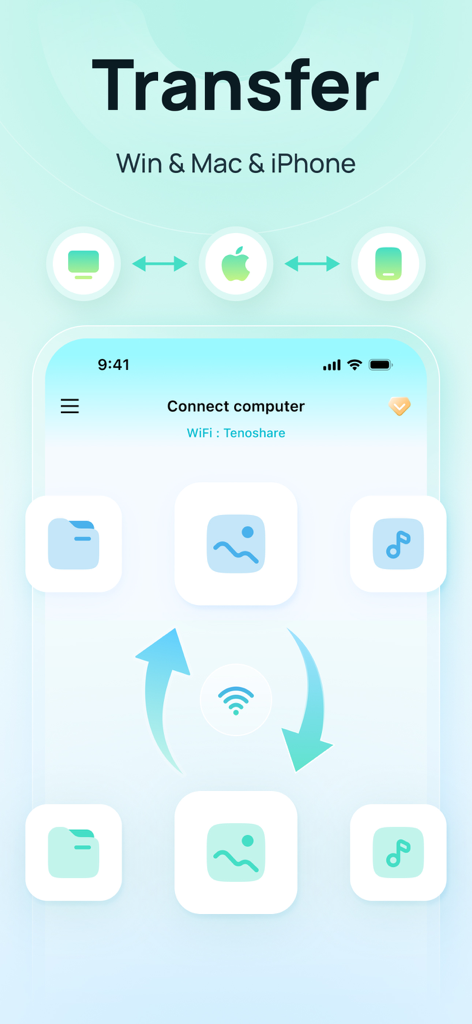
iCareFone:Phone Transfer&Clean - iCareFoneを介したiPhoneとコンピューター間のワイヤレスファイル転送
iCareFoneを介したiPhoneとコンピューター間のワイヤレスファイル転送

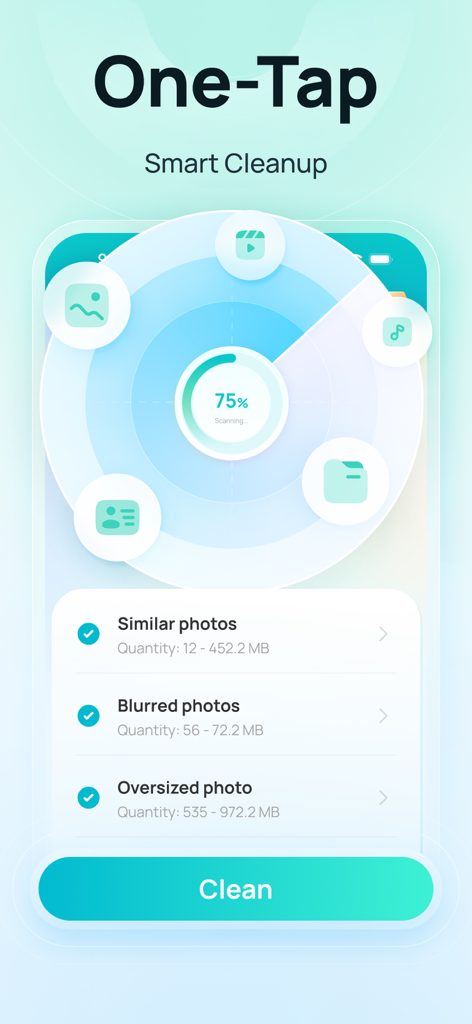
iCareFone:Phone Transfer&Clean - 類似した写真やぼやけた写真をワンタップでスマートクリーニングするiCareFoneアプリのインターフェース
類似した写真やぼやけた写真をワンタップでスマートクリーニングするiCareFoneアプリのインターフェース

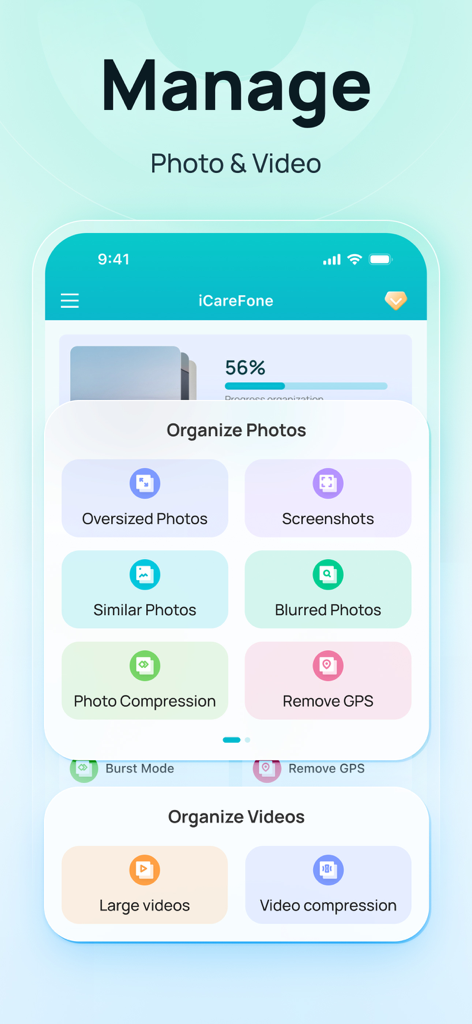
iCareFone:Phone Transfer&Clean - iPhone上の写真や動画を管理・整理するためのiCareFoneアプリのインターフェース
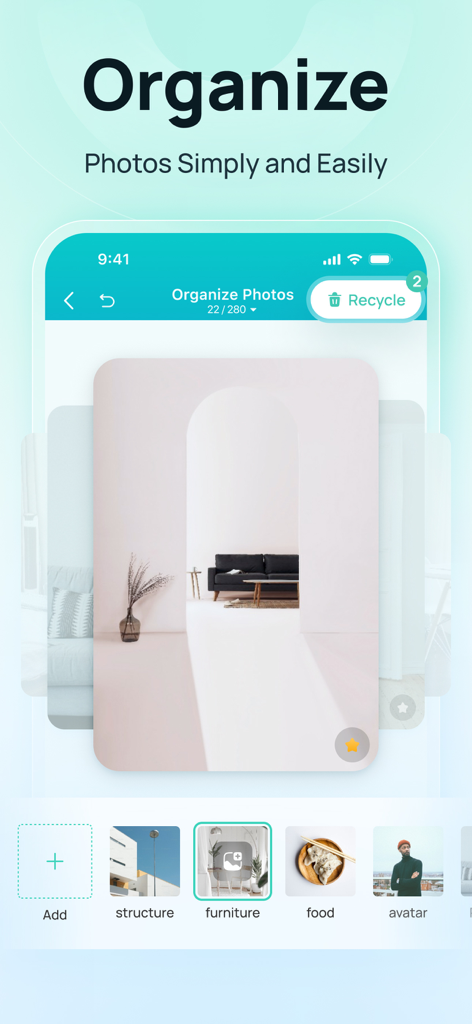
iPhone上の写真や動画を管理・整理するためのiCareFoneアプリのインターフェース

iCareFone:Phone Transfer&Clean - 家具や食べ物などのカテゴリー別に写真を整理しているiCareFoneアプリのスクリーンショット
家具や食べ物などのカテゴリー別に写真を整理しているiCareFoneアプリのスクリーンショット

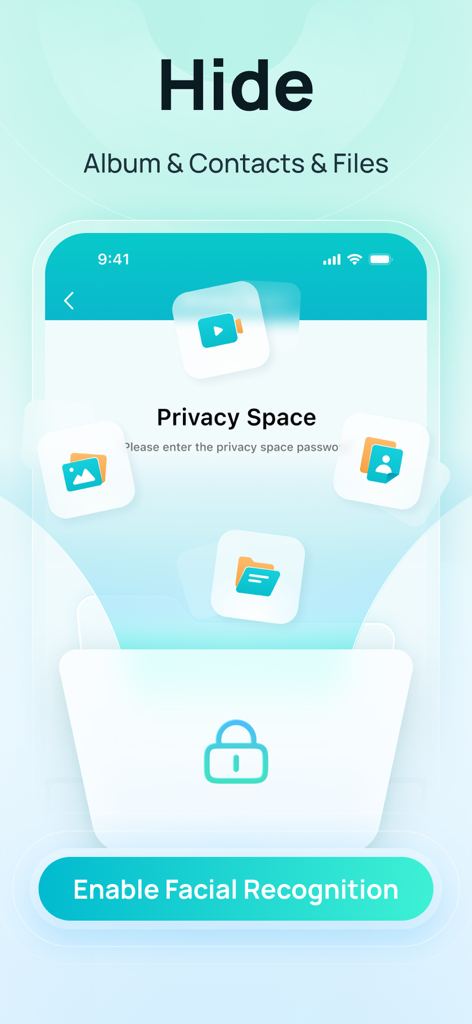
iCareFone:Phone Transfer&Clean - 顔認証を使用してアルバム、連絡先、ファイルを非表示にするプライバシースペース機能を表示するiCareFoneアプリのインターフェース

顔認証を使用してアルバム、連絡先、ファイルを非表示にするプライバシースペース機能を表示するiCareFoneアプリのインターフェース

説明

iCareFone is an incredibly practical data transfer and backup tool that simplifies how you manage your Apple devices. With just a few clicks, you can transfer, organize, and clean up your iPhone, like photos, videos & more effortlessly and fast without iCloud and iTunes. 【Main Functions】 1. File Transfer - Support batch transfer of photos, videos, files, and 10+ other types between iOS, Pad, and computers—fully cross-platform over LAN. 2. Photo Management - Quickly categorize and organize photos in your device; -Compress oversized photos/videos in your device to free up space on your device; 3. Smart Cleanup - Quickly clean up the space of your device and slim down your device; 4. Photo Screening - Quickly screen out similar, blurred, oversized, screenshot, etc. photos or videos in your device; 5. Privacy - Privacy space can provide privacy protection for private photos and files in your device; 6. Other Functions - New folder, rename, move and delete files/folders; - Support multiple files for preview; - Detect the performance of the device, one key to improve the speed of the device; iCareFone iOS APP member automatic subscription instructions 1. Service name: iCareFone iOS App members automatically subscribe. 2. Subscription period: 1 week, 1 year,And both include an extra 3 days free trial. 3. For accounts with continuous membership, the fee will be automatically deducted from your iTunes account 24 hours before the end of each week/year, and the membership validity period will be extended by 1 week/year. 4. To cancel your subscription, go to iOS "Settings" --> "iTunes and App Store" --> click "Apple ID" --> select "View Apple ID" --> go to the "Account Settings" page --> Click "Subscribe" and choose to cancel iCareFone iOS APP membership. If the subscription is not canceled at least 24 hours before the end of the subscription period, it will be automatically renewed. 5. Terms and Conditions: www.tenorshare.com/tenorshare-app-end-user-license-agreement.html 6. Privacy Policy: www.tenorshare.com/tenorshare-app-privacy-policy.html - iCareFone iOS APP members can purchase directly through iTunes account. - Once a subscription is activated, it is non-refundable.

Download

ダウンロード: App Store

このページはアプリまたはその開発者の公式ページではなく、情報提供および論評を目的として作成された独立した編集出版物です。明示的に別段の記載がない限り、アプリおよびその開発者は、MWM、Apple、Google Play、アプリのパブリッシャー、またはアプリの開発者と提携、承認、後援、認可、またはその他の公式的な関係はなく、このページのいかなる内容も、アプリがMWMのサービスを使用して開発されたことを意味するものではありません。すべての商標、ロゴ、スクリーンショット、その他のコンテンツはそれぞれの所有者の財産です。








