
このページはアプリまたはその開発者の公式ページではなく、情報提供および論評を目的として作成された独立した編集出版物です。明示的に別段の記載がない限り、アプリおよびその開発者は、MWM、Apple、Google Play、アプリのパブリッシャー、またはアプリの開発者と提携、承認、後援、認可、またはその他の公式的な関係はなく、このページのいかなる内容も、アプリがMWMのサービスを使用して開発されたことを意味するものではありません。すべての商標、ロゴ、スクリーンショット、その他のコンテンツはそれぞれの所有者の財産です。

iCharging - play screensaver
退屈な標準画面はもうやめましょう。鮮やかなビジュアルとカスタムサウンドで、iPhoneをより魅力的に。プロレベルの診断でバッテリーサイクル寿命を監視し、パフォーマンスを最適化しましょう。
ダウンロード
485K+ユーザー評価
評価数
100開発元
カテゴリ
Reference対応言語
7最新バージョン
1.3.0サイズ
118.3 MBリリース日
2021年3月2日充電体験をアップグレード
毎日変わらない充電を、鮮やかなビジュアルと深いバッテリーインサイトでパーソナライズされたハイテク体験に変える、485K人以上のユーザーに加わりましょう。
美的充電画面
iPhoneを接続した瞬間に自動で起動する、クールなアニメーションの厳選コレクションであなたのスタイルを表現しましょう。
高度なバッテリー分析
バッテリーサイクル寿命、健全性値、リアルタイム電力検出の詳細な追跡で、標準設定を超えましょう。
よくある質問
について知っておくべきこと iCharging - play screensaver
iChargingはどのような充電アニメーションを提供していますか?
iChargingでは、充電画面のスクリーンセーバーアニメーションを自由に選択できます。アプリの設定内で、さまざまな注目のアニメーションからユーザーが選択できます。
iChargingは充電電力を検出できますか?
はい、iChargingはワンキーで充電電力を検出できます。また、充電情報を自動的に記録し、ウィジェットに表示します。
iChargingは充電プロンプト音をカスタマイズできますか?
はい、iChargingは充電プロンプト音の無料カスタマイズをサポートしています。アプリ内で注目のサウンドリストからユーザーが選択できます。
iChargingはバッテリーの状態分析を提供しますか?
はい、iChargingはバッテリーサイクル寿命、実際の容量、健康状態の値を含む、バッテリー情報の詳細な分析を提供します。
iChargingはバッテリー容量と健康状態の値を変更できますか?
はい、iChargingはバッテリー容量と健康状態の値の変更をサポートしています。この機能は、アプリのメイン機能で詳しく説明されています。
自動アニメーション表示にiChargingはどのiOSバージョンが必要ですか?
iChargingは、充電時にスクリーンセーバーアニメーショントリートメントが自動的にオンになるために、iOS 14以降が必要です。
iChargingのプレミアムサブスクリプションはいくらですか?
iChargingの月額プレミアムユーザーサブスクリプションは、継続的な月額サブスクリプション製品で月額0.49ドルです。
iChargingのサブスクリプションをキャンセルするにはどうすればよいですか?
iChargingのサブスクリプションをキャンセルするには、Appleの「設定」>「iTunes StoreとApp Store」>「Apple ID」>「アカウント設定」>「登録」に移動し、キャンセルしてください。
iChargingはサブスクリプションを自動更新しますか?
はい、iChargingのサブスクリプションは自動更新されます。AppleのiTunesアカウントは、有効期限の24時間前に請求されます。更新を避けるためには、少なくとも24時間前にキャンセルしてください。
iChargingのプライバシーポリシーはどこで見つけられますか?
iChargingのプライバシーポリシーは http://suwenclub.cn/apps/chargingscreen/privacypolicy.html で入手できます。
以下のスクリーンショットと説明は、アプリの公式ストアリスティングから直接取得されたものであり、アプリ開発者の所有物です。
アプリストア
スクリーンショット
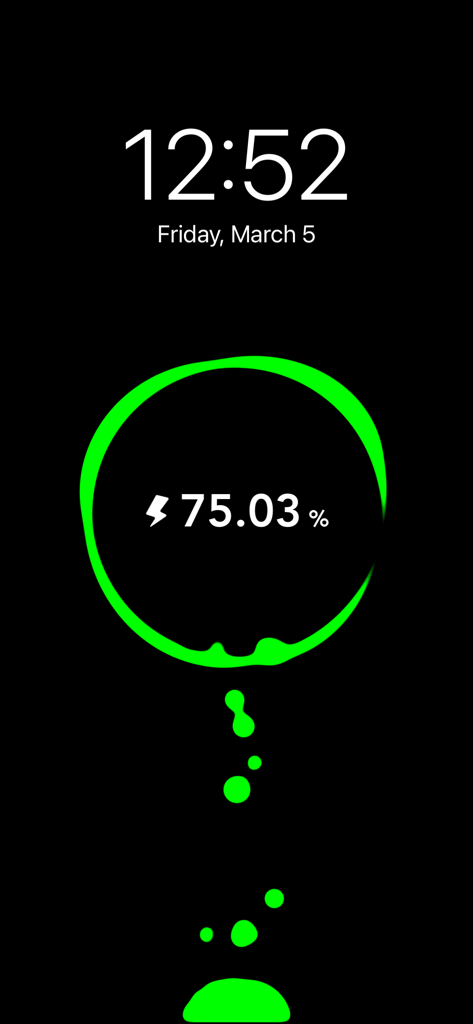
緑色のネオングラフィックで75%のバッテリー残量を示す充電アニメーション。背景は暗く、時間と日付が表示されたスクリーンセーバー。
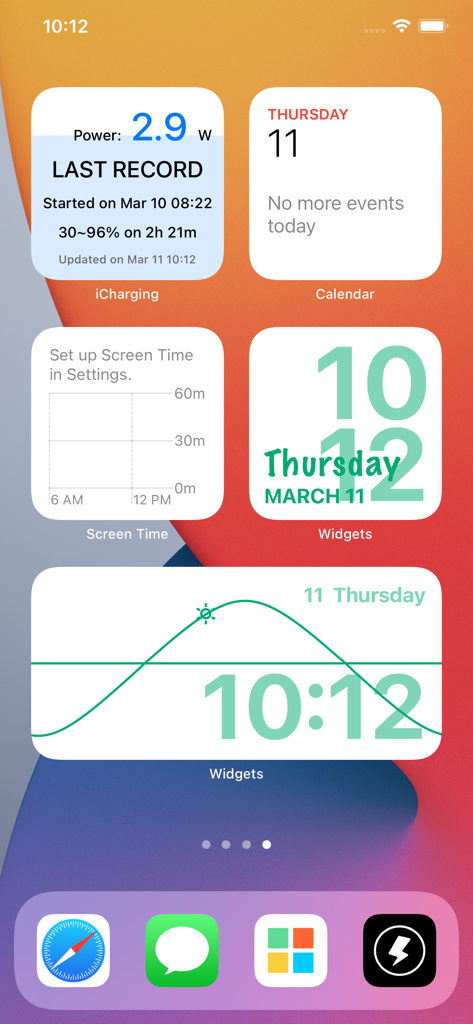
iPhoneのホーム画面。iChargingのバッテリー情報ウィジェットと、美的デザインの時計ウィジェットが表示されている。
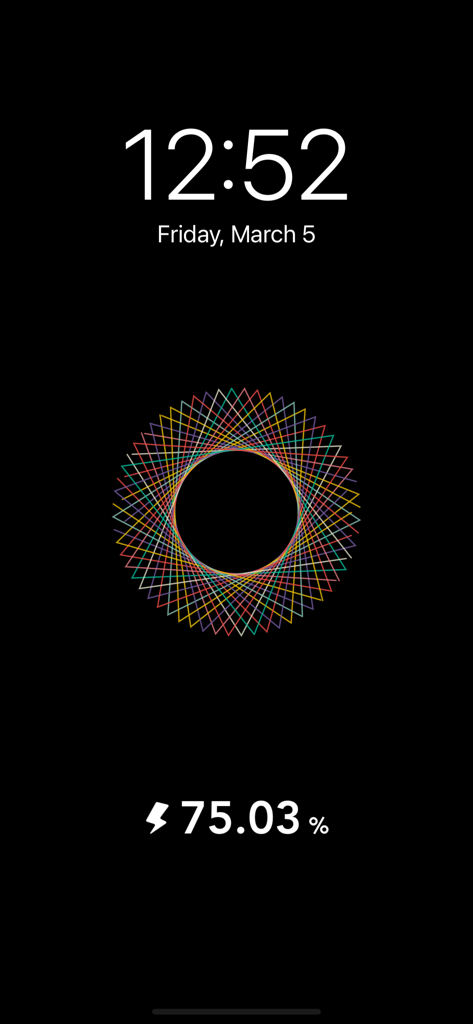
黒いiPhoneの充電スクリーンセーバーに表示された、カラフルな幾何学模様の曼荼羅アニメーション。バッテリー残量とデジタル時計が表示されている。
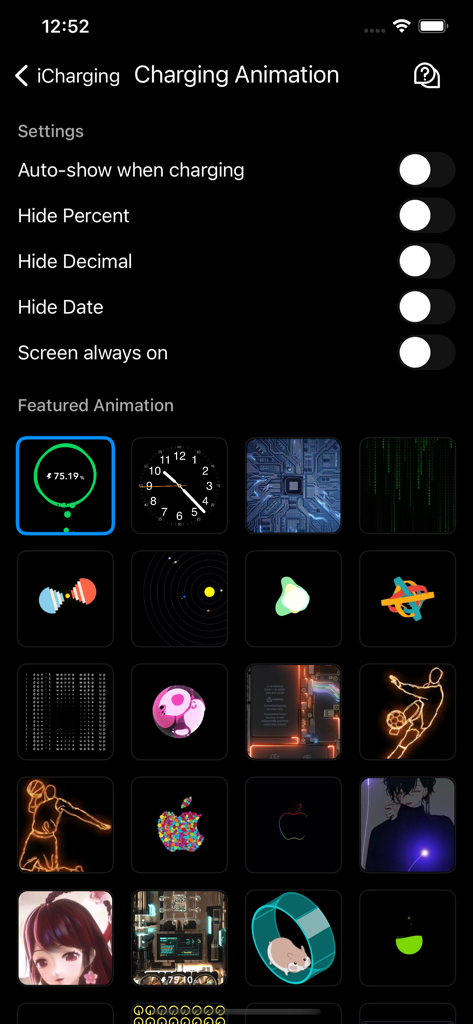
iChargingアプリのインターフェース。様々な充電アニメーションのスタイルと表示設定が表示されている。
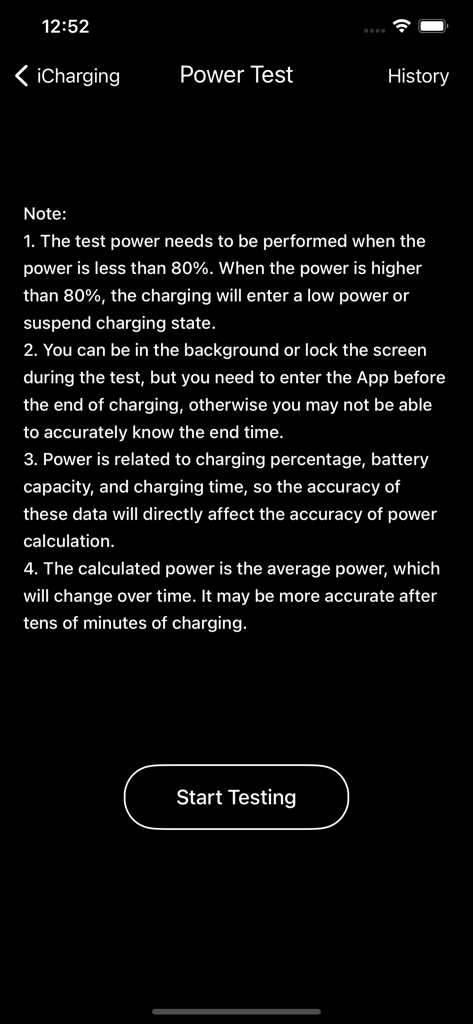
iChargingアプリの「パワーテスト」画面のスクリーンショット。使用上の注意と「テスト開始」ボタンが表示されている。
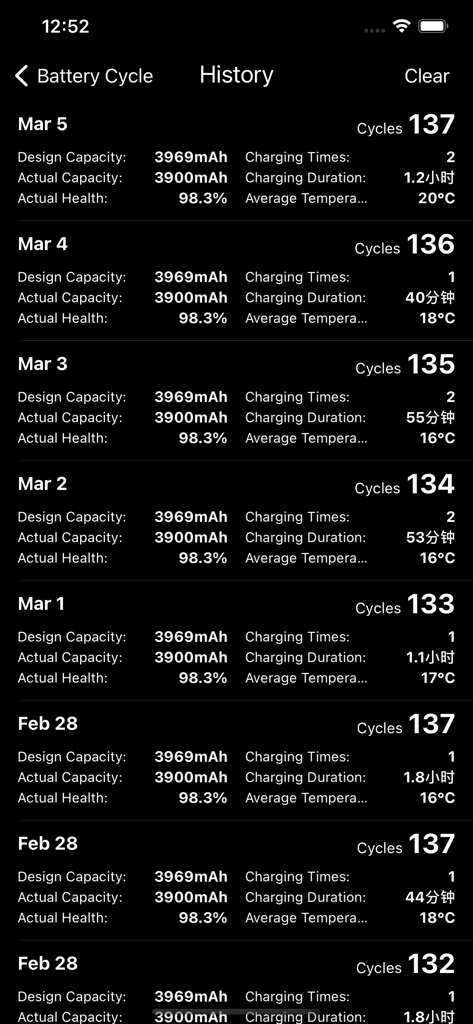
iChargingアプリ内の、バッテリーサイクル、健全性、容量、充電時間の詳細な日次ログ。
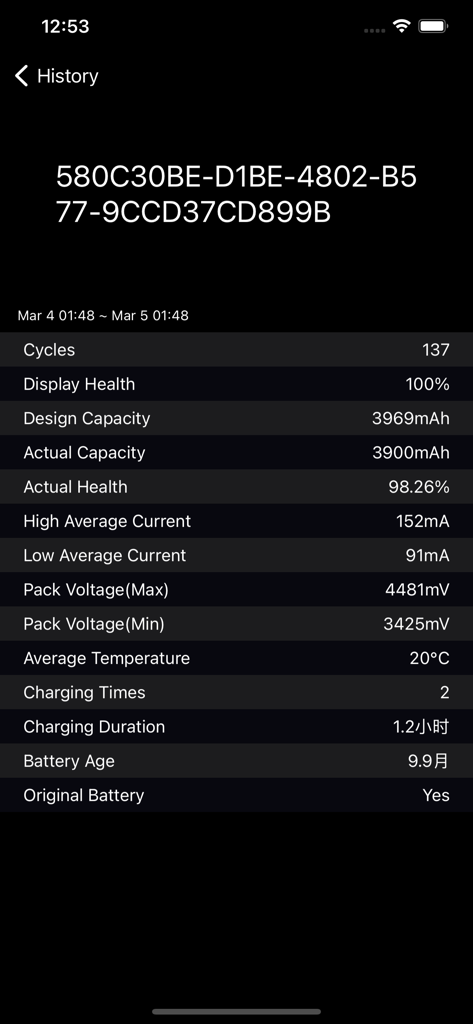
iChargingアプリの技術的なダッシュボード。サイクル数、健全性パーセンテージ、充電時間を含む、詳細なiPhoneバッテリー履歴が表示されている。
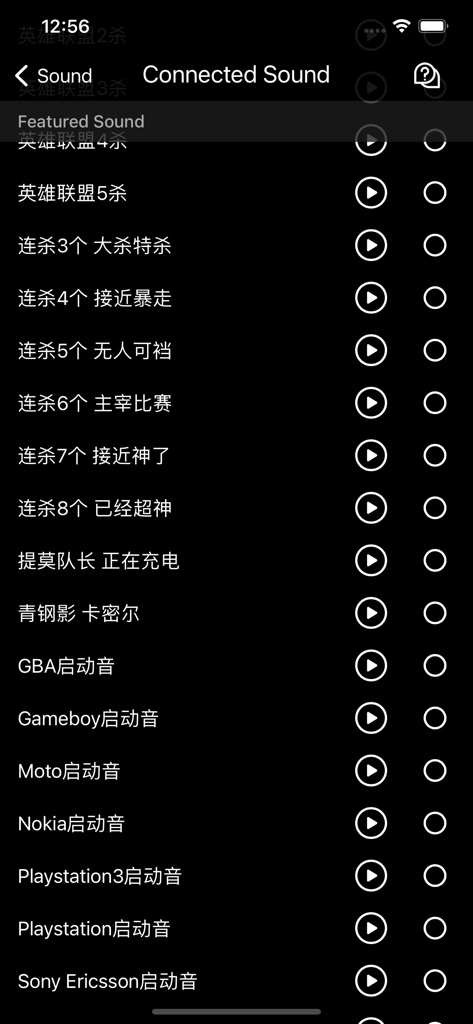
iChargingアプリのメニュー。レトロゲームや電話の起動音など、電話が充電開始時に再生されるカスタムサウンドのリストが表示されている。
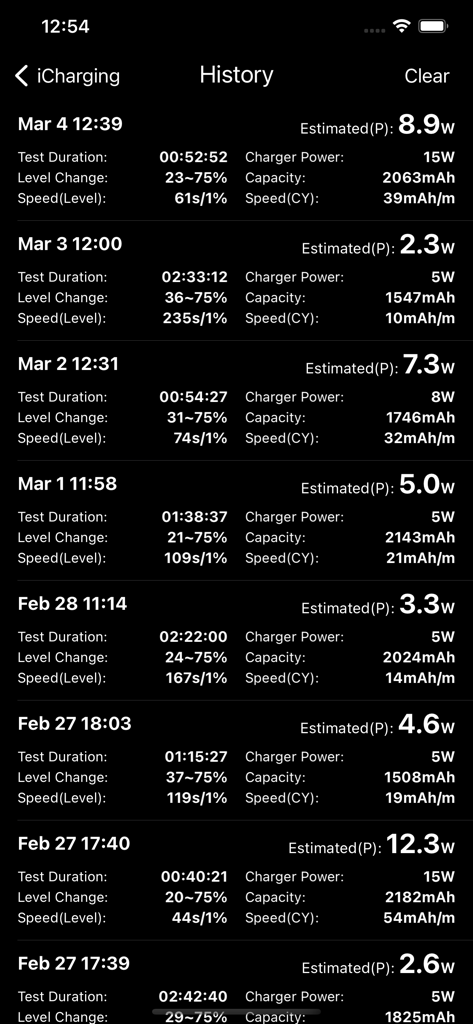
iChargingアプリのインターフェース。バッテリー充電、電力、および時間統計の履歴ログが表示されている。
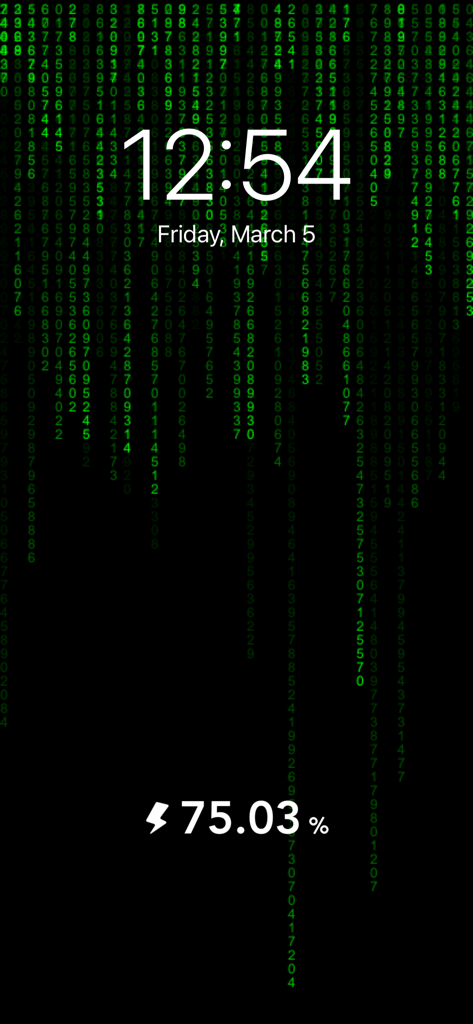
マトリックスをテーマにした充電アニメーションのスクリーンセーバー。時間とバッテリー残量が表示されている。
説明
Download
類似アプリ
似た機能とユーザー体験を持つアプリ
Live Wallpapers 4K ChargeWall
超亮 刘
Battery Care+
HIGHONE GAMES LIMITED
charging play
妮琳 张
EnergAI
慧 阳

Charger Master
东海 刘
Charging Show - Cool Play !
Xiamen iScreen Information Technology Co., Ltd.

Live Charging: Cool Wallpapers
SANTECO TECHNOLOGY CO., LIMITED
OPixels-Charging Wallpaper
MISSU LIMITED
充电福星宝
雨点 陈
このページはアプリまたはその開発者の公式ページではなく、情報提供および論評を目的として作成された独立した編集出版物です。明示的に別段の記載がない限り、アプリおよびその開発者は、MWM、Apple、Google Play、アプリのパブリッシャー、またはアプリの開発者と提携、承認、後援、認可、またはその他の公式的な関係はなく、このページのいかなる内容も、アプリがMWMのサービスを使用して開発されたことを意味するものではありません。すべての商標、ロゴ、スクリーンショット、その他のコンテンツはそれぞれの所有者の財産です。