iCircuit 3D
iCircuit 3D
ダウンロード: App Store

このページはアプリまたはその開発者の公式ページではなく、情報提供および論評を目的として作成された独立した編集出版物です。明示的に別段の記載がない限り、アプリおよびその開発者は、MWM、Apple、Google Play、アプリのパブリッシャー、またはアプリの開発者と提携、承認、後援、認可、またはその他の公式的な関係はなく、このページのいかなる内容も、アプリがMWMのサービスを使用して開発されたことを意味するものではありません。すべての商標、ロゴ、スクリーンショット、その他のコンテンツはそれぞれの所有者の財産です。

ロゴ: iCircuit 3D
ダウンロード: App Store

iCircuit 3D

リスクフリーの3Dサンドボックスでアイデアを実現しましょう。複雑な回路を設計し、Arduinoコードをテストし、実際の失敗のコストや結果なしに150以上のリアルなコンポーネントで実験しましょう。

主要数値

ダウンロード

10K+

ユーザー評価

4.1/5

評価数

100

開発元

Krueger Systems, Inc.

カテゴリ

Education

対応言語

7

最新バージョン

1.1

サイズ

165.7 MB

リリース日

2021年1月28日
機能

あなたの究極のバーチャル電子工作ラボ

学生、メーカー、プロのエンジニアのために設計された高忠実度3Dシミュレーションエンジンで、より速く、よりスマートに反復しましょう。

早く失敗し、より速く学ぶ

コンポーネントを安全に限界までプッシュしましょう。配線ミスをしても、「マジックスモーク」が高価なハードウェアを無駄にすることなく、エラーを診断して修正するのに役立ちます。

プログラム可能な3Dプロジェクト

実際のArduinoコードを実行して、モーターやセンサーを駆動します。リアルなライト、サウンド、モーションでデザインを生き生きとさせましょう。

以下のスクリーンショットと説明は、アプリの公式ストアリスティングから直接取得されたものであり、アプリ開発者の所有物です。

アプリストア

スクリーンショット
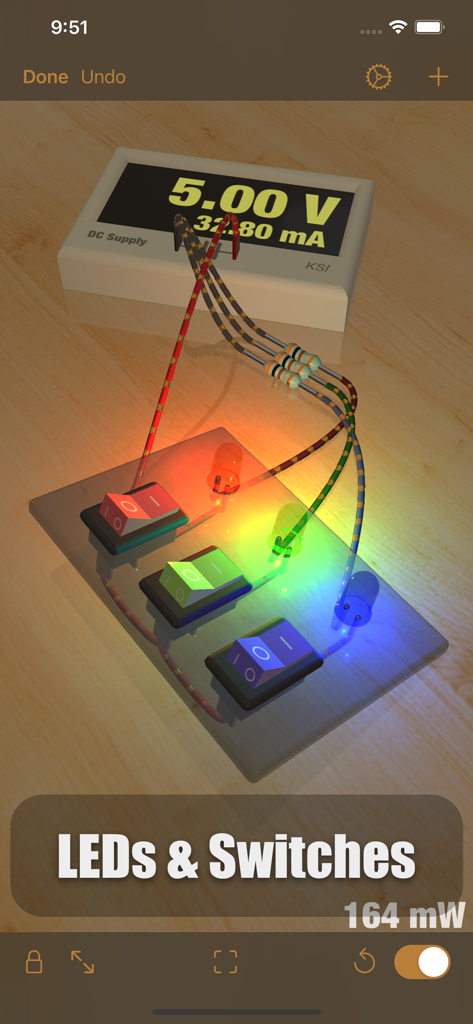
iCircuit 3D - 仮想ワークベンチ上のロッカースイッチに接続された、赤、緑、青のLEDが光る電子回路の3Dシミュレーション
仮想ワークベンチ上のロッカースイッチに接続された、赤、緑、青のLEDが光る電子回路の3Dシミュレーション

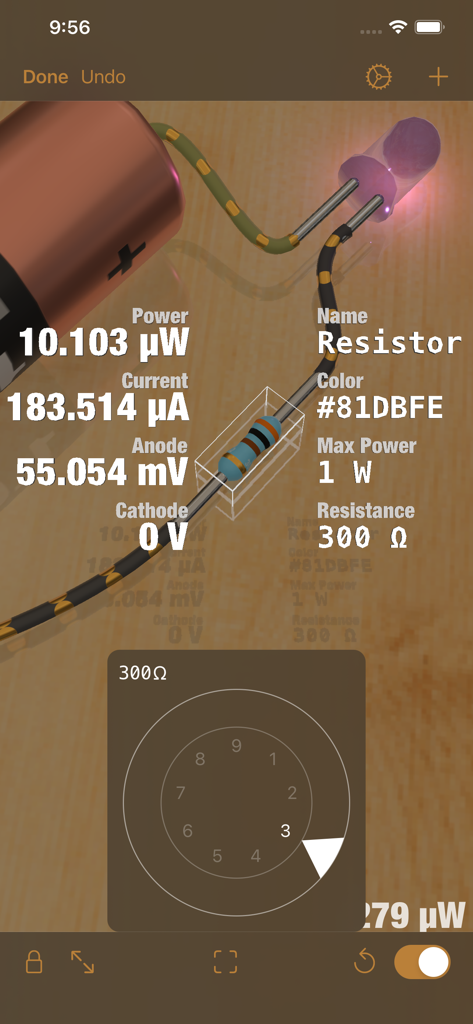
iCircuit 3D - iCircuit 3Dの電子回路の3Dシミュレーション。リアルタイムの技術データと抵抗器の抵抗調整ダイヤルが表示されます。
iCircuit 3Dの電子回路の3Dシミュレーション。リアルタイムの技術データと抵抗器の抵抗調整ダイヤルが表示されます。

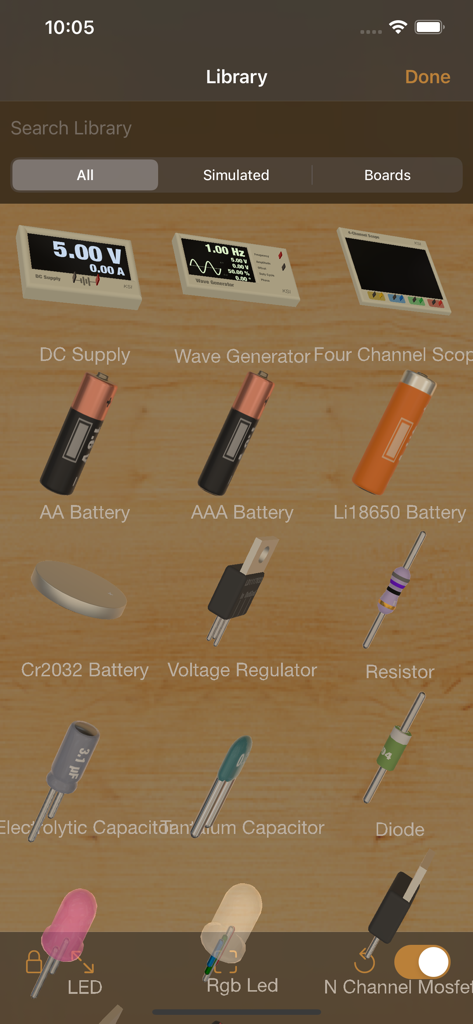
iCircuit 3D - iCircuit 3Dアプリの電子コンポーネントの3Dライブラリ

iCircuit 3Dアプリの電子コンポーネントの3Dライブラリ

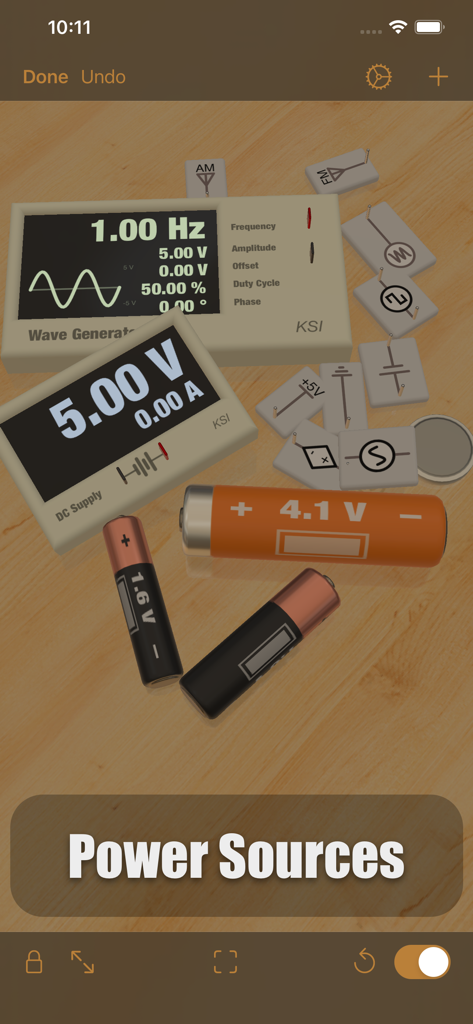
iCircuit 3D - iCircuit 3Dの仮想ワークベンチ上のさまざまな3D電源とバッテリー
iCircuit 3Dの仮想ワークベンチ上のさまざまな3D電源とバッテリー

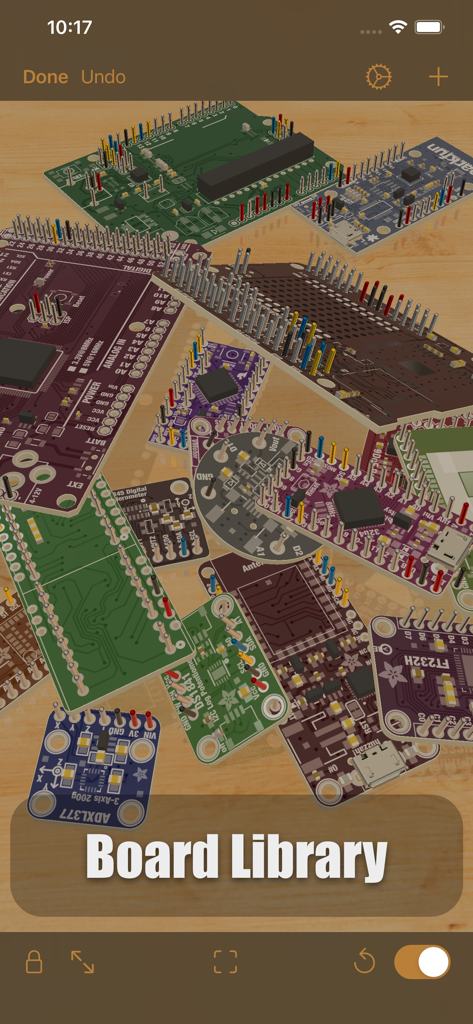
iCircuit 3D - iCircuit 3Dボードライブラリに表示されているさまざまな電子回路基板とマイクロコントローラーのコレクション
iCircuit 3Dボードライブラリに表示されているさまざまな電子回路基板とマイクロコントローラーのコレクション

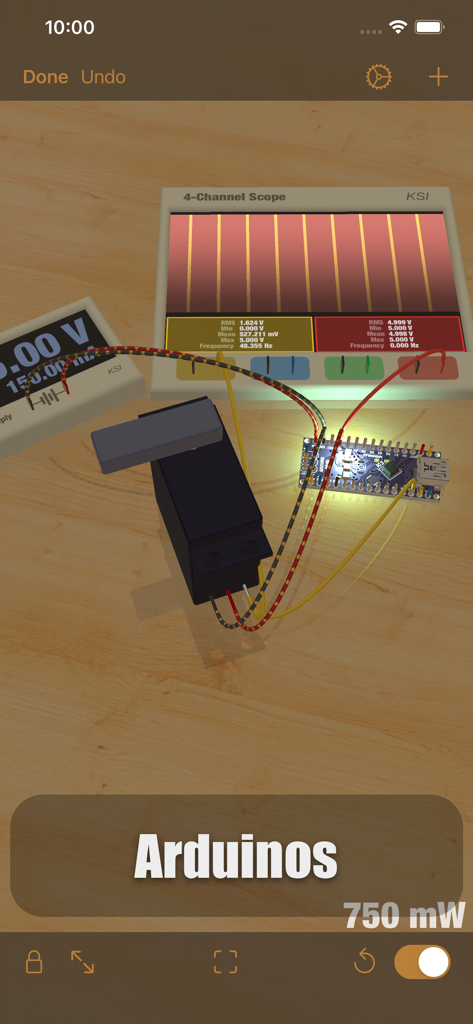
iCircuit 3D - 仮想ワークベンチ上のオシロスコープとサーボモーターを備えたArduino Nano回路の3Dシミュレーション
仮想ワークベンチ上のオシロスコープとサーボモーターを備えたArduino Nano回路の3Dシミュレーション

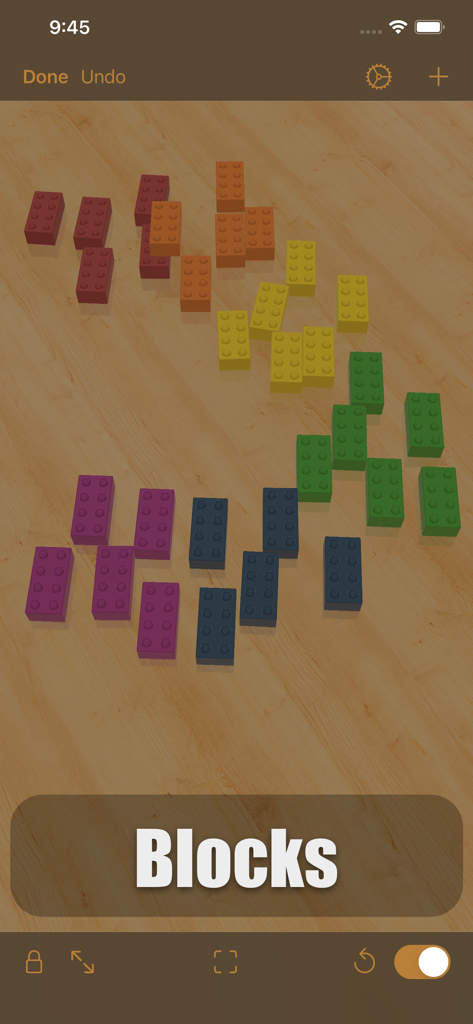
iCircuit 3D - iCircuit 3Dアプリインターフェイス内の仮想木製ワークベンチに散らばるカラフルな3Dビルディングブロック
iCircuit 3Dアプリインターフェイス内の仮想木製ワークベンチに散らばるカラフルな3Dビルディングブロック

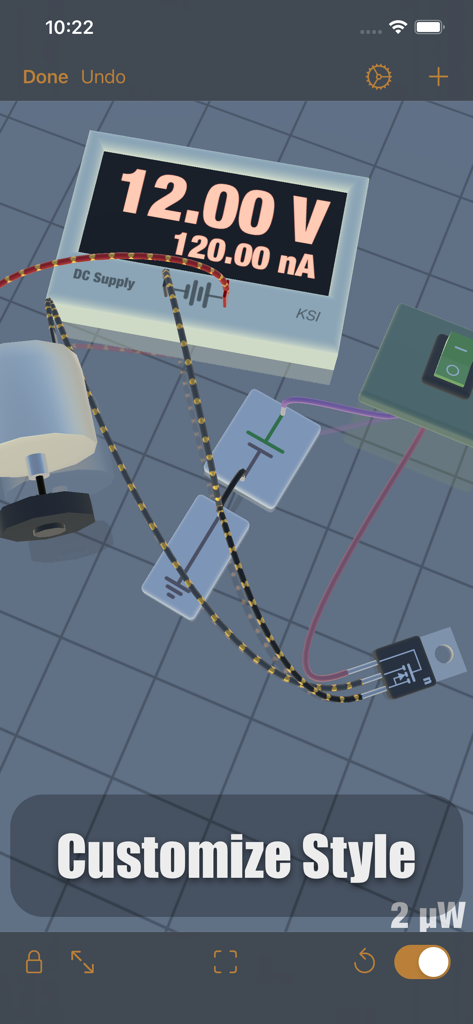
iCircuit 3D - DC電源、モーター、配線を備えた仮想ワークベンチ上の電子回路の3Dシミュレーション

DC電源、モーター、配線を備えた仮想ワークベンチ上の電子回路の3Dシミュレーション

説明

iCircuit 3D gives you an endless virtual workbench upon which to design and test your electronics projects. It combines the robust electronics simulation engine of the original iCircuit with the latest rendering and 3D physics technology of iOS. Don’t let the physical availability of parts be a constraint on your creativity! Choose from an expansive library of more than 150 physically and electronically simulated parts and over 1,000 reference boards to build and test your circuits for flaws, simulate your physical designs, and test your Arduino code in a fun sandbox environment. Each of these parts is adoringly rendered to look like the real thing so that you can enjoy the beauty of electronics. When powered, LEDs light up realistically, DC motors spin, and speakers make noise! Follow the flow of current along your simulated wires, and see pinout and color code data on the circuit components themselves. Tapping a part gives you quick access to simulated values such as voltage and current and also allows you to change the parameters of the part. In the event of a wiring issue or an over-stressed element, magic smoke will billow from the point of failure, making it easy to locate, diagnose, and fix errors. Add photographs and other reference images to the environment to keep them close at hand. You can even import your own 3D models to attach your electronics to, or use Blocks to build an enclosure, or a panel for them! Features: * Tons of resistors, capacitors, and LEDs * Multiple breadboard and wiring elements * Diodes, Transistors, and MOSFETs * DC power supplies * Waveform Generators to make AC, Square, and Sawtooth signals * Various batteries, including AA, AAA, 18650, and coin * Switches, including SPST and SPDT * Buzzers and speakers * DC motors and Servos * Programmable Arduino elements! * The full symbolic original iCircuit library * Over 1,000 reference circuit boards. These are not fully simulated, but are great for layout out your designs. * Import custom circuit elements in Eagle Board or Fritzing element formats (imported circuits won’t simulate, but you can at least wire them up) * Import custom 3D models to attach your projects to, and simulate their behavior on the workbench * Import images for reference or documentation, and they’ll appear as physical photographs All of these are available in the 3D work environment that mimics an electronics workbench. When you add parts, they land on the table due to gravity. From there you can drag them around and connect them to each other by drawing wires between their ports. When a circuit is completed, they start simulating. Once connected to each other, wires stay connected no matter where the part is positioned. You can stick them to other parts to make panels and structures, or just leave them laying on the bench haphazardly, like I do. iCircuit 3D was designed with a strong emphasis on fun and exploration and there are a lot more features along those lines to discover! I hope you enjoy this new take on circuit software.

Download

ダウンロード: App Store

このページはアプリまたはその開発者の公式ページではなく、情報提供および論評を目的として作成された独立した編集出版物です。明示的に別段の記載がない限り、アプリおよびその開発者は、MWM、Apple、Google Play、アプリのパブリッシャー、またはアプリの開発者と提携、承認、後援、認可、またはその他の公式的な関係はなく、このページのいかなる内容も、アプリがMWMのサービスを使用して開発されたことを意味するものではありません。すべての商標、ロゴ、スクリーンショット、その他のコンテンツはそれぞれの所有者の財産です。