iComic -comic reader-
ダウンロード: App Store

このページはアプリまたはその開発者の公式ページではなく、情報提供および論評を目的として作成された独立した編集出版物です。明示的に別段の記載がない限り、アプリおよびその開発者は、MWM、Apple、Google Play、アプリのパブリッシャー、またはアプリの開発者と提携、承認、後援、認可、またはその他の公式的な関係はなく、このページのいかなる内容も、アプリがMWMのサービスを使用して開発されたことを意味するものではありません。すべての商標、ロゴ、スクリーンショット、その他のコンテンツはそれぞれの所有者の財産です。


ロゴ: iComic -comic reader-
ダウンロード: App Store

iComic -comic reader-

デジタルコレクションを完全に管理しましょう。超高速のオフラインアクセスと、あなたが求める精密なナビゲーションで、CBZおよびZIPアーカイブの高解像度読書を体験してください。

主要数値

ダウンロード

187K+

ユーザー評価

3.3/5

評価数

4K+

開発元

Yoshitake Yamamoto

カテゴリ

Utilities

対応言語

6

最新バージョン

6.1.5

サイズ

2.9 MB

リリース日

2008年12月3日
機能

デジタルコレクターのためのパワフルツール

iComicは、所有権と品質を重視する読書家のために設計された高性能ユーティリティです。サブスクリプションなしでプレミアムなオフライン読書体験のために、独自のZIPおよびCBZアーカイブをロードしてください。

シームレスなアーカイブ読書

直感的なマルチタッチジェスチャーとコーナータップコントロールで、個人のZIPまたはCBZコレクションを直接開いてナビゲートします。

完全なオフラインの自由

個人のサーバーまたはWeb経由でコンテンツをダウンロードし、すべてのフライトや通勤中に一緒に持ち運べるライブラリを構築しましょう。

以下のスクリーンショットと説明は、アプリの公式ストアリスティングから直接取得されたものであり、アプリ開発者の所有物です。

アプリストア

スクリーンショット
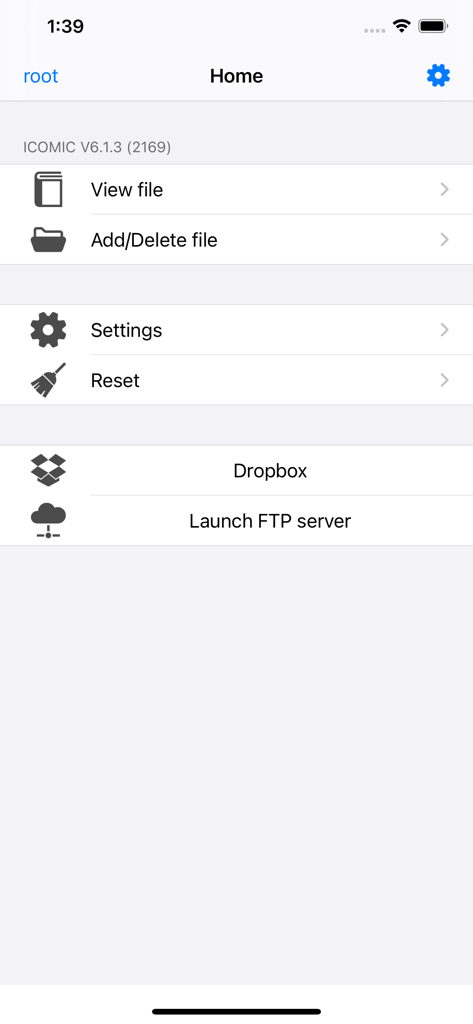
iComic -comic reader- - iComicアプリのホーム画面。ファイル管理、設定、Dropbox、FTPサーバーのオプションが表示されている。

iComicアプリのホーム画面。ファイル管理、設定、Dropbox、FTPサーバーのオプションが表示されている。

説明

Welcome to iComic, the premier application for reading comics on your iPhone or iPod Touch. iComic makes great use of the multi-touch function for simple and effective page navigation and zooming to provide the best portable comic book read you will find. iComic displays high resolution comic pages (jpg, tif, or png image files) contained inside compressed zip or cbz format archives. Using the built-in download function, comics can be downloaded from the internet or from a personal server and stored locally on your iPhone or iPod Touch. Your downloaded comics are stored on your device and so are always available for reading, even when you have no internet connection. As iTunes resizes images to a compressed format, iComic is also useful for displaying images for other uses e.g. maps, high detailed photos and ebooks (convert your pdf books to jpeg and you have a perfect reader for those large pdf files, normally unreadable due to the high memory requirement). iComic currently provides three methods for turning pages: swiping your finger on the screen; by taps in the screen corners using the Corner-Tap method; or by Multi-Touch (tap once to page forward, twice to page back). Zooming is by the familiar pinch method used in Safari and other applications or by double tapping the screen when in Corner-Tap mode. The application is very stable and can easily handle zip files up to 60MB with infrequent problems observed with files of much larger size. Individual image files inside the zip files are constrained to a maximum 3 million pixels (e.g. 3,000 pixels high x 1,000 pixels wide or equivalent) though for the sake of battery conservation much smaller sizes (~1000 pixels high) are generally used. A manual for setting up and using iComic can be downloaded from http://red.halfmoon.jp/AppStore_iComic_V1.3_FAQ.pdf The author of this application is Japanese so for excellent community support and discussion in English please visit the helpful and friendly ~*~ Ultimate icomic Thread ~*~ at www.ipodtouchfans.com/forums/showthread.php?t=23759

Download

ダウンロード: App Store

このページはアプリまたはその開発者の公式ページではなく、情報提供および論評を目的として作成された独立した編集出版物です。明示的に別段の記載がない限り、アプリおよびその開発者は、MWM、Apple、Google Play、アプリのパブリッシャー、またはアプリの開発者と提携、承認、後援、認可、またはその他の公式的な関係はなく、このページのいかなる内容も、アプリがMWMのサービスを使用して開発されたことを意味するものではありません。すべての商標、ロゴ、スクリーンショット、その他のコンテンツはそれぞれの所有者の財産です。








