iFacialMocap

iFacialMocap

ダウンロード: App Store
ロゴ: iFacialMocap

iFacialMocap: 3DアーティストとVTuberのためのプロフェッショナルリアルタイム顔キャプチャ

iPhoneを高精度フェイシャルスキャナーに変えましょう。高価なリグなしで、52ブレンドシェイプの表情をBlender、Unity、Mayaに直接ストリーミングします。

開発元

DevelopW LLC

カテゴリ

Productivity

ダウンロード

214K+

ユーザー評価

3.2/5

評価数

200

対応言語

15

動きの中の精度

このインターフェースを利用する 214K+ 人のユーザー.

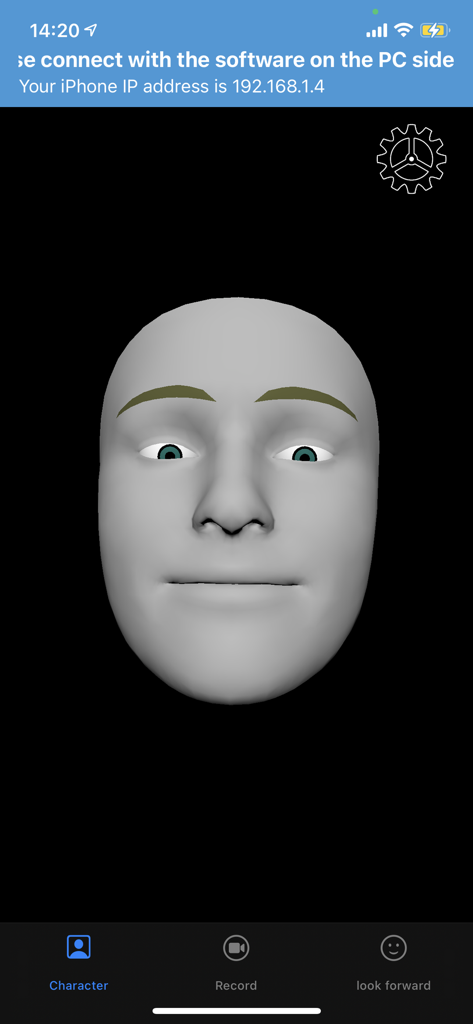
iFacialMocapアプリのインターフェース。リアルタイムモーションキャプチャ用の灰色の3D顔モデルが表示されています。
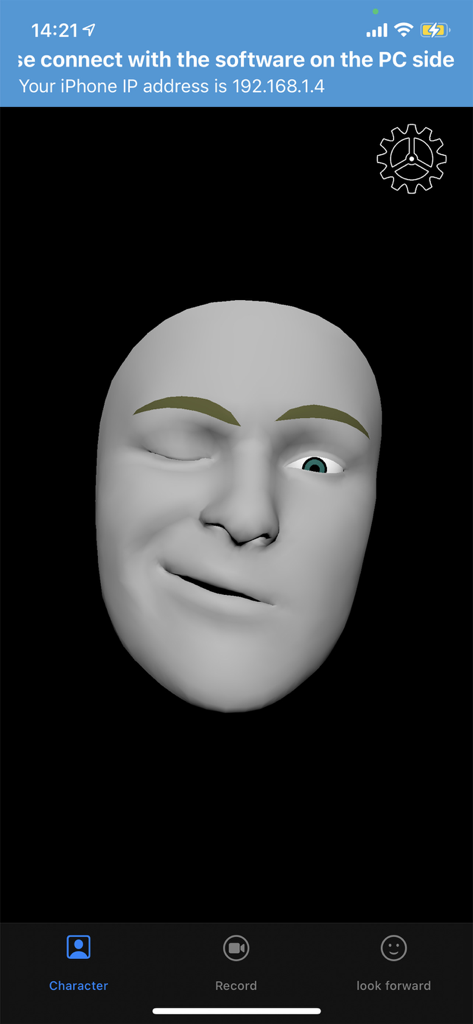
iFacialMocapアプリのインターフェース。リアルタイムモーションキャプチャ用の灰色の3D顔モデルが表示されています。

iFacialMocapアプリのインターフェース。リアルタイムモーションキャプチャ用に表情を模倣する灰色の3Dヘッドモデルが表示されています。

iFacialMocapアプリのインターフェース。リアルタイムモーションキャプチャ用に表情を模倣する灰色の3Dヘッドモデルが表示されています。

プロフェッショナルな顔アニメーションをシンプルに

このアプリを際立たせるツール、 214K+ 人のユーザーが選択.

リアルタイムライブリンク

Blender、Unity、Maya、3dsMaxと表情をシームレスに同期し、瞬時のキャラクターアニメーションとライブストリーミングを実現します。

🎯

TrueDepth精度

AppleのARKitを活用し、52種類のユニークなブレンドシェイプをトラッキングし、かすかな笑顔から複雑な会話まで、あらゆるニュアンスを捉えます。

📤

プロワークフロー統合

デバイス上でパフォーマンスを録画し、業界標準のFBXファイルとしてエクスポートするか、VMagicMirrorとリンクさせてハイエンドVTubingを実現します。

アプリについて

について知っておくべきこと iFacialMocap.

説明

iFacialMocap allows you to capture facial expressions in an iOS app and communicate in real time with 3DCG software on your PC. You can also do an FBX export by email.PC-side software allows you to import VRM models. To export FBX, turn on the REC mode and record. And when you press the mail button, the version selection screen of FBX appears, and when you press the OK button, the FBX file is saved in the File folder and the mailer starts. Detailed usage is available at the following URL: https://ifacialmocap.com/ This app can create face animations by communicating with Maya, Unity, 3dsMax and Blender in real time. In addition, animations created in real time can be baked. This app can load VRM avatars within the iOS app. In addition, this app is linked with VMagicMirror on the PC and VRM related apps such as Luppet and HANA_APP. To use, first start this app, then start "iFacialMocap to SoftWare app" on your PC and enter your iPhone's IP address. (Donwload from PC use :https://ifacialmocap.com/download/ ) Next, create up to 52 morph targets (BlendShape or ShapeKey) according to the naming convention. Finally, use 3DCG software to load the script / add-on and press the connection button. Very accurate facial motion capture can be performed very easily. This app is only available for models equipped with FaceID. The camera image and resulting depth data are only used to send motion capture data to the user's PC. That data is not stored in the iPhone. To get depth data from Apple's API, access to the camera is required. This application is only used for communication with PCs within the same network and does not send information to third parties. This app can only be used on iOS devices equipped with FaceID. Supported devices are as follows: ・iPhone iPhone13 mini Phone13 Pro Max iPhone13 Pro iPhone13 iPhone12 Pro Max iPhone12 Pro iPhone12 iPhone 11 Pro Max iPhone 11 Pro iPhone 11 iPhone XS Max iPhone XS iPhone XR iPhone X ・iPad iPad Pro 12.9-inch (5th generation) iPad Pro 12.9-inch (4th generation) iPad Pro 12.9-inch (3rd generation) iPad Pro 11-inch (2nd generation) iPad Pro 11-inch * Face ID is not installed in the new iPhone SE 2nd generation released in 2020, but you can use iFacial Mocap by updating to iOS 14 or later. Not limited to iPhone SE 2nd generation, iFacial Mocap can be used if it has an A12 or higher chip and has been updated to iOS14.

最新バージョン

1.4.9

サイズ

295.2 MB

リリース日

2020年1月13日

デジタルアバターに命を吹き込む準備はできましたか?

iPhoneをプロ仕様のモーションキャプチャリグに変えた何千人もの3DアーティストやVTuberの仲間入りをしましょう。今すぐiFacialMocapをダウンロードして、Blender、Unity、Mayaへのリアルタイム表情ストリーミングを開始しましょう。

ダウンロード: App Store
おすすめ

類似アプリ

似た機能とユーザー体験を持つアプリ

App information, icons, screenshots, and descriptions displayed on this page are sourced from the Apple App Store and are the property of their respective developers. Download estimates and rankings are based on MWM's proprietary models and may not reflect actual figures. This page is provided for informational and analytical purposes only.

Believe this page infringes your intellectual property? File a dispute