Live Link Face

Live Link Face

ダウンロード: App Store
ロゴ: Live Link Face

Live Link Face: Unreal Engine向けプロフェッショナル顔アニメーション

iPhoneを高忠実度パフォーマンスキャプチャリグに変えましょう。リアルタイムの表情をMetaHumanにストリーミングするか、制作ワークフローのためにシネマティックデータを記録します。

開発元

Epic Games International, S.a.r.l.

カテゴリ

Graphics & Design

ダウンロード

926K+

ユーザー評価

3.6/5

評価数

500

対応言語

4

ポケットの中のスタジオパワー

このインターフェースを利用する 926K+ 人のユーザー.

Unreal Engine MetaHuman顔モーションキャプチャのために笑顔のパフォーマーのクローズアップ

Unreal Engine MetaHuman顔モーションキャプチャのために笑顔のパフォーマーのクローズアップ

Unreal Engine MetaHumanテクノロジーを使用して作成された高忠実度のデジタルキャラクター
Unreal Engine MetaHumanテクノロジーを使用して作成された高忠実度のデジタルキャラクター

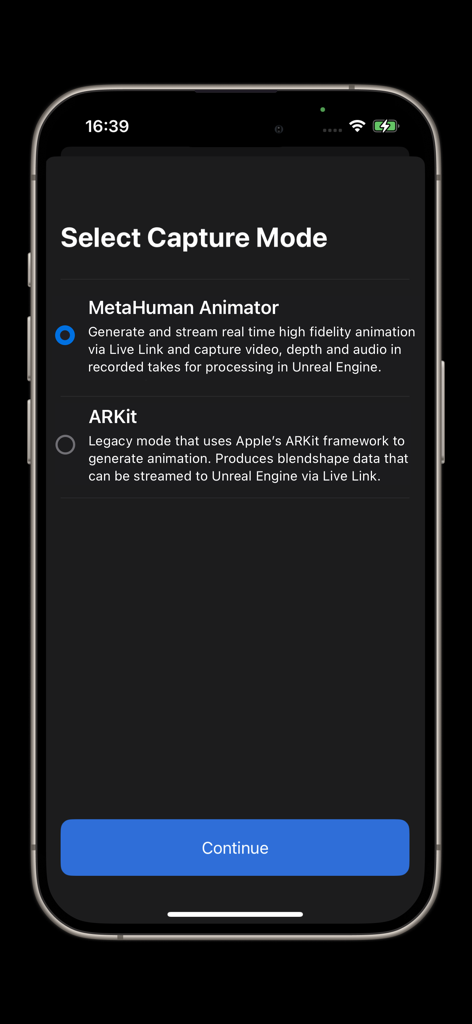
Live Link Faceアプリの選択画面。MetaHuman AnimatorとARKitキャプチャモードオプションが表示されています。
Live Link Faceアプリの選択画面。MetaHuman AnimatorとARKitキャプチャモードオプションが表示されています。

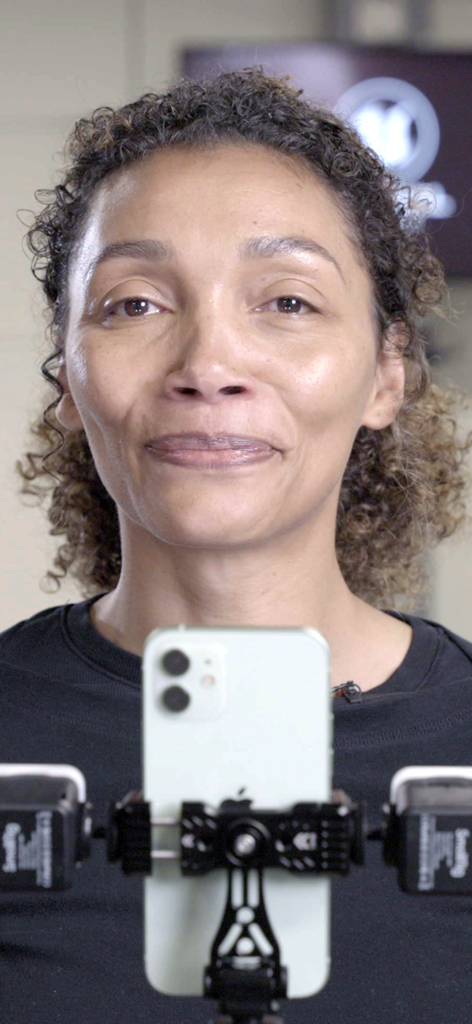
プロフェッショナルモーションキャプチャリグに取り付けられたiPhoneの前で表情を演じる女性
プロフェッショナルモーションキャプチャリグに取り付けられたiPhoneの前で表情を演じる女性

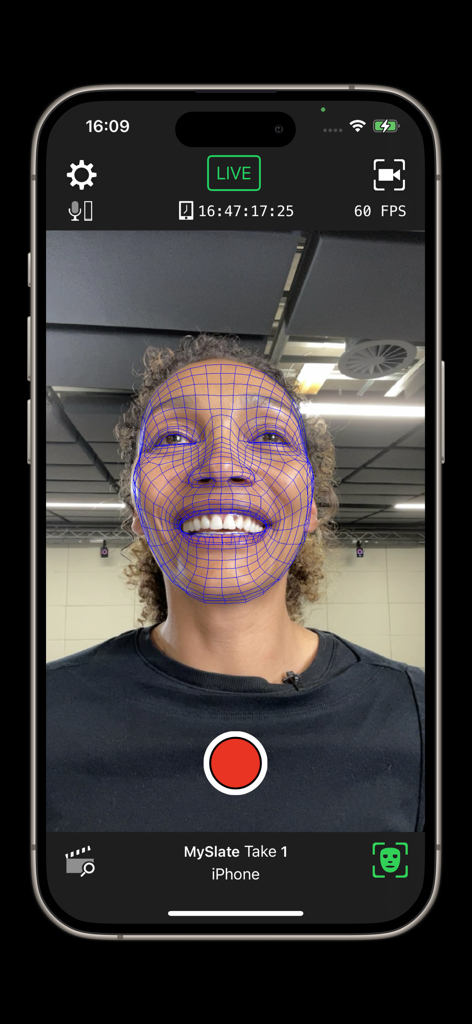
Live Link Faceでのメッシュオーバーレイ付きリアルタイム顔モーションキャプチャインターフェース
Live Link Faceでのメッシュオーバーレイ付きリアルタイム顔モーションキャプチャインターフェース

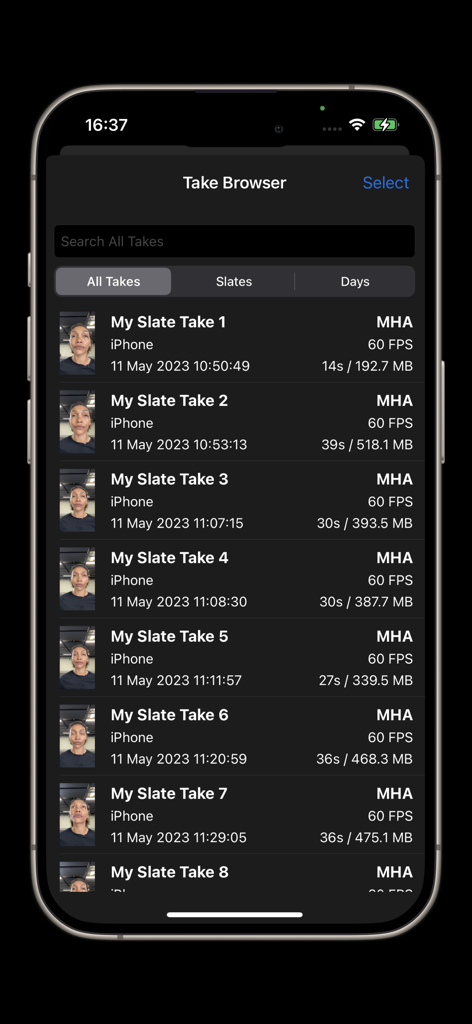
Live Link Faceのテイクブラウザ。記録された顔キャプチャパフォーマンスのリストが表示されています。
Live Link Faceのテイクブラウザ。記録された顔キャプチャパフォーマンスのリストが表示されています。

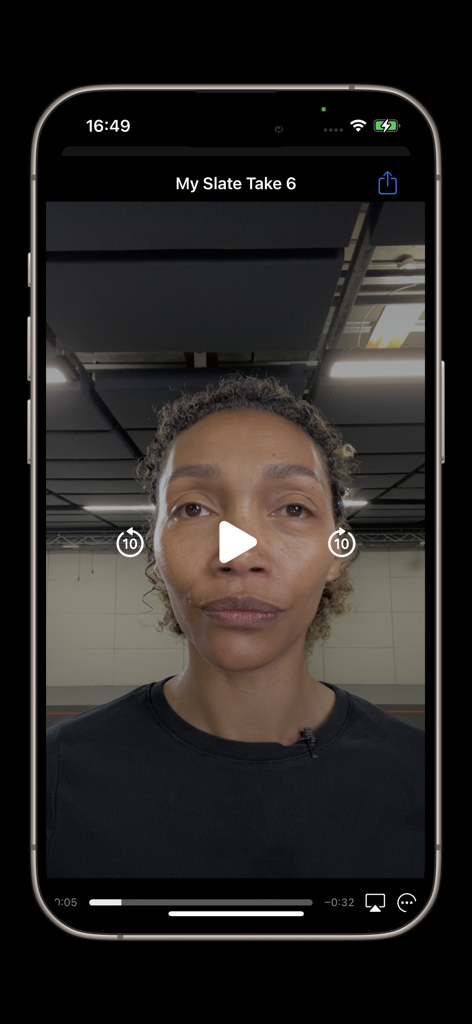
Live Link Faceアプリインターフェースでのキャプチャされた顔パフォーマンスのビデオ再生

Live Link Faceアプリインターフェースでのキャプチャされた顔パフォーマンスのビデオ再生

スタジオグレードの顔キャプチャ

このアプリを際立たせるツール、 926K+ 人のユーザーが選択.

👤

MetaHumanインテグレーション

高忠実度の深度データと生ビデオをキャプチャし、MetaHuman Animatorを強化することで、数クリックでAAA品質の顔パフォーマンスを実現します。

リアルタイムストリーミング

ARKitアニメーションデータをネットワーク経由でストリーミングし、Unreal Engineでのライブレンダリングにより、3Dメッシュ上の表情を即座に視覚化します。

🎬

プロフェッショナル同期とコントロール

Tentacle Syncタイムコードサポートによりフレーム精度の同期を維持し、複雑なスタジオワークフローのためにOSC経由でリモートレコーディングを管理します。

アプリについて

について知っておくべきこと Live Link Face.

説明

Live Link Face for effortless facial animation in Unreal Engine—capture performances for use in Unreal Engine from your iPhone or iPad. Capture facial performances for MetaHuman Animator: - Live Link Face supports both real-time and processed animation. - MetaHuman Animator uses Live Link Face to capture performances, then applies its own processing to create high-fidelity facial animation for MetaHumans. - The Live Link Face app captures raw video and depth data, which can be transmitted directly from your device into Unreal Engine for use with the MetaHuman plugin. - Facial animation created with MetaHuman Animator can be applied to any MetaHuman character in just a few clicks. - This workflow requires an iPhone (12 or above) and a desktop PC running Windows 10/11. Real-time animation for MetaHumans: - The Live Link Face app generates animation to drive a MetaHuman Character in real time. - Animation data is streamed to Unreal Engine over a network using the MetaHuman Live Link Plugin. - This workflow requires an iPhone (12 or above) and a desktop PC running Windows 10/11. Real-time animation for non-MetaHuman characters: - Stream out ARKit animation data live to an Unreal Engine instance via Live Link over a network. - Visualize facial expressions in real time with live rendering in Unreal Engine. - Drive a 3D preview mesh, optionally overlaid over the video reference on the phone. - Record the raw ARKit animation data and front-facing video reference footage. - Tune the capture data to the individual performer and improve facial animation quality with rest pose calibration. Timecode support for multi-device synchronization: - Select from the system clock, an NTP server, or use a Tentacle Sync device to connect with a master clock on stage. - Video reference is frame accurate with embedded timecode for editorial. Control Live Link Face remotely with OSC or via the MetaHuman Plugin for Unreal Engine: - Trigger recording remotely so actors can focus on their performances. - Capture slate names and take numbers consistently. - Extract data for processing and storage. Browse and manage the library of captured takes: - Delete takes within Live Link Face, share via AirDrop. - Transfer directly over network when using MetaHuman Animator. - Review captured footage on-device.

最新バージョン

1.6.0

サイズ

116.6 MB

リリース日

2020年7月7日

iPhoneをプロフェッショナルMocapリグに変える

何千人ものクリエイターに加わり、Unreal EngineにAAA品質の顔アニメーションをもたらしましょう。Live Link Faceをダウンロードして、今日から高忠実度パフォーマンスのキャプチャを開始しましょう。

ダウンロード: App Store
FAQ

よくある質問

について知っておくべきこと Live Link Face

Live Link Face は何に使用されますか?

Live Link Face は、iPhoneまたはiPadからUnreal Engineに顔のパフォーマンスをキャプチャします。MetaHumanやその他のキャラクターのリアルタイムおよび処理済みフェイシャルアニメーションを可能にし、Unreal Engineのワークフローに直接統合されます。

Live Link Face はどのデバイスと互換性がありますか?

Live Link Face は、顔のパフォーマンスキャプチャにiPhone 12以降が必要です。Unreal Engine内でキャプチャしたデータを利用するには、Windows 10または11を実行するデスクトップPCも必要です。

Live Link Face は MetaHuman Animator をサポートしていますか?

はい、Live Link Face は MetaHuman Animator をサポートしています。生のビデオと深度データをキャプチャし、MetaHuman Animator がそれを処理して、Unreal Engine の MetaHuman キャラクターの高忠実度フェイシャルアニメーションを作成します。

Live Link Face は、MetaHuman 以外のキャラクターをリアルタイムでアニメートできますか?

はい、Live Link Face は ARKit アニメーションデータを Unrea lEngine のインスタンスにライブストリーミングします。これにより、MetaHuman 以外のキャラクターの表情をリアルタイムで視覚化でき、カスタム 3D プレビューメッシュもサポートします。

Live Link Face はキャプチャした顔のパフォーマンステイクをどのように管理しますか?

Live Link Face は、テイクブラウザを通じてキャプチャしたテイクを管理します。ユーザーはテイクを削除したり、AirDropで共有したり、MetaHuman Animatorのためにネットワーク経由で転送したり、デバイス上で直接映像を確認したりできます。

Live Link Face はタイムコード同期をサポートしていますか?

はい、Live Link Face はマルチデバイス同期のためにタイムコードサポートを提供します。オプションには、システムクロック、NTPサーバー、またはステージ上のマスタークロックと接続するための Tentacle Sync デバイスが含まれます。

Live Link Face の録画をリモートで制御できますか?

はい、ユーザーは OSC または Unreal Engine 用の MetaHuman Plugin を介して Live Link Face をリモートで制御できます。これにより、リモートで録画をトリガーし、スレート名とテイク番号を一貫してキャプチャできます。

Live Link Face はどのフレームレートで顔のパフォーマンスデータをキャプチャしますか?

Live Link Face は、毎秒60フレーム(FPS)で顔のパフォーマンスデータをキャプチャします。このフレームレートは、リアルタイムストリーミングフィードと録画されたテイクの両方に適用され、高忠実度のアニメーションを保証します。

おすすめ

類似アプリ

似た機能とユーザー体験を持つアプリ

App information, icons, screenshots, and descriptions displayed on this page are sourced from the Apple App Store and are the property of their respective developers. Download estimates and rankings are based on MWM's proprietary models and may not reflect actual figures. This page is provided for informational and analytical purposes only.

Believe this page infringes your intellectual property? File a dispute