
このページはアプリまたはその開発者の公式ページではなく、情報提供および論評を目的として作成された独立した編集出版物です。明示的に別段の記載がない限り、アプリおよびその開発者は、MWM、Apple、Google Play、アプリのパブリッシャー、またはアプリの開発者と提携、承認、後援、認可、またはその他の公式的な関係はなく、このページのいかなる内容も、アプリがMWMのサービスを使用して開発されたことを意味するものではありません。すべての商標、ロゴ、スクリーンショット、その他のコンテンツはそれぞれの所有者の財産です。

Image converter JPG, PNG, JPEG
「ファイル形式がサポートされていません」エラーにさよなら。HEIC写真をJPGまたはPDFに一括変換し、秒速でアップロード要件に合わせたファイルサイズに最適化。
ダウンロード
800ユーザー評価
評価数
0開発元
カテゴリ
Utilities対応言語
6最新バージョン
1.1.1サイズ
10.0 MBリリース日
2025年4月8日秒速で実現するユニバーサル互換性
「サポートされていないファイル」エラーに悩むのはもうやめましょう。iPhoneまたはiPadで、プロ仕様のフォーマットに画像を即時変換、圧縮、リサイズ。
インスタント一括変換
HEIC、PNG、WEBP画像を、世界中で認識されるJPGまたはPDF形式に手間なく変換。学校の課題や公的機関のポータルに最適です。
スマート圧縮&リサイズ
クリアさを損なわずにファイルサイズを縮小し、厳しいアップロード制限をクリア。1回のタップで、あらゆるウェブサイトの要件を満たすドキュメントに最適化。
よくある質問
について知っておくべきこと Image converter JPG, PNG, JPEG
Image converterアプリで画像を変換するにはどうすればよいですか?
Image converterアプリでは、写真を選択し、必要に応じて圧縮またはリサイズしてから「今すぐ変換」をタップし、変換されたファイルを保存することで画像を変換できます。
Image converterアプリはどの画像形式をサポートしていますか?
Image converterアプリは、JPG、PNG、PDF、HEIC、WEBP、BMP形式への画像の変換をサポートしています。さまざまなニーズに対応する包括的な出力オプションを提供します。
Image converterアプリで複数の画像を同時に変換できますか?
はい、Image converterアプリでは複数の画像を同時に変換できます。一度に複数のファイルを処理する一括変換機能が備わっています。
Image converterアプリは画質を損なわずに画像を圧縮しますか?
はい、Image converterアプリは画質の低下を最小限に抑えて画像を圧縮します。ファイルサイズを最適化するために、低、中、高を含む調整可能な圧縮レベルを提供します。
Image converterアプリで写真をリサイズできますか?
はい、Image converterアプリでは写真を簡単にリサイズできます。アプリ内で直接、画像サイズを調整し、アスペクト比を変更するためのツールが提供されています。
Image converterアプリのサブスクリプション料金はいくらですか?
Image converter JPG HEIC PNG Converterアプリは、週2.99米ドルの自動更新サブスクリプションがあります。米国外のユーザーでは価格が異なる場合があります。
Image converterアプリのサブスクリプションをキャンセルするにはどうすればよいですか?
Image converterアプリのサブスクリプションは、購入後にデバイスのiTunesアカウント設定にアクセスしてキャンセルします。現在の期間が終了する24時間前までに自動更新を無効にする必要があります。
Image converterアプリのプライバシーポリシーはどこにありますか?
Image JPG HEIC PNG Converterアプリのプライバシーポリシーは、https://www.onevly.com/ios/privacypolicy.html にあります。このドキュメントには、データ処理方法が記載されています。
以下のスクリーンショットと説明は、アプリの公式ストアリスティングから直接取得されたものであり、アプリ開発者の所有物です。
アプリストア
スクリーンショット
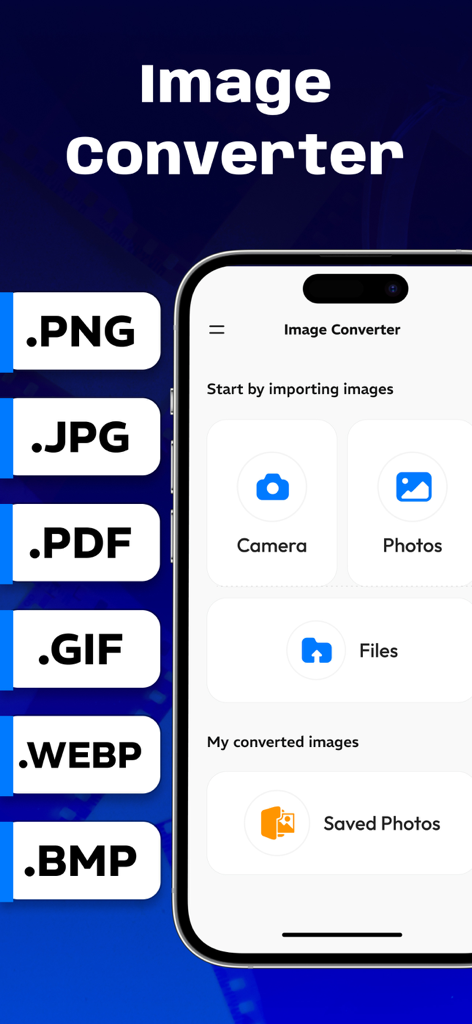
画像変換アプリのインターフェース。写真のインポートとJPG、PNG、PDF形式への変換オプションが表示されています。
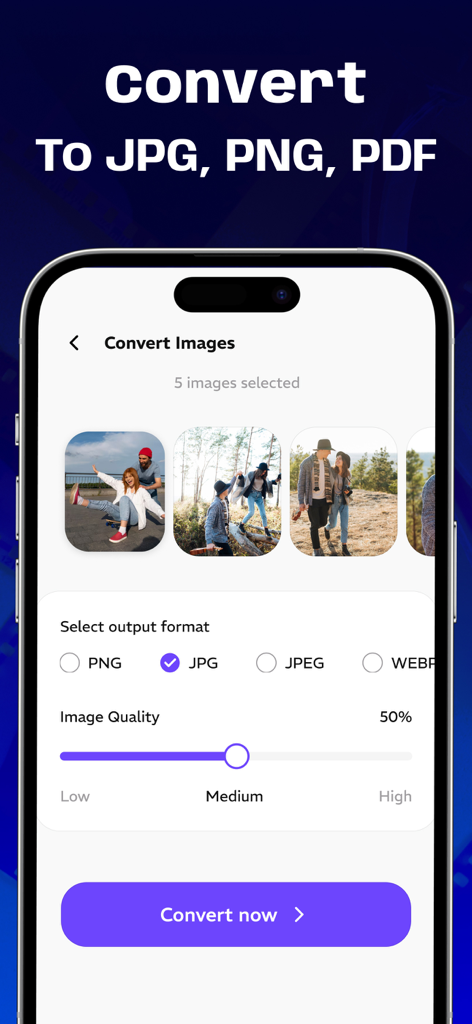
複数の画像をJPGおよびPNGに変換するモバイルインターフェース。品質設定も表示されています。
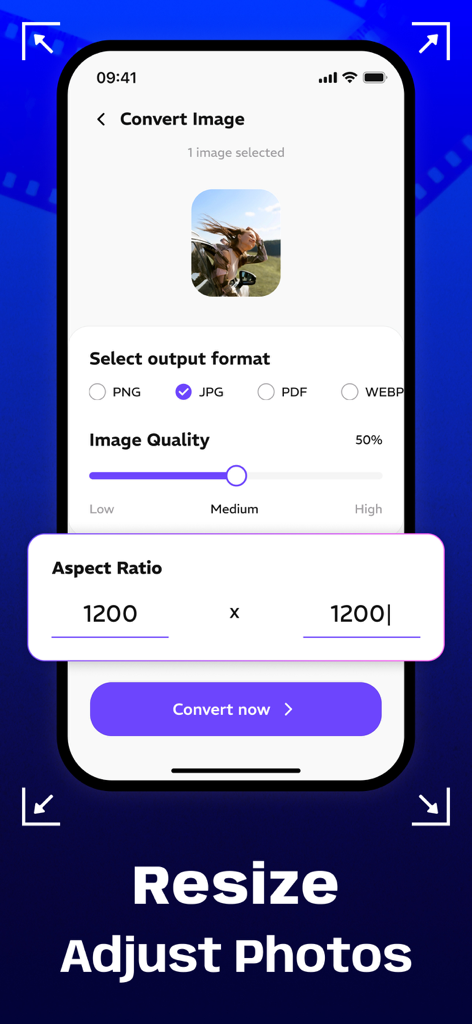
画像変換アプリのインターフェース。写真のリサイズやアスペクト比の調整オプションが表示されています。
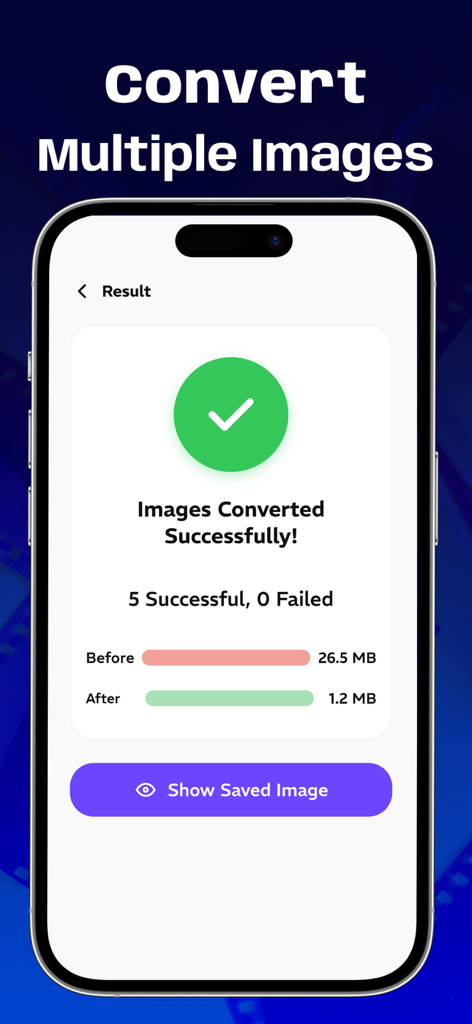
複数の画像を正常に変換および圧縮したことを示すモバイルアプリ画面。
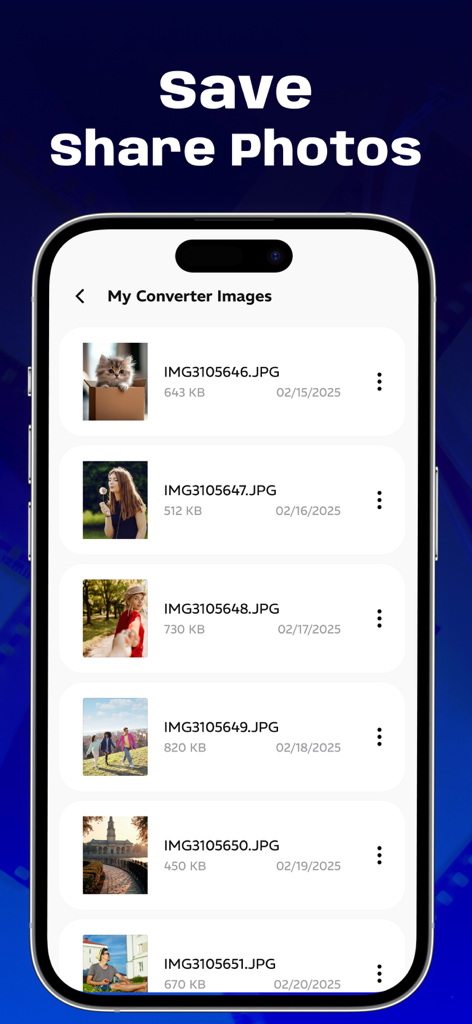
アプリギャラリーに、変換されたJPG画像の名前とサイズとともにリスト表示された画面。
説明
Download
類似アプリ
同じカテゴリのトップランクアプリ

Google LLC

Google Chrome
Google LLC

中国移动(手机营业厅)
China Mobile Online Services Co., Ltd.

Google Authenticator
Google LLC

CNH do Brasil
Servicos e Informacoes do Brasil

Cleanup: Phone Storage Cleaner
DEEP FLOW SOFTWARE SERVICES - FZCO

gov.br
Servicos e Informacoes do Brasil

中国电信-全国统一官方服务平台
CHINA TELECOM Corporation Ltd.

Microsoft Edge: AI Browser
Microsoft Corporation
このページはアプリまたはその開発者の公式ページではなく、情報提供および論評を目的として作成された独立した編集出版物です。明示的に別段の記載がない限り、アプリおよびその開発者は、MWM、Apple、Google Play、アプリのパブリッシャー、またはアプリの開発者と提携、承認、後援、認可、またはその他の公式的な関係はなく、このページのいかなる内容も、アプリがMWMのサービスを使用して開発されたことを意味するものではありません。すべての商標、ロゴ、スクリーンショット、その他のコンテンツはそれぞれの所有者の財産です。