Image to Text - Scan & Convert
ダウンロード: App Store

このページはアプリまたはその開発者の公式ページではなく、情報提供および論評を目的として作成された独立した編集出版物です。明示的に別段の記載がない限り、アプリおよびその開発者は、MWM、Apple、Google Play、アプリのパブリッシャー、またはアプリの開発者と提携、承認、後援、認可、またはその他の公式的な関係はなく、このページのいかなる内容も、アプリがMWMのサービスを使用して開発されたことを意味するものではありません。すべての商標、ロゴ、スクリーンショット、その他のコンテンツはそれぞれの所有者の財産です。

ロゴ: Image to Text - Scan & Convert
ダウンロード: App Store

Image to Text - Scan & Convert

多忙なプロフェッショナルや学生のための究極の生産性向上ツール。手書きメモを簡単にデジタル化し、ドキュメントをバッチスキャンし、完全にプライベートな環境でWordやPDFに変換します。

主要数値

ダウンロード

5K+

ユーザー評価

5.0/5

評価数

0

開発元

CLIXADE LTD

カテゴリ

Utilities

対応言語

64

最新バージョン

2.2.7

サイズ

95.9 MB

リリース日

2022年1月25日
機能

デジタルワークフローを効率化

手入力はやめて、スキャンを始めましょう。プロレベルの精度で、あらゆる画像や手書きメモを瞬時に編集可能なテキストに変換します。

超高速OCR

高度な認識技術を使用して、写真、スクリーンショット、ドキュメントから数秒でテキストを抽出します。高速生産性向上向けに構築されています。

手書き文字のデジタル化

学生やプロフェッショナルに最適。物理的なメモを検索可能な電子ファイルに変換することで、紙とデジタルの間のギャップを埋めます。

以下のスクリーンショットと説明は、アプリの公式ストアリスティングから直接取得されたものであり、アプリ開発者の所有物です。

アプリストア

スクリーンショット
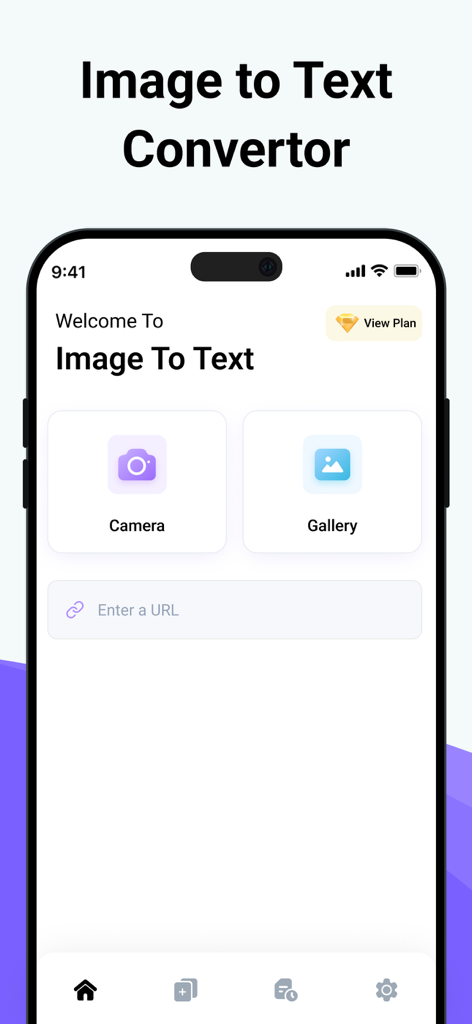
Image to Text - Scan & Convert - 画像からテキストへのアプリのメインインターフェース。ドキュメントスキャン用のカメラとギャラリーボタンを備えています。
画像からテキストへのアプリのメインインターフェース。ドキュメントスキャン用のカメラとギャラリーボタンを備えています。

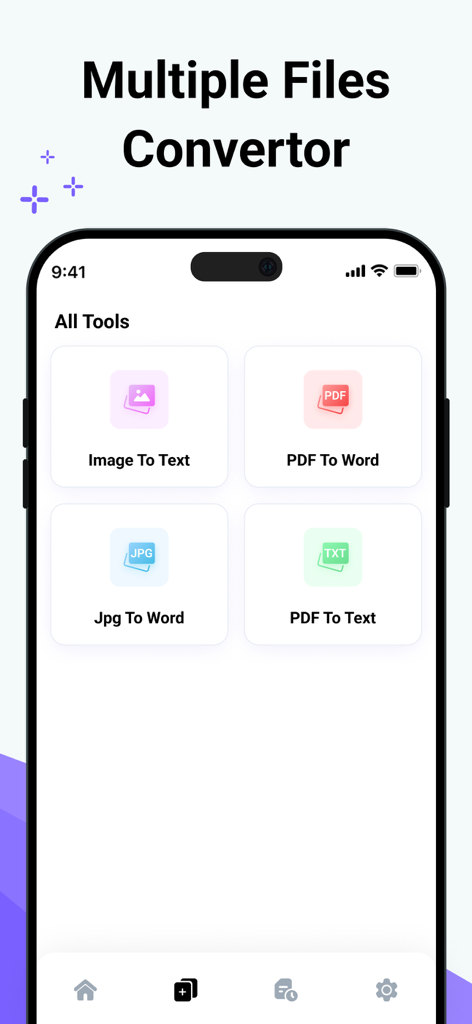
Image to Text - Scan & Convert - 画像からテキスト、PDFからWordなどのさまざまなファイル変換ツールを表示するモバイルアプリインターフェース。
画像からテキスト、PDFからWordなどのさまざまなファイル変換ツールを表示するモバイルアプリインターフェース。

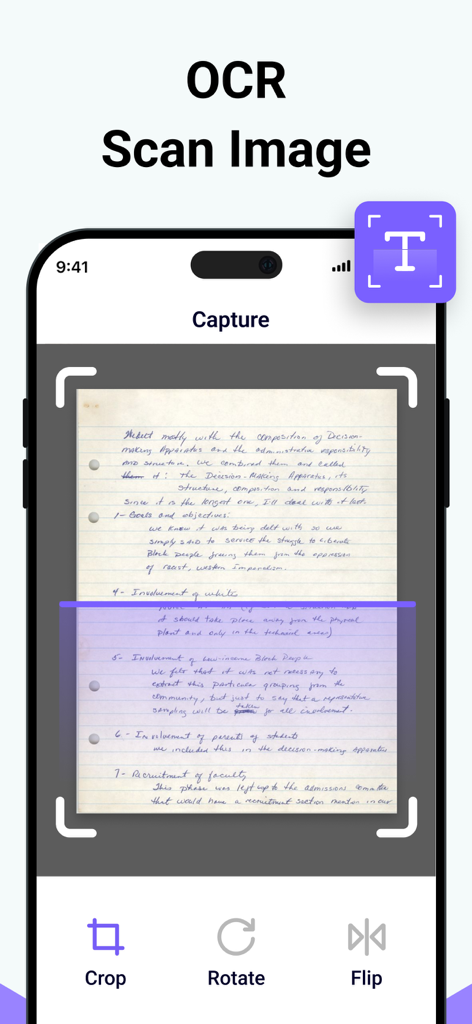
Image to Text - Scan & Convert - OCRテキスト抽出のために手書きメモをキャプチャおよびスキャンするモバイルアプリインターフェース。
OCRテキスト抽出のために手書きメモをキャプチャおよびスキャンするモバイルアプリインターフェース。

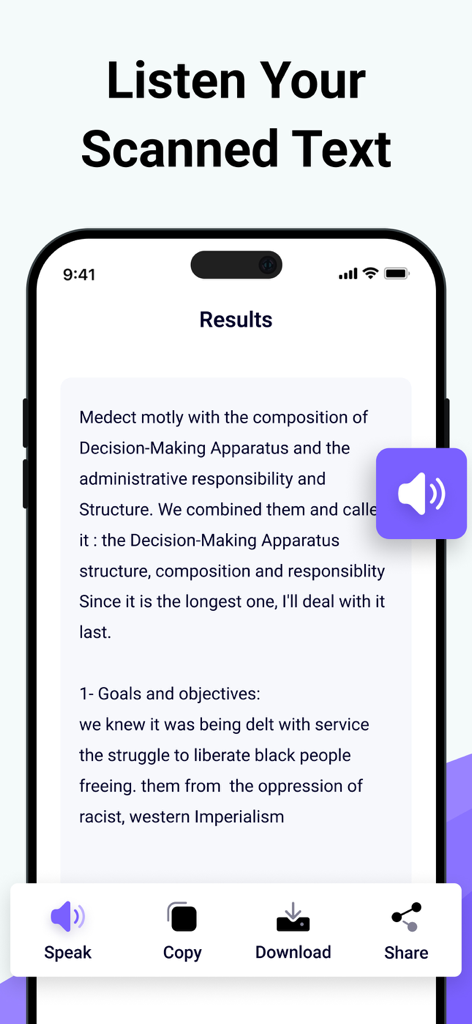
Image to Text - Scan & Convert - スキャンされたテキストを読み上げ、コピーし、ダウンロードするオプションが表示されるアプリのインターフェース。手書きメモのOCRテキスト抽出結果が表示されています。
スキャンされたテキストを読み上げ、コピーし、ダウンロードするオプションが表示されるアプリのインターフェース。手書きメモのOCRテキスト抽出結果が表示されています。

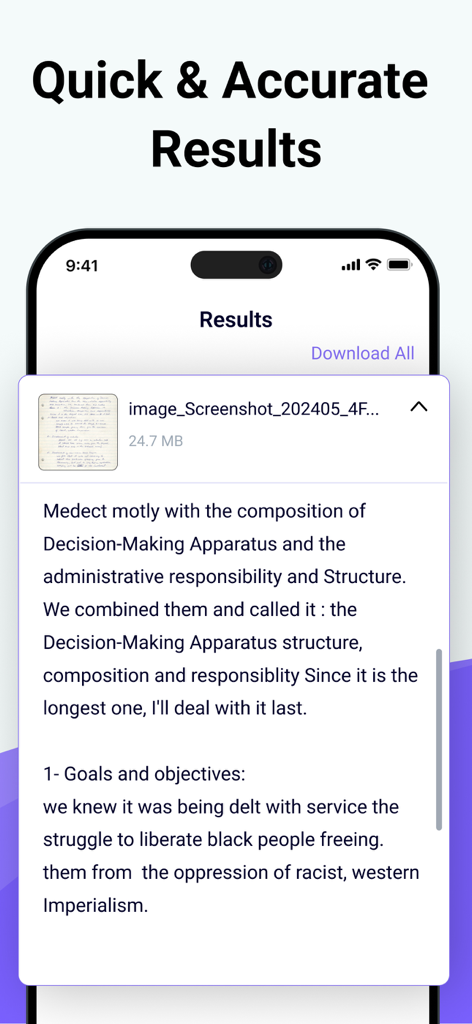
Image to Text - Scan & Convert - アプリの結果画面に表示される、手書きメモから抽出されたデジタルテキスト。

アプリの結果画面に表示される、手書きメモから抽出されたデジタルテキスト。

説明

Photo to Text Scanner App enables you to extract text from images. With this app, you can swiftly scan text from any chosen image. Photo to text app scan text quickly identifies and recognizes the text. Our Text Extractor saves you time by directly copying text from images. Scan the printed text and convert it using our free image to text converter. Introducing our advanced image to text Scanner that helps you keep your documents secure in your smart device. This handwriting to text tool ensures fast and accurate results generation. This free application allows you to scan the images immediately and convert them to editable text. There are many text scanner apps to copy and convert text from images. But this one is lightweight and quickly scans the text. If you have any pictures or doctor's prescription to convert into a soft copy? Give a try to this text scanner app to quickly extract text and copy text from anywhere. This photo to text extractor is one of the best free text scanner apps to extract text from images, extracting text from images quickly and accurately. You know that manual typing takes too much time, especially if you scan lengthy notes or documents with many pages. The ideal approach is to utilize this image to text converter app, which takes little time and allows you to convert several images into text with advanced technology of Text scanner. How to use our picture to text converter Converting your images to text is as simple as you just need to: Take a picture or upload it from your photo gallery. Select more images to get results at the same time. Click on the Submit File button. Then copy the text, share the text, and download the file. Key features: ● Here are the key features of our photo to text converter. ● Extract text from the image upload the image from the gallery or capture using the camera. ● Scans images fast. ● Convert handwritten notes into digitalize. ● Accurate results. ● More than one uploading image option. ● Allows cropping of an image. ● No-cost usage of Text scanner. ● Start a new session with a single click. ● Provides two options for later use, i.e., Copy and Download. ● Super fast mode. ● History of your previous scan image. ● Save scanned text in the clipboard. ● PDF to Word converter ● FPG to Word converter ● PDF to Text converter We have made it easy for everyone to use this Text text scanner and convert image to text. You don’t need to pay a single penny to scan text files with this Text scanner app. Our purpose is to provide you with the best experience with a text scanner. That’s not all You can convert handwritten notes to e-notes. This tool can scan the text that appears on the TV or any other smart screen. Note: We value your privacy and will never use or share your personal information with third parties. None of the images uploaded to our image to text are stored or shared with third parties. This app is completely safe and can be used by anyone. If you have any further questions or encounter any problems while using this app, please feel free to contact us so that we can resolve the issue as soon as possible. We value your feedback as it helps us improve our application and provide you with a better user experience. Payment will be charged to your iTunes Account at confirmation of purchase. Your subscription will automatically renew unless auto-renew is turned off at least 24 hours before the end of the current subscription period. Your account renewal will be charged within 24 hours before the end of the current subscription period. Automatic renewals cost the same price you were originally charged for the subscription. You can manage your subscriptions and turn off auto-renewal by visiting your account settings in the App Store after purchase. Terms of Use: https://clixade.com/terms-and-conditions Privacy Policy: https://clixade.com/privacy-policy

Download

ダウンロード: App Store

このページはアプリまたはその開発者の公式ページではなく、情報提供および論評を目的として作成された独立した編集出版物です。明示的に別段の記載がない限り、アプリおよびその開発者は、MWM、Apple、Google Play、アプリのパブリッシャー、またはアプリの開発者と提携、承認、後援、認可、またはその他の公式的な関係はなく、このページのいかなる内容も、アプリがMWMのサービスを使用して開発されたことを意味するものではありません。すべての商標、ロゴ、スクリーンショット、その他のコンテンツはそれぞれの所有者の財産です。








