Image to Text Scanner OCR Scan
ダウンロード: App Store

このページはアプリまたはその開発者の公式ページではなく、情報提供および論評を目的として作成された独立した編集出版物です。明示的に別段の記載がない限り、アプリおよびその開発者は、MWM、Apple、Google Play、アプリのパブリッシャー、またはアプリの開発者と提携、承認、後援、認可、またはその他の公式的な関係はなく、このページのいかなる内容も、アプリがMWMのサービスを使用して開発されたことを意味するものではありません。すべての商標、ロゴ、スクリーンショット、その他のコンテンツはそれぞれの所有者の財産です。

ロゴ: Image to Text Scanner OCR Scan
ダウンロード: App Store

Image to Text Scanner OCR Scan

高度なOCRテクノロジーで生産性を解放しましょう。紙のメモをスキャンし、書き込みを編集し、数秒でPDFまたはテキストにエクスポートできます。外出先の学生や専門家に最適です。

主要数値

ダウンロード

4K+

ユーザー評価

4.4/5

評価数

200

開発元

Mind Spark Solution

カテゴリ

Utilities

対応言語

17

最新バージョン

1.9.15

サイズ

51.9 MB

リリース日

2023年7月25日
機能

数秒で紙からデジタルワークフローへ

メモをタイピングし直すのに何時間も無駄にするのはやめましょう。高度なOCRテクノロジーを使用して、iPhoneまたはiPadで手書き文字を編集・検索・共有可能なデジタルテキストに瞬時に変換します。

高精度な手書き文字認識

高度なAIが多様な筆記スタイルを正確に識別し、手書きのメモやスケッチを、手作業なしでクリーンで機械可読なテキストに変換します。

Apple Pencilユーザーに最適化

iPadの完璧なコンパニオンです。手書きのスタイラスメモと、Notion、Evernote、Slackなどの好みの生産性アプリとのギャップをシームレスに埋めます。

以下のスクリーンショットと説明は、アプリの公式ストアリスティングから直接取得されたものであり、アプリ開発者の所有物です。

アプリストア

スクリーンショット
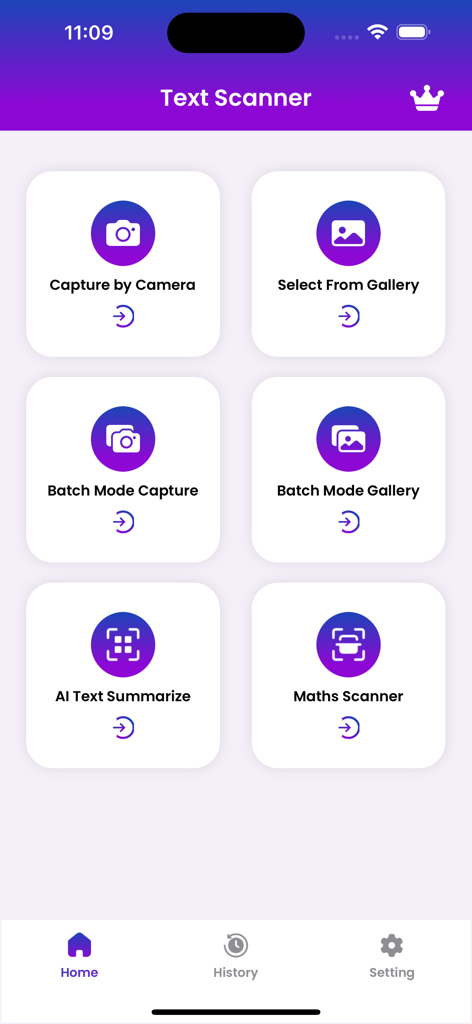
Image to Text Scanner OCR Scan - 画像からテキストへのスキャナーアプリのメインメニュー。カメラキャプチャ、ギャラリー選択、AIテキスト要約などのOCR機能が表示されています
画像からテキストへのスキャナーアプリのメインメニュー。カメラキャプチャ、ギャラリー選択、AIテキスト要約などのOCR機能が表示されています

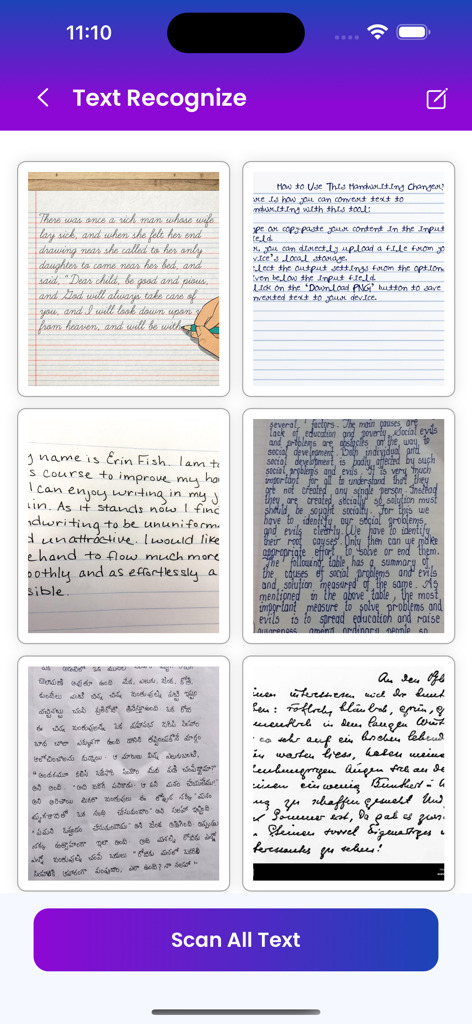
Image to Text Scanner OCR Scan - テキスト認識用の手書きメモのギャラリーと、すべてのテキストをスキャンするボタンが表示されたモバイルアプリ画面
テキスト認識用の手書きメモのギャラリーと、すべてのテキストをスキャンするボタンが表示されたモバイルアプリ画面

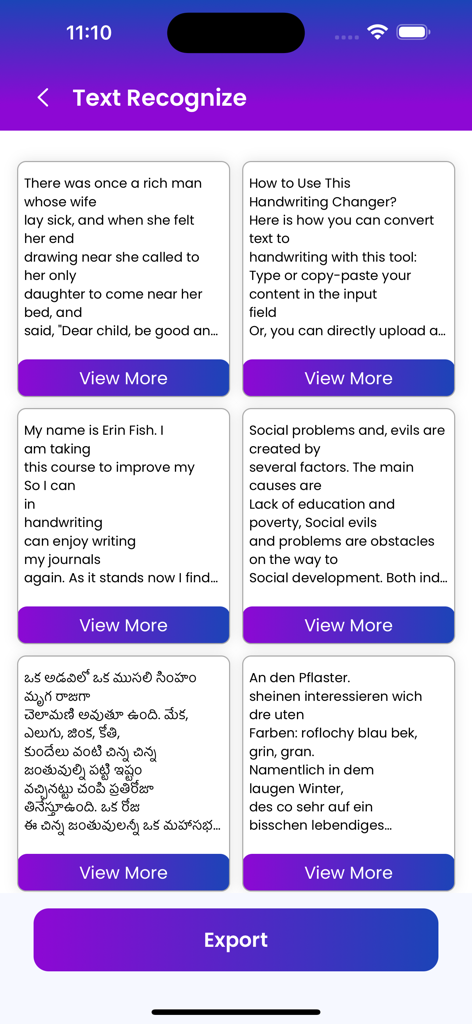
Image to Text Scanner OCR Scan - 英語やテルグ語など、複数の言語で認識されたテキストが表示されたカードが複数表示され、下部にはエクスポートボタンがあるモバイルアプリインターフェイス
英語やテルグ語など、複数の言語で認識されたテキストが表示されたカードが複数表示され、下部にはエクスポートボタンがあるモバイルアプリインターフェイス

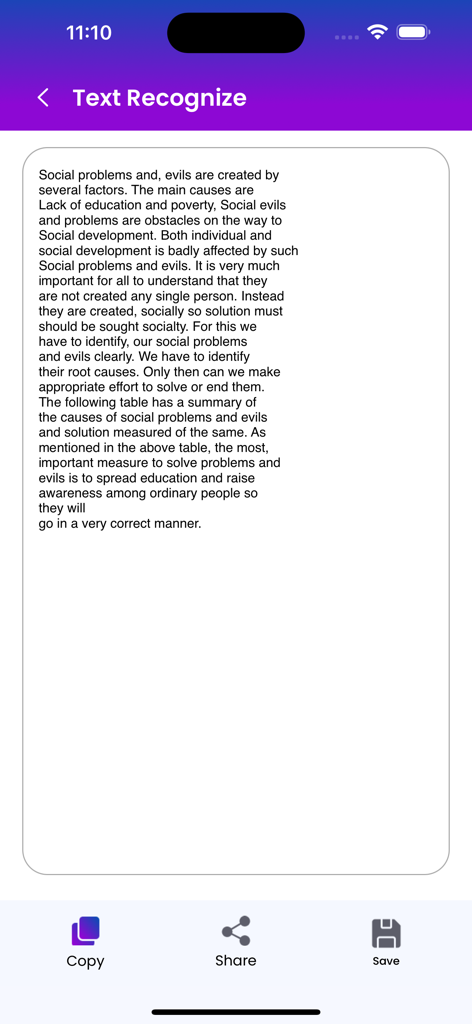
Image to Text Scanner OCR Scan - コピー、共有、保存のオプションが下部にあるデジタル化されたテキストが表示されたモバイルアプリ画面
コピー、共有、保存のオプションが下部にあるデジタル化されたテキストが表示されたモバイルアプリ画面

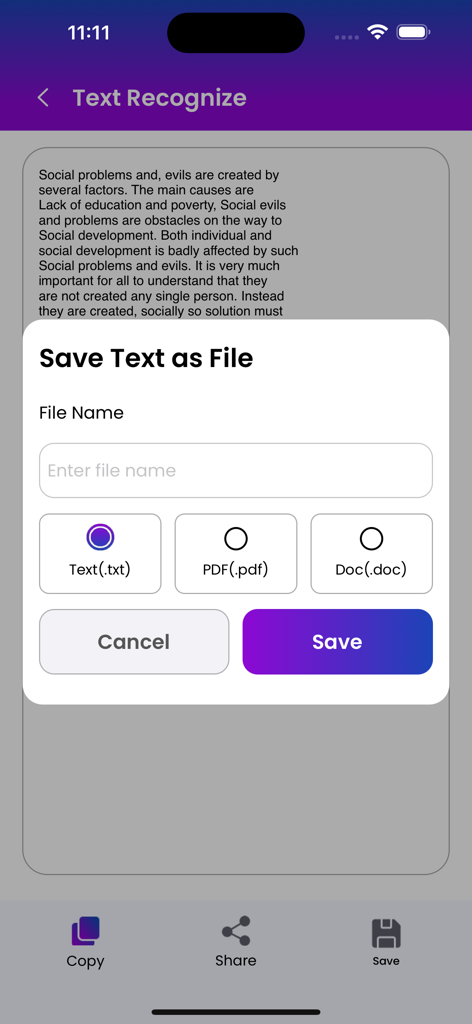
Image to Text Scanner OCR Scan - スキャンされたテキストをTXT、PDF、またはDOCファイルとして保存するポップアップが表示されたモバイルアプリインターフェイス

スキャンされたテキストをTXT、PDF、またはDOCファイルとして保存するポップアップが表示されたモバイルアプリインターフェイス

説明

A handwriting to text converter app is a mobile application that allows users to convert their handwritten notes or text into digital text. The app uses advanced optical character recognition (OCR) technology to accurately identify and convert handwritten text into typed text. To use the app, users simply write their notes or text on a piece of paper or a touch screen device using a stylus or their finger. The app then captures an image of the handwritten text and processes it using OCR technology to convert it into editable text. The converted text can then be saved as a digital file or shared with others via email or social media. handwriting to text converter apps also include additional features such as the ability to edit the converted text. Overall, a handwriting to text converter app is a useful tool for anyone who prefers to take notes or write by hand but wants the convenience of having their notes in a digital format. A handwriting to text scanner app is a powerful tool that enables users to convert their handwritten notes into digital text. Here are some common features that such an app may offer: Optical Character Recognition (OCR): The app uses advanced OCR technology to convert the handwritten text into machine-readable text. Handwriting Recognition: The app is capable of recognizing different handwriting styles and can convert them into text accurately. Language Support: The app supports multiple languages, allowing users to convert text in various languages. Formatting: The app may offer formatting options such as font size, color, and style to customize the text output. Exporting Options: Users can export the converted text as a plain text file or save it as a document in popular formats like PDF & Text. Editing Tools: The app may offer basic editing tools such as cut, copy, and paste, allowing users to edit the converted text easily. Overall, a handwriting to text scanner app can be a convenient and powerful tool for digitizing handwritten notes, making them easier to edit, share, and search. read our privacy & terms :- privacy :- https://mindsparksolution.com/privacy terms & condition :- https://mindsparksolution.com/terms

Download

ダウンロード: App Store

このページはアプリまたはその開発者の公式ページではなく、情報提供および論評を目的として作成された独立した編集出版物です。明示的に別段の記載がない限り、アプリおよびその開発者は、MWM、Apple、Google Play、アプリのパブリッシャー、またはアプリの開発者と提携、承認、後援、認可、またはその他の公式的な関係はなく、このページのいかなる内容も、アプリがMWMのサービスを使用して開発されたことを意味するものではありません。すべての商標、ロゴ、スクリーンショット、その他のコンテンツはそれぞれの所有者の財産です。








