iMake-Profile Furniture Design
ダウンロード: App Store

このページはアプリまたはその開発者の公式ページではなく、情報提供および論評を目的として作成された独立した編集出版物です。明示的に別段の記載がない限り、アプリおよびその開発者は、MWM、Apple、Google Play、アプリのパブリッシャー、またはアプリの開発者と提携、承認、後援、認可、またはその他の公式的な関係はなく、このページのいかなる内容も、アプリがMWMのサービスを使用して開発されたことを意味するものではありません。すべての商標、ロゴ、スクリーンショット、その他のコンテンツはそれぞれの所有者の財産です。

ロゴ: iMake-Profile Furniture Design
ダウンロード: App Store

iMake-Profile Furniture Design

モジュラーカスタム家具を数分でデザイン。プロ仕様のワードローブ、棚、作業台を、簡単な3Dツールと自動化された部材リストで次のプロジェクトのために構築しましょう。

主要数値

ダウンロード

23K+

ユーザー評価

4.4/5

評価数

300

開発元

超 叶

カテゴリ

Graphics & Design

対応言語

3

最新バージョン

1.5.0

サイズ

41.0 MB

リリース日

2025年3月24日
機能

プロ仕様の家具デザインを簡素化

現代のメイカーが精密に構築できるよう支援します。数分でカスタム家具のコンセプトを詳細な3Dモデルとショッピングリストに変換します。

迅速なモジュラーモデリング

プロCADの急な学習曲線はスキップしましょう。スマートなモジュラープリセットを使用して、カスタムワードローブや作業台を楽に素早く構築できます。

自動材料明細書

手作業での計算はもう不要です。アルミニウムプロファイルとコネクタの正確な部材リストを即座に生成し、金物店での買い物を間違いなくしましょう。

以下のスクリーンショットと説明は、アプリの公式ストアリスティングから直接取得されたものであり、アプリ開発者の所有物です。

アプリストア

スクリーンショット
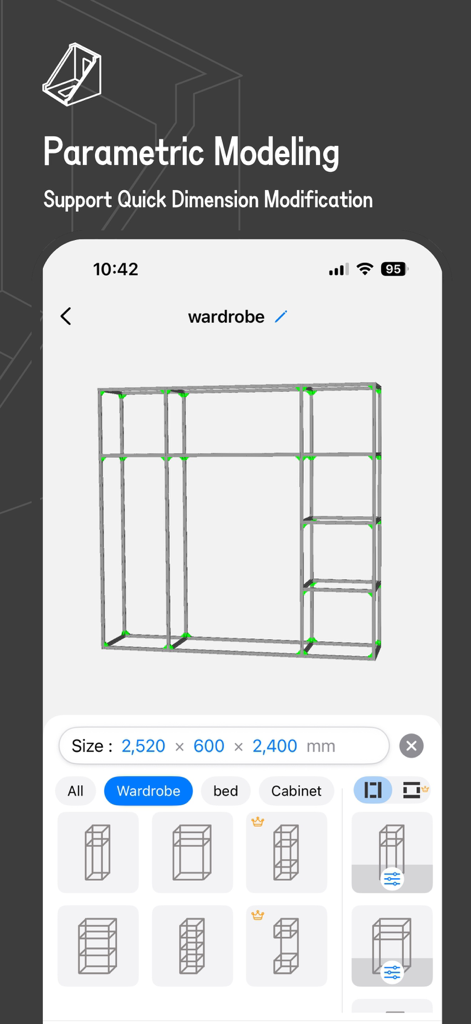
iMake-Profile Furniture Design - iMakeアプリのインターフェース。パラメトリックモデリングと寸法ツールを備えた3Dモジュラーワードローブフレームデザインを表示
iMakeアプリのインターフェース。パラメトリックモデリングと寸法ツールを備えた3Dモジュラーワードローブフレームデザインを表示

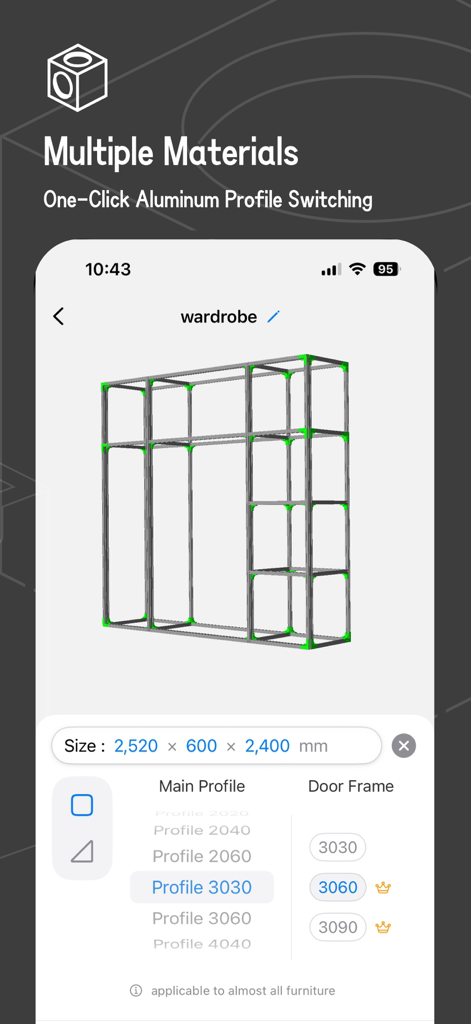
iMake-Profile Furniture Design - iMakeアプリでカスタマイズ可能なプロファイルとサイズのオプションを備えた、アルミニウムワードローブフレームの3Dモデリング
iMakeアプリでカスタマイズ可能なプロファイルとサイズのオプションを備えた、アルミニウムワードローブフレームの3Dモデリング

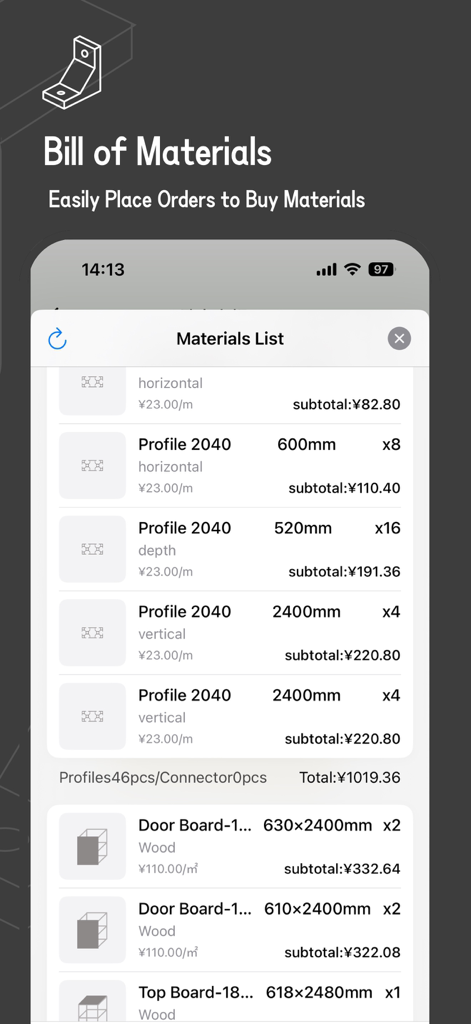
iMake-Profile Furniture Design - iMakeアプリの詳細な材料リスト。アルミニウムプロファイル家具コンポーネントの数量と寸法を表示
iMakeアプリの詳細な材料リスト。アルミニウムプロファイル家具コンポーネントの数量と寸法を表示

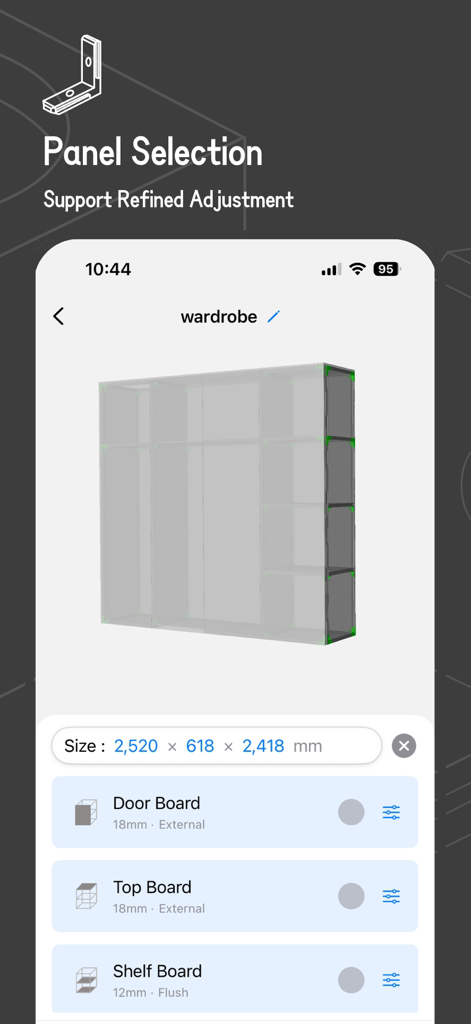
iMake-Profile Furniture Design - iMakeアプリ内の3Dワードローブモデル。カスタマイズ可能なパネルとボードの設定を表示
iMakeアプリ内の3Dワードローブモデル。カスタマイズ可能なパネルとボードの設定を表示

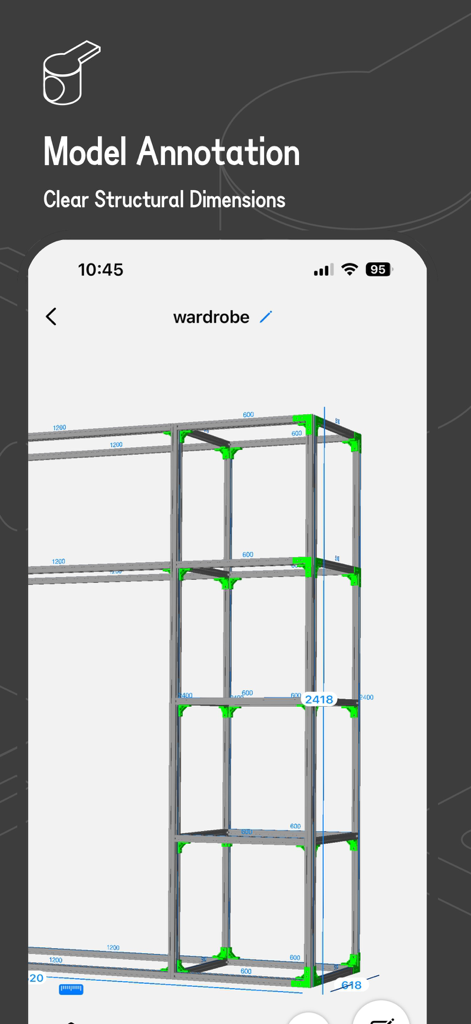
iMake-Profile Furniture Design - アルミニウムプロファイルワードローブフレームの3Dモデル。明確な構造寸法と注釈付き
アルミニウムプロファイルワードローブフレームの3Dモデル。明確な構造寸法と注釈付き

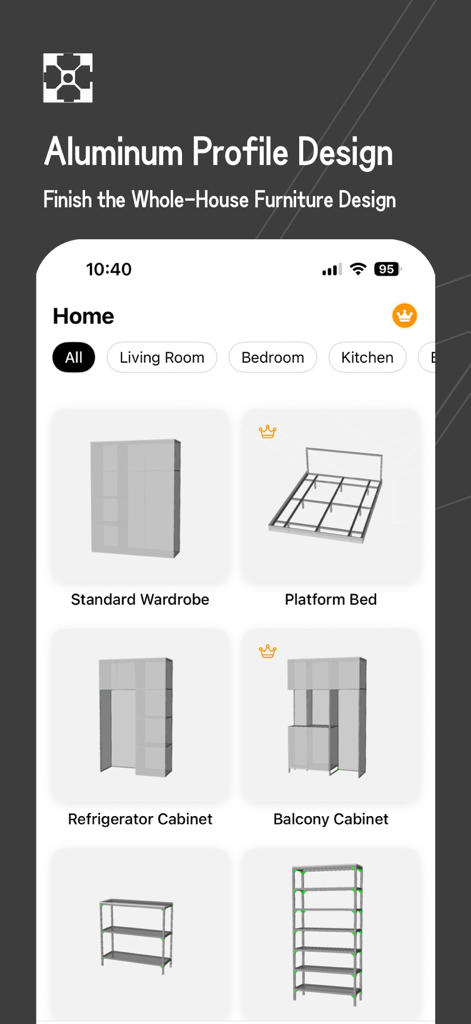
iMake-Profile Furniture Design - iMakeアプリ画面。アルミニウムプロファイルを使用したワードローブやベッドなどの家具デザインプリセットを表示

iMakeアプリ画面。アルミニウムプロファイルを使用したワードローブやベッドなどの家具デザインプリセットを表示

説明

iMake is an aluminum profile 3D modeling tool. It enables you to complete the aluminum profile modeling of common furniture such as wardrobes and bookcases within a few minutes. It also supports generating a material list for easy material purchase.​ 【Main Features】​ - Multiple presets of common models, making it easy for beginners to get started.​ - Modular framework combination for quickly building framework models.​ - Free selection of framework profiles, and the ability to set door frame profiles separately. Also, choose from a variety of matching connectors.​ - The overall size can be adjusted quickly, and the size of individual components can be freely edited.​ - Free combination of panels, and detailed parameter adjustment is also supported.​ - Automatically generate 3D models, support the individual display and hiding of model components for easy structure viewing.​ - Automatically generate a material list for convenient material purchase.​ - Models are automatically synced to iCloud, so you don't have to worry about file loss.​ 【Subscription Information​】 - The NestCraft App offers a free version and a PRO subscription option.​ - The free version allows full use of all our features.​ - PRO subscription unlocks all components and materials.​ - The free version supports saving up to 2 files, while the PRO version has no limit.​ Subscription are using the standard Apple Terms of Use (EULA): https://www.apple.com/legal/internet-services/itunes/dev/stdeula/ 【Upcoming Features​】 - Export the material list to xlsx, with support for selecting specific profile models, making it easier to communicate when purchasing materials.​ - Support for exporting CAD drawings of panels, which is convenient for processing/purchasing.​ - Custom adjustment of some materials for greater modeling freedom.​ - More features are under development...​ If you like this app, please give us a favorable review. Your support will give us more motivation to continuously optimize. Privacy Policy: https://zaoleme.github.io/AluNest-privacy-policy/privacy.html Terms of Use: https://zaoleme.github.io/AluNest-privacy-policy/terms.html

Download

ダウンロード: App Store

このページはアプリまたはその開発者の公式ページではなく、情報提供および論評を目的として作成された独立した編集出版物です。明示的に別段の記載がない限り、アプリおよびその開発者は、MWM、Apple、Google Play、アプリのパブリッシャー、またはアプリの開発者と提携、承認、後援、認可、またはその他の公式的な関係はなく、このページのいかなる内容も、アプリがMWMのサービスを使用して開発されたことを意味するものではありません。すべての商標、ロゴ、スクリーンショット、その他のコンテンツはそれぞれの所有者の財産です。







