
このページはアプリまたはその開発者の公式ページではなく、情報提供および論評を目的として作成された独立した編集出版物です。明示的に別段の記載がない限り、アプリおよびその開発者は、MWM、Apple、Google Play、アプリのパブリッシャー、またはアプリの開発者と提携、承認、後援、認可、またはその他の公式的な関係はなく、このページのいかなる内容も、アプリがMWMのサービスを使用して開発されたことを意味するものではありません。すべての商標、ロゴ、スクリーンショット、その他のコンテンツはそれぞれの所有者の財産です。

InstaSize: AI Photo Editor
AIは写真の現実を書き換え、未捕捉の空間すら完璧に創造する力を与える。あらゆるプラットフォームで視覚的支配を確立せよ。
ダウンロード
25M+ユーザー評価
評価数
1.1M開発元
カテゴリ
Photo & Video対応言語
23最新バージョン
7.0.689サイズ
178.9 MBリリース日
2012年11月21日'InstaSize: AI Photo Editor' 主要機能分析
ソーシャルメディアクリエイターのための包括的なAI駆動型編集ツール
AI画像拡張(Magic Fill™)
最先端のAIが画像をインテリジェントに拡張し、あらゆるアスペクト比にシームレスにフィットさせます。これにより、ソーシャルメディア投稿で白い余白を完全に排除し、コンテンツを最適化できます。
背景除去ツール
強力なツールが写真から被写体を瞬時に分離し、クリーンでプロフェッショナルな仕上がりにします。商品画像やプロフィール写真、クリエイティブな編集に最適です。
オブジェクト除去
写真内の不要なオブジェクトを高い精度で簡単に除去し、画像がすっきりとプロフェッショナルな印象になるよう仕上げます。
無料動画エディター
プレミアム動画フィルターやエフェクトを利用して動画を迅速に作成・編集し、Instagram StoriesやTikTokなど、あらゆるソーシャルメディア形式に合わせてエクスポートできます。
130種類以上のフィルター&プリセット
130種類を超える写真および動画用のフィルターとプリセットが提供されており、自然なルックからレトロな雰囲気まで、あらゆる気分やスタイルに合わせた完璧な仕上がりを簡単に実現します。
画像・動画のサイズ変更とトリミング
Instagram、TikTok、Twitterなど、様々なソーシャルメディアプラットフォームに完璧にフィットするよう、写真や動画のサイズ変更およびトリミングを迅速かつ正確に行います。
無料写真エディター
無料のフィルターやプリセットに加え、コントラスト、露出、彩度、粒状感、明瞭度といった強力な編集ツールで画像を瞬時に向上させ、魅力的なビジュアルを作成します。
コラージュ作成ツール
数百種類の異なるレイアウトテンプレートと多様なフレーム、背景オプションを活用し、複数の写真を組み合わせて独自のフォトコラージュを簡単に作成できます。
よくある質問
について知っておくべきこと InstaSize: AI Photo Editor
What is InstaSize: AI Photo Editor?
InstaSize is a comprehensive photo and video editor with over 100 million creators. It provides premium filters, presets, cropping, and color editing tools, alongside AI features like Magic Fill and Object Removal.
Does InstaSize include photo editing features?
Yes, InstaSize offers a free photo editor. It includes tools for enhancing images with filters, presets, contrast, exposure, saturation, grain, and clarity adjustments.
Can InstaSize resize photos for Instagram and other social media?
Yes, InstaSize can quickly resize photos for Instagram. It provides specific options to fit images perfectly for social platforms such as Instagram, TikTok, Twitter, and Pinterest.
How does Magic Fill™ work in InstaSize?
Magic Fill™ in InstaSize utilizes cutting-edge AI to expand and uncrop images. It intelligently generates pixels to blend seamlessly, eliminating white borders and fitting images into any aspect ratio.
Can InstaSize remove objects from photos?
Yes, InstaSize includes an Object Removal feature. Users can effortlessly remove unwanted elements from their photos with precision, ensuring a clean and professional appearance.
Does InstaSize have a background removal tool?
Yes, InstaSize features a powerful background removal tool. It instantly isolates the subject of a photo, providing a clean and professional look, ideal for product images or profile photos.
Is there a video editor feature in InstaSize?
Yes, InstaSize provides a free video editor. Users can quickly create, edit, apply premium filters and effects, and crop videos for various formats, including Instagram Stories, TikTok, and Snapchat.
How many filters are available in InstaSize?
InstaSize offers over 130 filters for both photos and videos. These filters range from natural looks to retro aesthetic presets, providing a wide variety of choices to enhance any image.
Does InstaSize offer batch editing for photos?
Yes, InstaSize includes a robust batch editing tool. It allows users to process and edit multiple images simultaneously, applying resizing, presets, and adjustments while maintaining consistent quality.
What premium features does InstaSize offer?
InstaSize Premium includes Magic Fill, Object Removal, and Background Remover. It also provides access to over 130 premium filters for enhanced creative control and professional editing.
How does an InstaSize Premium subscription renew?
An InstaSize Premium subscription automatically renews. Auto-renewal can be turned off at least 24 hours before the end of the current period via iTunes Account Settings.
Can users create photo collages with InstaSize?
Yes, InstaSize includes a free photo collage maker. Users can combine multiple photos, choose from hundreds of templates, and customize with different frames and backgrounds.
以下のスクリーンショットと説明は、アプリの公式ストアリスティングから直接取得されたものであり、アプリ開発者の所有物です。
アプリストア
スクリーンショット
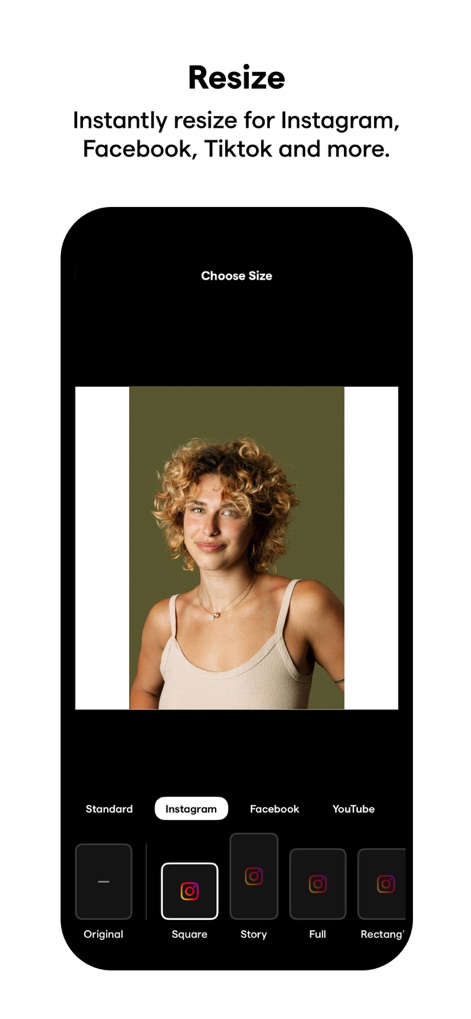
サイズ調整
本アプリは、Instagramに最適なスクエアサイズへの自動調整や、投稿先のプラットフォームに応じた多様なアスペクト比選択を通じて、写真を瞬時に完璧なサイズに変換します。
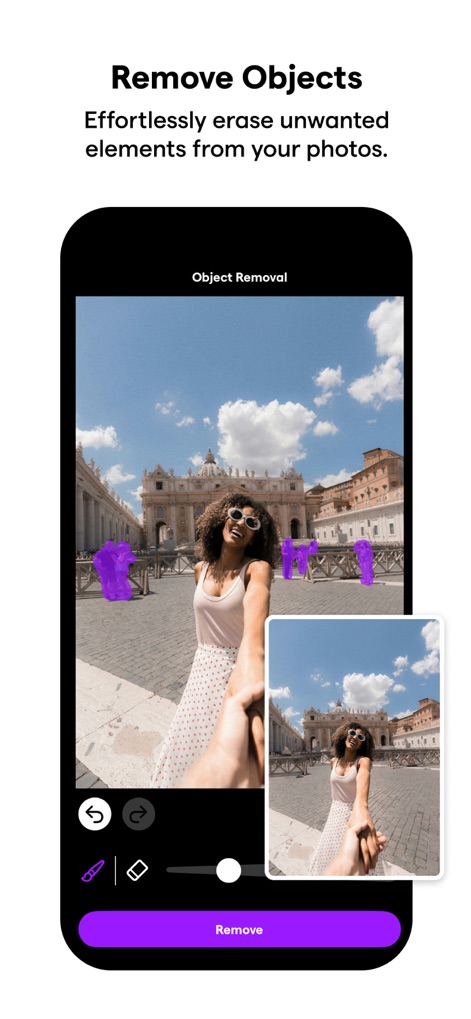
不要物除去
写真から不要なオブジェクトを簡単かつ正確に除去することで、背景の通行人や余計な写り込みをクリアにし、被写体を際立たせるクリーンな画像を作成します。
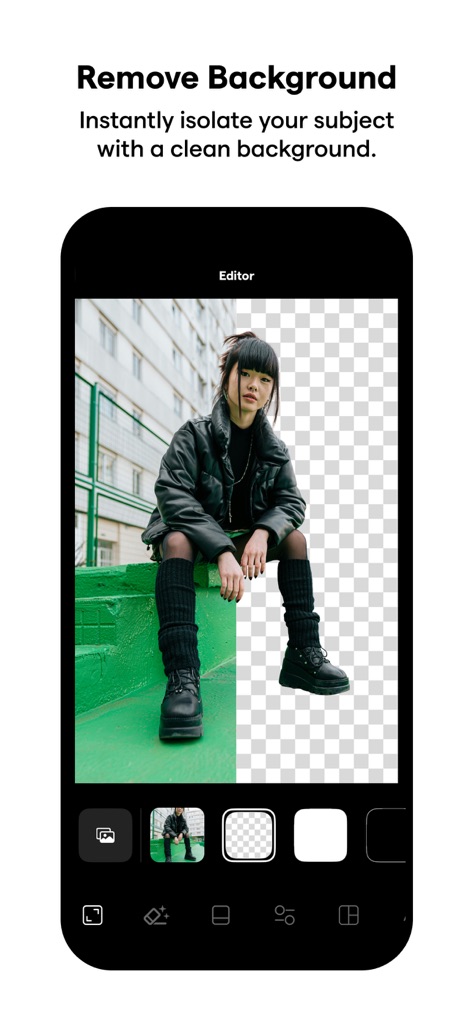
背景透過
強力なAIツールで瞬時に被写体を背景から分離し、複雑な背景を透明にする機能や、新しい背景へ置き換えるオプションにより、プロフェッショナルな画像編集を実現します。
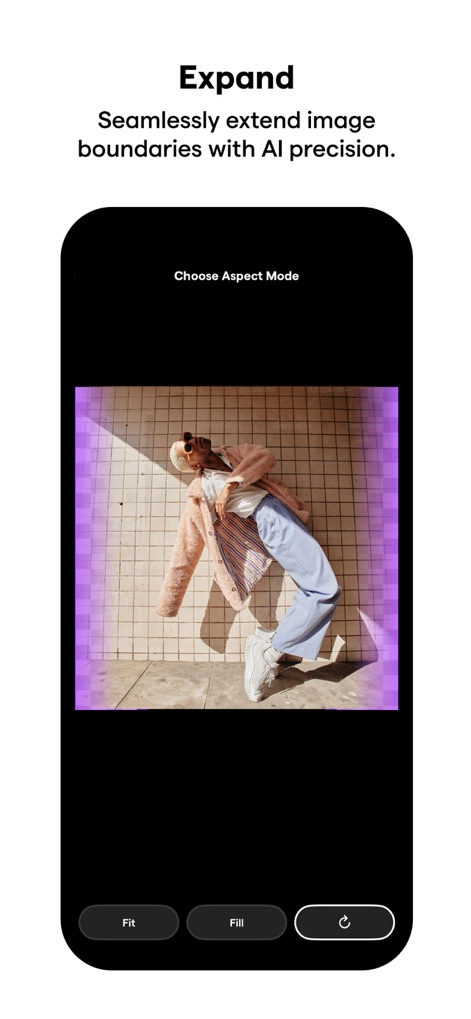
AI拡張
AIによる画像拡張機能は、元の画像の境界線をシームレスに広げ、アスペクト比の選択肢を提供することで、写真に新たな要素を自然に追加し、構図の可能性を広げます。
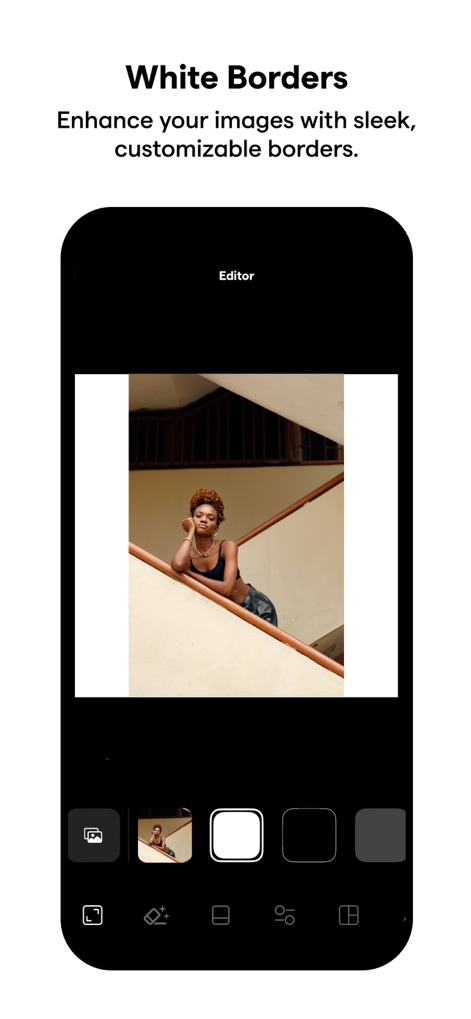
フレーム追加
画像にスタイリッシュな境界線を追加し、白やグレーなどの色でカスタマイズ可能なフレームオプションを提供することで、写真の魅力を高め、プロフェッショナルな仕上がりを演出します。
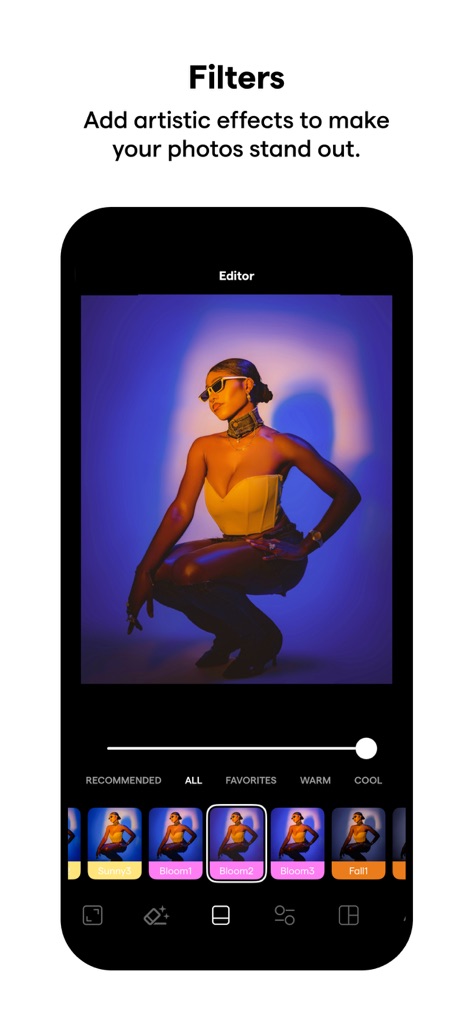
多彩フィルター
ユーザーは多様なプリセットフィルターを簡単に適用でき、写真に「Bloom」や「Fall」のような芸術的なエフェクトを瞬時に加え、視覚的な魅力を高めることが可能です。
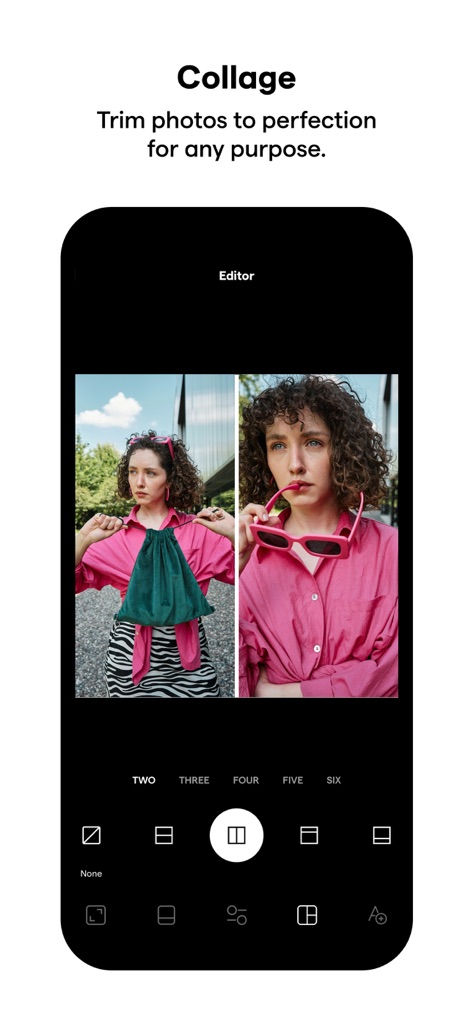
写真合成
複数の写真を組み合わせて一つのアートワークを作成でき、2枚構成から最大6枚構成までの豊富なレイアウトオプションを選択することで、クリエイティブなコラージュを簡単に生成します。
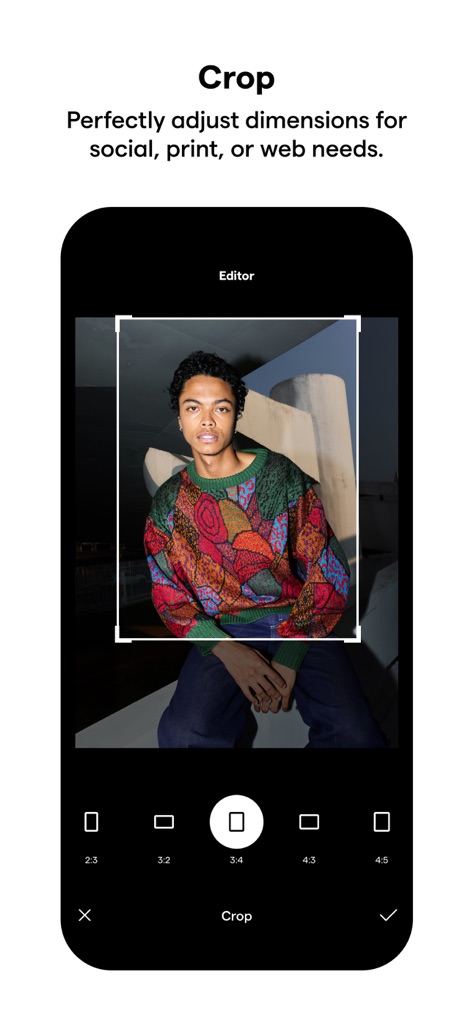
精密クロップ
このツールは、写真の不要な部分を精密にトリミングし、Instagramのストーリーやフィードに最適な3:4や4:5といった多様なアスペクト比を選択することで、完璧な構図を実現します。
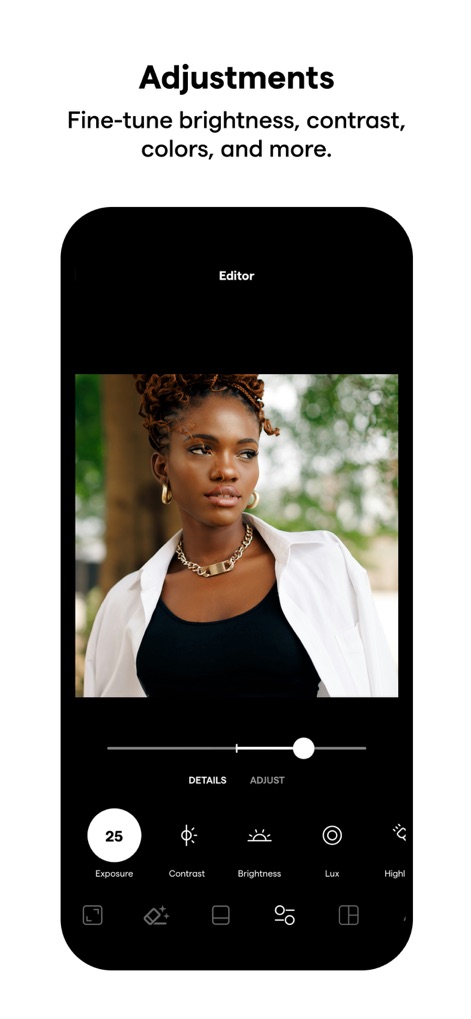
高度補正
ユーザーは露出やコントラストといった画像の詳細設定を調整でき、直感的なスライダー操作で明るさ、色、シャープネスなどを微調整し、写真の品質を飛躍的に向上させます。
説明
Download
類似アプリ
似た機能とユーザー体験を持つアプリ

ElevenLabs: AI Voice Generator
Eleven Labs Inc.

Viggle AI: Meme Maker
WarpEngine Canada Inc.

可灵AI - AI图片&视频创作工具
Beijing Kwai Technology Co., Ltd.

Leonardo.Ai - Image Generator
Leonardo Interactive Pty Ltd

Reface: Face Swap AI Photo App
NEOCORTEXT, INC.

Shedevrum
DIRECT CURSUS COMPUTER SYSTEMS TRADING LLC

Remove Objects
TAPUNIVERSE LLC

Zaps Collages
Turnip Media Private Limited

Carat - Create Anything
Paradot Corp.
このページはアプリまたはその開発者の公式ページではなく、情報提供および論評を目的として作成された独立した編集出版物です。明示的に別段の記載がない限り、アプリおよびその開発者は、MWM、Apple、Google Play、アプリのパブリッシャー、またはアプリの開発者と提携、承認、後援、認可、またはその他の公式的な関係はなく、このページのいかなる内容も、アプリがMWMのサービスを使用して開発されたことを意味するものではありません。すべての商標、ロゴ、スクリーンショット、その他のコンテンツはそれぞれの所有者の財産です。