
このページはアプリまたはその開発者の公式ページではなく、情報提供および論評を目的として作成された独立した編集出版物です。明示的に別段の記載がない限り、アプリおよびその開発者は、MWM、Apple、Google Play、アプリのパブリッシャー、またはアプリの開発者と提携、承認、後援、認可、またはその他の公式的な関係はなく、このページのいかなる内容も、アプリがMWMのサービスを使用して開発されたことを意味するものではありません。すべての商標、ロゴ、スクリーンショット、その他のコンテンツはそれぞれの所有者の財産です。


IP Scanner: Network Tools
接続されたデバイスをスキャンし、接続問題をトラブルシューティングし、ITプロのようにネットワークパフォーマンスを最適化するための、オールインワンのプロフェッショナルツールキットです。
ダウンロード
800ユーザー評価
評価数
0開発元
カテゴリ
Utilities対応言語
1最新バージョン
1.1.3サイズ
30.0 MBリリース日
2025年1月14日プロフェッショナルな精度でホームネットワークをマスター
リモートワーカーやスマートホームオーナーが、接続性を数秒で監査、トラブルシューティング、最適化するためのオールインワンツールキットです。
インスタントデバイス監査
LAN全体をスキャンして、接続されているすべてのIoTデバイスとスマートフォンを特定し、ネットワークのセキュリティとプライバシーを確保します。
ゼロラグパフォーマンス
プロフェッショナルなPingおよびTracerouteツールを使用して、遅延の問題を診断し、ビデオ通話やゲームのための安定した接続を維持します。
以下のスクリーンショットと説明は、アプリの公式ストアリスティングから直接取得されたものであり、アプリ開発者の所有物です。
アプリストア
スクリーンショット
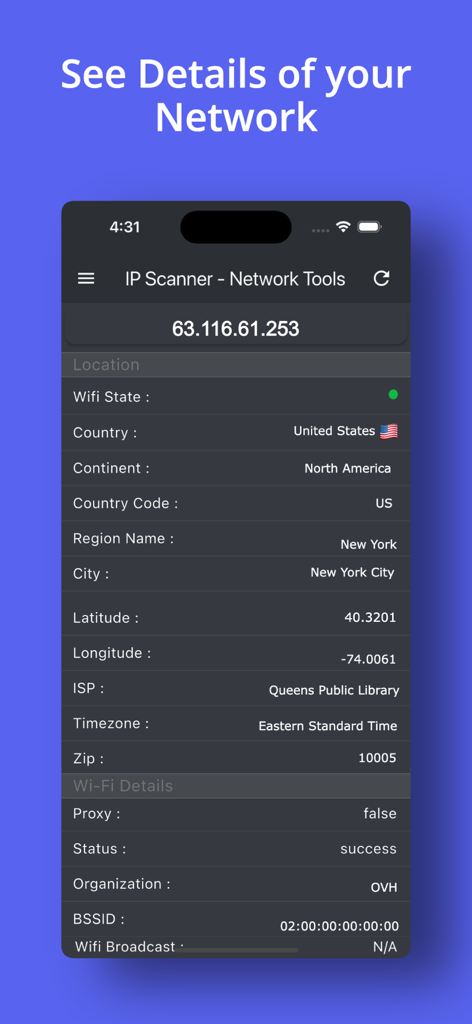
IP Scannerアプリのインターフェース。特定のIPアドレスの詳細なネットワークと位置情報が表示されています。
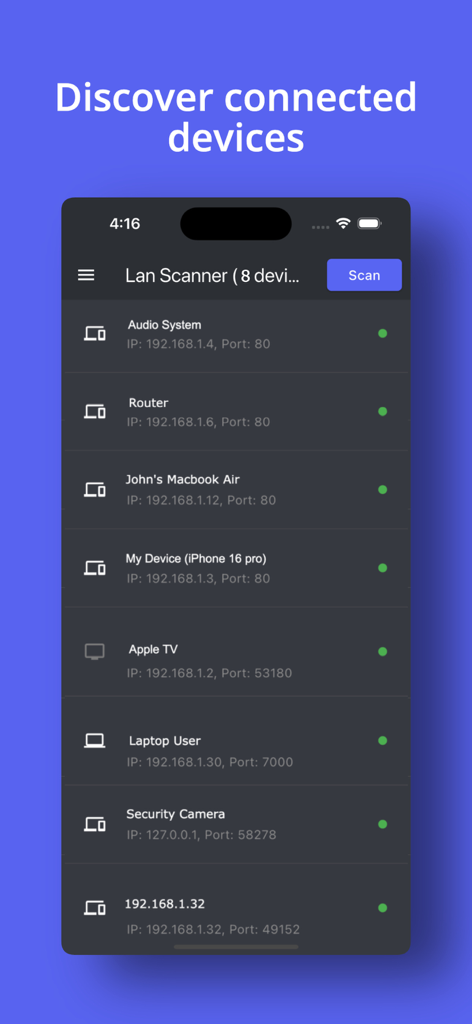
IP Scannerアプリのインターフェース。IPとポートの詳細とともに、接続されているネットワークデバイスのリストが表示されています。
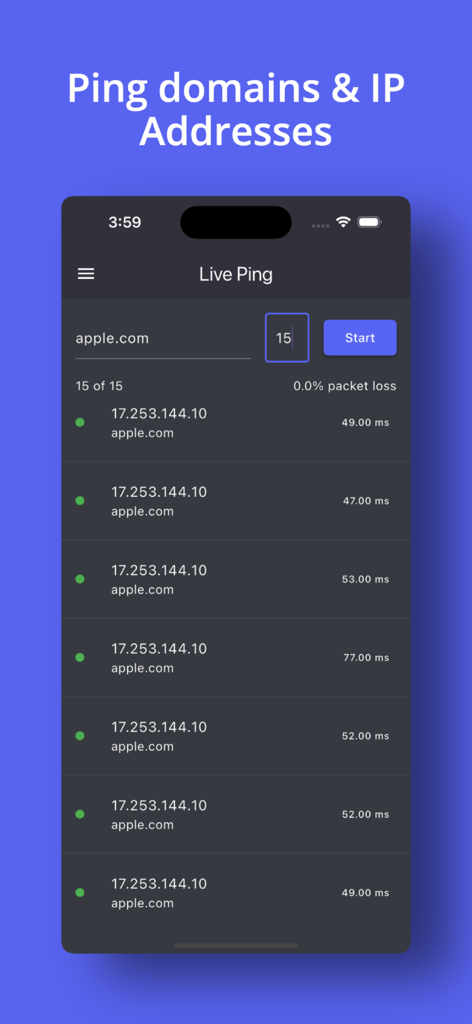
IP Scannerアプリのインターフェース。apple.comのライブpingテストが表示され、応答時間がミリ秒単位で示されています。
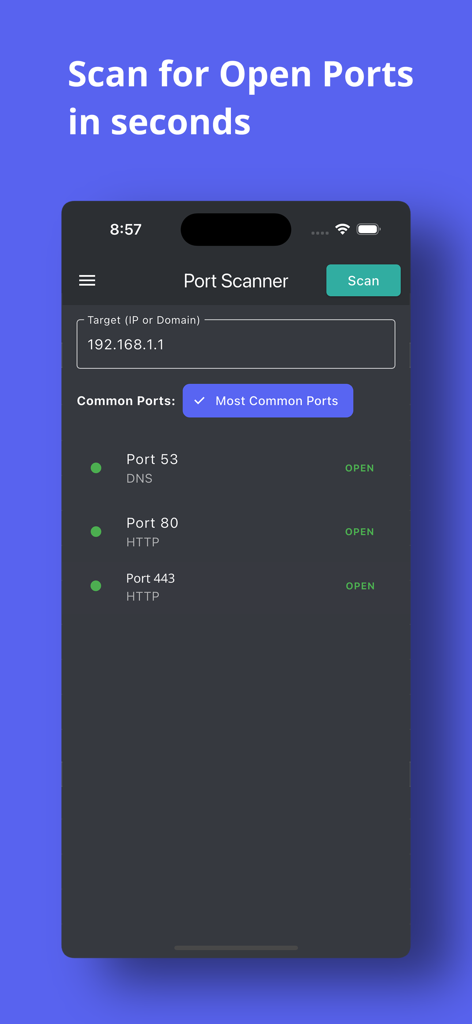
IP Scannerアプリのモバイルインターフェース。IPアドレスの開いているネットワークポートのリストが表示されています。
説明
Download
類似アプリ
同じカテゴリのトップランクアプリ

Google LLC

Google Chrome
Google LLC

中国移动(手机营业厅)
China Mobile Online Services Co., Ltd.

Google Authenticator
Google LLC

CNH do Brasil
Servicos e Informacoes do Brasil

Cleanup: Phone Storage Cleaner
DEEP FLOW SOFTWARE SERVICES - FZCO

gov.br
Servicos e Informacoes do Brasil

中国电信-全国统一官方服务平台
CHINA TELECOM Corporation Ltd.

Microsoft Edge: AI Browser
Microsoft Corporation
このページはアプリまたはその開発者の公式ページではなく、情報提供および論評を目的として作成された独立した編集出版物です。明示的に別段の記載がない限り、アプリおよびその開発者は、MWM、Apple、Google Play、アプリのパブリッシャー、またはアプリの開発者と提携、承認、後援、認可、またはその他の公式的な関係はなく、このページのいかなる内容も、アプリがMWMのサービスを使用して開発されたことを意味するものではありません。すべての商標、ロゴ、スクリーンショット、その他のコンテンツはそれぞれの所有者の財産です。