iPrint Scan Smart Printer App
ダウンロード: App Store

このページはアプリまたはその開発者の公式ページではなく、情報提供および論評を目的として作成された独立した編集出版物です。明示的に別段の記載がない限り、アプリおよびその開発者は、MWM、Apple、Google Play、アプリのパブリッシャー、またはアプリの開発者と提携、承認、後援、認可、またはその他の公式的な関係はなく、このページのいかなる内容も、アプリがMWMのサービスを使用して開発されたことを意味するものではありません。すべての商標、ロゴ、スクリーンショット、その他のコンテンツはそれぞれの所有者の財産です。

ロゴ: iPrint Scan Smart Printer App
ダウンロード: App Store

iPrint Scan Smart Printer App

iPhoneをHP、Canon、Brother、Epsonのプリンターに即座に接続。コンピューター不要で、ドキュメントの印刷、レシートのスキャン、家族写真の共有が簡単に行えます。

主要数値

ダウンロード

7K+

ユーザー評価

4.2/5

評価数

0

開発元

Izhar Ullah

カテゴリ

Business

対応言語

1

最新バージョン

3.4

サイズ

123.2 MB

リリース日

2024年12月17日
機能

印刷とスキャンに必要なすべて

複雑なセットアップや面倒なドライバーは不要です。iPrintはiPhoneを強力なモバイルオフィスに変え、ワンタップでドキュメントや写真を管理できます。

ユニバーサルWi-Fi印刷

コンピューター不要で、HP、Canon、Brother、Epsonを含む主要プリンターブランドにシームレスに接続できます。

スマートモバイルスキャナー

契約書、レシート、IDカードなどの物理的なものを高品質PDFに変換。デスクからでも外出先からでも、ドキュメントを即座に編集・共有できます。

以下のスクリーンショットと説明は、アプリの公式ストアリスティングから直接取得されたものであり、アプリ開発者の所有物です。

アプリストア

スクリーンショット
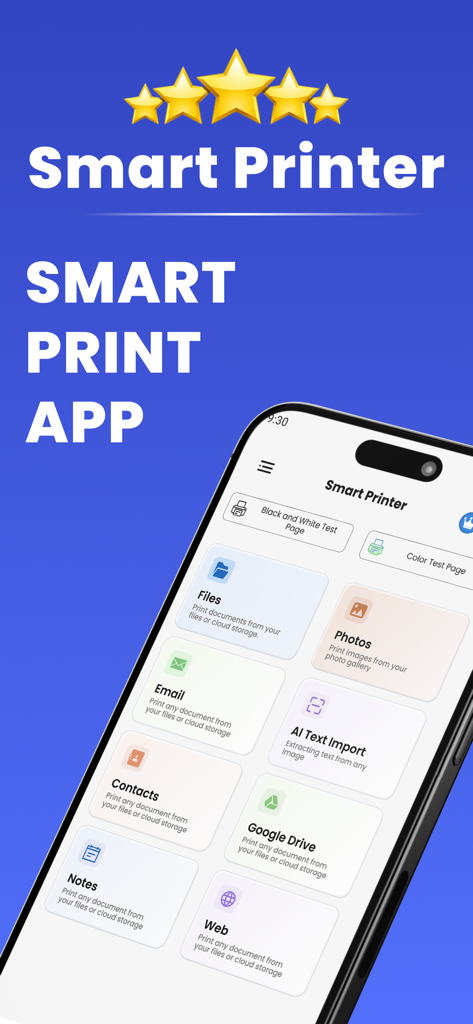
iPrint Scan Smart Printer App - iPrintスマートプリンターアプリのインターフェース。さまざまなドキュメントおよび写真印刷オプションが表示されています。
iPrintスマートプリンターアプリのインターフェース。さまざまなドキュメントおよび写真印刷オプションが表示されています。

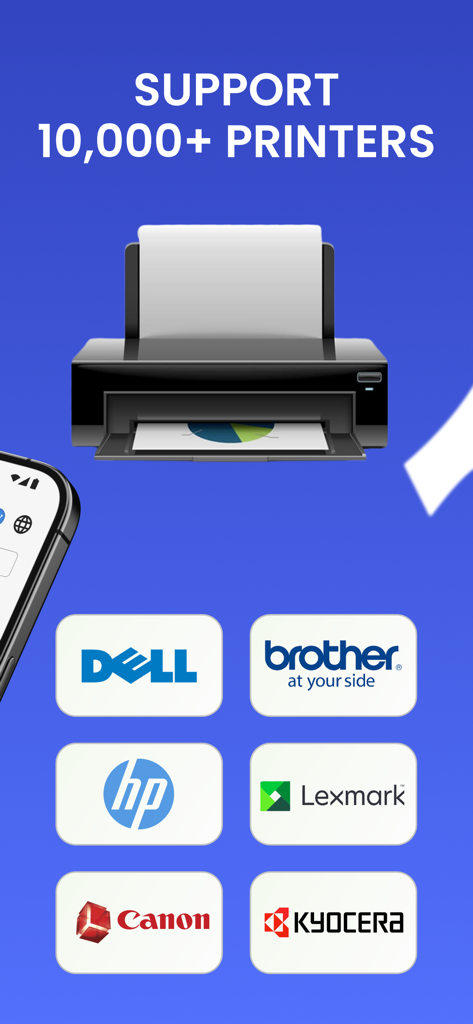
iPrint Scan Smart Printer App - スマートプリンターアプリのインターフェース。HP、Brother、Canon、Lexmarkを含む10,000以上のプリンターブランドのサポートが表示されています。
スマートプリンターアプリのインターフェース。HP、Brother、Canon、Lexmarkを含む10,000以上のプリンターブランドのサポートが表示されています。

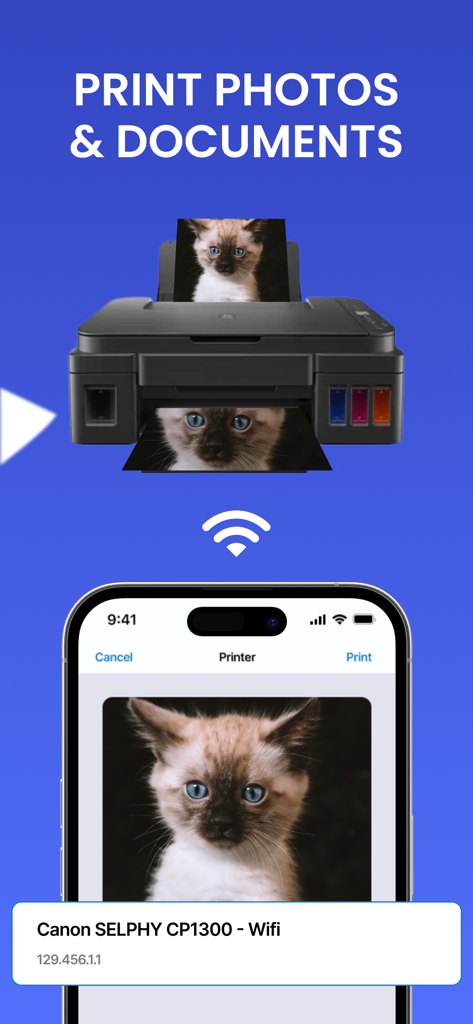
iPrint Scan Smart Printer App - プリンターへの写真やドキュメントのワイヤレス印刷を表示するスマートフォンアプリ画面。
プリンターへの写真やドキュメントのワイヤレス印刷を表示するスマートフォンアプリ画面。

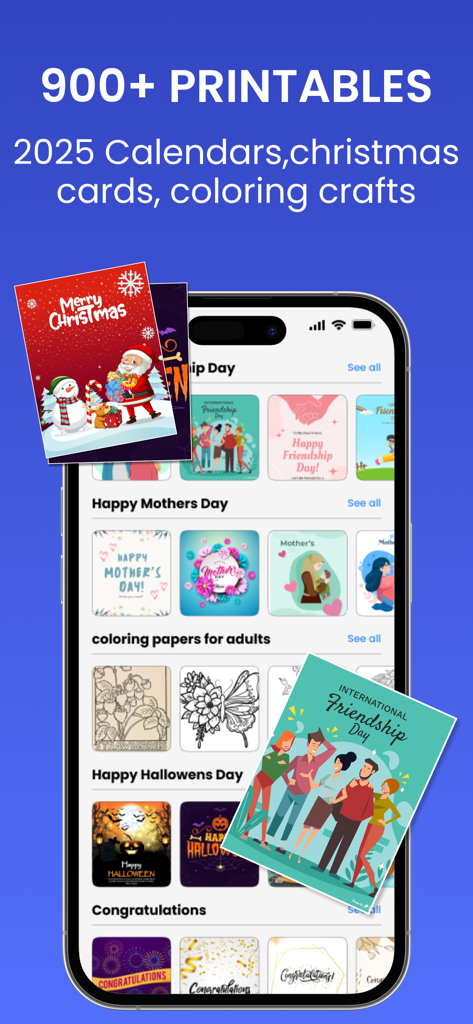
iPrint Scan Smart Printer App - ホリデーカードやカレンダー用の900以上の印刷可能テンプレートのライブラリを表示するiPrint Scanアプリのモバイルインターフェース。
ホリデーカードやカレンダー用の900以上の印刷可能テンプレートのライブラリを表示するiPrint Scanアプリのモバイルインターフェース。

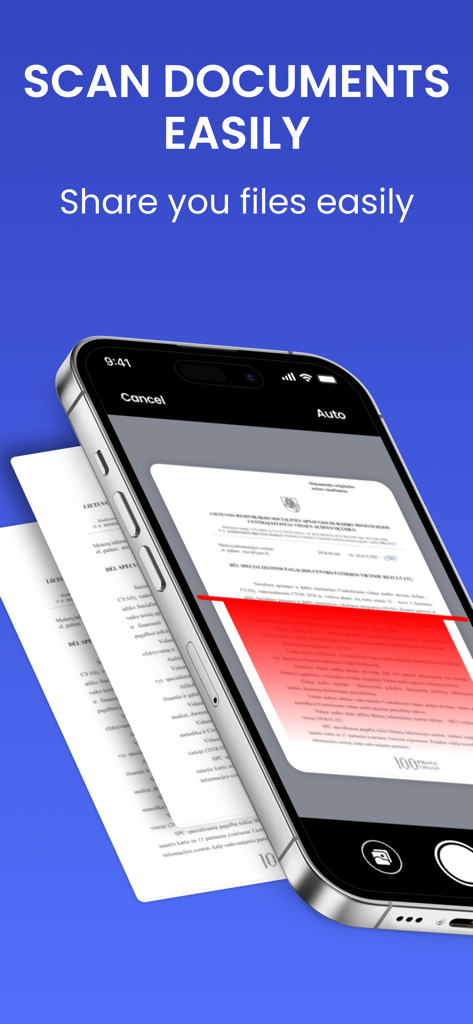
iPrint Scan Smart Printer App - 物理的な紙のドキュメントをスキャンするためにiPrint Scanアプリを使用しているiPhone。

物理的な紙のドキュメントをスキャンするためにiPrint Scanアプリを使用しているiPhone。

説明

Smart Printer Scanner is a Print Master that helps you scan & print photos. Smart Printer and Scanner lets you print photos and documents easily from your phone. Our incredible smart printer app supports various printer models, including popular brands like HP, Canon, Brother, and Epson. Print photos, documents, PDF files, invoices, receipts, boarding passes, and more with ease, sharing them with family and friends using the smart printer app. Experience seamless use of the print master capabilities to print everything you need. The smart printer app functions as a print master, supporting multiple printer models. Like the Canon printer and Brother apps, the printer app operates smoothly and precisely, enhancing the user experience. HP all-in-one printer remote & Canon printer will automatically resize your paper based on the printer’s capability and the type of document you’re printing using the smart printer app. Enjoy easy Wi-Fi printing from your mobile device through the smart printer app. Download this Brother printer app for a seamless printing and scanning experience! Smart Printing and Sharing with Canon and HP smart printer app: Print photos and share them with family and friends using our print master app. Print documents, PDFs, invoices, and receipts with the smart printer app, which functions as a comprehensive remote app for all your printing needs at home, work, or on the go! The smart printer app acts as an all-in-one remote, much like other smart printing solutions. This Brother printer app supports printing and scanning from your phone, enabling the printing of photos, documents, and web pages. With the HP Smart Tank 580 printer, you can edit scanned documents and then print, email, or share them easily. Print Photos Directly from Anywhere: With our smart printer app, you can print several photos on a single page by creating photo collages. The app keeps your printed files safe and easy to find. Ensure your phone and Brother printer app-enabled printer are on the same Wi-Fi network. Get the print master app now for stress-free printing! The all-in-one printer remote app and scanner work with various printers such as HP, Canon, Epson, Brother, and more. Whether for home or office, if it supports AirPrint, the smart printer app is your go-to tool. The paid subscription plans - Weekly Subscription - Monthly Subscription - Yearly Subscription The price for each plan may vary according to the country from where a user gets subscribed. Payment will be charged to your iTunes account at confirmation of purchase. Your subscription will automatically renew unless auto-renew is turned off at least 24 hours before the end of the current subscription period. Your account will be charged for renewal within 24 hours before the end of the current subscription period. You can manage your subscriptions and turn off auto-renewal by going to your Account Settings on the App Store after purchase. Privacy Policy & Terms & Conditions https://izharapps.blogspot.com/2024/01/term-of-use.html https://izharapps.blogspot.com/2023/10/privacy-policy-for-izhar-ullah.html

Download

ダウンロード: App Store

このページはアプリまたはその開発者の公式ページではなく、情報提供および論評を目的として作成された独立した編集出版物です。明示的に別段の記載がない限り、アプリおよびその開発者は、MWM、Apple、Google Play、アプリのパブリッシャー、またはアプリの開発者と提携、承認、後援、認可、またはその他の公式的な関係はなく、このページのいかなる内容も、アプリがMWMのサービスを使用して開発されたことを意味するものではありません。すべての商標、ロゴ、スクリーンショット、その他のコンテンツはそれぞれの所有者の財産です。








